Recommended Free Tools
Some links on this page are affiliate links: if you buy through them we may earn a commission, at no extra cost to you.
If GTA 5’s other sounds still work, change its audio output from Surround to TV or Stereo first. Phone dialogue may be routed to a center or surround channel your current speakers, headset, or HDMI setup cannot play. Test a call after changing the setting; if sound returns, check the rest of your audio setup before switching back to surround.
First, identify which audio is missing
“Phone audio” can mean several different things. Note whether you have no ringtone or keypad sounds, cannot hear the NPC on the other end, cannot hear your own character, or are also missing cutscene and ambient dialogue. If only GTA Online player voice chat is silent, that is a separate feature—not the scripted calls in Story Mode or GTA Online. Rockstar says GTA Online voice chat is disabled by default and has its own settings: Rockstar’s voice-chat instructions.

- Only calls or some dialogue are silent: start with output mode and channel routing.
- Calls, cutscenes, and other dialogue are silent: check the game’s output, the system’s active device and speaker layout, and drivers.
- All game audio is silent: check master volume, mute, and the selected output device before troubleshooting phone calls specifically.
- Only Online voice chat is silent: check GTA Online communication settings and your platform’s permissions.
Subtitles continuing during a call confirm that the conversation is progressing, but do not reveal whether the sound is being routed incorrectly or has another fault.
The Tool Desk
Outbyte PC Repair FREEClear out junk files and repair common Windows errorsFree Scan →Outbyte Driver Updater FREEFix the driver behind crashes, sound loss and screen glitchesFind Drivers →Switch GTA 5 to TV or Stereo
- Pause the game and open Settings > Audio.
- Find the audio output or speaker mode setting. Its exact name varies by platform and edition.
- Change Surround, 5.1, or 7.1 to TV, Stereo, or the available two-channel option.
- Apply the change, return to gameplay, and test a call. If it remains silent, fully quit and relaunch the game, then test again.
This is a quick diagnostic as well as a possible fix. In a documented PC case, switching from surround to TV/stereo restored phone audio; the underlying issue was a surround configuration expecting a center speaker that was not connected. That is a player-reported case, not proof that every silent call has the same cause. Read the reported case.
#1 Best Overall
Why changing to stereo can restore dialogue
A true 5.1 setup has a dedicated center channel, commonly used for dialogue. If the game or receiver is set to 5.1 but you are listening through stereo speakers, a headset, or a TV that is not reproducing that channel, some voices can be lost while music and effects remain audible. Stereo mixes audio into left and right channels instead. A successful stereo test points toward a mismatch somewhere in the output chain; it does not by itself identify the exact faulty device or channel.
For surround sound to work as intended, the game, operating system or console, receiver or soundbar, and speakers must agree about the channel layout. Rockstar’s GTA V Enhanced PC audio guidance likewise advises matching the device configuration to the speakers actually connected.
On PC: check Windows routing and surround settings
These steps apply to Windows 10 and Windows 11; exact labels can vary slightly:
Rank #2
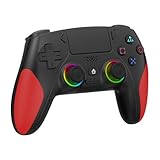
- 【Initial Connection】(The controller for PS-5 keep powered off)Connect the controller to the PS-5 console via USB cable → Press the "Home" button to power on → Select a user to log in → Unplug the USB cable → Press the Home button again to reconnect
- 【Hall Effect Joysticks and Triggers】The wireless controller for PS-5 comes with Hall Effect joysticks and triggers, giving you pinpoint accuracy and ultra-fast response control for an edge in your games(Note: If the speaker is not working, watch our upgrade tutorial video and contact us for the upgrade package)
- 【Remap/Combo】The controller for PS-5 with paddles (with 2 back buttons) support programming or mapping,let you perform complex actions, like combos, without taking your thumbs off the sticks, giving you more control and speed
- 【Turbo Function】The hall effect gamepad for ps-5 with Turbo function, simply hold down a button, and it will automatically press and release at high speed, creating a rapid-fire effect(Speed:10hz)
- 【8 RGB Light Mode】This gamepad has cool RGB lights with 8 different modes. You can have a steady color or a changing, rainbow look. Pick what you like best and change it up whenever you want. It adds a fun vibe to your gaming
- Close GTA 5. Open Settings > System > Sound and select the speakers or headset you are actually using as the output.
- Open Volume mixer. Make sure GTA 5 is not muted and that its output is not assigned to a disconnected monitor, headset, or virtual audio device. Windows allows applications to have their own volume and output-device assignments; see Microsoft’s app-audio troubleshooting steps.
- If you use stereo speakers or ordinary headphones, set the speaker layout to stereo rather than 5.1 or 7.1. Choose multichannel only if the whole setup—including its center speaker—is connected and configured for it.
- Temporarily disable Windows Sonic, Dolby Atmos for Headphones, DTS Headphone:X, headset-maker surround processing, or third-party virtual audio mixers. Test the game in ordinary stereo.
- If sound still fails, disconnect unused audio devices temporarily, set the intended device as the Windows default, and relaunch GTA 5. Also check for an audio-driver update.
If system sounds work but GTA 5 does not, Microsoft also recommends checking app-specific routing and, if needed, restarting Windows Audio and Windows Audio Endpoint Builder in services.msc. Restarting audio services interrupts sound in other apps temporarily. Rockstar’s Enhanced guidance is specific to that PC edition and to cutscene or other missing audio; it does not establish that Enhanced causes every phone-audio problem.
For an HDMI receiver or soundbar, check that its input and speaker configuration match the connected hardware. A surround profile that expects an unwired center speaker can produce selective dialogue loss. Testing with a television’s built-in speakers or a basic stereo headset can help isolate the receiver and speaker chain.
On PlayStation: check controller audio
Some players have reported phone-related sound being sent to the controller speaker. This is a platform-specific possibility, not a universal setting or an official Rockstar-confirmed cause. Open GTA 5’s Settings > Audio and check whether controller audio is enabled. If you want the call through your TV or headset, turn controller audio off if that option is available. Then verify the console’s output device and audio format, restart the game, and test again. Menu names and options differ by PlayStation generation and GTA 5 edition.
Rank #3
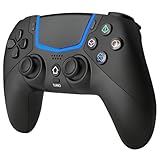
- Multi-Platform Compatibility: The Bluetooth 5.3 wireless controller is designed to be compatible with PS-5/Pro/Slim, PC(Windows 8/10/11) and so on. No matter which device you prefer for gaming, the controller provides seamless connectivity and smooth gameplay across multiple platforms, ensuring versatility and convenience
- 2 Connection Modes: Connect to the PS-5 console via Bluetooth 5.3 or Wired. Warm Tips: When using the gaming controller in Bluetooth 5.3 mode for the first time, it needs to be connected to the PS-5 console via a USB-C cable(the data cable included in the package or the original data cable), and then press the "HOME" button to connect with the console
- Hall Effect Joysticks: The BETMI Hall Effect Joysticks deliver a durable lifespan of up to 5 million cycles, precise and responsive feedback, allowing for smoother and more accurate movement in games
- Unparalleled Linear Triggers: Whether you're doing throttle acceleration through virtual worlds or performing actions like shooting, our sensitive triggers ensures a seamless gaming experience
- 6-Axis Motion Sensing: The controller is equipped with a 6-axis gyroscope that allows players to perform in-game actions such as controlling character direction, attacking, dodging, and more with slight hand movements or shaking, enhancing the sensory experience and realism of the game
If you still cannot hear the NPC side of a call, test with the controller speaker disabled and another output device if available. A player report about missing phone audio and controller settings is available on Reddit; treat it as a troubleshooting lead rather than a guaranteed fix.
What’s actually slowing this PC down?
Pick the symptom - the matching free tool is one click away.
On Xbox: isolate party chat and output devices
Leave Xbox Party Chat temporarily, close and reopen GTA 5, then test a phone call. Also test with the headset disconnected if practical, and check that the console is sending audio to the output you are listening to. If the problem changes with party chat, compare the two setups to isolate an interaction.
Rockstar has documented an Xbox Series X|S party-chat interaction that affects licensed in-game music, but that notice concerns music—not scripted phone calls. It makes party chat worth testing, but does not establish it as the cause of silent calls. See Rockstar’s Xbox music notice.
Rank #4

- WIDE SCREEN COMPATIBILITY — PHONE TO TABLET: X5 Lite is a versatile phone controller that stretches up to 213mm to fit iPhone 15/16, most Android phones, iPad mini 6/7, and compatible Android tablets. Secure Type-C connection keeps gameplay stable and responsive.
- MOBILE, CLOUD & REMOTE GAMING: Play supported mobile games like Zenless Zone Zero, or stream console and PC games through Xbox Game Pass, Steam Link, Moonlight, and remote play. Enjoy physical controls wherever you play.
- HALL EFFECT STICKS — PRECISE CONTROL: GameSir Hall Effect sensing sticks deliver smooth 360° control for accurate aiming, movement, and camera adjustments. Built for fast-paced mobile games and streamed console or PC titles.
- LIGHTWEIGHT & ERGONOMIC — 135.4G: At just 135.4g, X5 Lite stays lightweight during extended gaming. Ergonomic, laser-engraved textured grips provide a secure, comfortable hold at home or on the go.
- CUSHIONED MEMBRANE CONTROLS — COMFORTABLE & QUIETER: Cushioned membrane buttons and triggers provide comfortable feedback for repeated inputs while keeping operation quieter. Ideal for extended sessions or gaming in shared spaces.
If only the other person on the call is missing
When you can hear the ringtone or your character but not the NPC, test stereo output first, then disable surround processing and try a different output device. Check that subtitles advance normally and test another cutscene or NPC conversation. If other dialogue is missing too, troubleshoot the general output chain rather than assuming the phone-call audio itself is broken. Player reports describe this one-sided symptom and output-setting workarounds, but do not establish a single cause: report one and report two.
What to try before verifying files or reinstalling
- Test GTA 5 in TV/stereo mode.
- Confirm the active output device and, on PC, the game’s Volume Mixer assignment.
- Temporarily bypass virtual surround and test another output device you already own.
- Restart the game and the system after changing devices or speaker layout.
- If using an unmodified game and the problem persists, verify its files through the relevant launcher. This can help with damaged files, but is not a guaranteed audio fix.
Reinstalling should not be an early step: it will not correct a muted app, a disconnected center speaker, a Windows per-app output assignment, or a receiver in the wrong mode. In the reported PC case, reinstalling did not solve the problem; correcting the channel configuration did. Mods or FiveM can add separate audio or resource problems, so first test the standard Rockstar game without those additions if applicable.
PC Slower Than It Used to Be?
A free scan shows the junk files, broken settings and background clutter dragging Windows down - then fixes them in one click.Free scan · Windows 10 & 11Outdated Drivers Are Slowing You Down
One free scan finds every outdated or missing driver and matches the right update for your exact hardware.Free scan · exact hardware matchIf none of these checks helps, contact Rockstar Support and include your platform, GTA 5 edition, output device and speaker layout, whether other dialogue is audible, and whether subtitles continue during calls. Those details distinguish a call-only symptom from a wider audio-device problem.
After the test: restore surround carefully
Stereo is a useful fix for TVs, headphones, and two-speaker setups, but it does not provide genuine multichannel surround. If you have a properly connected 5.1 or 7.1 system, restore surround only after confirming that the system, game, and receiver agree on the speaker layout and that every required channel is present. If phone audio disappears again, return to stereo and investigate the channel configuration rather than repeatedly reinstalling the game.
Quick Recap
Product prices and availability are accurate as of the date/time indicated and are subject to change. Any price and availability information displayed on Amazon at the time of purchase will apply.

