Short answer: NVIDIA ended new Game Ready driver development for Maxwell, Pascal and Volta GeForce GPUs after its final October 2025 release. GeForce 10-series cards are primarily Pascal, so GTX 1080 Ti, GTX 1060, GTX 1050 and related models no longer receive new game optimizations, feature support or routine compatibility fixes. NVIDIA’s published plan still schedules quarterly critical-security updates for these architectures through October 2028. This is separate from Windows 10’s own end of standard support.
What NVIDIA actually ended
NVIDIA’s architecture-support plan moved Maxwell, Pascal and Volta GeForce products out of normal Game Ready development after the final October 2025 release. “Driver updates ended” is therefore too broad: Game Ready development ended, while a security-maintenance branch remains.
| Still available during the legacy period | No longer expected |
|---|---|
| Quarterly critical-security fixes and security-driver releases | Day-one optimizations for newly released games |
| Existing drivers for games and applications that already work | New graphics features and normal performance enhancements |
| Compatibility fixes only when included in a security release | Routine bug fixes and guaranteed support for future releases |
NVIDIA says security maintenance is scheduled through October 2028. That is a published plan, not a promise of support beyond that date.
Which GeForce cards are affected?
The dividing line is the GPU architecture, not simply the word “GTX” on the box. The principal Pascal GeForce 10-series models are:
Quick wins for a faster PC:
Clear out junk files and repair common Windows errorsFree Scan →Scan for outdated or missing drivers - takes under a minuteDriver Scan →Repair Windows errors before they cause bigger problemsFix Now →#1 Best Overall

- Real Base Clock: 1556 MHz/Real Boost Clock: 1670 MHz; Memory Detail: 11264MB GDDR5X. Redesigned cooling with L-shaped contact fins to improve contact surface area for better heat dissipation
- EVGA iCX Cooling - Delivering industry-leading cooling performance to your Graphics Card. Vulkan API
- Requirements-Minimum of a 600 Watt power supply. An available 6-pin PCI-E power connector and an available 8 pin PCI-E power connector.Total Power Draw- 250 Watts
- New vented heatsink fin design and pin fins for optimized airflow. An available 6-pin PCI-E power connector and an available 8 pin PCI-E power connector. Windows 10 32/64bit ,Windows 8 32/64bit, Windows 7 32/64bit
- DX12 OSD Support with EVGA Precision XOC. Stream extreme GeForce GTX PC gaming experiences to portable device like NVIDIA SHIELD with super-smooth, low-latency performance
- GeForce GTX 1080 Ti and GTX 1080
- GeForce GTX 1070 Ti and GTX 1070
- GeForce GTX 1060
- GeForce GTX 1050 Ti and GTX 1050
- GeForce GT 1030 and GT 1010
- Pascal-based GeForce TITAN products, where applicable
The policy also covers many GeForce 700- and 900-series cards built on Maxwell, plus Volta GeForce products. It does not automatically cover every GTX-branded card: GTX 16-series models are Turing-based and must be checked by exact model. Professional RTX, data-center and other non-GeForce products can follow different driver branches.
Desktop and laptop exceptions
Laptop model names can differ from desktop equivalents, and notebook makers often customize graphics packages for switchable graphics, brightness, sleep and power management. Identify the exact GPU and check the laptop manufacturer’s support page before replacing a working OEM package. NVIDIA’s generic package may work, but it is not always the best choice for a notebook.
The latest security driver
The NVIDIA driver listing showed GeForce Security Update Driver 582.66, released June 16, 2026, for Maxwell, Volta and Pascal GeForce GPUs. It was the latest version visible on August 16, 2026—not a permanently “final” driver. Check the official NVIDIA listing for a later release; earlier entries include 582.53 (May 19, 2026) and 582.28 (January 28, 2026).
A security package is not evidence that Game Ready support has resumed. It addresses critical security issues on the legacy branch and should be treated differently from a normal Game Ready release.
Will a GTX 10-series card stop working?
No. A GTX 10-series card should continue to run with its installed driver, and existing games do not automatically stop working because the card entered security-only support. The change creates a gradually increasing compatibility risk rather than a universal failure date.
Rank #2

- Item Package Dimension -10.699999989086L X 3.699999996226W X 2.49999999745H Inches
- Item Package Weight - 2.1495070545 Pounds
- Item Package Quantity - 1
- Product Type - Video Card
- A future game may require driver changes Pascal will not receive.
- New rendering, upscaling or video features may be unavailable.
- A game-specific bug may remain unfixed.
- Anti-cheat, launcher or graphics-API changes could eventually cause problems.
- Skipping the remaining security releases leaves known vulnerabilities unaddressed.
These are risks to plan for, not proof that a particular current game will fail.
Windows 10 and Windows 11 are a separate decision
Microsoft ended standard Windows 10 support on October 14, 2025, as described in its Windows lifecycle guidance. NVIDIA separately extended Game Ready support for supported RTX GPUs running Windows 10 through October 2026, followed by planned quarterly security updates through October 2029, according to its Windows 10 support plan.
That extension does not restore Game Ready support to Pascal. A GTX 1060 on Windows 11 remains a Pascal card on the security-only branch; a newer RTX card on Windows 10 can remain in Game Ready support until NVIDIA’s stated October 2026 cutoff. Windows 11 may improve overall operating-system support when a PC meets Microsoft’s requirements, but it does not change the GPU architecture.
Windows Errors? Fix Them Before They Spread
Repair common Windows errors and clear accumulated junk for a smoother, more stable PC - no reinstall needed.Free scan · no reinstallCrashes, No Sound, or Screen Glitches?
Random freezes, missing sound and display glitches usually trace back to one bad driver. Find and replace yours safely.Free scan · under a minuteCheck your exact GPU and driver
Use Device Manager
- Press Windows + X and open Device Manager.
- Expand Display adapters.
- Record the exact NVIDIA model.
- Compare that model with NVIDIA’s supported-products information and the security-driver listing.
Use DirectX Diagnostic Tool
- Press Windows + R.
- Enter
dxdiagand press Enter. - Open the Display tab and note the GPU and driver version.
Check NVIDIA Control Panel
Open NVIDIA Control Panel, select System Information, and record the driver version. If NVIDIA utilities are installed, nvidia-smi can also report driver information, but it is not guaranteed to be available on every consumer GeForce installation.
Install or update the security driver safely
- Download only from NVIDIA’s driver page or your PC manufacturer.
- Select the exact GPU, Windows edition and 64-bit architecture.
- Choose the security-driver package for legacy Pascal, Maxwell or Volta hardware.
- Create a restore point or backup, then close games and GPU-intensive applications.
- Install normally or use the custom installation path if you need to choose components.
- Reboot and verify the version in NVIDIA Control Panel or Device Manager.
- Keep the previous known-good installer for rollback.
If the update causes problems
- Use Device Manager’s Roll Back Driver option when available.
- Reinstall the previous known-good package.
- Use Windows Safe Mode and a display-driver cleanup utility only if necessary and with care.
- For a laptop showing display, sleep, brightness or hybrid-graphics problems, reinstall the manufacturer’s OEM driver.
Choose a path based on how you use the PC
Keep the existing GTX 10-series card
This is sensible when current games run acceptably, the computer is used for older titles, esports or desktop work, and newer RTX-only features are not required. Install the security releases through the supported period and keep a known-good installer. The trade-off is no new Game Ready optimization and a fixed October 2028 security-support endpoint.
Rank #3
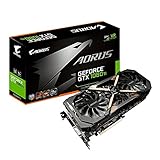
- This Certified Refurbished product is tested and certified to look and work like new. The refurbishing process includes functionality testing, basic cleaning, inspection, and repackaging. The product ships with all relevant accessories, a minimum 90-day warranty, and may arrive in a generic box. Only select sellers who maintain a high performance bar may offer Certified Refurbished products on Amazon.com
- Core Clock (MHz): 1708/1594 (Boost/Base) in OC Mode and 1683/1569 (Boost/Base) in Gaming Mode
- WINDFORCE Stack 3X 100mm Fan Cooling System with Advanced Copper Back Plate Cooling
- RGB Fusion – 16.8M customizable color lighting
- Protection Metal Back Plate
Move the existing PC to Windows 11
Choose this when the computer meets Microsoft’s hardware requirements and the GPU still delivers enough performance. It moves the operating system away from Windows 10’s unsupported mainstream status without requiring a graphics-card purchase. It does not restore Game Ready support to Pascal, and older notebooks may remain limited by OEM support.
Replace the GPU
A newer GeForce RTX card is justified when new games are the main use, current-driver optimizations matter, or ray tracing, newer upscaling and modern video features are priorities. NVIDIA’s current listings include RTX 50-series products such as the GeForce RTX 5060 Ti and RTX 5070, but the right model depends on resolution, power supply, connectors, case clearance, CPU performance and budget. A replacement is a performance and compatibility decision—not an emergency requirement for every GTX owner.
The Tool Desk
Outbyte PC Repair FREERepair Windows errors before they cause bigger problemsFix Now →Outbyte Driver Updater FREEScan for outdated or missing drivers - takes under a minuteDriver Scan →Buying another GTX 10-series card does not solve the support limitation. A used RTX card may offer a longer driver runway, but check condition, mining history, warranty, power requirements and return protection.
Independent reader supportYour contribution helps us test, update, and keep practical guides available for everyone.What changes after October 2028?
Unless NVIDIA revises its policy, assume that critical-security updates for Maxwell, Pascal and Volta GeForce GPUs end in October 2028. An existing driver may continue to run afterward, but there would be no official security fixes, no new-game optimization and increasing dependence on workarounds or replacement hardware.
Common misconceptions
- “All NVIDIA driver updates stopped.” Game Ready development stopped for the affected architectures; security releases continue.
- “Windows 10 caused the GTX 10-series shutdown.” The architecture transition and Windows 10 lifecycle are separate policies.
- “Every GTX card is affected.” GTX 16-series cards are Turing and require a separate check.
- “Windows 11 fixes the driver problem.” It does not change a Pascal GPU into a supported Game Ready architecture.
- “A new GPU is immediately mandatory.” Existing cards remain usable, with security maintenance planned through October 2028.
Frequently Asked Questions
Will my GTX 1060 stop working?
No. It should continue running existing games with its installed driver, although future titles and software may eventually require fixes or features it will not receive.
Rank #4

- Item Package Dimension- 12.9133858136L x 6.9291338512W x 3.7401574765H inches
- Item Package Quantity - 1
- Product Type - Video Card
- Accessories may not be original but will be compatible and fully functional. Product may come in generic box.
Can I still install drivers for a GTX 1080 Ti?
Yes. NVIDIA’s security-only branch continues through the published October 2028 plan. Check NVIDIA’s driver page for the newest applicable package.
Recommended Free Tools
Does Windows 11 restore Game Ready support?
No. Windows 11 can improve operating-system support, but a Pascal card remains on NVIDIA’s security-only driver branch.
Are GTX 1650 cards included?
Do not assume so. GTX 1650 is a Turing-based GTX 16-series product; verify the exact model and architecture rather than relying on the GTX label.
Should I buy a used GTX 1080 Ti?
Not as a way to regain current driver support. It has the same Pascal limitation; consider a newer supported GPU if driver longevity is the goal.
Do laptop owners follow the same rules?
The architecture policy still matters, but laptop owners should check the manufacturer’s driver first because OEM packages can be important for hybrid graphics, brightness, sleep and power management.
Quick Recap
Product prices and availability are accurate as of the date/time indicated and are subject to change. Any price and availability information displayed on Amazon at the time of purchase will apply.




