Recommended Free Tools
Some links on this page are affiliate links: if you buy through them we may earn a commission, at no extra cost to you.
Yes—the NZXT H2 Mini PC is a real prebuilt gaming desktop with a GeForce RTX 5080, available in AMD and Intel configurations. “Mini” means a 20.7-liter Mini-ITX system, not a tiny NUC-style PC. Both versions launched in the US at $3,499, but NZXT’s store pages have shown limited or sold-out availability; check the US product page before planning a purchase.
What the NZXT H2 Mini PC is
The H2 Mini PC is NZXT’s assembled version of its H2 Flow vertical Mini-ITX case. It combines desktop-class components—including an RTX 5080—with a 240mm liquid cooler and SFX power supply in a 20.7-liter chassis. NZXT announced it on February 17, 2026, as a US-only prebuilt at launch. The announcement also introduced the H2 Flow case and C850 SFX power supply as separate products.
This is not a console-sized computer or a typical 1–5-liter mini PC. NZXT lists the Intel system at approximately 17.1 × 7.1 × 10.4 inches. Its vertical shape can save desk width compared with a conventional tower, but it remains a relatively tall, densely packed enthusiast desktop. “Mini” here refers to the Mini-ITX platform and compact case, not an ultra-small footprint.
Quick wins for a faster PC:
Fix the driver behind crashes, sound loss and screen glitchesFind Drivers →Clear out junk files and repair common Windows errorsFree Scan →Scan for outdated or missing drivers - takes under a minuteDriver Scan →Specifications at a glance
| Component | AMD Edition | Intel Edition |
|---|---|---|
| Processor | AMD Ryzen 7 9800X3D | Intel Core Ultra 9 285K |
| Graphics | GeForce RTX 5080, 16GB; NZXT lists a Windforce OC model | |
| Memory | 32GB DDR5 | |
| Storage | 2TB NVMe M.2 SSD | |
| Motherboard | Gigabyte B850I AORUS Pro Mini-ITX | Gigabyte Z890I AORUS Ultra Mini-ITX, according to NZXT’s launch announcement |
| Cooling | 240mm NZXT Kraken Elite liquid cooler | |
| Power supply | 850W Lian Li SP850 SFX | |
| Operating system | Windows 11 Home | |
| Chassis | NZXT H2 Flow, 20.7 liters | |
| Launch price | $3,499 US | |
NZXT’s product pages list Wi-Fi, NZXT CAM monitoring and customization software, and a two-year parts-and-labor warranty on the Intel page. Warranty terms can differ by location, so confirm the terms and return policy for the US configuration when ordering.
#1 Best Overall

- 【Desktop-Class Performance for Multitasking & Creation】The S3A Mini PC delivers desktop-class performance in a compact design, powered by AMD Ryzen 7 H 255 (8 cores/16 threads, up to 4.9GHz) and Radeon 780M graphics(12 core 2600MHz) with RDNA 3 architecture. Built for power users, it handles demanding multitasking, programming, content creation, photo/video editing, 3D design, streaming, and everyday business workloads with ease
- 【Fast Memory & Expandable 4TB Storage 】Equipped with 16GB LPDDR5 6400MT/s RAM and a 512GB PCIe 4.0 NVMe SSD, this mini computer delivers fast boot times, quick app launches, and smooth multitasking. Expand storage up to 4TB with the tool-free removable design, giving you more space for large software, work files, media libraries, and creative projects while keeping your system ready for future storage needs
- 【Triple 4K Display Support for Enhanced Productivity】 Expand your workspace with support for up to three 4K displays through HDMI 2.0, DP 2.0, and USB4 Type-C ports. S3A micro PC enables efficient multitasking across multiple screens, making coding, video editing, data analysis, online meetings, and content creation easier without constantly switching windows. Enjoy sharp 4K visuals and smooth performance for a more productive workflow. Designed for creators, developers, and professionals, S3A delivers a powerful desktop experience in a compact design.
- 【Three Performance Modes for Every Task】Customize your mini PC experience with three adjustable power modes. ① Silent Mode (20-35W) keeps fan noise as low as 35dB for quiet work, streaming, and everyday use. ② Auto Mode (30-45W) delivers balanced performance for multitasking and entertainment. ③ Performance Mode (40-54W) unlocks maximum processing power for demanding applications, creative workloads, and smooth casual gaming. Customizable RGB lighting adds a personal touch to your workspace, whether you're building a professional setup or an entertainment station
- 【Ultra-Quiet Cooling & Versatile Connectivity】 S3A mini desktop computer features an advanced dual-fan cooling system with optimized airflow and heat dissipation to maintain stable performance during demanding workloads, programming, content creation, and extended use. The efficient cooling design reduces noise distractions for a quieter workspace. With HDMI, DP, full-function USB-C, LAN, USB 3.2 ports, and DC input, S3A supports flexible connections for displays, peripherals, and professional setups, delivering reliable desktop performance in a compact design.
There is a specification conflict worth noting: the Intel product page’s overview text refers to a Gigabyte B850I AORUS Pro, while its detailed specification lists a Z890I AORUS Ultra. NZXT’s launch announcement assigns the Z890I to Intel and B850I to AMD; that also matches the CPU platforms. Treat the launch announcement as the clearer indication, and confirm the exact shipped configuration with NZXT. The available store information is also inconsistent on DDR5 speed, so don’t assume a particular memory frequency without checking the live listing.
AMD or Intel: which version makes more sense?
At launch, both configurations cost $3,499 and share the same GPU, memory capacity, storage capacity, and basic chassis design. The main advertised difference is the processor.
- AMD Edition: The Ryzen 7 9800X3D makes this the more obvious gaming-first choice on paper. Choose it if gaming is the main job and you do not have a specific CPU-heavy productivity reason to prefer the Intel model.
- Intel Edition: The Core Ultra 9 285K is the option to consider for a mix of gaming and work such as rendering, encoding, compiling, or other CPU-intensive tasks. Whether it is better for a particular application depends on workload-specific testing.
There is no basis here for declaring one a universal gaming winner: both use the same RTX 5080, and results depend on the game, resolution, settings, memory configuration, cooling, and power limits. Look for independent tests of the exact systems—or at least closely matched CPU and GPU configurations—before relying on frame-rate claims.
Crashes, No Sound, or Screen Glitches?
Random freezes, missing sound and display glitches usually trace back to one bad driver. Find and replace yours safely.Free scan · under a minutePC Slower Than It Used to Be?
A free scan shows the junk files, broken settings and background clutter dragging Windows down - then fixes them in one click.Free scan · Windows 10 & 11Rank #2

- 16-CORE POWERHOUSE — The Intel Core i7-14650HX processor (16 cores, 24 threads, up to 5.2 GHz, 30 MB cache) keeps dozens of browser tabs, spreadsheets, video calls, and creative apps running smoothly at once — no lag, no spinning wheel.
- 【16-CORE i7-14650HX】 — 2× Cores of Ryzen 7 7840HS Mini PCs. The Intel Core i7-14650HX (16C/24T, 55W) handles 3D rendering, 4K editing, multi-monitor trading. Versus Ryzen 7 7840HS 8-core mini PCs in the $399–$500 band: 2× cores (16 vs 8), ~30-40% multi-thread advantage (Cinebench R23 reference). Versus the i9-13900H (14C/20T) workstation class at the high end: more cores, same 55W envelope. Versus same-chip 16 GB configs: double the RAM at a comparable price.
- 【32GB DDR4 + 4TB PCIe 4.0 EXPANDABLE】 — Up to 64GB RAM, 2× PCIe 4.0 Speed. 32 GB DDR4-3200 dual-channel delivers ~51 GB/s; two SO-DIMM slots grow to 64 GB with standard modules — no soldering. The 1 TB PCIe 4.0 NVMe SSD delivers ~7 GB/s reads, ~2× the speed of PCIe 3.0 in $400-class mini PCs. Two M.2 2280 slots accept up to 4 TB total. Versus same-chip 16 GB configurations in this price band: the H2 ships double the RAM, and two SO-DIMM slots ready for your own future upgrade.
- 【TRIPLE 4K@60Hz + WIFI 6E】 — Three Screens, 6 GHz Bandwidth. HDMI 2.0 + DisplayPort 1.4 + USB-C (DP 1.4 Alt Mode) drive three 4K monitors at 60 Hz. Wi-Fi 6E adds the 6 GHz band — up to 1.6 Gbps wireless (~33% faster than Wi-Fi 6) and less interference in dense U.S. apartment buildings. Vs single-HDMI mini PCs that need a dock: the Hyper H2 drives three screens from the box. Vs Wi-Fi 5: clean 6 GHz means clean video calls and 4K streaming.
- 【55W SUSTAINED, 55W COOLING】 — Built to Stay Cool. The Hyper H2 packs a 55W cooling system into a 5.05-inch chassis: dual heat pipes, dual copper fins, silent centrifugal fan, dual-airflow design. Versus 8-core AMD-class mini PCs in the same price band that throttle under sustained multi-core load: the Hyper H2 sustains the full 55W without significant throttling. Cool, quiet, fits behind any monitor, 24/7-safe.
What to expect from the RTX 5080
An RTX 5080 is aimed at high-refresh 1440p and 4K gaming. For ordinary 1080p play, this system is likely more hardware than many buyers need; the GPU is easier to justify if you want high refresh rates, demanding visual settings, ray tracing, streaming, or a longer period before considering an upgrade.
The card’s 16GB of graphics memory is relevant to high-resolution textures, ray tracing, mods, and future games, but it does not guarantee a particular result in every title. DLSS upscaling and frame generation can change perceived smoothness, so compare benchmarks carefully: native rendering, upscaled output, and generated frames are different measurements. NZXT’s smooth-4K positioning is promotional, not a promise of a fixed frame rate at a particular setting.
Size, airflow, and cooling
The H2 uses a vertical layout, mesh airflow panels, a 240mm AIO liquid cooler, and an SFX power supply. The graphics card is installed vertically using a riser, a common way to fit a large GPU in a compact case. This makes the system less like a shrunken conventional tower and more like a carefully arranged small-form-factor build.
Rank #3
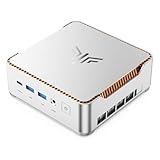
- ULTIMATE 14TH GEN DESKTOP-CLASS POWER: Ditch weak outdated mobile processors. KAMRUI Hyper H2 Mini PC runs Intel Core i5-14500HX (14C/20T, up to 4.9GHz). This palm-sized unit brings desktop-tier performance, boasting 35% faster multitasking than i7-1185G7 and 24% higher performance than i5-12450H. It smoothly manages huge Excel files, code compilation and resource-heavy B2B business software with no lag
- PRO-GRADE SPEED & LIMITLESS EXPANSION: Experience zero-lag multitasking with 16GB DDR4 RAM and a lightning-fast 512GB PCIe 4.0 NVMe SSD. Built for the future, this mini computer features dual-channel slots supporting up to 64GB RAM, while dual M.2 slots allow for up to 4TB of total storage. It’s the perfect powerhouse for managing giant media libraries, hosting multiple Virtual Machines (VMs), and ensuring near-instant boot-ups every single morning
- TRIPLE 4K DISPLAY & ELITE VISUALS: Supercharge your productivity with a Triple-Monitor setup via HDMI 2.0, DP 1.4, and a Full-Featured USB-C (DP Alt Mode/15W PD). Powered by Intel 14th Gen UHD Graphics, the Hyper H2 Mini Desktop PC delivers crisp, stutter-free 4K@60Hz visuals. Ideal for financial traders tracking multiple charts, digital signage, or creative professionals who need every pixel to be pixel-perfect
- ZERO-DONGLE CONNECTIVITY & WI-FI 6: Say goodbye to messy adapters. This workstation features an impressive 7 USB ports, including 2x USB 3.2 Gen2 (10Gbps) for rapid-fire data transfers. With a built-in Gigabit Ethernet port, Wi-Fi 6, and Bluetooth 5.2, you get rock-solid stability for seamless peripheral syncing. It’s the ultimate 'plug-and-play' hub for any modern office
- DUAL-FAN COOLING & INDUSTRIAL RELIABILITY: Designed for 24/7 sustained performance, our Premium Dual-Fan Thermal System combines full copper heat pipes with a dedicated SSD heatsink. This industrial-grade cooling prevents thermal throttling, ensuring the PC stays cool and quiet even under 100% CPU load. Perfect for office servers, creative studios, and high-uptime business environments
The layout may reduce the desk area occupied by the computer, but the system is still tall, and its components sit close together. Mesh panels and liquid cooling are design choices, not proof that the machine will run cool or quietly. No independent thermal or acoustic measurements for this exact configuration are established here, so judge temperatures and fan noise using reviews that specify their workload, ambient conditions, and test settings.
Price and value
The announced US price was $3,499 for either CPU version. That buys more than a graphics card and processor: the package includes a Mini-ITX build, 240mm cooler, 850W SFX supply, assembly, and the convenience of having a vendor configure and test a dense system. That convenience can matter when GPU clearance, riser installation, cable routing, and cooler placement are not jobs you want to manage yourself.
Whether the price is worthwhile depends on actual availability and component prices when you shop. A capable DIY builder may be able to choose parts more freely, adjust memory or storage, select a quieter GPU, or spend less. But a fair comparison should include the SFX power supply, cooler, assembly, warranty, and the time and troubleshooting risk of an SFF build—not just the CPU and graphics card. GPU pricing changes quickly, so a dated parts list is necessary before calling either option cheaper.
Rank #4

- 【AMD Ryzen 7 6800H Performance for Everyday Computing】Powered by AMD Ryzen 7 6800H (8 cores, 16 threads, up to 4.7GHz), this mini pc delivers smooth performance for office work, web browsing, coding, and multitasking. Suitable for users looking for reliable desktop computers in a compact form.
- 【16GB LPDDR5 RAM + 512GB NVMe SSD Storage】Equipped with Dual Channel 16GB LPDDR5 memory (6400MT/s) and 512GB NVMe SSD, this mini computer provides fast system response and reduced loading times. Supports dual M.2 expansion for additional storage needs, making it suitable for long-term use as a mini desktop computer.
- 【AMD Radeon 680M Graphics for Light Gaming & Media】The integrated Radeon 680M GPU supports smooth video playback, photo editing, and light gaming. This mini gaming pc handles casual games and multimedia tasks efficiently, making it a practical micro pc for entertainment.
- 【Triple 4K Display for Efficient Multitasking】Supports up to three 4K displays via HDMI, DisplayPort, and Type-C. This mini computers setup helps improve workflow efficiency for trading, office tasks, and content creation using multiple applications at the same time.
- 【Rich Connectivity with Dual LAN & WiFi 6】Includes Dual LAN ports, USB 3.2, USB 2.0, Type-C, HDMI, and DP for flexible device connections. WiFi 6 and Bluetooth 5.3 ensure stable wireless performance for both office and home environments. Works well as a mini pc 16gb ram system or compact workstation.
For context, NZXT also lists the H2 Flow case separately; the store has shown it at $149.99. NZXT’s larger Player Three RTX 5080 desktop is another route for shoppers who prefer a conventional chassis; an indexed collection showed one configuration at $3,599. Those figures are store snapshots, not guaranteed current prices or stock. A larger case may be a better fit if expansion, component access, or cooling flexibility matters more than compactness.
Upgradeability: what to check before buying
The system is built around a Mini-ITX motherboard and SFX power supply, and its major components are desktop parts. That does not mean every replacement part will fit. GPU length and thickness, power-connector position, the riser, radiator placement, and cable clearance all matter in a compact case. The precise GPU dimensions and riser specification are not confirmed by the product details cited here.
Before planning an upgrade, confirm the shipped motherboard’s memory slots and supported speeds, available M.2 sockets, space for additional drives, GPU clearance, and radiator or fan options. NZXT’s H2 Flow manual is the right place to check case layout and fit; ask NZXT about system-specific details that the case manual cannot establish. Also review the applicable warranty terms before changing components. Don’t assume that an upgrade automatically voids the entire warranty—or that damage caused during a modification will be covered.
Availability and who should buy it
The H2 Mini PC launched as a limited US product, and NZXT’s indexed listings have shown sold-out status on some storefronts. Regional pages can show different stock or labels, so an international or cached listing is not proof that it can be purchased in the United States. Check the US store directly before making plans. The product is real, but it should not be treated as reliably in stock.
- Consider the AMD Edition if gaming is the priority, the system is available, and the compact prebuilt format is worth the launch-price premium to you.
- Consider the Intel Edition if you will also run CPU-intensive creative or technical workloads, and application-specific results support your choice.
- Choose a DIY H2 Flow build if you want to select every component, can manage Mini-ITX fit and assembly, or find parts at a meaningfully lower total cost.
- Look at a larger desktop if you value easier access, expansion, or cooling flexibility more than a narrower desk footprint.
- Skip this class of system if you mainly play at standard 1080p settings and do not need the RTX 5080’s headroom.
The H2 Mini PC’s appeal is specific: high-end gaming hardware in an assembled, vertical Mini-ITX system. Buy it for that combination and the reduced build hassle, not because “mini” means tiny, because NZXT’s marketing guarantees quiet 4K performance, or because the launch price remains a reliable current offer.
Quick Recap
Product prices and availability are accurate as of the date/time indicated and are subject to change. Any price and availability information displayed on Amazon at the time of purchase will apply.
Do these 3 things before closing this tab:
1Clear out junk files and repair common Windows errors2Fix the driver behind crashes, sound loss and screen glitches3Repair Windows errors before they cause bigger problems
