Quick wins for a faster PC:
Scan for outdated or missing drivers - takes under a minuteDriver Scan →Repair Windows errors before they cause bigger problemsFix Now →Fix the driver behind crashes, sound loss and screen glitchesFind Drivers →Some links on this page are affiliate links: if you buy through them we may earn a commission, at no extra cost to you.
OCCT 4.4.2 was a genuine release of OverClock Checking Tool, dated April 28, 2016—not a current version. It offered CPU, memory, GPU and combined-load testing alongside hardware monitoring and graphs. It can still matter when working with a period-correct PC or reproducing an old test, but its age makes compatibility, sensor accuracy and download provenance uncertain. For a modern gaming PC, use the latest release from the official OCCT download page instead.
What OCCT 4.4.2 was
OCCT stands for OverClock Checking Tool, a Windows utility designed to put computer components under load and help identify instability. It is distinct from other products that also use the acronym OCCT. In practical terms, OCCT combines several jobs: a stress test creates a demanding workload; a stability test checks whether the system completes that workload without errors or failure; monitoring records readings such as temperatures, clocks and voltages; and a benchmark measures performance. A test pass is evidence only for the workload and conditions tested—it is not proof that every game or application will run flawlessly.
Period release listings date version 4.4.2 to April 28, 2016, and describe it as freeware for Windows. Its era’s feature set included CPU and RAM stability testing, GPU and power-supply tests, hardware readings and graphs. Those descriptions come from archival records, not a current compatibility statement. A period release reference and an archived software listing provide the date and historical positioning.
What changed in 4.4.2?
Surviving contemporary changelog references characterize 4.4.2 mainly as a maintenance release, with fixes in the main interface and an updated monitoring engine. An earlier beta reference mentions a correction involving tests using more than one core and improved GPU-frequency monitoring; that is beta-history context, not a claim that those were the final release’s complete changes. The available references do not establish a new testing platform or justify treating 4.4.2 as a major capability leap. See the contemporary changelog discussion.
#1 Best Overall
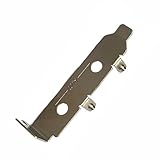
- High-Speed PCIe Extension – Designed for PCIe 4.0 and PCIe 5.0 compatibility, this riser card ensures stable data transmission while providing safe extension for motherboard testing and slot protection.
- Multi-Size Options – Available in PCIe x1, x4 x8 x16, and x16 variations, half-height and full-height brackets to meet different chassis requirements.
- Reliable Motherboard Protection – Acts as a protective card to prevent wear, damage, and stress on PCIe slots during repeated plug-ins and testing procedures.
- Durable & Secure Build – Made with high-quality PCB material, ensuring stable signal integrity and long-term durability for professional use.
- Wide Application Use – Ideal for hardware testing, DIY PC builds, workstation upgrades, and compatible with major PCIe devices for safe extension and evaluation.
What the tests were for
CPU: OCCT and LINPACK workloads
The CPU workloads were useful after changing a processor’s frequency, voltage, power limits or cooling. A run might expose calculation errors, a crash, a freeze or thermal trouble. OCCT-style and LINPACK-based workloads stress a processor differently, so passing one does not guarantee passing the other. Neither necessarily reflects the range of loads in a game: a gaming session can shift rapidly between CPU and GPU work, while a stress test may sustain a particularly heavy load.
Memory: RAM and memory-controller stability
Memory testing can help find instability caused by an overclock, timings, voltage, or the processor’s integrated memory controller. Such faults can be mistaken for CPU instability because memory and CPU settings interact. A legacy test can be useful on an older system, but OCCT 4.4.2 should not be your only evidence that a modern memory configuration is reliable. For important data or a serious memory overclock, add a current, dedicated memory-validation tool.
GPU: graphics load and monitoring
A GPU workload can help reveal visual artifacts, driver resets, temperature problems or instability after changing core or memory clocks. Results depend on the kind of load: a compute-heavy test, a conventional rasterized game, ray tracing and a dedicated VRAM test may expose different weaknesses. Passing one GPU test does not certify every game, resolution or graphics setting.
Free tools Windows power users keep installed
One-click scans. No signup required.
Rank #2
- Stable positioning: the laboratory clamp provides high stability, ensuring that your flask or test tube remains fixed during experiments, improving accuracy and safety in the science lab,science lab equipment,lab clamp flask
- Essential laboratory tool: this experiment ring stand clamp is indispensable for any laboratory setting, supporting both education demonstrations and professional research and effective scientific processes,beaker clip,laboratory clamp tool
- Heat resistance: iron construction of this flask clamp withstands intense laboratory conditions, maintaining integrity and shape under high temperatures common in chemistry lab stand clamps,tiger tube clamp,clamp holder
- Flexible to use: the test tube clamp adapts to various experimental needs and different laboratory equipment, versatile for beaker, bottle, or tube support,lab clamp stand,experiment clamp
- Heat-tolerant design: constructed from iron, this laboratory clamp resists deformation and maintains grip under thermal stress encountered in various experiment testing holder tool scenarios,bottle clamp,beaker support clamp
Power Supply: a combined system load, not PSU certification
The historical Power Supply test applied a combined CPU-and-GPU load and monitored system behavior, including reported voltage readings. That can expose a system that shuts down or becomes unstable when demand rises. It is not a laboratory test of a PSU’s ripple, transient response or electrical safety, and software voltage readings are not a substitute for electrical test equipment. A contemporary description likewise cautions that this load cannot replace professional PSU testing (archived explanation).
Using a stress test safely
The principles below apply to stability testing generally. They are not a verified, verbatim click-by-click guide to the 4.4.2 interface; exact menu labels and options should not be assumed from a modern version.
- Establish a baseline. Record the CPU, motherboard and BIOS, GPU and driver, memory capacity and speed, cooling, and any manual frequency, voltage or power-limit settings. Test at stock settings before trying to validate an overclock. Current OCCT guidance also recommends a stock baseline and closing unrelated applications.
- Prepare for recovery. Save open work and BIOS profiles, know how to restore firmware defaults or clear CMOS, and make sure cooling is operating normally. Do not leave an unproven overclock running unattended overnight.
- Start with a short screen. A roughly 5–15-minute run can catch an immediate error, freeze, reboot, driver reset, rapid temperature rise or unexpectedly low clock. It is only an initial screen; surviving it does not establish longer-term stability.
- Test components separately. Run a CPU workload, a different CPU workload such as LINPACK if available, a memory test, and a GPU test as appropriate. Separate runs make failures easier to narrow down than a combined load.
- Change one setting at a time. If tuning, adjust one variable—such as core frequency, memory timing or power limit—then repeat the relevant tests. Do not respond to a failure by blindly raising voltage; follow manufacturer guidance for the exact component and generation.
- Use a combined load last. Only after separate CPU and GPU checks pass, consider a combined load to see how the assembled system behaves under higher demand.
- Record the conditions. Save or review the results, duration, settings, ambient conditions if known, and any errors or throttling. A meaningful result reads like: “Passed the CPU test for 60 minutes at these settings and conditions,” not “the PC is permanently stable.”
Monitor temperatures throughout and stop if a component approaches its manufacturer’s stated limit or cooling behaves abnormally. There is no single safe temperature for every CPU, GPU and sensor. Stop immediately for a burning smell, smoke, visible damage, unusually hot power connectors, repeated sudden shutdowns or other signs of electrical or cooling trouble.
Rank #3

- [CPU] AMD Ryzen 7 7700 Processor (8 Cores, 16 Threads, 3.8 GHz Base Clock Speed up to 5.3 GHz Max Boost Clock Speed) for Elite Gaming and Content Creation with 5nm Leading Edge Technology | [STORAGE] 1TB PCIe NVMe Gen4 M.2 SSD - Experience Hyper-Fast Bootup and Data Transfer thats up to 30x Faster Performance than a Traditional Hard Drive.
- [GPU] NVD Geforce RTX 5060 TI (8GB GDDR7 dedicated memory) Get All the Power You Need for Fast, Smooth, Power-Efficient Performance | [RAM] 16GB DDR5 RAM Gaming Memory for Seamless Multitasking from Multiple Web Pages to Playing Games Online Simultaneously | [OS] Windows 11 Professional 64-bit
- [STABLE WiFi 6E + FAST BT 5.3] Enjoy cutting-edge 802.11ax wireless connectivity with built-in Bluetooth 5.3 for connecting various devices, like mice, keyboards, printers, and more. This high-speed wireless technology ensures efficient transmission speed, enhancing browsing and streaming. | [CONNECTIVITY] Top: 1x USB Type-C 10Gbps (HP Sleep and Charge); 2x USB Type-A 5Gbps (HP Sleep and Charge); 1x Headphone/Microphone Combo / Rear: 1x USB Type-C 10Gbps (DisplayPort 1.4); 1x USB Type-C 10Gbps; 2x USB Type-A 5Gbps; 4x USB 2.0 Type-A; 1x Microphone; 1x RJ-45; 1x Line In; 1x Line Out
- [BUY WITH CONFIDENCE] Empowered PCs are Assembled in the USA, Rigorously Stress-Tested Before Shipping, and Supported with Lifetime Technical and Diagnostic Support and 3-Year Limited Hardware Warranty.
- [ACCESSORIES] Keyboard & Mouse Not Included | This PC is ready to run your favorite games at 1080p Full HD resolution and smooth 60+ FPS gameplay.
How to interpret a failure
A reported error, calculation fault, lockup, reboot or driver reset means the tested configuration did not complete that run reliably. It does not, by itself, identify a failed component. Possible causes include excessive frequency, insufficient or inappropriate voltage, RAM timings, memory-controller settings, heat, cooling, GPU drivers, motherboard or power limits, and—in the case of this old release—software or sensor incompatibility.
Outdated Drivers Are Slowing You Down
One free scan finds every outdated or missing driver and matches the right update for your exact hardware.Free scan · exact hardware matchWindows Errors? Fix Them Before They Spread
Repair common Windows errors and clear accumulated junk for a smoother, more stable PC - no reinstall needed.Free scan · no reinstall- Stop the test and note the error, workload, time to failure and sensor readings.
- Check temperatures, clock behavior and whether throttling or a driver reset occurred.
- Undo the most recent tuning change and retry; avoid changing several settings at once.
- Test memory, CPU and GPU independently to narrow down the subsystem.
- Check cooling, drivers and firmware settings, then repeat at stock settings.
- If the system still fails at stock settings, investigate hardware and component-level causes rather than assuming the overclock is the only problem.
Likewise, a pass has limits. It can miss a fault that appears only in a particular game, during sleep and resume, at idle voltage transitions, or after a much longer run. It cannot guarantee against future component degradation or data errors. Validate important gaming workloads in the games and settings you actually use, and back up important data before aggressive stability testing.
Does OCCT 4.4.2 work with modern PCs?
Archival listings associate 4.4.2 with Windows XP, Vista and Windows 7, and some describe later Windows compatibility through Windows 10. Those are historical claims, not guarantees for Windows 11, current AMD or Intel processors, modern GPUs or today’s sensor interfaces. The monitoring engine may not understand newer sensor layouts, hybrid processors, hotspot readings or current boost and power behavior. Treat unexpected readings as uncertain and cross-check them against firmware or a current monitoring tool rather than trusting an implausible number. Period material also mentions external monitoring utilities; those historical dependencies do not establish reliable modern sensor support.
Rank #4
- [CPU] AMD Ryzen 7 9800X3D Processor (8 Cores, 16 Threads, 4.7 GHz Base Clock Speed up to 5.2 GHz Max Boost Clock Speed) for Elite Gaming and Content Creation with 4nm Leading Edge Technology | [STORAGE] 4TB PCIe NVMe Gen4 M.2 SSD - Experience Hyper-Fast Bootup and Data Transfer thats up to 30x Faster Performance than a Traditional Hard Drive.
- [GPU] NVD Geforce RTX 5080 (16GB GDDR7 dedicated memory) Get All the Power You Need for Fast, Smooth, Power-Efficient Performance | [RAM] 64GB DDR5 RAM 4800 Gaming Memory for Seamless Multitasking from Multiple Web Pages to Playing Games Online Simultaneously | [OS] Windows 11 Pro x64
- [STABLE WiFi 6E + FAST BT 5.3] Enjoy cutting-edge 802.11ax wireless connectivity with built-in Bluetooth 5.3 for connecting various devices, like mice, keyboards, printers, and more. This high-speed wireless technology ensures efficient transmission speed, enhancing browsing and streaming. | [CONNECTIVITY] Top: 1x USB Type-C 10Gbps (HP Sleep and Charge); 2x USB Type-A 5Gbps (HP Sleep and Charge); 1x Headphone/Microphone Combo / Rear: 1x USB Type-C 10Gbps (DisplayPort 1.4); 1x USB Type-C 10Gbps; 2x USB Type-A 5Gbps; 4x USB 2.0 Type-A; 1x Microphone; 1x RJ-45; 1x Line In; 1x Line Out
- [BUY WITH CONFIDENCE] Empowered PCs are Assembled in the USA, Rigorously Stress-Tested Before Shipping, and Supported with Lifetime Technical and Diagnostic Support and 3-Year Limited Hardware Warranty.
- [ACCESSORIES] Branded Wired RGB Gaming Keyboard and Mouse Included with Purchase | This PC is ready to run your favorite games at 1080p Full HD resolution and smooth 60+ FPS gameplay.
There is an additional download concern: the original first-party location for the 2016 installer is not established by the available records. A third-party mirror or forum attachment is not equivalent to a current official download or a cryptographically verified archive. Prefer the official OCCT download page. If you have a specific archival reason to use 4.4.2, obtain it only from a source you trust, scan it, check a reputable archival checksum if one exists, and use a non-production or isolated system. Do not disable antivirus to run an old installer, and avoid repacked or modified builds. Current OCCT provides download and SHA-256 information, but that does not retroactively authenticate a 2016 file (official download information).
Independent reader supportYour contribution helps us test, update, and keep practical guides available for everyone.4.4.2 versus current OCCT
OCCT has continued well beyond the 2016 release. Current official material describes Windows and Linux options, multiple editions, and newer capabilities that include expanded monitoring, storage testing, system tuning, reporting and a redesigned memory-test system. Personal use and commercial use also have different licensing terms: the official download page describes a free Personal option for personal, non-commercial use and says business users need a commercial license. Check the live page for current edition details rather than applying 4.4.2’s historical freeware description to today’s product.
Official pages have shown conflicting version numbers in the available references, so this article does not name a latest stable version. Check the live official download page before installing. For a current system, new hardware, current sensors or modern Windows or Linux, the current official release is the practical choice.
Best Value
- [CPU] AMD Ryzen 7 9800X3D Processor (8 Cores, 16 Threads, 4.7 GHz Base Clock Speed up to 5.2 GHz Max Boost Clock Speed) for Elite Gaming and Content Creation with 4nm Leading Edge Technology | [STORAGE] 2TB PCIe NVMe Gen4 M.2 SSD - Experience Hyper-Fast Bootup and Data Transfer thats up to 30x Faster Performance than a Traditional Hard Drive.
- [GPU] NVD Geforce RTX 5080 (16GB GDDR7 dedicated memory) Get All the Power You Need for Fast, Smooth, Power-Efficient Performance | [RAM] 32GB DDR5 RAM 4800 Gaming Memory for Seamless Multitasking from Multiple Web Pages to Playing Games Online Simultaneously | [OS] Windows 11 Pro x64
- [STABLE WiFi 6E + FAST BT 5.3] Enjoy cutting-edge 802.11ax wireless connectivity with built-in Bluetooth 5.3 for connecting various devices, like mice, keyboards, printers, and more. This high-speed wireless technology ensures efficient transmission speed, enhancing browsing and streaming. | [CONNECTIVITY] Top: 1x USB Type-C 10Gbps (HP Sleep and Charge); 2x USB Type-A 5Gbps (HP Sleep and Charge); 1x Headphone/Microphone Combo / Rear: 1x USB Type-C 10Gbps (DisplayPort 1.4); 1x USB Type-C 10Gbps; 2x USB Type-A 5Gbps; 4x USB 2.0 Type-A; 1x Microphone; 1x RJ-45; 1x Line In; 1x Line Out
- [BUY WITH CONFIDENCE] Empowered PCs are Assembled in the USA, Rigorously Stress-Tested Before Shipping, and Supported with Lifetime Technical and Diagnostic Support and 3-Year Limited Hardware Warranty.
- [ACCESSORIES] Branded Wired RGB Gaming Keyboard and Mouse Included with Purchase | This PC is ready to run your favorite games at 1080p Full HD resolution and smooth 60+ FPS gameplay.
Alternatives by testing need
- CPU: Prime95 supplies distinct CPU and memory-controller workloads, but can generate very high heat and is not a GPU or PSU test.
- Memory: MemTest86 runs outside the operating system, which can help when Windows-based tests are inconclusive. Karhu RAM Test is a paid Windows option focused on enthusiast memory validation.
- Gaming GPU behavior: 3DMark provides game-oriented graphics benchmarks and stress tests; a real game remains useful validation for the titles and settings you play. FurMark can impose a very heavy GPU load, but is not representative of every game and may be excessive for routine checks.
- Monitoring and logs: HWiNFO is a monitoring and logging complement, not a stress generator by itself.
- Broader diagnostics and reporting: AIDA64 offers a broad paid system-test and monitoring suite. Professional OCCT editions may suit business, reporting or automation needs; consult the official feature comparison for current licensing and capabilities.
These tools serve different purposes; none is a universal replacement for every test. Choose based on the component and failure you need to investigate.
Verdict
OCCT 4.4.2 is a real, useful piece of 2016 overclocking history, with CPU, memory, GPU and combined-load testing in its era’s toolkit. It is best reserved for legacy systems or reproducing historical results. For a modern gaming PC, use the latest release from OCCT’s official site, test at stock settings first, monitor temperatures, and treat every pass as evidence for a particular workload—not a blanket guarantee of stability.
Quick Recap
Product prices and availability are accurate as of the date/time indicated and are subject to change. Any price and availability information displayed on Amazon at the time of purchase will apply.

