“The program can’t start because pcapwsp.dll is missing from your computer.”
pcapwsp.dll is a third-party ProxyCap component, not a Windows system file. The safest fix is usually to repair, reinstall, disable, or remove ProxyCap rather than download the DLL separately.
Which fix applies to you?
Use the symptom that matches your screen:
- Windows says the file is missing or could not be loaded: ProxyCap may be damaged, partially uninstalled, quarantined, or registered incorrectly.
- BattlEye says it blocked
C:WindowsSystem32pcapwsp.dll: Disable or uninstall ProxyCap before launching the game. This is an anti-cheat policy block, not normally a missing-file problem. - A game reports an untrusted system file: Treat ProxyCap as the likely conflict and remove it if you do not need proxy routing for that game.
- ProxyCap says the system configuration is no longer compatible: Another proxifier, VPN, firewall, traffic filter, or network-monitoring program may have changed Winsock.
- You never installed ProxyCap: Do not restore the file immediately. Check installed applications, antivirus history, managed software, and the file’s signature first.
- Several applications have network problems: Inspect or reset the Winsock catalog only after checking for competing network software.
- Only one game fails after an update: Use the launcher’s repair or file-verification function, then check whether the update introduced a new integrity or anti-cheat check.
What is pcapwsp.dll?
pcapwsp.dll belongs to ProxyCap, a Windows application from Proxy Labs that routes selected programs through proxy servers. Its file description is ProxyCap Winsock Service Providers.
ProxyCap integrates with Winsock, the Windows networking interface used by applications. Microsoft describes this type of integration as a layered service provider. It is installed into the Winsock catalog rather than functioning like an ordinary plug-in that an application simply loads from its own folder.
Do these 3 things before closing this tab:
1Scan for outdated or missing drivers - takes under a minute2Clear out junk files and repair common Windows errors3Fix the driver behind crashes, sound loss and screen glitches#1 Best Overall

- 𝐏𝐥𝐞𝐚𝐬𝐞 𝐮𝐬𝐞 𝐔𝐒𝐁 𝟑.𝟎 𝐩𝐨𝐫𝐭 𝐭𝐨 𝐞𝐧𝐬𝐮𝐫𝐞 𝐨𝐩𝐭𝐢𝐦𝐚𝐥 𝐩𝐞𝐫𝐟𝐨𝐫𝐦𝐚𝐧𝐜𝐞.
- 𝐋𝐢𝐠𝐡𝐭𝐧𝐢𝐧𝐠-𝐅𝐚𝐬𝐭 𝐖𝐢𝐅𝐢 𝟔 𝐀𝐝𝐚𝐩𝐭𝐞𝐫 -Experience faster speeds with less network congestion compared to previous generation Wi-Fi 5. AX1800 wireless speeds to meet all your gaming, downloading, and streaming needs
- 𝐃𝐮𝐚𝐥 𝐁𝐚𝐧𝐝 𝐖𝐢𝐅𝐢 𝐀𝐝𝐚𝐩𝐭𝐞𝐫 - 2.4GHz and 5GHz bands for flexible connectivity (up to 1201 Mbps on 5GHz and up to 574 Mbps on 2.4GHz)
- 𝐎𝐧𝐥𝐲 𝐖𝐢𝐧𝐝𝐨𝐰𝐬 𝟏𝟏/𝟏𝟎 𝐂𝐨𝐦𝐩𝐚𝐭𝐢𝐛𝐥𝐞 - The Archer TX20U Plus is only compatible with Windows 11 and 10 on desktops and laptops. Not compatible with Linux or Mac.** For best performance: keep firmware updated by checking the Tether App.
- 𝐔𝐩𝐠𝐫𝐚𝐝𝐞 𝐘𝐨𝐮𝐫 𝐂𝐨𝐦𝐩𝐮𝐭𝐞𝐫'𝐬 𝐖𝐢-𝐅𝐢 - All USB WiFi adapters are designed to add or upgrade your computer’s Wi-Fi. Actual speeds cannot exceed the connecting router’s maximum speed. For optimal performance, pair the Archer TX20U Plus with a WiFi 6 or above router.
That explains why the file can appear under C:WindowsSystem32 or C:WindowsSysWOW64 even though it is not supplied by Microsoft. The directory alone does not prove that a file is a Windows component or that it is malicious. Paths can vary according to the installed product, architecture, and installation history.
The legitimate file should be assessed by its complete context:
- Open Settings.
- Select Apps, then Installed apps.
- Search for ProxyCap.
- If it is installed, select its three-dot menu and choose Advanced options if available.
- Check the file’s location and digital-signature information with your security software or file properties.
- Run a scan before restoring a quarantined copy.
Do not assume every file with this name is safe. An unsigned copy in an unexpected user-writable folder deserves investigation.
First fix: repair or reinstall ProxyCap
This is the correct path when the file is genuinely missing, corrupt, or no longer loads and you still need ProxyCap.
Free tools Windows power users keep installed
One-click scans. No signup required.
Check antivirus quarantine first
Security software may have removed or quarantined the file.
- Open Windows Security from the Start menu.
- Select Virus & threat protection.
- Choose Protection history.
- Look for an entry mentioning
pcapwsp.dllor ProxyCap. - Review the detection details, location, and publisher information.
- Restore the file only if you can establish that it came from your legitimate ProxyCap installation.
- Run a full scan after restoring it.
If the file was detected as malware, do not restore it merely because an application reports it missing. Remove ProxyCap and investigate the detection instead.
Rank #2

- Fast 1300Mbps USB WiFi Adapter - Nineplus wifi adapter provides long-range and stable wifi connections,Upgrade your desktop or laptop wifi Technology with our AC1300Mbps usb wireless Adapter. Whether your desktop pc's wifi usb is malfunctioning or you’re looking to upgrade to faster dual-band 5GHz and 2.4GHz speeds, this pc wifi adapter is the ideal choice. It’s a budget-friendly way to extend your device’s life and experience the benefits of modern WiFi technology
- Dual-band 5.8GHz and 2.4GHz Bands - 5.8Ghz wifi Connection speed up to 867Mbps,2.4GHz 400Mbps,With these upgraded speeds, web surfing, gaming, and streaming online meeting is much more enjoyable without buffering or interruptions,Experience the High Wi-Fi speed of our AC1300Mbps wifi dongle delivers faster internet speeds and stronger, more reliable signal penetration over long distances. It's a high-speed dual-band wifi usb adapter for pc and easy for the modern user.
- Two 5dBi High Gain Wifi Antenna – The high gain antenna of the desktop wifi adapter greatly enhances the reception and transmission of WiFi signal strengths.Equipped with dual high-gain pc wifi antenna, our wifi dongle for desktop pc ensures accurate capture of WiFi signals, providing a stable and strong connection even at greater distances, ideal for overcoming poor signal issues in bedrooms. This computer wifi adapter, wifi card, and usb wifi antenna extend your coverage.
- Super Speed USB 3.0 - wifi adapter for desktop pc Connect speeds Up to 10x faster than USB 2.0 USB, Super USB3.0 delivers faster data transfer, a more reliable network connection, and improved compatibility for wifi adapter for pc. It fully supports the high-speed demands of AC1300 wireless adapter, ensuring peak performance. Plus, it's backward compatible with standard USB 2.0 ports for added flexibility.usb wifi adapter for desktop pc 3.0
- Compatibility Systems: This Wi-Fi usb adapter is compatible with Windows11/10/8.1/8/7/XP,not supports Mac OS or Chromebook or Linux. Most Windows 11/10 systems will automatically detect and install the drivers. If the system does not detect the driver, you will need to download it from our website. For Windows 7, you will need to manually install the driver for this wifi card.or you go to the website online-setup support,we do online-setup for you.
Repair or remove the existing installation
Windows may offer a repair action for some desktop applications:
- Open Settings.
- Select Apps > Installed apps.
- Find ProxyCap.
- Open its menu and select Modify, Repair, or Uninstall, depending on what is available.
- If a repair wizard appears, complete it with administrator approval.
- Restart Windows.
- Test the affected application.
If no repair option exists, uninstall ProxyCap, restart, and install it again only from the publisher’s official ProxyCap site. ProxyCap’s current site indicates that the product has been superseded by NetDetour, so check the publisher’s current product status, installer availability, and compatibility before relying on an old ProxyCap download page.
Use the installer matching the application architecture. The former ProxyCap download page provided separate x86 and x64 Windows packages. On 64-bit Windows, a 32-bit program can still require the 32-bit component, so do not mix individual DLLs from different packages or releases.
A successful repair normally means the original application starts, ProxyCap opens without a component error, and the file is restored through the installer’s normal Winsock integration. If the same message returns, continue with the conflict and catalog checks below.
Fix BattlEye and untrusted-file blocks
A BattlEye message such as:
[INFO] Blocked loading of file: C:WindowsSystem32pcapwsp.dll
is different from a normal missing-DLL error. The file may be present and working, but the game’s integrity policy rejects ProxyCap because its Winsock component can alter network behavior.
For this situation:
- Exit the game and its launcher.
- Close ProxyCap from the notification area.
- Open Settings > Apps > Installed apps.
- Select ProxyCap.
- Choose Uninstall if disabling it does not resolve the block.
- Restart Windows.
- Launch the game again.
Do not try to rename the file, replace it with a downloaded copy, or bypass the anti-cheat check. If you need ProxyCap for work or another application, keep it installed on a system where it is compatible, or consult the publisher about a supported configuration. Do not assume that uninstalling ProxyCap will fix every game, but it is the appropriate response when the game specifically identifies this provider.
Rank #3

- Access the exclusive WiFi 6E band for superior HD video conferencing, gaming, and streaming. Simply plug dongle into desktop or laptop. No network card or ISP plan required
- Fast AXE3000 WiFi speed, up to 3Gbps, 2.5x faster than WiFi 5
- Find the strongest WiFi signal and best coverage with the flippable antenna
- Compact cradle allows for flexible placement
- Compatible with any WiFi 6E or WiFi 6 router or mesh system. Requires WiFi 6E router or mesh system to access 6GHz band (WiFi 6E)
If the game still fails after ProxyCap is removed, update Windows and the game, then use the launcher’s Verify, Repair, or Verify integrity option. That process checks game files; it normally will not restore ProxyCap’s system integration.
Remove conflicts with other network software
ProxyCap can conflict with another proxifier or socksifier. VPN clients, firewalls, traffic filters, packet-capture programs, and network-monitoring tools can also install network providers or change the Winsock catalog.
Before resetting anything, make a list of recently installed or removed network software:
- Open Settings > Apps > Installed apps.
- Sort by installation date if available.
- Note proxy, VPN, firewall, filtering, and traffic-inspection applications.
- Temporarily disable or uninstall the newest conflicting product according to its own instructions.
- Restart Windows.
- Test ProxyCap or the affected application.
If ProxyCap reports that the system configuration is no longer compatible, reinstall ProxyCap after removing the competing provider. Do not delete only pcapwsp.dll; leaving its Winsock catalog entry behind can create a broken network configuration.
What’s actually slowing this PC down?
Pick the symptom - the matching free tool is one click away.
Inspect Winsock before resetting it
Open Terminal or Command Prompt as administrator:
- Right-click Start.
- Select Terminal (Admin) or Command Prompt (Admin).
- Approve the User Account Control prompt.
- Run:
netsh winsock show catalog
Review the output for entries associated with ProxyCap and other network products. The command is diagnostic and does not change the catalog.
If the catalog is damaged and normal repair has failed, reset it:
Rank #4
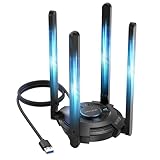
- 【Next-Gen Wi-Fi 7 Tri-Band】Experience blazing-fast tri-band speeds of up to 688Mbps on the 2.4GHz band, 2882Mbps on the 5GHz band, and 2882Mbps on the ultra-fast 6GHz band — ideal for bandwidth-intensive tasks like 8K streaming, lag-free gaming, and large file transfers. With Wi-Fi 7 technologies such as MLO (Multi-Link Operation) and Multi-RU, enjoy lower latency and more stable connection even in crowded networks. 𝐓𝐨 𝐮𝐭𝐢𝐥𝐢𝐳𝐞 𝟔𝐆𝐇𝐳 𝐖𝐢-𝐅𝐢, 𝐲𝐨𝐮𝐫 𝐬𝐲𝐬𝐭𝐞𝐦 𝐧𝐞𝐞𝐝𝐬 𝐭𝐨 𝐛𝐞 𝐮𝐬𝐢𝐧𝐠 𝐖𝐢𝐧𝐝𝐨𝐰𝐬 𝟏𝟏 (𝐯𝐞𝐫𝐬𝐢𝐨𝐧 𝟐𝟏𝐇𝟐 𝐨𝐫 𝐥𝐚𝐭𝐞𝐫). 𝐏𝐥𝐞𝐚𝐬𝐞 𝐮𝐬𝐞 𝐔𝐒𝐁 𝟑.𝟎 𝐩𝐨𝐫𝐭 𝐭𝐨 𝐞𝐧𝐬𝐮𝐫𝐞 𝐨𝐩𝐭𝐢𝐦𝐚𝐥 𝐩𝐞𝐫𝐟𝐨𝐫𝐦𝐚𝐧𝐜𝐞.
- 【Built-in Driver for Windows 10/11】Only for Windows 11/10, this WiFi 7 adapter includes a built-in driver that runs automatically after plugging in. No extra downloads needed in most cases — enjoy a seamless and easy installation experience. Note: The driver pop-up window will appear in the lower-right corner of the taskbar. If the pop-up window does not appear, open "This PC", look for "CD Drive", and then proceed with the installation. If your computer has this driver installed, the "CD Drive" will not be displayed after connecting the adapter.
- 【Versatile Connectivity Modes】Supports both Receive Mode and Hotspot Mode for flexible usage. In Receive Mode, it connects wirelessly to your router’s 2.4GHz, 5GHz, and 6GHz signals. In Hotspot Mode, you can share your PC’s internet connection as a Wi-Fi hotspot, allowing smartphones, tablets, laptops, and other devices to access the network seamlessly.
- 【𝐌𝐮𝐥𝐭𝐢𝐜𝐨𝐥𝐨𝐫 𝐖𝐢-𝐅𝐢 𝐒𝐭𝐚𝐭𝐮𝐬 𝐋𝐄𝐃 𝐋𝐢𝐠𝐡𝐭𝐢𝐧𝐠】WAVLINK usb wifi 7 adapter features an intuitive multicolor LED indicator (blue, pink, red). It provides instant visual feedback on your network status, while the responsive touch switch lets you easily customize the lighting, merging clear functionality with modern desktop aesthetics.
- 【Adjustable Antennas for Optimal Performance】Equipped with 4 high-gain 5dBi antennas that deliver strong signal coverage and improved stability, even in demanding environments. The foldable antenna design allows for easy storage and flexible positioning to optimize wireless performance. Built with ventilation slots on both the surface and bottom, the adapter ensures efficient heat dissipation during long periods of use.
netsh winsock reset
Restart Windows immediately afterward. A reset returns Winsock to a clean state and removes custom layered service providers. This can disable or disrupt legitimate VPNs, security software, proxy tools, and other network components. Reinstall ProxyCap afterward if you still need it, and reinstall any affected network software using its official installer.
Check Windows components when Windows itself is unstable
SFC and DISM are not primary repairs for pcapwsp.dll, because the file belongs to ProxyCap rather than Windows. Use them when Windows has broader corruption, system components are failing, or the game’s support instructions specifically request a system integrity check.
Windows Errors? Fix Them Before They Spread
Repair common Windows errors and clear accumulated junk for a smoother, more stable PC - no reinstall needed.Free scan · no reinstallOutdated Drivers Are Slowing You Down
One free scan finds every outdated or missing driver and matches the right update for your exact hardware.Free scan · exact hardware matchRun DISM, then SFC
- Right-click Start.
- Select Terminal (Admin).
- Run:
DISM.exe /Online /Cleanup-Image /RestoreHealth
- Wait for it to complete.
- Then run:
sfc /scannow
- Restart Windows.
- Test the affected program again.
DISM repairs the Windows component store, while SFC checks protected Windows files. SFC should not be expected to restore a third-party ProxyCap DLL. If both commands report that they completed repairs but pcapwsp.dll is still missing, reinstall ProxyCap rather than repeating SFC indefinitely.
Manually hunting through Windows repairs and trying to determine which component changed can be time-consuming. Outbyte PC Repair offers a free scan that shows what it identifies; repairing the reported issues is handled by the full version, and reinstalling ProxyCap remains the definitive fix for this application-owned file.
Independent reader supportYour contribution helps us test, update, and keep practical guides available for everyone.Do not register or download the DLL manually
regsvr32 pcapwsp.dll is generally the wrong repair. regsvr32 is intended for DLLs that expose the DllRegisterServer entry point. A Winsock service provider is installed into the Winsock catalog by its owning installer or provider-installation process, not normally by manually registering the file.
Avoid these common actions:
- Downloading
pcapwsp.dllfrom a random DLL website. - Copying it into
System32,SysWOW64, or a game folder. - Replacing a 64-bit file with a 32-bit file, or the reverse.
- Running
regsvr32repeatedly. - Deleting the DLL while leaving ProxyCap installed.
- Disabling anti-cheat or security protections to force the file to load.
An isolated DLL may contain malware, belong to the wrong ProxyCap release, use the wrong architecture, or fail because the Winsock catalog and related files are still damaged. The safe source is the publisher’s official ProxyCap or current NetDetour distribution, subject to the publisher’s current support and compatibility information.
Recommended Free Tools
Check drivers only when the failure is broader
A graphics or network driver update is not normally the fix for a missing ProxyCap DLL. Consider drivers when multiple applications lose network access, Device Manager reports an error, or the problem began after a hardware or Windows change.
Best Value

- 𝐋𝐨𝐧𝐠 𝐑𝐚𝐧𝐠𝐞 𝐀𝐝𝐚𝐩𝐭𝐞𝐫 – This compact USB Wi-Fi adapter provides long-range and lag-free connections wherever you are. Upgrade your PCs or laptops to 802.11ac standards which are three times faster than wireless N speeds.
- 𝐒𝐦𝐨𝐨𝐭𝐡 𝐋𝐚𝐠 𝐅𝐫𝐞𝐞 𝐂𝐨𝐧𝐧𝐞𝐜𝐭𝐢𝐨𝐧𝐬 – Get Wi-Fi speeds up to 200 Mbps on the 2.4 GHz band and up to 433 Mbps on the 5 GHz band for upgraded web surfing, gaming, and streaming. Performance varies by conditions, distance to devices, and obstacles such as walls.
- 𝐃𝐮𝐚𝐥-𝐛𝐚𝐧𝐝 𝟐.𝟒 𝐆𝐇𝐳 𝐚𝐧𝐝 𝟓 𝐆𝐇𝐳 𝐁𝐚𝐧𝐝𝐬 – Dual-bands provide flexible connectivity, giving your devices access to the latest routers for faster speeds and extended range. Wireless Security - WEP, WPA/WPA2, WPA-PSK/WPA2-PSK
- 𝟓𝐝𝐁𝐢 𝐇𝐢𝐠𝐡 𝐆𝐚𝐢𝐧 𝐀𝐧𝐭𝐞𝐧𝐧𝐚 – The high gain antenna of the Archer T2U Plus greatly enhances the reception and transmission of WiFi signal strengths.
- 𝐀𝐝𝐣𝐮𝐬𝐭𝐚𝐛𝐥𝐞, 𝐌𝐮𝐥𝐭𝐢-𝐃𝐢𝐫𝐞𝐜𝐭𝐢𝐨𝐧𝐚𝐥 𝐀𝐧𝐭𝐞𝐧𝐧𝐚: Rotate the multi-directional antenna to face your router to improve your experience and performance
To inspect network devices:
- Right-click Start.
- Select Device Manager.
- Expand Network adapters.
- Look for a warning icon.
- Right-click the affected adapter and select Properties.
- Read the status on the General tab.
- Use Driver > Update Driver if an update is available from a trusted source.
- Restart Windows and test again.
Manually checking several adapter, VPN, and virtual-network drivers means hunting versions and guessing which one is stale. Outbyte Driver Updater offers a free scan that identifies what it finds; installing the reported drivers is handled by the full version, while ProxyCap should still be reinstalled when it owns the missing file.
Last-resort recovery steps
Use System Restore only if the problem began immediately after a clearly identifiable installation or removal and ordinary uninstalling and reinstalling is not available.
- Open Start and search for Create a restore point.
- Open it.
- Select System Restore.
- Choose a restore point from before the change.
- Review affected programs.
- Start the restore and restart Windows.
If the problem affects only a game, use its launcher repair function before System Restore. If it affects many programs after a Winsock change, remove conflicting network software and consider the Winsock reset described earlier.
For persistent failures, perform a clean boot, inspect antivirus logs, check the application’s own logs, and confirm whether ProxyCap is still installed. If you never knowingly installed it, review bundled software, a corporate-managed image, former installations, and signs of unauthorized software before restoring any copy.
FAQ
Is pcapwsp.dll a Windows file?
No. It is a third-party ProxyCap component. Its presence in System32 or SysWOW64 reflects system-wide Winsock integration and does not make it a Microsoft file.
Do I need ProxyCap?
Only if you use ProxyCap’s proxy-routing features. If you do not recognize it or no longer need it, uninstalling the owning application is safer than deleting the DLL alone.
Why does a game block it?
Anti-cheat software may classify ProxyCap’s Winsock provider as untrusted because it can modify how network traffic is handled. Disable or uninstall ProxyCap before playing rather than bypassing the check.
Quick wins for a faster PC:
Repair Windows errors before they cause bigger problemsFix Now →Fix the driver behind crashes, sound loss and screen glitchesFind Drivers →Clear out junk files and repair common Windows errorsFree Scan →Should I download pcapwsp.dll?
No. Obtain ProxyCap through its publisher’s official distribution if the product is still appropriate for your system. The installer restores the correct architecture and Winsock integration.
Will SFC restore the file?
Usually not. SFC repairs protected Windows files, while pcapwsp.dll belongs to ProxyCap. Use SFC for broader Windows corruption, then repair or reinstall ProxyCap.
Can I fix it with regsvr32?
Usually no. Winsock providers are installed through the owning product’s installer and catalog-registration process. Manual DLL registration can produce more confusion without repairing the underlying integration.
Quick Recap
Product prices and availability are accurate as of the date/time indicated and are subject to change. Any price and availability information displayed on Amazon at the time of purchase will apply.
The Tool Desk
Outbyte PC Repair FREERepair Windows errors before they cause bigger problemsFix Now →Outbyte Driver Updater FREEFix the driver behind crashes, sound loss and screen glitchesFind Drivers →



