Windows Errors? Fix Them Before They Spread
Repair common Windows errors and clear accumulated junk for a smoother, more stable PC - no reinstall needed.Free scan · no reinstallCrashes, No Sound, or Screen Glitches?
Random freezes, missing sound and display glitches usually trace back to one bad driver. Find and replace yours safely.Free scan · under a minutephidget21.dll is missing because an application that uses Phidgets’ legacy Phidget21 runtime cannot find its native library. The safest fix is to identify that application, then repair or reinstall the official Phidget21 package that matches the application’s architecture.
Do not download a loose copy of the DLL from a random file site. The wrong release, an incorrect 32-bit or 64-bit build, or a tampered file can create more loader errors without repairing the original installation.
What phidget21.dll belongs to
phidget21.dll is part of Phidgets Inc.’s legacy Phidget21 software libraries. It is a native runtime used by applications that communicate with Phidget hardware through the older Phidget21 API.
It is not a Windows component and is not installed by Windows Update, DirectX, or the usual Microsoft Visual C++ packages.
What’s actually slowing this PC down?
Pick the symptom - the matching free tool is one click away.
#1 Best Overall

- ★USB interface board for printers TM-U210/220/288/T82II/T88III/590/T90/L90
- ★OEM Part#: C32C824131/M148E UB-U01Ⅲ/UB-U02Ⅲ/UB-U03II
- ★Note:In print entered please turn off the power of the printer, or it will cause the mainboard chip burned. After loading the print head, please don't install ribbon overhead 10 pieces of A4 document, so that make the new needle have a running-in process, and then put the ribbon. I hope you can be careful operation
- ★Adaptable Modelsfor use with TM-U200, TM-U230, TM-U590, TM-U325, TM-U675, TM-H5000II, TM-H5200, TM-H6000/H60000II, TM-T88II/III, TM-T90, and TM-J7 series printers
- ★You'll Receive 1 Pcs USB Interface M148E UB-U03II
Depending on the application, the native DLL may be only one part of the installation:
| Application type | Files that may also be required |
|---|---|
| C or C++ software | phidget21.dll, phidget21.lib, and phidget21.h during development |
| .NET or Visual Basic .NET software | Phidget21.NET.dll and the native runtime |
| Java software | phidget21.jar and the native runtime |
| Visual Basic 6, VBA, Delphi, or AutoIt | The separate Phidget21COM.dll component |
| LabVIEW or vendor software | The files packaged by that application’s installer |
The exact program requesting the file matters. Look at the error dialog title, the desktop shortcut, the Start menu entry, or Task Manager to determine which executable failed.
First, identify the failure type
Common messages include:
- “The program can’t start because phidget21.dll is missing from your computer.”
- “phidget21.dll was not found.”
- “Error loading phidget21.dll.”
- “The code execution cannot proceed because phidget21.dll was not found.”
- “phidget21.dll is either not designed to run on Windows or it contains an error.”
A missing-file message usually means the package was never installed, was removed, or is in a location the loader does not search.
A “not designed to run on Windows” message is different. It can indicate a corrupted DLL, the wrong architecture, or an incompatible release. Treat it as an installation or compatibility problem rather than simply copying another file into the folder.
Free tools Windows power users keep installed
One-click scans. No signup required.
Fix 1: Reinstall the official Phidget21 package
This is the most likely solution after a new Windows installation, application reinstall, system cleanup, failed upgrade, or accidental removal.
- Close the program showing the error.
- Open Settings with Windows key + I.
- Select Apps, then Installed apps.
- Search for Phidgets, Phidget21, or the name of the application that failed.
- If the application has Advanced options, select it and look for Repair. Use Repair first if it is available.
- If there is no repair option, uninstall the damaged Phidget21 package or the affected application.
- Obtain the Windows installer from Phidgets’ official legacy Phidget21 downloads, or from the official vendor that supplied the application.
- Choose the package matching the application’s architecture.
- Right-click the installer and select Run as administrator.
- Complete the installation wizard.
- Restart Windows, then launch the affected application again.
The legacy installer places Phidget files under the Phidgets installation directory and can install the runtime where Windows applications expect to find it. On 64-bit Windows, the package also includes separate x86 files for 32-bit software.
If the installer itself fails, save the exact error message. Do not work around it by downloading phidget21.dll separately. Repair the application that supplied the runtime, check antivirus history, and continue with the architecture checks below.
Fix 2: Match the DLL to the application, not just Windows
A 64-bit version of Windows can run both 64-bit and 32-bit applications. That means the operating system’s architecture does not automatically tell you which Phidget package is required.
Rank #2

- ★USB interface board for printers TM T88IV T81 TM-T70
- ★OEM Part#: C32C823991/M186A/UB-U05
- ★Note:In print entered please turn off the power of the printer, or it will cause the mainboard chip burned. After loading the print head, please don't install ribbon overhead 10 pieces of A4 document, so that make the new needle have a running-in process, and then put the ribbon. I hope you can be careful operation
- ★Adaptable Models for use with TM-T88IV/884 TM-T81 TM-T70 series printers
- ★You'll Receive 1 Pcs USB Interface UB-U05 M186A
A 32-bit application needs the x86 Phidget21 library. A 64-bit application needs the x64 library.
To check the application:
- Start the program if possible.
- Press Ctrl + Shift + Esc to open Task Manager.
- Select Details.
- Right-click the column headings and choose Select columns.
- Enable Platform if your Windows version provides it.
- Check whether the executable is listed as 32-bit or 64-bit.
If the program will not stay open:
- Right-click its shortcut and select Open file location.
- Note the executable name.
- Right-click the executable and select Properties.
- Open the Details tab and record the product and version information.
- Check the application vendor’s documentation or installer for its supported architecture.
Some older applications do not label their architecture clearly. In that case, reinstall the exact Phidget package supplied with the application rather than choosing a package based only on whether Windows is 64-bit.
After installing the correct package, restart the application. If the error changes from “missing” to “not designed to run on Windows,” remove the mismatched package and install the other supported architecture from the official source.
Fix 3: Repair the application that requested the file
Some vendors deploy a private copy of phidget21.dll beside their own executable. In that situation, installing a system-wide Phidget package may not repair the application’s private installation.
- Open Settings > Apps > Installed apps.
- Find the program that produces the error.
- Select the three-dot menu beside it.
- Choose Advanced options if available.
- Select Repair.
- Test the program.
- If the error remains, return to the same screen and choose Reset only if the application can safely recreate its settings.
- If neither option exists, uninstall the application.
- Restart Windows.
- Reinstall the application from its official installer.
- If the program has a Verify files, Repair files, or Check installation option, run it before launching the program again.
A complete reinstall is more reliable than replacing only the named DLL because the program may also require Phidget21.NET.dll, phidget21.jar, Phidget21COM.dll, configuration files, or device drivers.
Fix 4: Check antivirus quarantine and file blocking
Security software can quarantine a runtime after an application update or after the file is restored from backup.
- Open Windows Security from the Start menu.
- Select Virus & threat protection.
- Choose Protection history.
- Look for an entry involving the affected program or
phidget21.dll. - Do not restore the file unless it came from the official Phidgets installer or the application vendor’s trusted installer.
- If the provenance is uncertain, leave it quarantined.
- Reinstall the official Phidget21 package instead.
- If you use third-party security software, open its quarantine or detection history and perform the same check.
- Launch the application again after the reinstall.
Do not permanently disable antivirus protection to force the program to start. If the file is repeatedly quarantined, confirm that the application is still supported and obtain a clean installer from Phidgets or the application vendor.
Fix 5: Install the complete language component
A program can report a native DLL error even when the real problem is an incomplete language binding.
Rank #3

- 1. Multi-port expansion: the hub is able to expand a single USB 2.0 interface into four independent USB ports, making it easy to connect multiple USB devices at the same time.
- 2. PH2.0 interface design: Adopting the PH2.0 interface, this design usually means a more compact and robust connection, which is suitable for space-constrained application scenarios or situations that require frequent plugging and unplugging, while providing good electrical performance and durability.
- 3. Transfer Rate: Supports USB 2.0 high speed data transfer rate (up to 480Mbps), which is sufficient for most daily file transfers and peripheral use.
- 4. Portable design: Compact size, easy to carry, whether for desktop use or traveling with very convenient.
- 5. LED Indicators: usually equipped with LED status indicators, which can help users visualize the working status of each port for easy troubleshooting.
For example, a .NET application may need both Phidget21.NET.dll and phidget21.dll. A Java application may need phidget21.jar. Older COM-based software may require Phidget21COM.dll, which is separate from the native runtime.
Reinstall the complete Phidget21 package and the affected application rather than copying only the file named in the dialog. If the software was written for Visual Basic 6, VBA, Delphi, or AutoIt, follow that software’s installation instructions for the COM component.
phidget21.dll itself is normally a runtime library, not a COM server. Do not use this command as a general fix:
regsvr32 phidget21.dll
If the application genuinely uses the separate COM component, use the registration instructions supplied with the official Phidget21 package. The correct file may be Phidget21COM.dll, and the 32-bit or 64-bit regsvr32 tool must match the COM component and application. Registering the wrong file or architecture will not repair the native runtime.
Recommended Free Tools
Fix 6: Check the Phidget hardware and drivers
If the DLL error is gone but the application cannot see the connected Phidget, check the hardware path separately.
- Disconnect the Phidget device.
- Press Windows key + X and select Device Manager.
- Expand Universal Serial Bus controllers, Other devices, and any Phidget-related category.
- Look for a warning icon or an unknown device.
- Right-click the affected device and select Uninstall device if the vendor’s instructions call for driver removal.
- Restart Windows.
- Reconnect the Phidget device directly to the computer rather than through an unpowered hub.
- In Device Manager, select Action > Scan for hardware changes.
- Reinstall the official Phidget software package if Windows does not restore the device correctly.
Phidget21 is legacy software and does not support VINT devices or newer USB Phidgets released after 2020. If the application or hardware requires current Phidgets support, migration to Phidget22 may be necessary. Preserve Phidget21 when an older application or older device depends on it.
Manually checking each device and hunting for matching driver packages can take time. Outbyte Driver Updater can perform a free scan to show which drivers are outdated; driver installation and repair require the full version, and reinstalling the Phidget application remains the definitive fix for this DLL.
Fix 7: Repair Windows components only when Windows itself is damaged
DISM and System File Checker do not install third-party Phidget files. Use them when Windows has broader symptoms, such as failed servicing, damaged built-in components, or installers that fail for unrelated reasons.
- Open Start and type Command Prompt.
- Right-click Command Prompt.
- Select Run as administrator.
- Run:
DISM.exe /Online /Cleanup-Image /RestoreHealth
- Wait for it to finish.
- Then run:
sfc /scannow
- Restart Windows.
- Run the official Phidget21 installer again.
Microsoft recommends running DISM before SFC. More details are available in Microsoft’s System File Checker guidance.
Rank #4
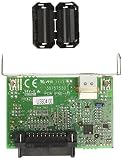
- Usb interface
- For teasp series printers
- Tsp650/Tsp700/Tsp800/Tup500 series
- Country of origin: Republic of Korea (South Korea)
These commands repair Windows components, not phidget21.dll. Repeating them will not replace a missing Phidget runtime.
When manually tracking Windows servicing failures and repeating scans does not show what changed, Outbyte PC Repair can provide a free scan that identifies issues; repairs require the full version, and the official Phidget installer is still the definitive solution for this application file.
Independent reader supportYour contribution helps us test, update, and keep practical guides available for everyone.What not to do
Do not download a standalone DLL
Random DLL repositories may provide malware, a wrong release, a mismatched architecture, or a file intended for a different application. A loose replacement also does not restore companion libraries, registry entries, drivers, or application configuration.
Use the official Phidgets legacy download area or the installer supplied by the affected application.
Do not copy the file blindly into System32
The correct location depends on the application, its architecture, and Windows loader behavior. Application-local files and 32-bit redirection can make a System32 copy ineffective or harmful.
Do not assume Windows Features will install it
phidget21.dll is not a Windows optional feature. Opening Control Panel > Programs > Turn Windows features on or off will not install the Phidget21 runtime.
Do not assume SFC can restore it
SFC can restore protected Windows system files. It does not normally restore a third-party Phidgets library.
Quick wins for a faster PC:
Fix the driver behind crashes, sound loss and screen glitchesFind Drivers →Clear out junk files and repair common Windows errorsFree Scan →Scan for outdated or missing drivers - takes under a minuteDriver Scan →Test with Phidget Control Panel
After reinstalling, open the Phidget Control Panel supplied with the legacy package.
- Open Start.
- Type Phidget Control Panel.
- Launch it as a normal user first.
- Connect the Phidget device.
- Check whether the panel detects the device and can display its information.
If the control panel works but the third-party program still fails, the remaining problem is likely inside that application, its language binding, its private DLL copy, or its configuration.
Best Value

- 1. What's UCAN? It is an open source USB-to-CAN interface board, based on STM32F072 and candleLight open source firmware, and supports linu/win/mac multi-platform. Of course, you can also develop your own firmware to use, it is completely open source.
- 2. Firmware preloaded: UCAN has already burned the firmware when it leaves the factory. Generally, there is no need to burn it again. If the CAN device appears on the computer plugged into windows PC , it means that it is working normally. If need to reflash the firmware, please refer to the steps on WIKI.FYSETC Module-Can.
- 3. Hardware: UCAN is designed based on STM32F072CBT6, PA11/PA12 is connected to USB-C, and PA8/PA9 is connected to CAN interface. 3-pin screw plug terminal: CANH, CANL, GND.
- 4. About Terminating Resistors: We provide two ways to terminate the resistor, the default is composed of two 59R resistors (R1/R2). The alternate location consists of a 120R resistor and a two-pin jumper.There is no difference in general use, the default is onboard. More info please check the Schematic Diagram on FYSETC Wiki.
- 5. Features: Supports CAN2.0A and B, baud rates up to 1M. Headers to enable/disable termination, On-board termination resistors (2 x 59R) are used by default.
If the control panel also fails, check the architecture, installation package, antivirus history, USB connection, and Device Manager.
FAQ
Is phidget21.dll a Windows file?
No. It belongs to Phidgets’ legacy Phidget21 libraries and is installed for applications that use that runtime.
The Tool Desk
Outbyte PC Repair FREEClear out junk files and repair common Windows errorsFree Scan →Outbyte Driver Updater FREEScan for outdated or missing drivers - takes under a minuteDriver Scan →Should I install the 64-bit package on Windows 11?
Only if the application is 64-bit. A 32-bit application needs the x86 package even when Windows itself is 64-bit.
Can I fix this by registering phidget21.dll?
Normally no. phidget21.dll is a runtime library, not the separate COM component intended for registration.
Why does the error return after reinstalling?
The application may use a private DLL copy, require a companion file such as Phidget21.NET.dll, or be loading the wrong architecture. Antivirus quarantine and application-specific repair failures are also possible.
Is Phidget21 still current?
No. Phidget21 is legacy and out of support. Phidgets recommends Phidget22 for new development, but Phidget21 downloads remain available for older applications and hardware.
Do these 3 things before closing this tab:
1Fix the driver behind crashes, sound loss and screen glitches2Repair Windows errors before they cause bigger problems3Scan for outdated or missing drivers - takes under a minuteWhat information should I collect if nothing works?
Record the complete error text, executable name, application version, Windows version, application architecture, connected Phidget model, and whether the Phidget Control Panel detects the device. That information distinguishes a missing runtime from an architecture, dependency, driver, or compatibility failure.
Quick Recap
Product prices and availability are accurate as of the date/time indicated and are subject to change. Any price and availability information displayed on Amazon at the time of purchase will apply.



