The Tool Desk
Outbyte PC Repair FREEClear out junk files and repair common Windows errorsFree Scan →Outbyte Driver Updater FREEScan for outdated or missing drivers - takes under a minuteDriver Scan →Possessor code lists are changing and disagree with one another, so no third-party “active” label guarantees a code will work. Roblox Den’s October 7, 2026 list marks several codes active, but another community-maintained list disagrees about at least one. Try codes promptly, enter them exactly as shown, and rely on the game’s response to confirm acceptance.
Possessor codes reported active
Roblox Den’s page, checked October 7, 2026, labels these codes active. These are third-party status reports, not confirmation from the game’s developer.



| Code | Reported reward | Status note |
|---|---|---|
pioneerawareness17 |
500 to 1,250 Coins, depending on the code entry | Marked active by Roblox Den |
occupiedtrolly24 |
500 to 1,250 Coins, depending on the code entry | Marked active by Roblox Den |
TundraOperator102 |
500 to 1,250 Coins, depending on the code entry | Marked active by Roblox Den |
DelicateToad12 |
500 to 1,250 Coins, depending on the code entry | Marked active by Roblox Den |
6QTJYB |
500 to 1,250 Coins, depending on the code entry | Marked active by Roblox Den |
7FXZ7K |
500 to 1,250 Coins, depending on the code entry | Marked active by Roblox Den |
64V1L |
Blue Steel is listed among the reported rewards | Roblox Den marks it active; the community wiki marks it expired |
justifiedflight7 |
500 to 1,250 Coins, depending on the code entry | Marked active by Roblox Den |
Roblox Den associates codes on its list with rewards ranging from 500 to 1,250 Coins and includes Blue Steel. The available listing does not establish a specific reward-to-code match for every code above, so check the listing and the in-game result rather than assuming a reward.
Source: Roblox Den’s Possessor codes page, checked October 7, 2026.
#1 Best Overall
Codes listed as expired or uncertain
Marked expired by Roblox Den
Roblox Den lists these codes as expired: WI85BP, Golden, Capy, 4thOfJuly, easter2025, NP52VJ, APRILFOOLS, PS5, C1TY3R96, and FY71GR.
Marked “Check,” not confirmed active
The same page places Possessor and Xbox in a “Check” category. That label is uncertain status, not evidence that either code is currently working.
Why code lists disagree
The Possessor community wiki marks 64V1L expired, while Roblox Den marked it active on October 7, 2026. The wiki was crawled months earlier, so the conflicting labels show that status can change; neither listing settles whether the code works now. Game.Guide’s page, last updated September 13, 2026, reported 18 active codes and recorded Possessor and NP52VJ changing status repeatedly around September 12–13. Its earlier count differs from Roblox Den’s later snapshot, and neither is an authoritative developer confirmation.
Sources: Possessor Wiki code page and Game.Guide’s Possessor codes page.
Rank #3
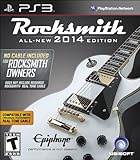
- THIS "NO CABLE INCLUDED" VERSION DOES NOT INCLUDE THE REQUIRED ROCKSMITH REAL TONE CABLE. ORDER THIS VERSION AND SAVE $20 ONLY IF YOU ALREADY OWN THE COMPATIBLE ROCKSMITH REAL TONE CABLE.
- WATCH THE VIDEO in the top-left corner above for an overview of all the massive improvements and new features in Rocksmith 2014 Edition.
- PLAY OVER 50 NEW SONGS and all the DLC you own in the original Rocksmith (on the same platform). You’ll also be able to relicense and transfer songs from the original disc for the new Rocksmith 2014 Edition.
- NO MORE AUDIO LAG OR LOADING TIMES. The software has been optimized so that there is no audio delay and you’ll never have to wait for a loading screen ever again.
- NEW MODES AND FEATURES make it more fun and faster than ever. Access Riff Repeater anytime on-the-fly, keep playing without returning to the menu every time, learn to jam with a band that follows your lead in Session Mode, and MUCH MORE.
How to redeem Possessor codes
- Open Possessor in Roblox.
- Find the in-game Codes control. Roblox Den describes it as a
< / >button on the left side of the game screen; another listing describes a button labelled “Codes.” Follow the control shown in your current game interface. - Enter the code exactly as listed. Roblox Den’s instructions name an
INPUT TEXT HEREbox and warn that codes are case sensitive. - Submit the code using the on-screen action. Roblox Den calls it
REDEEM; RoCodes describes aCheckaction, so the label may vary. - Read the game’s response to see whether it accepted the code and granted a reward.
Sources: Roblox Den and RoCodes. RoCodes identifies bonedry as the experience creator, but its redemption details are still a third-party description rather than an official developer statement.
Quick Recap
Best Value
Rank #4
What to do if a code fails
- Check capitalization and characters against the listing; a small typing difference can prevent a match.
- Try a different code if the game does not accept it. A tracker’s status may be outdated or uncertain.
- Treat the in-game response as the practical confirmation. The available sources do not establish the exact cause of any particular failed redemption.
Product prices and availability are accurate as of the date/time indicated and are subject to change. Any price and availability information displayed on Amazon at the time of purchase will apply.



