Yes—R.E.P.O. is a legitimate Windows PC game. The official Windows version is distributed through Steam by Swedish indie studio semiwork. The verified Steam listing is app 3241660.
- U.S. list price: $9.99, before regional pricing or discounts
- Mode: Single-player and online co-op for up to six players
- Release status: Early Access
- Early Access launch: February 26, 2025
- Latest verified numbered patch: v0.4.4, released May 25, 2026
- Official download: Steam; avoid free-download sites and unofficial executable files
R.E.P.O. combines horror, extraction-style risk and reward, physics-based object handling, monsters, upgrades, and proximity voice chat. It is a good fit for groups that want chaotic cooperative scares, but buyers should be comfortable with unfinished content, changing balance, and the lack of confirmed native controller support.
Information and update status verified against the available official and primary sources as of August 10, 2026. Prices, Steam labels, and Early Access details can change.
What is R.E.P.O.?
R.E.P.O. is an online co-op horror game from semiwork. Its central loop is closer to a physics-driven extraction game than to a conventional, combat-focused survival-horror title.
#1 Best Overall

- 【Speed DPI Switch】 Bengoo customizable RGB gaming mice, with 4 adjustable DPI speed Switch:1200-1600-2400-3600, you can control the speed more freely and easily. No need any driver, plug and play directly.
- 【Flexible Buttons】 Equipped with six buttons: Left button, Right button, Forward, Back, DPI button and Scroll wheel, meets for your demands excellently for different games, enables to switch fast while gaming.
- 【Lighting Colors】 Muti-colors lights greatly match your style, provide you fancy gaming environment and highlight your game atmosphere.
- 【Ergonomic Design】 Perfectly fits under your palm, skin-friendly material we take provides you a perfect hand feel, gives gamers the most comfortable gaming experienece and makes you feel free from fatigue.
- 【Wide Compatibility】 Support Windows XP, Vista, Windows 7, Windows 8. Adaptable for Notebook, PC, laptop, Computer, Macbook and so on.
- Enter a dangerous environment.
- Search for valuable objects.
- Grab, carry, throw, and manipulate those objects physically.
- Protect the cargo from falls, impacts, monsters, and other hazards.
- Extract the valuables and turn them into money.
- Spend the proceeds on upgrades, weapons, and equipment before taking on more danger.
The official Steam description emphasizes fragile or heavy objects, monsters affected by gravity, player upgrades, weapons, teamwork, and proximity voice chat. That combination creates much of the game’s identity: a carefully planned recovery can turn into a panicked rescue attempt, while the physics system produces slapstick accidents alongside its horror.
R.E.P.O. is therefore not simply a game about hiding from monsters. The risk comes from deciding how much valuable cargo to attempt, how carefully to transport it, and whether the group can get out before a dangerous situation becomes unmanageable.
Is there an official Windows version?
Yes. R.E.P.O. is listed as a Windows PC game, and the developer’s official semiwork website links directly to its Steam page and press kit. The Steam listing identifies semiwork as both developer and publisher and uses app ID 3241660.
Steam is the official storefront and verified Windows distribution channel linked by semiwork. The developer does not present a separate Microsoft Store, Epic Games Store, or standalone installer on the sources checked for this guide. That does not rule out every possible separately issued game key, but it does mean that a random website offering a direct R.E.P.O. executable is not the official download route.
What’s actually slowing this PC down?
Pick the symptom - the matching free tool is one click away.
How to download and install R.E.P.O. on Windows
- Install or open the official Steam client.
- Search for R.E.P.O., or open the developer-linked Steam listing.
- Check that the page names semiwork as both developer and publisher.
- Purchase the game through Steam.
- Open your Steam Library and select Install.
- Choose an installation drive with more free space than the store’s nominal 1 GB requirement.
- After installation, launch R.E.P.O. from the Steam Library.
Do not use sites advertising a free cracked copy, a direct EXE, an unofficial launcher, or a browser version. Besides the legal and security risks, unofficial builds may lack the updates and online services required for multiplayer. The safest way to confirm that you have the legitimate Windows game is to use the semiwork-linked Steam page and verify the developer, publisher, and app ID.
How much does R.E.P.O. cost?
The U.S. Steam list price observed for this guide is $9.99. R.E.P.O. is a paid game, not a permanently free-to-play title. Regional pricing, taxes, and temporary Steam discounts can produce a different price in your country.
The game’s Early Access information also warns that the price may increase when it reaches version 1.0. Buying during Early Access can therefore be cheaper than waiting, but there is no guarantee that the current price or a particular discount will remain available. Check the live Steam page immediately before purchasing.
R.E.P.O. Windows system requirements
These are the current requirements published on Steam:
| Requirement | Minimum | Recommended |
|---|---|---|
| Operating system | Windows 10 | Windows 11 |
| Processor | Intel Core i5-6600 | Intel Core i7-8700 |
| Memory | 8 GB RAM | 8 GB RAM |
| Graphics | NVIDIA GTX 970 | NVIDIA GTX 1070 |
| DirectX | Version 10 | Version 12 |
| Network | Broadband internet connection | Broadband internet connection |
| Storage | 1 GB available space | 1 GB available space |
Source: the official Steam system requirements.
What these requirements do—and do not—tell you
A PC that meets the minimum specification is not guaranteed to deliver a particular frame rate, resolution, graphics preset, or level of smoothness. Steam does not attach an FPS target to either hardware tier. You may need to reduce resolution or graphics settings even when your components meet the minimum.
There is no official integrated-graphics performance table. Do not assume that an Intel or AMD integrated GPU will run R.E.P.O. smoothly simply because the computer has enough RAM or a recent processor. Dedicated graphics comparable to the listed GTX cards are the safer expectation.
Rank #2

- The next-generation optical HERO sensor delivers incredible performance and up to 10x the power efficiency over previous generations, with 400 IPS precision and up to 12,000 DPI sensitivity
- Ultra-fast LIGHTSPEED wireless technology gives you a lag-free gaming experience, delivering incredible responsiveness and reliability with 1 ms report rate for competition-level performance
- G305 wireless mouse boasts an incredible 250 hours of continuous gameplay on just 1 AA battery; switch to Endurance mode via Logitech G HUB software and extend battery life up to 9 months
- Wireless does not have to mean heavy, G305 lightweight mouse provides high maneuverability coming in at only 3.4 oz thanks to efficient lightweight mechanical design and ultra-efficient battery usage
- The durable, compact design with built-in nano receiver storage makes G305 not just a great portable desktop mouse, but also a great laptop travel companion, use with a gaming laptop and play anywhere
Steam lists 1 GB of available storage, but that should not be treated as a practical ceiling. A SteamDB depot snapshot recorded approximately 570.78 MiB of download data and 1.39 GiB on disk. Depot sizes can change with updates, so leave additional room for installation files, patches, saves, and temporary disk use.
How R.E.P.O. plays on Windows
A typical run asks the team to balance speed, safety, and value. Objects may be physically awkward or fragile, and carrying them can make players more vulnerable. Monsters and environmental hazards complicate the route back to extraction, while damage can reduce or destroy the value of what the team is carrying.
Free tools Windows power users keep installed
One-click scans. No signup required.
Money earned from successful recoveries supports progression through upgrades, weapons, equipment, and the game’s service-station or shop systems. Later updates have also added or expanded features involving vehicles, cosmetics, and mini-game content such as King of the Losers.
The game uses environmental storytelling rather than presenting all of its narrative up front. A March 2026 developer Q&A said that more of the story should become comprehensible by the 1.0 update. At present, players should expect the cooperative run-and-recovery loop to be more developed than a fully explained campaign narrative.
Solo play, online co-op, and voice chat
The official Steam listing includes both Single-player and Online Co-op. Online sessions support up to six players total: one host and up to five other players. You do not need six people to play, and solo play is officially supported.
The listing does not advertise local split-screen or couch co-op. The safe description is that R.E.P.O. supports solo play and online multiplayer, while local or split-screen multiplayer is not listed as an official feature.
Recommended Free Tools
Proximity voice chat is part of the design
Proximity voice chat is not merely an extra communication option. Nearby teammates can talk naturally, while distance, walls, panic, and enemy encounters affect how easily the group can coordinate. The Photon developer case study says R.E.P.O. uses Photon Voice for voice data and audio-driven character animation.
A microphone is especially valuable in co-op because calling out a valuable object, warning about a monster, or coordinating an escape is part of the intended experience. Discord can serve as a fallback if in-game voice fails, but using only Discord removes the distance-based communication layer that makes proximity chat distinctive.
Networking and latency
Semiwork’s networking partner describes R.E.P.O. as using Photon networking, Photon Cloud hosting, and Photon Voice. The developer also had to address the challenge of synchronizing physics-heavy interactions between players. This helps explain why latency can be more noticeable when players are carrying, throwing, or colliding with objects than it would be in a less physical co-op game.
This does not establish that R.E.P.O. uses dedicated servers in every conventional sense. It does establish that broadband internet and stable routing matter. If you have connection problems, semiwork recommends using Ethernet where possible and suggests testing Cloudflare WARP in WARP mode if routing issues persist.
Quick wins for a faster PC:
Scan for outdated or missing drivers - takes under a minuteDriver Scan →Clear out junk files and repair common Windows errorsFree Scan →Rank #3

- Pentakill, 5 DPI Levels - Geared with 5 redefinable DPI levels (default as: 500/1000/2000/3000/4000), easy to switch between different game needs. Dedicated demand of DPI options between 500-8000 is also available to be processed by software.
- Any Button is Reassignable - 11 programmable buttons are all editable with customizable tactical keybinds in whatever game or work you are engaging. 1 rapid fire + 2 side macro buttons offer you a better gaming and working experience.
- Comfort Grip with Details - The skin-friendly frosted coating is the main comfort grip of the mouse surface, which offers you the most enjoyable fingerprint-free tactility. The left side equipped with rubber texture strengthened the friction and made the mouse easier to control.
- 5 Decent Backlit Modes - Turn the backlit on and make some kills in your gaming battlefield. The hyped dynamic RGB backlit vibe will never let you down when decorating your gaming space, it would be better with other Redragon accessories with lights on.
- Fatigue Killer with Ergonomic Design - Solid frame with a streamlined and general claw-grip design offers a satisfying and comfortable gaming experience with less fatigue even though after hours of use.
Does R.E.P.O. support controllers?
Do not treat native controller support as confirmed. The official Steam page does not advertise controller support among the game’s features, and an early-launch Steam community answer stated that R.E.P.O. did not have native controller support but could be used with a Steam Input layout.
Keyboard and mouse remain the safest recommended input method on Windows. Controller play may be possible through Steam Input, but that is a remapping workaround rather than proof of full native support. Steam’s labels can change, but the general setup is:
- In Steam, open R.E.P.O.’s Properties.
- Open the Controller section.
- Enable Steam Input if it is disabled.
- Open the controller layout editor.
- Map movement, jump, sprint, crouch, interact, grab, and mouse-style camera controls.
Because R.E.P.O. uses several movement, interaction, camera, and voice-related actions, a custom layout may require more adjustment than a game with official gamepad bindings. If native controller support is essential to your purchase decision, wait for a current official confirmation rather than assuming a community layout is equivalent.
Early Access status and the latest verified update
R.E.P.O. launched in Early Access on February 26, 2025. Steam’s Early Access notice says the game is playable but incomplete and may continue to change. Planned 1.0 differences include additional player customization, meta progression, story elements, upgrades, equipment, levels, and enemies.
The Tool Desk
Outbyte PC Repair FREEClear out junk files and repair common Windows errorsFree Scan →Outbyte Driver Updater FREEScan for outdated or missing drivers - takes under a minuteDriver Scan →As of August 10, 2026, the game was still listed as Early Access rather than version 1.0. The latest numbered public patch that could be verified was v0.4.4, released on May 25, 2026. Its changes included balance adjustments involving revive protection, cosmetic boxes, staffs, vehicles, and certain enemies, as well as fixes for multiplayer tumble issues, save backups, memory use, and cosmetic saving. See the v0.4.4 patch notes for the detailed list.
A June 5, 2026 developer announcement said the next update would focus on a new level and that the team was getting closer to 1.0. It did not provide a firm 1.0 release date. SteamDB records a later July 23 package change, but that was not verified as a newer numbered public patch. Content counts shown in older Early Access text—such as four levels and 29 enemies—should not be presented as a complete August 2026 inventory.
Planned and unavailable features
- Achievements: A March 6, 2026 developer Q&A said achievements are planned, but work on them would wait until the 1.0 update.
- Steam Workshop: The same Q&A said Workshop support is not currently planned.
- Console versions: The developer described bringing R.E.P.O. to consoles as a current plan, but said that work would be pursued when the game is closer to 1.0. No released console version or firm console date was verified.
These are future plans, not features or platforms that should be assumed to be available today.
Windows troubleshooting
Semiwork has published specific fixes for several common problems. Try the least destructive options first, and back up saves before deleting files or performing a clean reinstall.
Windows Errors? Fix Them Before They Spread
Repair common Windows errors and clear accumulated junk for a smoother, more stable PC - no reinstall needed.Free scan · no reinstallCrashes, No Sound, or Screen Glitches?
Random freezes, missing sound and display glitches usually trace back to one bad driver. Find and replace yours safely.Free scan · under a minute| Problem | What to try |
|---|---|
| R.E.P.O. is stuck loading | Remove all mods and retry. Semiwork identifies unsupported mods on the current game version as a common cause of loading failures. |
| The image is extremely pixelated | Press Alt + Enter to switch to windowed mode, then press Alt + Enter again to return to fullscreen. |
| The screen has a red tint on an NVIDIA GPU | In NVIDIA’s graphics settings, set anisotropic filtering to Application-controlled. |
| Menu buttons do not respond | Try a clean reinstall. Before manually removing the game folder, back up the save directory described below. |
| The game cannot connect reliably | Use Ethernet if possible. If routing remains problematic, semiwork suggests testing Cloudflare WARP in WARP mode. |
| The microphone is not detected | Enable microphone access for desktop applications in Windows, confirm the correct input is selected in the game, and toggle the active microphone in the game’s settings. |
| The microphone works but teammates cannot hear it | Raise the microphone level in Windows; the in-game level is adjusted as a percentage of the Windows microphone volume. |
| A Focusrite Scarlett or stereo interface is not detected correctly | Make sure the microphone signal reaches the left channel. Semiwork says audio arriving only through the right channel may not be detected. |
For technical issues that remain after these steps, Steam provides an R.E.P.O. technical support page. The listed developer support address is [email protected].
Saves, Steam Cloud, and multiplayer save behavior
A community-maintained PCGamingWiki entry documents the Windows save location as:
Rank #4
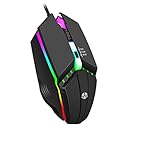
- Customizable RGB gaming mice, with 3 adjustable speed Switch:800-1200-1600, you can control the speed more freely and easily.
- Support Windows XP, Vista, Windows 7, Windows 8. Adaptable for Notebook, PC, laptop, Computer, Macbook and so on
- Provides you a perfect hand feel, gives gamers the most comfortable gaming experienece and makes you feel free from fatigue.
- Muti-colors lights greatly match your style, provide you fancy gaming environment and highlight your game atmosphere.
- Equipped with six buttons: Left button, Right button, button and Scroll wheel, meets for your demands excellently for different games
%USERPROFILE%AppDataLocalLowsemiworkReposavesIt lists configuration data under:
%USERPROFILE%AppDataLocalLowsemiworkRepoThese are community-documented paths, not an official semiwork support manual. To make a backup, press Windows key + R, paste the first path into the Run box, press Enter, and copy the saves folder to another location such as your Desktop or an external drive. Do this before removing the game folder, testing mods, or attempting a clean reinstall.
Steam lists Steam Cloud support, but that does not guarantee that every local configuration file or every multiplayer state will be recoverable automatically. Community discussions also report host-dependent multiplayer save behavior and confusion involving public and private lobbies. Treat those reports as edge cases to verify in the current build rather than as an unconditional official rule: confirm who is hosting, what progress is being saved, and whether the expected save is present before ending a long session.
Mods: Thunderstore is not Steam Workshop
R.E.P.O. has a substantial third-party mod ecosystem on Thunderstore, including mods and tools associated with BepInEx and r2modman. That ecosystem is separate from built-in Steam Workshop support. The developer’s March 2026 Q&A said Steam Workshop support was not currently planned.
Mods can also be the cause of a game that will not load after an update. For a reliable troubleshooting process:
- Launch the game once without mods before installing a mod setup.
- Keep a separate vanilla installation or profile for testing and normal play.
- Update mods after major game patches.
- If R.E.P.O. becomes stuck loading, fully remove the mod setup before deciding that the base game is broken.
- Back up saves before deleting folders or changing mod managers.
Multiplayer compatibility varies by mod. Do not assume that every player needs an identical installation or that every mod will work across the group; check each mod’s current documentation and version compatibility.
Is R.E.P.O. worth buying on Windows?
Buy now if:
- You want an inexpensive co-op horror game for a group of friends.
- You enjoy physics-based object handling, emergent comedy, and chaotic failures more than a tightly scripted horror campaign.
- Your group has reliable broadband and is willing to use proximity voice chat.
- Your PC is near or above the listed requirements and you understand that they do not guarantee a particular FPS.
- You are comfortable with Early Access updates, bugs, changing balance, and unfinished future systems.
- You mainly use keyboard and mouse, or are willing to configure Steam Input.
Wait if:
- You specifically want a finished 1.0 campaign or a fully explained story right now.
- Native controller support is a requirement.
- You need guaranteed smooth performance on integrated graphics or low-end hardware.
- You want Steam Workshop integration.
- You require local split-screen multiplayer.
- You do not want to troubleshoot microphones, mods, or network routing.
- You are waiting for a confirmed console release.
The main trade-off is unusually clear: R.E.P.O. offers a low-cost, distinctive six-player co-op premise and a small installation footprint, but its physics, voice chat, online dependence, and Early Access status also create more ways for a session to go wrong. It is best purchased as a game to enjoy while it evolves, not as a promise of the final 1.0 product.
Do these 3 things before closing this tab:
1Scan for outdated or missing drivers - takes under a minute2Clear out junk files and repair common Windows errors3Fix the driver behind crashes, sound loss and screen glitchesAlternatives to R.E.P.O.
Lethal Company: Choose this if you want the closest alternative to scavenging dangerous locations, collecting valuable items, meeting quotas, and laughing through co-op disasters. Its loop is more clearly organized around quota-driven scavenging, while R.E.P.O. distinguishes itself with more prominent physics-based object handling.
Phasmophobia: Choose this if you prefer structured paranormal investigation, evidence gathering, equipment-based play, four-player online co-op, and VR. Its gameplay is about identifying ghosts rather than extracting physically valuable cargo, and its Steam listing advertises tracked controller support.
In short: choose R.E.P.O. for physics-heavy extraction chaos, Lethal Company for quota-based scavenging, and Phasmophobia for a more methodical ghost-investigation experience.
Frequently Asked Questions
Is R.E.P.O. free on Windows?
No. R.E.P.O. is a paid Steam game. The U.S. list price verified for this guide is $9.99, although regional pricing and temporary discounts may differ. Use the official Steam listing rather than a site offering a free executable.
Best Value

- Wireless for Boundless Winning - Cables truly will affect your detailed battle reaction, Redragon M656 wireless gaming mouse with 2.4Ghz nano receiver offers you the purest mouse moving experience and hype your KDA rise again.
- 5 Adjustable DPI Levels - Geared with 5 on-board DPI levels (1000/1500/2000/2400/4000) which allow your mouse movements to be registered to each pinpoint location. 5 DPI levels are free to DIY with software, enable to switch swiftly in game.
- Easy Keybinding with Macro - All 7 programmable buttons are all editable with customizable tactical keybinds in whatever game or work you are engaging. 2 side macro buttons offer you better gaming and working experience.
- Ultra Long-lasting Core - Equipped with the PAW3104 Optical Pixart sensor, the mouse consumption is further optimized with 500Hz Polling Rate in 3 levels. Smart ECO sleep mode helps for saving battery power when using the mouse intermittently (battery not included).
- Essential Software Suportted - With Redragon Pro driver, select your preferred style in red LED to fit your using vibe. All 7 buttons are ready to be assigned with complex or convenient macros, custom keybinds to the buttons you are used to mostly.
Where should I download R.E.P.O. for Windows?
Download it through Steam from app 3241660. Confirm that semiwork is listed as both developer and publisher. The semiwork website links to this Steam page.
Can I play R.E.P.O. solo?
Yes. The official Steam listing includes Single-player. It also supports online co-op for up to six players total, but six players are not required.
How many players can play R.E.P.O. together?
The online co-op mode supports up to six players total: a host plus up to five other players. The official listing does not advertise local split-screen multiplayer.
Does R.E.P.O. have controller support?
Native controller support is not confirmed by the official Steam listing. A controller may be usable through Steam Input remapping, but keyboard and mouse are the safest Windows controls.
The Tool Desk
Outbyte Driver Updater FREEFix the driver behind crashes, sound loss and screen glitchesFind Drivers →Outbyte PC Repair FREERepair Windows errors before they cause bigger problemsFix Now →Does R.E.P.O. run on Windows 10?
Yes. Windows 10 is the published minimum operating system, while Windows 11 is the recommended operating system. Meeting the listed minimum does not guarantee a particular frame rate or resolution.
Is R.E.P.O. still in Early Access?
Yes. It launched in Early Access on February 26, 2025, and was still listed as Early Access as of August 10, 2026. The latest verified numbered public patch was v0.4.4 from May 25, 2026. No firm 1.0 date was verified.
Why is R.E.P.O. stuck on the loading screen?
First remove all mods and launch the game again. Semiwork says unsupported mods are a common cause of stuck loading. If you need a clean reinstall, back up the community-documented save folder first.
Why is my microphone not working in R.E.P.O.?
Enable microphone access for desktop applications in Windows, select or toggle the correct microphone in the game, and increase the Windows microphone level. With a Focusrite Scarlett or another stereo interface, make sure the signal reaches the left channel; semiwork says right-channel-only input may not be detected.
What’s actually slowing this PC down?
Pick the symptom - the matching free tool is one click away.
Where are R.E.P.O. saves stored on Windows?
The community-documented path is %USERPROFILE%AppDataLocalLowsemiworkReposaves. Copy that folder somewhere safe before deleting game files, reinstalling, or changing mods. Steam Cloud is listed, but it should not be treated as a guarantee that every local or multiplayer state can be restored.
Does R.E.P.O. have Steam Workshop or a console version?
The developer’s March 2026 Q&A said Steam Workshop support was not currently planned. A console version was described as a future plan, but no released console edition or firm release date was verified.
The Bottom Line
Bottom line: R.E.P.O. is a real Windows game, and the legitimate way to get it is the semiwork-linked Steam listing for app 3241660. At the verified U.S. price of $9.99, it is an appealing buy for groups that want physics-based co-op horror and do not mind Early Access. Wait if you need a finished 1.0 release, native controller support, local multiplayer, guaranteed low-end performance, or a confirmed console edition.
Quick Recap
Product prices and availability are accurate as of the date/time indicated and are subject to change. Any price and availability information displayed on Amazon at the time of purchase will apply.
Recommended Free Tools



