Do these 3 things before closing this tab:
1Scan for outdated or missing drivers - takes under a minute2Repair Windows errors before they cause bigger problems3Fix the driver behind crashes, sound loss and screen glitchesFor most buyers choosing between two similarly priced, healthy cards, the Radeon RX 570 8GB is the better general-purpose pick. Its extra memory gives it more room for newer games and textures, and AMD’s support page lists current Windows drivers. The GTX 970 remains a sensible bargain if it is substantially cheaper, in better condition, or a better fit for the games you play. Neither is a good buy at a price close to a newer used GPU.
Performance is close enough that there is no universal winner: individual games, graphics APIs, settings, and card models can change the result. The RX 570 also came in 4GB and 8GB versions, so a comparison that does not identify its memory capacity misses an important part of the buying decision.
RX 570 and GTX 970 at a glance
These are mid-2010s graphics cards aimed today at budget 1080p gaming. Their headline specifications are useful for checking compatibility, but shader counts, clock speeds, and bandwidth do not predict game performance on their own.
| Specification | Radeon RX 570 | GeForce GTX 970 |
|---|---|---|
| Architecture | AMD Polaris / fourth-generation GCN | NVIDIA Maxwell |
| Launch | April 18, 2017, according to AMD’s RX 570 support page | September 2014 |
| Shaders | 2,048 stream processors | 1,664 CUDA cores |
| Memory | 4GB or 8GB GDDR5, depending on the card | 4GB GDDR5 with a segmented memory configuration |
| Memory interface and bandwidth | 256-bit; up to 224GB/s, per AMD | 256-bit; commonly listed at about 224GB/s effective |
| Typical board power | 150W, per AMD | About 145–148W, depending on the specification and model |
| PSU recommendation | AMD lists a 450W minimum | NVIDIA’s original guide specifies a 500W minimum |
| Power connectors | Varies by board partner; commonly one 6-pin or 8-pin | Varies by board partner; the original guide calls for two supplementary PCIe connectors |
| Best use today | Budget 1080p, especially the 8GB model when texture capacity matters | Budget 1080p when the particular card is cheaper or better preserved |
AMD’s figures are on its RX 570 specifications and drivers page. For the GTX 970, consult the NVIDIA user guide and the exact manufacturer model’s label or manual before checking power connections. Partner cards can differ from reference-style specifications.
Free tools Windows power users keep installed
One-click scans. No signup required.
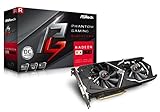
#1 Best Overall

- 2 x HDMI; 1 x DVI-D; 2 x DP
- 256-bit Memory Bus. Compatible with OS Windows 10 and Windows 7
- Cooling Technology: Dual Fan
Which card is faster in games?
They occupy roughly the same performance class, and results depend on the game, graphics API, driver, resolution, settings, and exact card. Tom’s Hardware’s GPU hierarchy shows the RX 570 4GB slightly ahead of the GTX 970 in its tested suite: 28.1 versus 26.5 fps in one column, and 53.6 versus 49.0 fps in another. Those are results from that suite, not a promise of the same margin in a game you play. See the Tom’s Hardware GPU hierarchy.
Older DirectX 11 titles can favor the GTX 970, while some DirectX 12 or Vulkan workloads can favor the RX 570. Average frame rate also does not tell the whole story: VRAM pressure and frame-time variation can make a game feel less smooth even if its average FPS appears adequate. Notebookcheck’s RX 570 versus GTX 970 comparison likewise treats them as close competitors rather than a specification-sheet mismatch.
For your own library, prioritize benchmarks with the same game, resolution, graphics settings, and RX 570 memory size you are considering. Look for minimum frame rates or 1% lows and reports of stutter or texture pop-in, not only average FPS. Results from a high-end test CPU may also overstate the difference you will see in an older PC.
RX 570 4GB or 8GB: which version makes sense?
RX 570 4GB
The 4GB model can suit esports, older games, and 1080p play at medium or high settings if its price is meaningfully lower. In newer or texture-heavy games, expect to reduce texture quality when memory capacity becomes a constraint. The limitation may appear as stutter or texture pop-in rather than simply a lower average frame rate.
RX 570 8GB
Prefer the 8GB version when prices are close and you play newer 1080p games, use mods, or install high-resolution textures. The extra capacity does not double the GPU’s processing speed; it helps avoid memory limits that can force compromises on the 4GB card. AMD lists the RX 570 with up to 8GB on its product support page.
Memory allocation reported by a game is not the same as memory it strictly requires: some games reserve available VRAM opportunistically. Judge the practical effect from texture behavior and smoothness as well as an on-screen usage figure.
Rank #3
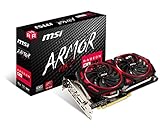
- Chipset: AMD Radeon RX 570
- Video Memory: 8GB GDDR5
- Memory Interface: 256-bit
- Output: DisplayPort x 2 / HDMIx 2 / DL-DVI-D
- Recommended PSU: 450W
What the GTX 970’s 4GB memory configuration means
The GTX 970 has 4GB of physical GDDR5, but the memory is not arranged as one uniform pool: it has a faster primary segment and a smaller, slower segment. It is therefore too simplistic to call the card a “3.5GB card,” but also misleading to imply that all 4GB behave identically.
How much this matters depends on the game, resolution, texture settings, driver, and how the workload allocates memory. At ordinary 1080p settings it may not be noticeable; under heavier VRAM pressure it can contribute to inconsistent frame times or performance loss. It does not mean every GTX 970 stutters above a fixed threshold or is unusable.
Driver support and operating systems in 2026
Windows
AMD’s RX 570 support page lists Adrenalin Edition 26.5.2 WHQL Recommended for Windows 10 64-bit and Windows 11 64-bit, released May 21, 2026. It also lists Windows 7 under legacy support, with no additional releases planned. A current driver listing means drivers are available; it does not guarantee game-specific optimization for every new release. Check AMD’s RX 570 driver page for the current package and supported operating systems.
Rank #4

- 【Ultimate Triple Display Connectivity】: Features a versatile output array including HDMI, DisplayPort (DP), and DVI. Whether you're connecting a high-refresh-rate gaming monitor via DP or a standard office screen via HDMI, this card supports triple-monitor setups for maximum productivity.
- 【Compact Size & Wide Compatibility】: Measuring 240x135x45mm (9.45x5.31x1.77 inches), this dual-fan RX 580 fits perfectly into standard ATX Mid-Towers, Micro-ATX (M-ATX), ideal for compact desktop PC upgrades and space-saving gaming builds.
- 【Optimized Gaming Performance】: With 2048 Stream Processors and a 1206 MHz core clock, this card delivers solid frame rates in popular titles like Fortnite, GTA V, Apex Legends, and Valorant. It’s the ideal budget-friendly GPU for entry-level to mid-range gaming rigs.
- 【Advanced Thermal Management】: Engineered with a dual-fan cooling system and high-efficiency heat pipes to ensure stable performance under heavy loads. The intelligent fan control keeps your system quiet during light office work and provides maximum airflow during intense gaming sessions.
- 【Ready for Content Creation】: Supports DirectX 12, Vulkan, and OpenGL 4.6, making it more than just a gaming card. It provides hardware acceleration for video editing in Premiere Pro, 3D rendering in Blender, and smooth streaming for aspiring creators.
NVIDIA’s driver record confirms GTX 970 inclusion in GeForce 900/Maxwell-era releases through at least driver 526.47. The available documentation here does not establish the final Windows support status as of 2026, so check NVIDIA’s current driver selector and release notes for the operating system and game you intend to use. See NVIDIA driver 526.47 and NVIDIA’s legacy GPU driver documentation; the latter is Linux documentation and should not be treated as proof of a particular Windows branch.
Linux
AMD’s RX 570 support page includes Linux driver information, including an Ubuntu 26.04 entry dated July 20, 2026. AMD graphics are generally integrated into the open-driver stack used by modern Linux distributions, which can make the RX 570 the simpler route for many Linux users. For either card, confirm support and installation steps for your specific distribution and release. NVIDIA’s Linux legacy-driver documentation describes its legacy arrangements, but does not determine which package a given distribution currently recommends.
Independent reader supportYour contribution helps us test, update, and keep practical guides available for everyone.Power, connectors, cooling, and case fit
Both cards are in a similar nominal power range, but the PSU recommendation and physical requirements are not interchangeable. AMD lists 150W typical board power and a 450W minimum PSU recommendation for the RX 570. NVIDIA’s GTX 970 guide specifies a 500W minimum system PSU and two supplementary PCIe power connectors. These are manufacturer recommendations, not a guarantee that any old 450W or 500W supply is suitable: quality, age, other components, and the exact board model matter.
What’s actually slowing this PC down?
Pick the symptom - the matching free tool is one click away.
Best Value

- Chipset: AMD RX 570
- Memory: 8GB GDDR5. 2048 stream processors
- Dual bios - Gaming and cryptocurrency mining
- XFX double dissipation cooling design
- Minimum power supply requirement 500 watt
- Check the precise card’s required PCIe connectors; do not assume every RX 570 or GTX 970 uses the same arrangement.
- Confirm the PSU has the connectors and is a reputable, healthy unit. Avoid relying on questionable adapters to compensate for missing cables.
- Measure the card and compare its length and thickness with your case clearance; cooler designs vary.
- Check that the case has adequate airflow and that the fans spin smoothly without grinding or rattling.
- Do not infer lower real-world power use from the nominal figures alone; actual draw varies with model and workload.
Buying a used RX 570 or GTX 970 safely
Age and condition can outweigh a small benchmark difference. Some RX 570s were used for cryptocurrency mining; that history raises questions to investigate, but does not prove a card is faulty. A GTX 970 is older still, so check for wear on fans and other components. Ask for a load test and a return window where possible.
- Identify the exact model. Confirm RX 570 memory capacity, manufacturer, cooler, clock variant, connectors, dimensions, and display outputs from the listing or card label.
- Inspect the card. Look for corrosion, damaged shrouds, missing screws, blocked heatsink fins, and signs of a modified BIOS. Ask about fan noise and service history.
- Request a real test. Have the seller demonstrate sustained operation under a game or GPU load. Watch for artifacts, black screens, driver resets, crashes, and abnormal fan noise.
- Check the whole system fit. Verify PSU quality and connectors, case clearance, and airflow before paying.
- Compare the final price. Used prices vary by region, condition, and seller; do not rely on old launch prices. Compare live listings against newer used GPUs before committing, and walk away if a newer option is only a modest premium.
Which one should you buy?
- RX 570 8GB at a similar price: the strongest default choice for general 1080p use, especially if newer games or textures matter.
- RX 570 4GB: consider it for older games or esports when it is clearly cheaper and you are willing to lower texture settings.
- GTX 970: choose it if it is substantially cheaper, demonstrably better cared for, or suits a game library that performs well on NVIDIA hardware.
- Linux system: the RX 570 is often the less complicated option on current distributions; check the distro’s package guidance for either card.
- Streaming: both support video features, but encoder implementation, OBS support, bitrate, preset, game load, and platform requirements affect results. Do not choose on codec support alone without checking the software and quality you need.
- Weak or uncertain PSU, ray tracing, modern AAA settings, or long-term upgrade headroom: neither is a strong fit. Look at a newer GPU instead.
Neither card has modern hardware ray tracing or the feature set of current GPU generations, and demanding new games may require reduced settings or may not offer a satisfying experience. Treat either purchase as a low-cost bridge for older games and modest 1080p expectations, not a long-term modern gaming investment.
Quick Recap
Product prices and availability are accurate as of the date/time indicated and are subject to change. Any price and availability information displayed on Amazon at the time of purchase will apply.



