Some links on this page are affiliate links: if you buy through them we may earn a commission, at no extra cost to you.
“Reset” can mean anything from restarting a frozen PS Vita to erasing it for resale. Start with a normal restart for a temporary lockup; use Safe Mode if the console will not boot; choose Restore the PS Vita System or Initialize PS Vita only when you intend to erase system data. A full initialization is not the same as formatting a removable memory card, so back up what matters before proceeding.
Choose the right reset
| Symptom or goal | Try first | Data risk |
|---|---|---|
| An app is stuck or the Vita is slow | Normal shutdown and restart | No data deletion expected |
| The screen or controls are unresponsive | Force shutdown, then restart | Unsaved progress may be lost |
| Content listings are abnormal or database errors appear | Safe Mode → Rebuild Database | Lower risk than initialization; back up first |
| Settings seem corrupted, but you want to keep personal data | Restore default settings, if available | Read the console’s warning; this is not the full initialization |
| You are selling, gifting, or recycling the Vita | Back up and sync, deactivate accounts, then initialize | System-memory data is deleted |
| The Vita will not boot normally | Enter Safe Mode and start with Restart PS Vita | Depends on the option selected |
| It will not charge, shuts off immediately, or has a swollen battery | Investigate hardware and battery safety | A reset is unlikely to help |
The handheld PCH-1000/PCH-1100 models use removable proprietary PS Vita memory cards. The PCH-2000 Slim has internal storage and can also use a proprietary card. Menu wording can vary by model, region, and software version. PS Vita TV is a separate device: its recovery procedure uses a controller connected by USB, so do not apply the handheld button steps below to it.
Before a reset that might erase data
- Back up what you want to keep. Use Content Manager to back up Vita data to a computer or PS3. Sony also documents PS Plus online storage for save data where available. Backup and restore behavior varies by content type, so do not assume every game, save, app, or protected item is recoverable. See Sony’s formatting and backup guidance and the PS Vita user guide.
- Sync trophies separately. Content Manager backup does not back up trophy data. Synchronize trophies with PlayStation servers before initialization if you want the server-side records retained.
- Confirm your PSN sign-in ID and password. Purchased content may generally be available again after signing into the account that bought it, subject to credentials, licenses, and service availability. A reset cannot recover a forgotten account or bypass ownership restrictions.
- Charge the Vita. Keep it connected to power where practical during an initialization or update. Do not remove a memory card while the system is powered on; Sony warns that doing so can corrupt or lose data.
1. Restart a working Vita
- Hold the Power button for about two seconds.
- Tap Power Off when prompted.
- Wait until the Vita has shut down completely.
- Hold Power for about two seconds to turn it on again.
This is a normal shutdown and restart, not a factory reset; it is not intended to erase your data. The two-second shutdown procedure is shown in Sony’s PCH-2001 quick-start guide.
Do these 3 things before closing this tab:
1Repair Windows errors before they cause bigger problems2Fix the driver behind crashes, sound loss and screen glitches3Clear out junk files and repair common Windows errors2. Force a shutdown if the Vita is frozen
- Hold the Power button for approximately 30 seconds.
- Release it when the Vita shuts down or a Safe Mode/recovery screen appears. Timing can vary with battery condition and system state.
- If Safe Mode appears, choose Restart PS Vita first.
A forced shutdown is not an erase command, but unsaved game progress may be lost. Do not select a format or initialization option unless you have deliberately decided to erase data.
#1 Best Overall

- Refurbished & Fully Tested: Professionally restored to full working order; may show minor cosmetic wear.
- Vibrant LCD Screen: Enjoy sharp visuals and responsive touchscreen gameplay.
- Slim & Lightweight Design: Thinner and lighter than the original PS Vita 1000 for added comfort.
- Dual Analog Sticks: Provides precise control and console-style gameplay.
- Wi-Fi Connectivity: Play online, download digital titles, and access the PlayStation Store (where available).
3. Enter Safe Mode on a PS Vita handheld
- Turn the Vita fully off; do not leave it in standby with only the screen off.
- Press and hold Power + PS + R at the same time.
- Keep holding for approximately five seconds, then release when the PS logo appears.
Sony documents this combination for PCH-1000 and PCH-2000 handhelds on its Safe Mode support page. If the normal boot screen appears, shut the console down fully and try again. Press all three buttons together; the left trigger is not a substitute for R. A nearly empty battery or damaged buttons can prevent recovery.
What the Safe Mode options do
- Restart PS Vita: Exits Safe Mode and attempts a normal boot. Choose this first when you entered recovery only because the console froze.
- Rebuild Database: Rebuilds the system database and may help with corrupted listings, missing icons, or database errors. It is not a universal fix and does not repair failing flash storage. Back up first if possible; rebuilding can take time, so do not interrupt it or remove the memory card.
- Format Memory Card: Formats the inserted proprietary card or applicable PCH-2000 internal storage. This deletes data on that storage. It is separate from simply restoring system settings.
- Initialize PS Vita: Returns system settings to their initial state and deletes all data in system memory. This is the Safe Mode option closest to a factory reset.
- Update System Software: Updates through supported methods. Use Sony’s official software page; do not use unofficial update files or modified packages, and do not interrupt an update.
4. Perform a full reset from Settings
If the Vita starts and you can navigate its menus, Sony’s manual gives this path:
Rank #2

- Sony PS Vita 2000 Slim , International Version, Certified Refurbished/Renew with Console, AC adapter, and Charging Cable
- Remote Play: Stream a wide range of your PS4 games on your PS Vita system over a local wi-fi network when away from your PS4 system or TV
- This Certified Refurbished product is manufacturer refurbished, shows limited or no wear, and includes a 90-day warranty
- Part of Renewed Program, unit comes with 6 Month Warrantable Coverage, Technical Support Available 365 Days a Year via Message
- In bulk packaging, in bubblewrap for safe transit. Comes with AC adapter and USA Charging Cable.
- Open Settings.
- Tap Start.
- Tap Format.
- Select Restore the PS Vita System.
- Read the warnings, confirm only if you intend to erase the system data, and let the process finish without interruption.
This restores system settings to defaults and deletes data in system memory. The wording and exact screen flow may vary slightly across firmware or region; follow the Vita’s on-screen warning. Sony’s PCH-1001/1101 manual documents this path. A successful reset returns the console to its initial setup flow.
What gets deleted—and what does not
- System settings: A full restore resets them to defaults.
- System-memory games, applications, and saves: Treat these as deleted by initialization unless backed up first.
- Memory-card data: A system initialization is not a substitute for separately formatting a removable proprietary memory card. If you are keeping the card, remove it only while the Vita is fully powered off; if selling it with the console, format it separately if you want its data erased.
- PCH-2000 internal storage: Sony’s formatting guidance says data in internal memory is deleted when the system is initialized.
- Trophies: Local information is erased; sync first to retain records on PlayStation servers. Content Manager backup alone does not include trophies.
- Account activation: Deactivate the Vita before handing it to someone else. Sony warns that you may not be able to deactivate it after it has been given away or disposed of.
- Purchased content: It may be downloadable again after signing into the purchasing account, but access depends on credentials, licensing, and service availability.
Because storage handling differs between models and actions, read the warning shown for the specific operation you choose. Sony’s formatting guidance explains backup and storage considerations.
Rank #3

- 【Android 12 Gaming Experience】 RG VITA handheld game console runs Android 12 with Google Play support, giving you access to Android games, apps and a wide range of emulators. Download games yourself with no games preloaded.
- 【T618 Performance for Retro Gaming】 Powered by the Unisoc Tiger T618 octa-core processor and Mali-G52 MP2 GPU, the RG VITA delivers smooth performance for compatible Android games and retro emulation.
- 【5.46" IPS Touchscreen】 Enjoy a 1280×960 fully laminated IPS display with multi-touch and up to 120Hz refresh rate. The compact design makes this Anbernic RG VITA easy to carry for travel, commuting and everyday gaming.
- 【5000mAh Battery & Wireless Connectivity】 Play for up to 8 hours with the built-in 5000mAh battery. WiFi 5 and Bluetooth 5.0 support wireless streaming, multiplayer gaming, controllers, headsets and other compatible devices.
- 【Hall Joysticks & Expandable Storage】 Large-angle 3D Hall joysticks, six-axis gyro, RGB lighting and customizable controls provide precise gameplay. 64GB storage supports TF card expansion up to 2TB, with USB-C 1080p display output.
Preparing a Vita for resale, gifting, or recycling
- Synchronize trophies and back up saves and other data you want to retain.
- Make sure you know the PSN sign-in ID and password associated with the console.
- Deactivate relevant content categories at Settings > Start > PlayStation Network > System Activation.
- Remove the game card. With the Vita completely powered off, remove the proprietary memory card if you are keeping or selling it separately.
- Initialize the Vita using Settings > Start > Format > Restore the PS Vita System, or Safe Mode > Initialize PS Vita if Settings is unavailable.
- Wait for the initial setup screen to appear. Do not sign back into your account if the console is being transferred.
Sony’s manual cautions that leaving an activated, uncleared device with another person can expose personal information or payment details. If you cannot access Settings to deactivate it, do not assume initialization alone has removed account activation; consult Sony’s current support guidance before transfer.
If resetting does not solve the problem
- It will not boot: Try Safe Mode and select Restart PS Vita first. If the device repeatedly returns to recovery, a database rebuild may be reasonable, but initialization is destructive and is not guaranteed to cure a boot loop.
- It crashes or loses content: A failing memory card can cause missing content or instability. Power down fully before removing or testing a card, and avoid formatting until you have backed up anything recoverable. Database rebuilding cannot fix physically failing storage.
- It will not charge or shuts off quickly: Leave it on a known-good compatible charger for a while and, if possible, try a different compatible cable/adapter. If it cannot stay powered, software recovery may not be possible; a battery or charging-port fault is more likely than a settings problem.
- It gets hot, the case is bulging, or the battery leaks: Stop using and charging it. Do not open or puncture a lithium-ion battery. Sony’s safety documentation warns against disassembly and battery tampering.
- Buttons are damaged or there is liquid damage: Safe Mode may be impossible to invoke, and initialization is unlikely to fix a hardware fault. Check current service availability for your country and model rather than assuming Sony still offers Vita repair.
For modified or homebrew systems, official initialization or updating can remove modifications or change the boot setup and may create additional recovery work. Sony procedures are safest for an unmodified Vita; do not install unofficial update packages as a troubleshooting shortcut.
Rank #4
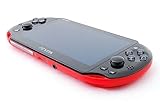
- Sony PS Vita 2000 Slim , International Version, Certified Refurbished/Renew with Console, AC adapter, and Charging Cable
- Remote Play: Stream a wide range of your PS4 games on your PS Vita system over a local wi-fi network when away from your PS4 system or TV
- PlayStation Now: Play over 150 PS3 games directly on your PS Vita system with PlayStationNow Game Streaming. (Service not available in all areas. A steady broadband connection greater than 5Mbps hardwired is HIGHLY recommended)
- This Certified Refurbished product is manufacturer refurbished, shows limited or no wear, and includes a 90-day warranty
- In bulk packaging, in bubblewrap for safe transit. Comes with AC adapter and USA Charging Cable.
Firmware context
Sony’s support page lists PS Vita system software version 3.74, released May 10, 2022, as the latest official version shown there as of August 18, 2026. That describes Sony’s current listing, not a guarantee that no future release is possible. Use only Sony’s official update route, and do not turn the Vita off or remove its memory card during an update.
The Tool Desk
Outbyte PC Repair FREEClear out junk files and repair common Windows errorsFree Scan →Outbyte Driver Updater FREEScan for outdated or missing drivers - takes under a minuteDriver Scan →Frequently Asked Questions
Does a PS Vita factory reset delete games and saves?
A full initialization deletes data in system memory, including games, applications, and saves stored there. Back up first; removable memory-card data is separate and may need to be formatted separately.
Best Value

- Sony PS Vita 2000 Slim , International Version, Certified Refurbished/Renew with Console, AC adapter, and Charging Cable
- Remote Play: Stream a wide range of your PS4 games on your PS Vita system over a local wi-fi network when away from your PS4 system or TV
- This Certified Refurbished product is manufacturer refurbished, shows limited or no wear, and includes a 90-day warranty
- Fully Technician Tested for Full functionality, Comes with 6 Month included Warranty and Full Daily Customer Support via Messaging
- In bulk packaging, in bubblewrap for safe transit. Comes with AC adapter and USA Charging Cable.
Will I lose my trophies if I reset the Vita?
Local trophy data is erased. Synchronize trophies with PlayStation servers before resetting; Content Manager backups do not include trophy data.
Will a factory reset format the memory card?
Do not assume so. System initialization and memory-card formatting are separate actions. Format or remove a removable card separately if you want its contents erased or kept.
Can resetting fix a PS Vita that will not charge?
Usually not. Charging faults, a degraded battery, or a swollen battery are hardware issues; stop using the Vita if its battery is swollen, hot, or leaking.
What if I forgot my PSN password?
A reset will not recover your account or bypass account restrictions. Recover access through PlayStation account support before erasing the Vita if you need purchased content or account-related access.
Can I reset a modified PS Vita?
Official initialization or updates may remove modifications or affect the boot setup. The instructions here are intended for unmodified systems; do not apply them to a modified Vita without understanding the consequences.
Quick Recap
Product prices and availability are accurate as of the date/time indicated and are subject to change. Any price and availability information displayed on Amazon at the time of purchase will apply.

