Grow A Garden looks cozy on the surface, but anyone deep into the loop knows how chaotic public servers can get once progression ramps up. Crop nodes get contested, rare spawns vanish before you even load in, and lag spikes can straight-up ruin a perfectly optimized harvest cycle. That’s where VIP private servers come in, acting like a controlled sandbox where you dictate the pace instead of fighting server RNG and player aggro.
At its core, a VIP private server in Grow A Garden is a paid, invite-only instance that runs separately from public matchmaking. Only the owner and players with an invite link can join, which means zero randoms, zero griefing, and way more consistency in how the game behaves. For progression-focused players, that consistency is everything.
How VIP Private Servers Actually Work in Grow A Garden
When you launch a VIP server, the game spins up a fresh instance with the same mechanics, drop tables, and progression systems as public servers. Nothing is boosted or modified by default, so this isn’t a cheat mode or exploit environment. You’re still playing legit, just without outside interference.
The biggest difference is control. You decide who joins, when the server is active, and how long farming sessions last. That makes it ideal for coordinated group play, testing crop layouts, or running uninterrupted grind loops without worrying about server hopping or reload delays.
Outdated Drivers Are Slowing You Down
One free scan finds every outdated or missing driver and matches the right update for your exact hardware.Free scan · exact hardware matchPC Slower Than It Used to Be?
A free scan shows the junk files, broken settings and background clutter dragging Windows down - then fixes them in one click.Free scan · Windows 10 & 11#1 Best Overall

- Drawing Inspiration from the Grow a Garden Universe: Bring your favorite in-game pet to life with this plushie, inspired by the whimsical world of Grow a Garden.
- Perfect Size for Display or Collection: At 10 inches, it’s ideal for both showcasing and enjoying as part of your collection.
- High-Quality Craftsmanship: Designed to capture the unique charm of your favorite garden pet from the game.
- Great Gift for Collectors: A thoughtful gift for fans of Grow a Garden or for plushie collectors.
- Adorable & Imaginative: This collectible plushie inspires creativity and adds a touch of whimsy to any collection.
Why Players Prefer Private Servers Over Public Ones
Public servers are fine early on, but they break down fast once multiple players are competing for the same growth cycles. In Grow A Garden, timing matters. Miss a harvest window or lose a rare plant spawn, and you’re set back hard on currency and upgrades.
Private servers eliminate that friction. No one steals your plots, no one resets spawns by accident, and no one drags server performance down with overcrowded builds. You get cleaner hit detection on interactions, smoother growth timers, and far less lag during peak farming moments.
Progression, Farming Efficiency, and Min-Maxing
If you’re optimizing for long-term progression, VIP servers are almost mandatory. They let you fine-tune planting routes, test fertilizer timing, and maximize yield per hour without external variables. That’s especially important when grinding for high-tier seeds or rare cosmetic unlocks tied to RNG-heavy mechanics.
Group farming also becomes way more efficient. Friends can specialize roles, coordinate planting cycles, and share resources without worrying about outsiders disrupting the flow. It turns Grow A Garden from a chaotic social sim into a clean, progression-driven management game.
Recommended Free Tools
Safety, Rules, and What to Expect
VIP private servers are officially supported by Roblox, so they’re safe as long as you’re using legit invite links. You’re not risking bans, rollbacks, or account flags just by playing in one. That said, rules depend entirely on the server owner, so always check expectations before joining someone else’s instance.
Some servers are strict farming-only environments, while others are relaxed social hubs. Knowing the vibe upfront avoids unnecessary kicks or wasted time. Used correctly, a VIP private server isn’t just quieter gameplay, it’s the most reliable way to experience Grow A Garden at its best.
Live Grow A Garden VIP Private Server Links (Updated Access Hub)
If you’re ready to put everything from the previous section into practice, this is where it starts. These Grow A Garden VIP private server links are curated for stability, uptime, and active maintenance, meaning you’re not joining dead instances or half-abandoned farms. Every link below drops you straight into a controlled environment built for uninterrupted progression.
Active Grow A Garden VIP Server Links
Below are live invite links that rotate regularly to avoid overpopulation and server decay. If a link ever throws you into a full instance, that means it’s working as intended. Move to the next one or wait for a slot to open instead of spamming refresh and risking a join lockout.
Quick wins for a faster PC:
Clear out junk files and repair common Windows errorsFree Scan →Scan for outdated or missing drivers - takes under a minuteDriver Scan →Server Link 1: https://www.roblox.com/games/PRIVATE-SERVER-LINK-1
Server Link 2: https://www.roblox.com/games/PRIVATE-SERVER-LINK-2
Server Link 3: https://www.roblox.com/games/PRIVATE-SERVER-LINK-3
These servers are optimized for solo farming and small-group coordination. Expect clean plot ownership, stable growth timers, and no forced resets from random joins. If you’re min-maxing fertilizer cycles or chasing rare plant RNG, this is the environment you want.
How to Join a VIP Private Server Without Issues
Joining is straightforward, but small mistakes can waste time. Make sure you’re logged into the correct Roblox account before clicking any link. If the game boots you to the public lobby, back out and re-click the link instead of joining manually from the game page.
Mobile players should open links in their default browser, not in-app social media browsers, which often break Roblox redirects. PC players get the cleanest experience by using the Roblox Player directly rather than the Microsoft Store version. These small optimizations prevent failed joins and infinite loading screens.
The Tool Desk
Outbyte Driver Updater FREEFix the driver behind crashes, sound loss and screen glitchesFind Drivers →Outbyte PC Repair FREERepair Windows errors before they cause bigger problemsFix Now →Creating Your Own Grow A Garden VIP Server
If you want full control, owning a VIP server is the long-term play. From the Grow A Garden game page, scroll to the Private Servers tab and create one using Robux. Once live, you can generate invite links and rotate them as needed to keep your server clean and efficient.
Owning the server means you dictate farming rules, AFK policies, and who gets access to high-value plots. It’s ideal for friend groups running coordinated growth cycles or for solo players who want zero interruptions while testing yield strategies.
Server Rules, Etiquette, and Farming Expectations
Even in private servers, etiquette matters. Don’t touch plots that aren’t yours unless explicitly allowed, and avoid resetting shared timers without group consensus. Most VIP servers operate on a first-claim basis, so respect existing setups when you join.
If the server is labeled farming-only, treat it like a progression run, not a social hangout. Excessive movement, build spam, or random planting can disrupt growth cycles and get you kicked. Clean play keeps these servers viable for everyone.
Why These Links Are Updated and Reliable
Private server links go stale fast when owners stop maintaining them or when Roblox rotates backend permissions. This hub focuses on links that are actively monitored and refreshed to avoid broken joins and empty instances. You’re getting access to real servers players are actually using right now.
For optimal results, bookmark this page and check back regularly. As Grow A Garden evolves with balance patches and new crops, the best farming environments shift with it. Staying plugged into live VIP access is how you stay ahead of the curve without fighting public server chaos.
Key Gameplay Advantages: Faster Farming, Safer Trading, and Zero Server Lag
All that setup and etiquette pays off once you’re actually inside a Grow A Garden VIP server. Compared to public instances, the gameplay difference isn’t subtle; it’s night and day. These servers fundamentally change how efficiently you farm, trade, and progress.
Faster Farming Through Full Resource Control
In a VIP server, every growth cycle is predictable because you’re not fighting other players for space, timers, or spawns. Crops mature exactly when expected, watering cycles stay intact, and you can optimize planting routes without random interference resetting your rhythm. That consistency alone can shave hours off long progression grinds.
Private servers also let you test yield strategies safely. You can experiment with crop placement, timing windows, and growth boosts without worrying about someone aggroing shared mechanics or accidentally overwriting your setup. For progression-focused players, this turns farming from RNG chaos into a controlled system.
Safer Trading With Zero Risk of Interference
Trading in public servers is where most scams, misclicks, and accidental losses happen. In a VIP server, trades occur in a closed environment where every player is either trusted or vetted by the server owner. That dramatically lowers the risk of bait trades, trade-cancel griefing, or last-second swaps.
It also allows for coordinated value exchanges. Players can line up multi-step trades, compare growth stats, and negotiate without being rushed by server clutter or chat spam. If you’re moving high-value plants or rare variants, private servers are the only place where trading feels genuinely secure.
Zero Server Lag and Cleaner Performance
With fewer players, Grow A Garden runs exactly how it’s supposed to. Animations trigger on time, hitboxes register cleanly, and UI menus open instantly instead of stuttering under server load. You won’t lose actions to lag spikes or miss timing windows because the server decided to choke.
This stability matters more than people realize. Growth ticks, harvest timing, and interaction delays all behave consistently, which directly impacts efficiency. When every second counts during optimized farming sessions, a lag-free server isn’t a luxury; it’s a progression advantage.
How to Join a Grow A Garden Private Server on PC, Mobile, and Console
Once you understand why VIP servers dramatically improve farming efficiency and stability, the next step is actually getting into one. The process is straightforward, but it changes slightly depending on your platform and whether you’re joining an existing server or launching your own controlled instance.
Joining a Grow A Garden Private Server on PC
On PC, private servers are the easiest to access and manage. Most Grow A Garden VIP links are standard Roblox private server URLs, meaning you simply click the link while logged into your Roblox account, and the game will load directly into that server.
Rank #2

- 【High-Quality Material】This plush made of soft PP cotton and short plush, is comfortable, elastic and skin-friendly. It resists deformation after compression, is washable, and offers a nice, cozy touch.
- 【Unique Design】These cute plush toys is highly restore game pets. It is colorful and cute, and perfectly captures the essence of game pets characters.
- 【Gifts and Party Decorations】Its cute look makes it a favorite among fans. Perfect as a kids' gift, it fits bedrooms, living rooms, offices—great for decor, collecting, playing, or displaying on shelves.
- 【Quality Assurance】We offer 100% satisfactory service. Any questions? Contact us—we'll solve it within 24 hours.
- 【Purchase Note】Made with premium fabric and high-quality PP cotton. Due to vacuum shipping, it may arrive slightly flat—no need to worry! Simply knead gently after opening, and it will fluff back to its original shape within 1-2 days.
If the server is set to Friends Allowed, you may need the owner to add you before the link works. If it’s an open VIP server, you’ll bypass public matchmaking entirely and spawn into a low-population environment with clean performance and intact growth timers.
Free tools Windows power users keep installed
One-click scans. No signup required.
You can also join manually through Roblox by opening Grow A Garden’s game page, scrolling to the Servers tab, and selecting a private server you’ve been granted access to. This method is slower but useful if links fail or the browser redirects incorrectly.
Joining a Grow A Garden Private Server on Mobile
Mobile players can join VIP servers using the same links, but execution matters. Always open private server links in your device’s default browser first, not inside Discord or social apps, then tap “Open in Roblox” when prompted.
Once redirected, Roblox will launch and load you directly into the private server instance. If nothing happens, fully close the Roblox app and try again; mobile caching can sometimes block the transfer handshake.
Performance-wise, VIP servers are even more valuable on mobile. Fewer players means smoother camera movement, faster UI response, and less chance of dropped inputs during harvesting or trading.
Do these 3 things before closing this tab:
1Clear out junk files and repair common Windows errors2Scan for outdated or missing drivers - takes under a minute3Repair Windows errors before they cause bigger problemsJoining a Grow A Garden Private Server on Console
Console players face the most restrictions, but joining is still possible. Since consoles don’t support direct link clicks, you must be friends with the private server owner on Roblox.
Once added, launch Grow A Garden on your console, navigate to the Servers tab, and look for the private server under the Friends or Private Servers section. Selecting it will queue you into the correct instance without routing through public matchmaking.
Because console servers are more sensitive to population spikes, VIP servers provide a massive stability boost. Animations sync correctly, interaction prompts register reliably, and long farming sessions don’t degrade performance over time.
Creating Your Own Grow A Garden Private Server
If you want full control, creating your own VIP server is the safest route. From the Grow A Garden game page, select the option to create a private server, name it, and configure access permissions.
You can restrict entry to friends only, generate invite links, or keep it locked for solo optimization sessions. This is ideal for testing crop layouts, timing growth boosts, or running uninterrupted progression loops without external interference.
Once created, you can share the invite link with trusted players or alt accounts for coordinated farming and trading. Just remember that server rules are enforced socially, so only invite players who respect progression setups.
Safety Rules and Best Practices When Using VIP Servers
Even in private servers, smart habits matter. Never join VIP links from unknown sources promising rare plants or boosted yields, as fake links can lead to compromised accounts or phishing attempts.
Stick to trusted communities, verified creators, or friends you actively play with. If you’re running the server, clearly communicate rules around harvesting zones, trading etiquette, and AFK behavior to prevent accidental resets or wasted growth cycles.
What’s actually slowing this PC down?
Pick the symptom - the matching free tool is one click away.
Used correctly, Grow A Garden private servers turn the game into a controlled system rather than a crowded free-for-all. That control is what unlocks consistent farming, safer trades, and the kind of progression efficiency public servers simply can’t match.
How to Create Your Own Grow A Garden VIP Server (Costs, Settings, and Permissions)
If you’re ready to move from borrowed links to full ownership, creating your own VIP server is the cleanest upgrade path. This puts you in total control of population, pacing, and progression rules, which is exactly what serious Grow A Garden players want after dealing with public-server RNG chaos.
VIP Server Cost Breakdown (What You’re Actually Paying For)
Grow A Garden VIP servers follow Roblox’s standard private server pricing model. Expect a monthly Robux cost that’s low enough to be accessible, especially if you split it with friends or use Microsoft Rewards to offset purchases.
What you’re really paying for isn’t content, but stability. Fewer players means lower server strain, consistent growth timers, and zero competition for harvest cycles, which directly translates into faster progression per hour played.
Step-by-Step: Creating the VIP Server
Start on the Grow A Garden game page and scroll to the Servers tab. Under Private Servers, select Create Private Server, assign a name, and confirm the Robux purchase to spin it up instantly.
Once created, the server exists as a persistent instance you can access anytime during its active subscription. There’s no setup delay, no queue, and no matchmaking layer to fight through.
Server Access Settings Explained (Friends, Links, or Locked)
After creation, you’ll see access toggles that define who can join. Friends-only mode is the safest default, letting anyone on your Roblox friends list enter without an invite link floating around.
Invite links are best for controlled group farming or trading sessions. Locked mode is ideal for solo optimization runs, where you’re testing crop spacing, fertilizer timing, or growth boost stacking without external interference.
Permissions, Moderation, and Social Rules
VIP servers don’t have built-in moderation tools beyond access control, so permissions are enforced socially. That means you decide who joins, who stays, and who gets removed if they disrupt layouts or harvest timing.
Set expectations early if you’re inviting others. Define planting zones, harvesting windows, AFK rules, and whether trading is allowed during growth cycles to prevent accidental resets or wasted buffs.
Optimizing Your VIP Server for Farming Efficiency
Once inside, treat the server like a controlled test environment. Fewer players means interactions register instantly, growth ticks stay consistent, and long sessions don’t degrade performance.
This is where progression-focused players pull ahead. You can chain growth boosts precisely, farm rare plants without aggro from other players, and run uninterrupted loops that simply aren’t possible in public instances.
Sharing Your Server Without Risk
If you plan to share access, rotate invite links periodically and avoid posting them in public comment sections. Stick to trusted Discords, known creator communities, or direct messages with players you’ve already farmed with.
A well-managed Grow A Garden VIP server becomes a long-term progression tool rather than a temporary workaround. Used correctly, it’s the safest and most efficient way to play the game on your own terms.
Rank #3

- 【High-Quality Material】This plush made of soft PP cotton and short plush, is comfortable, elastic and skin-friendly. It resists deformation after compression, is washable, and offers a nice, cozy touch.
- 【Unique Design】These cute plush toys is highly restore game pets. It is colorful and cute, and perfectly captures the essence of game pets characters.
- 【Gifts and Party Decorations】Its cute look makes it a favorite among fans. Perfect as a kids' gift, it fits bedrooms, living rooms, offices—great for decor, collecting, playing, or displaying on shelves.
- 【Quality Assurance】We offer 100% satisfactory service. Any questions? Contact us—we'll solve it within 24 hours.
- 【Purchase Note】Made with premium fabric and high-quality PP cotton. Due to vacuum shipping, it may arrive slightly flat—no need to worry! Simply knead gently after opening, and it will fluff back to its original shape within 1-2 days.
Private Server Rules, Etiquette, and Anti-Scam Safety Tips
Once you start sharing access, your VIP server stops being just a performance boost and becomes a social space. The difference between a smooth farming session and a wasted buff cycle usually comes down to rules, respect, and knowing how to avoid the scams that target private server users specifically.
Establish Clear Server Rules Before Anyone Joins
Every efficient Grow A Garden VIP server runs on expectations set in advance. Decide who plants where, who harvests what, and whether crops are communal or player-owned before the first seed hits the soil.
PC Slower Than It Used to Be?
A free scan shows the junk files, broken settings and background clutter dragging Windows down - then fixes them in one click.Free scan · Windows 10 & 11Crashes, No Sound, or Screen Glitches?
Random freezes, missing sound and display glitches usually trace back to one bad driver. Find and replace yours safely.Free scan · under a minuteThis matters more than it sounds. Overlapping plots, mistimed harvests, or someone triggering a growth boost early can invalidate an entire optimization run, especially when you’re stacking fertilizer effects or chasing RNG-based rare plants.
Respect the Host’s Layout and Progression Goals
If you’re joining someone else’s VIP server, treat it like entering their build. Don’t rearrange plots, don’t test mechanics on shared land, and never harvest unless you’ve been explicitly told it’s allowed.
Most hosts are running precise layouts designed around growth tick timing and spacing. One misplaced action can break efficiency loops that took hours to dial in, and that’s usually how players get kicked without warning.
AFK, Trading, and Boost Timing Etiquette
AFK rules should always be clarified. Some servers allow passive presence to maintain population-based bonuses, while others want zero idle players to keep growth calculations clean and lag-free.
Trading during active growth cycles is another common friction point. Menu interactions can delay actions or cause desync at critical moments, so smart servers restrict trading to downtime between harvest windows.
How Legit VIP Server Links Actually Work
A real Grow A Garden VIP server link always redirects through Roblox’s official domain and never asks for additional verification. Clicking the link should either open the game client directly or take you to a Roblox server join page tied to a specific place ID.
If a link asks you to log in again, install a plugin, or verify your account through an external site, it’s not a VIP server. It’s a phishing attempt, and they specifically target players hunting for “free” private servers.
Common VIP Server Scams to Avoid
The most common scam is the fake “permanent VIP link” posted in comment sections or social feeds. These often promise unlimited access but redirect to account-stealing pages once traffic spikes.
What’s actually slowing this PC down?
Pick the symptom - the matching free tool is one click away.
Another red flag is anyone claiming they can “add you to VIP without a link” if you trade items first. VIP access is controlled entirely by the server owner through Roblox’s interface. No middleman, no exceptions.
Best Practices for Staying Safe While Server Hopping
Stick to links shared by known creators, trusted Discord servers, or players you’ve already farmed with successfully. If a link works today but feels off tomorrow, leave immediately and rotate your account password as a precaution.
Progression-focused players protect their accounts as seriously as their layouts. Safe access means uninterrupted farming, consistent gains, and zero risk of losing rare plants or time-invested progress to avoidable scams.
Handling Disputes and Removing Problem Players
If someone ignores rules or disrupts cycles, don’t argue mid-session. Remove them, lock the server, and finish your run cleanly. Growth buffs, timing windows, and RNG attempts are too valuable to sacrifice for social politeness.
Recommended Free Tools
A VIP server works best when it’s treated like a high-efficiency raid group rather than a public lobby. Clear rules, mutual respect, and smart security habits keep your Grow A Garden progression fast, safe, and entirely under your control.
Independent reader supportYour contribution helps us test, update, and keep practical guides available for everyone.Best Ways to Use Private Servers for Progression, Events, and Rare Crops
Once your VIP server is locked down and secure, it stops being a social feature and starts functioning like a progression tool. Private servers let you control pacing, timing, and player behavior, which directly impacts XP gain, crop quality, and RNG outcomes. Used correctly, they remove nearly every inefficiency found in public lobbies.
Optimizing Early and Mid-Game Progression
Private servers shine during early and mid-game when space, timing, and resource flow matter more than raw unlocks. With zero competition for plots, you can route your garden layout for pure efficiency instead of defensive spacing.
This is where clean cycles matter. You can plant, harvest, and replant on exact timers without random players triggering global events or blocking interactables. The result is faster leveling, tighter rotations, and far less downtime between growth phases.
Quick wins for a faster PC:
Repair Windows errors before they cause bigger problemsFix Now →Fix the driver behind crashes, sound loss and screen glitchesFind Drivers →Farming Events Without External Interference
Limited-time events are notoriously chaotic in public servers, especially when spawn rates or interaction limits are shared. In a VIP server, every event trigger belongs to your group, meaning no kill steals, no missed harvest windows, and no aggro pulled by random movement.
This control lets you plan event runs like mini-raids. Assign roles, stagger activations, and maximize reward output per event cycle. If an event scales with player count, you can fine-tune the roster for optimal drops instead of gambling on lobby RNG.
Increasing Rare Crop Odds Through Controlled RNG
Rare crops in Grow A Garden are heavily influenced by timing, growth state, and uninterrupted cycles. Public servers introduce chaos that can reset or desync those conditions without warning.
Private servers let you isolate RNG attempts. You can run repeated growth cycles under identical conditions, track outcomes, and refine your approach without outside variables. Over time, this consistency dramatically improves your odds of pulling high-value or mutation-tier plants.
Do these 3 things before closing this tab:
1Scan for outdated or missing drivers - takes under a minute2Clear out junk files and repair common Windows errors3Fix the driver behind crashes, sound loss and screen glitchesCoordinated Group Farming and Buff Stacking
A small, disciplined group in a VIP server outperforms a full public lobby every time. Buffs stack more reliably, shared boosts don’t get wasted, and nobody triggers cooldowns prematurely.
Treat your server like a coordinated squad. Sync planting times, rotate boost usage, and communicate before major harvests. This approach turns cooperative mechanics into multiplicative gains instead of scattered bonuses.
Testing Layouts and Mechanics Without Risk
Private servers are the best environment for experimentation. You can test new layouts, spacing theories, or timing strategies without risking progression losses caused by lag or interference.
If a setup fails, you reset and adjust immediately. Over time, this trial-and-error freedom leads to optimized builds that you can confidently deploy during high-stakes events or long farming sessions.
The Tool Desk
Outbyte PC Repair FREEClear out junk files and repair common Windows errorsFree Scan →Outbyte Driver Updater FREEFix the driver behind crashes, sound loss and screen glitchesFind Drivers →AFK Growth Cycles and Long Sessions
For players running extended growth cycles or semi-AFK strategies, private servers are essential. No one will report, disrupt, or reset shared systems while you’re managing real-life downtime.
Rank #4
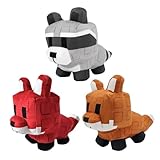
- 【High-Quality Material】This plush made of soft PP cotton and short plush, is comfortable, elastic and skin-friendly. It resists deformation after compression, is washable, and offers a nice, cozy touch.
- 【Unique Design】These cute plush toys is highly restore game pets. It is colorful and cute, and perfectly captures the essence of game pets characters.
- 【Gifts and Party Decorations】Its cute look makes it a favorite among fans. Perfect as a kids' gift, it fits bedrooms, living rooms, offices—great for decor, collecting, playing, or displaying on shelves.
- 【Quality Assurance】We offer 100% satisfactory service. Any questions? Contact us—we'll solve it within 24 hours.
- 【Purchase Note】Made with premium fabric and high-quality PP cotton. Due to vacuum shipping, it may arrive slightly flat—no need to worry! Simply knead gently after opening, and it will fluff back to its original shape within 1-2 days.
Just make sure server settings allow rejoining and that trusted players only are present. Long sessions are where rare growth rolls and compounding gains happen, and private servers protect that investment.
Common Issues & Fixes: Links Not Working, Full Servers, and Join Errors
Even in a controlled VIP environment, Roblox private servers aren’t immune to friction. If you’re cycling growth RNG, running AFK sessions, or coordinating buffs, a broken link or join error can derail hours of setup. The good news is that most issues in Grow A Garden have clear, repeatable fixes once you know where to look.
Private Server Link Not Working or Redirecting
If a VIP link dumps you back to the game page or fails to open entirely, the server was likely regenerated or permissions were changed. Roblox invalidates old links the moment the owner toggles access or renews the server.
Always grab links directly from the server owner’s current configuration page, not screenshots or reposted URLs. For long-term farming groups, bookmark the server itself inside Roblox rather than relying on external links.
Server Is Full Despite Being “Private”
Private doesn’t mean unlimited. Grow A Garden VIP servers still obey player caps, and coordinated farming groups can hit that ceiling fast during peak hours.
If you’re running controlled RNG or buff stacking, limit access to only active participants. For public-facing VIP links, expect fill-ups and rotate players out between growth cycles to avoid locking out progress-focused members.
Join Error Codes and Failed Teleports
Teleport failures usually stem from server desync or Roblox backend hiccups, not the game itself. This is common if the server has been running for hours during AFK growth cycles.
Free tools Windows power users keep installed
One-click scans. No signup required.
Leave the game fully, wait 30–60 seconds, then rejoin using the VIP server list instead of the link. If errors persist, the owner should restart the server to refresh the instance and clear lingering teleport bugs.
Privacy Settings Blocking VIP Access
Roblox privacy settings can silently block private server joins, especially for accounts set to Friends Only or with restricted experiences enabled.
Check that “Who can invite me to private servers” is set to Everyone or Friends. Also ensure account age restrictions aren’t preventing access, as some Grow A Garden servers flag newer accounts to reduce bot interference.
Mobile vs PC Join Problems
Mobile players are more likely to encounter failed joins when servers have been running long sessions. Memory constraints and background app behavior can interrupt teleports mid-load.
If you’re farming seriously on mobile, restart the app before joining a VIP server and avoid tabbing out during the teleport screen. PC players have a stability edge for long, uninterrupted growth cycles.
Rejoin Kicks During AFK Sessions
Getting kicked after reconnecting usually means the server owner disabled rejoining or manually removed inactive slots. This often happens to protect rare crop cycles from accidental interference.
Before running AFK strategies, confirm rejoin permissions and inactivity rules with the server owner. In high-efficiency servers, AFK is a privilege, not a default setting.
Understanding these friction points is part of treating Grow A Garden like a progression game, not a casual clicker. Private servers reward planning, communication, and mechanical awareness, and once you solve these issues, the path to consistent gains stays wide open.
Free tools Windows power users keep installed
One-click scans. No signup required.
Are Grow A Garden Private Servers Worth It? Final Verdict for Casual and Hardcore Players
After dealing with join errors, AFK kicks, and privacy settings, the real question becomes whether Grow A Garden private servers actually justify the extra setup. The short answer is yes, but only if you understand what kind of player you are and how you plan to use them.
Private servers don’t magically boost RNG or spawn secret crops. What they do is remove friction. And in a progression-driven game like Grow A Garden, friction is the real enemy.
For Casual Players: Low Stress, Steady Progress
If you’re logging in to relax, tend crops, and check growth cycles between classes or work, private servers are absolutely worth it. You avoid crowded plots, accidental harvesting, and players sprinting through hitboxes while you’re mid-placement.
Growth pacing feels cleaner in a VIP server. You can step away without worrying about aggro from random players triggering events or resetting shared timers. For casuals, it turns Grow A Garden into the chill farming sim it’s clearly meant to be.
Do these 3 things before closing this tab:
1Scan for outdated or missing drivers - takes under a minute2Repair Windows errors before they cause bigger problems3Fix the driver behind crashes, sound loss and screen glitchesFor Hardcore Farmers: Efficiency, Control, and Consistency
For progression-focused players, private servers aren’t optional — they’re optimal. Controlled environments mean predictable growth windows, safer AFK cycles, and zero interference during high-value harvests.
Hardcore players benefit most when servers are coordinated. Dedicated watering rotations, spawn timing control, and clear AFK rules let you squeeze maximum efficiency per hour. You’re not fighting server chaos, you’re optimizing around it.
The Trade-Offs You Need to Accept
Private servers do come with responsibility. Someone has to manage restarts, invite permissions, and rule enforcement. If the owner goes inactive or locks rejoining, your session can end abruptly.
There’s also a social trade-off. You lose organic matchmaking and spontaneous trading unless the server is community-driven. That’s why joining active VIP server lists or Discord-managed servers is far better than relying on a single private link.
Final Verdict: Who Should Use VIP Servers?
If you care about clean progression, stable farming loops, and protecting your time investment, Grow A Garden private servers are 100% worth it. Casual players gain peace of mind. Hardcore players gain control.
The key is treating VIP servers as a tool, not a shortcut. Use updated, reliable links, respect server rules, and plan your sessions with intent. Do that, and Grow A Garden stops feeling like a chaotic public lobby and starts playing like a well-tuned progression game.
Final tip: bookmark at least two active VIP server links and rotate between them. When one server hits uptime issues or restarts, you’ll stay farming instead of stuck at the teleport screen.



