rtlexupd.dll is a Realtek setup helper, not a normal Windows system file. If Windows says rtlexupd.dll is missing, was not found, or could not be loaded, the safest fix is to repair or reinstall the complete Realtek driver package that originally installed it.
What rtlexupd.dll is
The file is usually displayed as RtlExUpd.dll. Its recorded description is “RtlExUpd DLL for setup utility function,” and public file records identify it as a 32-bit Win32 component from Realtek Semiconductor Corp.
It commonly appears in Realtek driver installers, especially audio packages. Some other Realtek hardware-driver bundles may also contain it. An MSI Realtek package, for example, includes RtlExUpd.dll alongside Setup.exe, RtlUpd.exe, and RtlUpd64.exe.
The exact parent package depends on your computer, motherboard, or hardware manufacturer. The file is not known to be part of Windows, Visual C++, DirectX, or .NET.
Quick wins for a faster PC:
Clear out junk files and repair common Windows errorsFree Scan →Fix the driver behind crashes, sound loss and screen glitchesFind Drivers →Repair Windows errors before they cause bigger problemsFix Now →#1 Best Overall
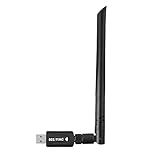
- 【Multi-System Compatibility】Support Windows 10, 8.1, 8, 7, XP, Vista, Mac. Windows 10 plug and play.
- 【Signal Stability】Original Realtek RTL8812BU chipset inside, easy installation, high signal stability.
- 【Operation Mode】Up to 1300 Mbps speed, dual band 5.8 GHz (867 Mbps) or 2.4 GHz (400 Mbps).
- 【Strong Compatibility】USB 3.0 interface support USB 2.0, compatible with most routers, laptops, desktops.
- 【Security Features】Suitable for most routers, secure WFA WPA WPA2 WPS2.0 WAPI WiFi connection.
Version reference
Public inventories list these 32-bit records:
| Version | Reported size |
|---|---|
| 1.0.4.8 | 1.98 MB |
| 1.0.4.5 | 1.98 MB |
| 1.0.4.3 | 1.98 MB |
| 1.0.4.0 | 1.63 MB |
| 1.0.3.9 | 1.63 MB |
| 1.0.3.8 | 1.63 MB |
| 1.0.3.6 | 1.62 MB |
| 1.0.3.5 | 1.62 MB |
These records are reference information, not an official Realtek release archive. Do not select a replacement only because its version or file size looks familiar.
Why the error appears
The message usually means that a Realtek installer or setup utility expected the file in its own package directory and could not load it. Common causes include:
- An interrupted or incomplete driver installation
- A damaged Realtek installer
- Uninstalling or updating an audio or network driver
- Antivirus quarantine or deletion
- Manual deletion or disk-cleanup software
- A generic driver that does not match the computer manufacturer’s customization
- A recent driver update or system change
- A suspicious or altered file in an unexpected directory
Typical messages include “rtlexupd.dll is missing,” “Cannot find RtlExUpd.dll,” “Failed to load RtlExUpd.dll,” and “The application has failed to start because RtlExUpd.dll was not found.”
First identify what triggered the message. If it appears while installing or updating audio hardware, repair the Realtek driver package. If it appears when launching a separate utility, identify that utility before changing Windows files.
Free tools Windows power users keep installed
One-click scans. No signup required.
Fix 1: Reinstall the correct Realtek driver package
This is the most likely solution because it restores the DLL together with its companion files, configuration, and installer logic.
Find the correct package
- Identify your computer’s exact model. Press Windows key + R, type
msinfo32, and press Enter. - Note System Manufacturer and System Model.
- Open the manufacturer’s official support page in your browser.
- Search for that exact model.
- Select your installed Windows version.
- Download the Realtek audio, network, or other relevant driver package.
- Save the installer locally before beginning the repair.
For a custom-built computer, use the motherboard manufacturer’s support page and the exact board model. A generic Realtek package can lack OEM customizations, so the computer or motherboard package should be preferred.
Run the installer
- Close audio control panels, device utilities, and other installers.
- Right-click the downloaded installer and select Run as administrator.
- Follow the setup wizard.
- If the installer offers Repair, choose it. Otherwise, complete the normal installation.
- Restart Windows, even if the installer does not require it.
- Repeat the action that originally produced the error.
If the error disappears, the repaired package was the correct owner of the file. Do not copy the DLL elsewhere.
For additional driver hunting, Outbyte Driver Updater can scan and show which drivers appear stale when manually comparing model numbers and package versions becomes difficult; its free scan identifies issues, while driver installation is handled by the full version. For this file, the manufacturer’s Realtek package remains the definitive fix when the error belongs to a specific installer.
What’s actually slowing this PC down?
Pick the symptom - the matching free tool is one click away.
Fix 2: Check Windows Security quarantine
Windows Security may have removed the file, especially if the installer was incomplete, altered, or downloaded from an untrusted location.
Rank #2

- Exploring the New Era of 2.5Gb: The UGREEN usb to ethernet adapter supports a internet speed of up to 2.5Gb and enables your devices to run at full speed. Enjoy unbelievably fast downloads with NAS, fluent streaming, immersive gaming
- Faster, Smoother, Cooler Realtek Chip: The ethernet to usb is equipped with an updated RTL8156BG chip, ensure the network always at peak run. When running 2.5Gb at full speed, it consumes low power, reduce heat dissipation and provide stable performance
- Flexibiliy Upgrade 1Gb to 2.5Gb: Immediately upgrade your 1Gb network, just pair it with 2.5Gb-capable devices like switches and routers to give your aged devices new life! This flexibility is an advantage for you transitioning to higher-speed network
- Instantly Add a 2.5Gb Ethernet Connection: Designed for modern USB laptops that no longer include an Ethernet port. Get fast, stable wired internet whenever Wi-Fi or Gigabit isn't enough
- Sleek, Strong, Stunning: The ethernet adapter for laptop adopts high-quality aluminum. The ports are resistant to plugging and unplugging and the reinforced design makes it very durable for use. Indicator lights make transmission status clear at a glance
- Open Start and search for Windows Security.
- Select Virus & threat protection.
- Select Protection history.
- Review recent entries for
RtlExUpd.dllor the Realtek installer. - Expand an entry to view its location and detection details.
Do not restore the file simply because its name is correct. Restore or allow it only when all of these are true:
- The file came from the official computer, motherboard, or device manufacturer package.
- Its original directory matches the installer’s directory.
- The package was downloaded from a trusted manufacturer source.
- A current security scan does not identify the package as malicious.
- The file’s digital signature and publisher information are consistent with the package.
If the file was quarantined from an unknown download, leave it quarantined. Download a fresh complete driver package from the correct manufacturer instead.
Fix 3: Repair the calling program
Sometimes the message is generated by a Realtek setup utility or a hardware application rather than by the installed driver itself.
The Tool Desk
Outbyte Driver Updater FREEScan for outdated or missing drivers - takes under a minuteDriver Scan →Outbyte PC Repair FREERepair Windows errors before they cause bigger problemsFix Now →- Press Windows key + R.
- Type
appwiz.cpland press Enter. - Find the Realtek-related program or hardware utility.
- Right-click it.
- Select Repair or Change, if available.
- Complete the repair and restart Windows.
On newer applications:
- Open Settings.
- Select Apps and then Installed apps.
- Select the program’s three-dot menu.
- Choose Advanced options.
- Select Repair, if available.
- If Repair does not help, use Reset only when you understand that it may remove the program’s settings.
If no repair option exists, uninstall the related Realtek utility, restart Windows, and reinstall it from the computer or motherboard manufacturer’s complete package.
Fix 4: Use Windows Update or Device Manager
Windows Update may provide a compatible driver, particularly when Windows correctly identifies the hardware.
Windows Update
- Open Settings.
- Select Windows Update.
- Select Check for updates.
- Install available driver or optional updates.
- Restart Windows.
- Test the operation again.
Device Manager
- Right-click Start and select Device Manager.
- Expand Sound, video and game controllers for audio hardware, or Network adapters for network hardware.
- Right-click the relevant Realtek device.
- Select Update driver.
- Choose Search automatically for drivers.
- Restart Windows if a driver is installed.
If the problem began immediately after an update:
- Return to the device in Device Manager.
- Right-click it and select Properties.
- Open the Driver tab.
- Select Roll Back Driver, if available.
- Restart Windows.
You can also select Uninstall device, restart, and then install the saved OEM package. Do this only after downloading a fallback driver, because removing a device without a replacement package can leave the hardware unusable until the driver is restored.
Microsoft’s Device Manager driver instructions cover updating, uninstalling, and rolling back drivers.
PC Slower Than It Used to Be?
A free scan shows the junk files, broken settings and background clutter dragging Windows down - then fixes them in one click.Free scan · Windows 10 & 11Outdated Drivers Are Slowing You Down
One free scan finds every outdated or missing driver and matches the right update for your exact hardware.Free scan · exact hardware matchFix 5: Repair Windows components only when necessary
RtlExUpd.dll is a third-party Realtek component, so Windows integrity tools will not normally recreate it. Use them when other Windows files are also damaged, Windows Update is failing, or multiple unrelated applications report missing system components.
Rank #3

- 【USB 3.0 Fast Transmission】uni Ethernet Adapter supports 10/100/1000 Mbps at fast USB 3.0 speeds and is also backward compatible with both USB 2.0 and USB 1.1. Note: To reach 1Gbps, make sure to use CAT6 & up Ethernet cables. The speed of USB 2.0 will be limited to 10/100M.
- 【Plug & Play】USB to Ethernet adapter serves as the bridge between RJ45 Ethernet cable and your laptop with USB 3.0 and does not require any driver or software installed. Choose uni and enjoy your hassle-free network speed boosting experience. (Note: driver is required on Win 11. You can find the User Guide in the "Product guides and documents" section of the listing.)
- 【Secure & Stable】Wired network is known as being securer and more stable than wireless connections, and uni's USB to RJ45 adapter is the perfect solution to maintain a safe and smooth network during online classes, video conferences, downloading large files, video streaming and gaming on your USB 3.0 laptops. But Not Recommended for TV.
- 【uni's unique design】The built-in intelligent chip RTL8153 offers high-speed transmission. The USB connector fits snugly into the port ensuring stable signal transport. Nylon braided cable adds up the durability without compromising on its flexibility for easy storage. LED indicator informs you of the working status and premium aluminum case for better heat dissipation.
- 【Compatibility & Features】NOT compatible with Nintendo Switch. Compatible with ChromeOS, Windows (32/64 bit) 8/7/Vista /XP/10, Mac OS X 10.5 or later, Linux. Note that you can connect the adapter to a USB 3.0 hub. Compatible with features include Wake-on-Lan (WoL), Crossover Detection, timing recovery and IEEE 802. 3az Energy Efficient Ethernet. Compatible with IPv4/IPv6 Protocol. (If you are not sure, please feel free to let us know, we are very glad to help you.)
Run DISM first
- Open Start.
- Search for Command Prompt.
- Select Run as administrator.
- Run:
DISM.exe /Online /Cleanup-Image /RestoreHealth
- Wait for the command to finish.
- Restart Windows.
Run System File Checker
Open an elevated Command Prompt again and run:
sfc /scannow
Wait until verification reaches 100 percent, then restart Windows and test the Realtek installer again.
If SFC reports that it could not repair some files, repeat the process after DISM has completed and check whether Windows Update is working. Microsoft’s System File Checker and DISM instructions explain the supported repair sequence.
If repeatedly running these commands becomes guesswork, Outbyte PC Repair can show a scan of reported Windows issues; the scan identifies problems, while repair is performed by the full version. It is optional, and reinstalling the Realtek package remains the definitive fix for a missing third-party DLL.
Fix 6: Use System Restore after a recent change
If the error started after a driver update, cleanup operation, or other system change, System Restore may return system files and settings to an earlier state without normally removing personal documents.
- Press Windows key + R.
- Type
rstrui.exeand press Enter. - Select Next.
- Choose a restore point from before the error began.
- Select Scan for affected programs, if available.
- Confirm the restore point and select Finish.
- Allow Windows to restart.
Afterward, install the correct OEM driver package rather than relying on an old generic driver. Microsoft’s recovery options explain System Restore and related recovery methods.
What not to do
Do not download an isolated DLL
Random DLL download sites may provide malware, the wrong version, the wrong architecture, or a file that does not match the rest of the installer. Even a genuine copy may not fix the damaged package that requested it.
Use the official support page for your computer, motherboard, or device manufacturer. For generic hardware, use Realtek’s official download area only when an OEM package is unavailable, and remember that generic drivers may omit manufacturer-specific changes.
Do not copy it into System32 or SysWOW64
There is no reliable evidence that RtlExUpd.dll has a standard Windows installation path. It normally belongs beside the Realtek installer or application that loads it.
Public records identify the file as 32-bit. A 64-bit version of Windows can run a 32-bit Realtek installer, but a 64-bit application cannot use a 32-bit DLL as its own in-process dependency. Do not choose a folder based only on whether Windows is 32-bit or 64-bit.
Rank #4

- 10G SPEED: Delivers ultra-fast 10 Gigabit Ethernet speeds for demanding network tasks.
- USB CONNECTIVITY: Easily connects to your computer via USB for instant wired network access.
- PLUG AND PLAY: Simple setup with no complex configuration required to get started.
- WIDE COMPATIBILITY: Works with a variety of operating systems and modern computers.
- COMPACT DESIGN: Lightweight and portable, making it easy to use at home or on the go.
Do not use regsvr32 as a general DLL repair
regsvr32 is intended for DLLs that provide registration functions such as DllRegisterServer, commonly COM or ActiveX components. There is no reliable evidence that RtlExUpd.dll is a self-registering component.
Running this command:
regsvr32 rtlexupd.dll
is therefore normally irrelevant. It may produce an entry-point error and will not restore a missing Realtek installation. Microsoft documents the command’s purpose in its regsvr32 reference.
Do not reinstall runtimes first
Visual C++ Redistributable, DirectX, .NET, and Windows Features do not normally supply RtlExUpd.dll. Reinstalling them is not the primary remedy unless the error message also names a missing runtime component.
FAQ
Does rtlexupd.dll belong to Windows?
No authoritative evidence identifies it as a standard Windows file. It is associated with Realtek driver installation packages.
Is it only an audio file?
No. It is commonly seen in Realtek audio packages, but it may also occur in other Realtek hardware-driver bundles. The filename alone cannot identify the exact parent product.
Should I put it in System32?
No. Reinstall the package that owns it and let that installer choose the correct directory.
Can 64-bit Windows use this file?
Yes, a 64-bit Windows system can run a 32-bit Realtek installer through Windows compatibility support. A 64-bit application cannot load a 32-bit DLL as its own in-process dependency.
Is the file malware?
The filename alone cannot establish that. Check the original source, file location, digital signature, Windows Security history, and a current security scan. An unsigned file in an unexpected directory deserves greater suspicion than a file restored from a verified manufacturer package.
What if reinstalling the driver still fails?
Check quarantine, redownload the complete OEM package, try Device Manager rollback or reinstall, and run DISM followed by SFC if broader Windows corruption is suspected. If the failure began after a recent system change, use System Restore after backing up important data.
Quick Recap
Product prices and availability are accurate as of the date/time indicated and are subject to change. Any price and availability information displayed on Amazon at the time of purchase will apply.
Do these 3 things before closing this tab:
1Scan for outdated or missing drivers - takes under a minute2Clear out junk files and repair common Windows errors3Fix the driver behind crashes, sound loss and screen glitches



