What sspnt2kxp.dll actually is
sspnt2kxp.dll is a legacy Samsung printer-driver component, most strongly associated with the Samsung ML-1710 Series. It is not a normal Windows system DLL, Microsoft runtime, DirectX file, or .NET component.
The file appears in the old Samsung ML-1710 driver package under the GDI_DRV folder beside related files including sspnt98me.dll and sspntnt95.dll. Its name points to the Windows 2000 and XP driver branch. The archived package lists it as an old file intended for the printer software, not as a standalone application.
That distinction matters. Copying a replacement DLL into System32 or SysWOW64 usually does not repair this problem. The printer driver also needs its INF files, configuration files, supporting modules, port settings, and installation services.
The safest repair is to remove the damaged printer installation and reinstall the complete driver package. If the installer is incompatible with your version of Windows, the practical solution may be a built-in printer driver, an intermediary older Windows computer, or replacement hardware.
#1 Best Overall
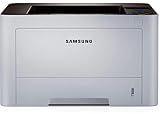
- AN OFFICE PRINTER WITH VERSATILE FEATURES - This single-function laser printer features superior print quality, high speed printing, mobile connectivity, two-sided printing, document security, print management tools and built-in Ethernet.
- SPEED & QUALITY FOR IMPROVED PRODUCTIVITY - Print up to 42 pages per minute; maximum paper input up to 820 pages; monthly volume up to 3,500 pages.
- EASY MOBILE PRINTING - Easily print from your iPhone with AirPrint, or send print jobs from your devices using Google Cloud Print.
- PRINT MANAGEMENT - Samsung solutions enable multi-device management and monitoring. Secure printing capability protects sensitive information and reduces waste prints.
- IDEAL FOR SMALL BUSINESSES: Print sharp text and clean images for your work group of up to 15 users.
Fix 1: Remove and reinstall the complete Samsung printer package
Time needed: 10 to 20 minutes
This is the best first fix when the message appears while printing, installing the printer, or starting Samsung printer software.
Remove the printer from Windows 11
- Press Windows + I to open Settings.
- Select Bluetooth & devices.
- Select Printers & scanners.
- Select the Samsung printer.
- Click Remove.
- Confirm the removal.
Remove the printer from Windows 10
- Press Windows + I.
- Select Devices.
- Select Printers & scanners.
- Click the Samsung printer.
- Select Remove device.
- Confirm the removal.
If the printer is not listed, continue with the driver removal steps below.
Remove the old driver package
- Press Windows + R.
- Type:
text

   printui.exe /s /t2
- Press Enter.
- Select the Samsung ML-1710 driver if it appears.
- Click Remove.
- Choose Remove driver and driver package if Windows offers that option.
- Click OK.
If Windows says the driver is in use, restart the computer and repeat the process before reconnecting the printer.
Reinstall the driver
Use the Samsung support archive or a verified driver package for the exact ML-1710 model. Select the package that matches your Windows architecture and printer connection.
What’s actually slowing this PC down?
Pick the symptom - the matching free tool is one click away.
- Disconnect the printer USB cable.
- Right-click the downloaded installer.
- Select Properties.
- Open the Compatibility tab.
- If the installer will not start normally, enable Run this program in compatibility mode for and select Windows XP.
- Enable Run this program as an administrator.
- Click Apply, then OK.
- Run the installer.
- Connect the printer only when the installer requests it.
- Restart Windows after installation.
- Print a test page from Settings → Printers & scanners → Samsung printer → Printer properties.
A successful repair means the printer appears without a warning icon, the Samsung software opens without the DLL message, and the test page prints. If the error returns immediately, the package is probably incompatible, incomplete, or missing a dependency. Continue to the architecture check.
When hunting through old model-specific packages and Windows driver versions is taking longer than the repair itself, Outbyte Driver Updater can scan for outdated drivers and show the available driver installation; its repair or driver install requires the full version, while reinstalling the Samsung package remains the definitive fix for this file.
Fix 2: Check whether Windows is 32-bit or 64-bit
Time needed: 3 minutes
The original sspnt2kxp.dll package belongs to a Windows 2000/XP-era driver branch and is associated with legacy x86 software. A 64-bit Windows installation can run many 32-bit applications, but that does not guarantee that an old printer driver will install or operate correctly.
Check your system type
- Press Windows + I.
- In Windows 11, select System → About.
- In Windows 10, select System → About.
- Find System type.
You may see:
- 64-bit operating system, x64-based processor
- 32-bit operating system, x86-based processor
- 32-bit operating system, x64-based processor
The first two entries describe the operating system architecture. The third is unusual but means Windows itself is still 32-bit.
Match the driver to the system
If you run 32-bit Windows, the original legacy driver branch may be a closer match. If you run 64-bit Windows, look for an x64-compatible driver package for the exact printer model. Do not assume that a package labeled only for Windows XP will work on Windows 10 or Windows 11.
A message such as “This version of %1 is not compatible with the version of Windows you’re running” points more strongly to architecture or driver compatibility than to a missing file.
A 32-bit DLL cannot be converted into a 64-bit driver by renaming it, moving it, or placing it in a different Windows folder.
Rank #2

- BEST FOR HOMES & HOME OFFICES – Engineered for consistent, premium print quality, the Brother HL-L2405W Monochrome (Black & White) Laser Printer delivers sharp, crisp prints at an affordable price. Prints one-sided documents at speeds up to 30ppm(2)
- COMPACT, CONNECTED PRINTER – Flexible connection options make this an ideal printer for home use and at-home offices. Securely connect to multiple devices with built-in dual-band wireless (2.4GHz/5GHz) or locally to a single computer via USB interface
- BROTHER MOBILE CONNECT APP – Manage your printer remotely and print from your mobile device anytime, from almost anywhere. Order Brother Genuine Supplies, track toner usage, and complete more work on-the-go(3)
- VERSATILE PAPER HANDLING – Enjoy seamless, reliable everyday printing with the 250-sheet paper tray(4) and a manual feed slot that enables printing on envelopes and specialty pape
- BROTHER IS AT YOUR SIDE – Backed by Brother with a 1-year limited warranty and free online, call, or live chat support for the life of your printer
Fix 3: Try Windows compatibility mode and the built-in printer installer
Time needed: 10 to 15 minutes
Compatibility mode can help an old installer launch, but it cannot make an incompatible kernel-level or printer driver fully compatible with modern Windows.
Quick wins for a faster PC:
Fix the driver behind crashes, sound loss and screen glitchesFind Drivers →Clear out junk files and repair common Windows errorsFree Scan →Scan for outdated or missing drivers - takes under a minuteDriver Scan →- Locate the Samsung driver installer.
- Right-click it and select Properties.
- Open Compatibility.
- Select Run this program in compatibility mode for.
- Try Windows XP (Service Pack 3).
- Select Run this program as an administrator.
- Click Apply, then OK.
- Run the installer again.
If the installer still fails, let Windows search for a printer driver:
- Open Settings.
- Select Bluetooth & devices → Printers & scanners.
- Click Add device.
- Wait while Windows searches.
- Select Add manually if the printer is not found.
- Choose the connection type.
- Select the closest available Samsung or compatible printer driver.
- Complete the wizard.
- Print a test page.
For a USB printer, try another USB port and connect directly to the computer rather than through an unpowered hub. For a parallel-port setup, modern Windows may not provide the required support without compatible hardware.
If Windows offers only a generic class driver, test basic printing before reinstalling the old Samsung utility. A class driver may print successfully while leaving advanced Samsung features unavailable.
Fix 4: Check antivirus quarantine before restoring anything
Time needed: 5 to 10 minutes
If sspnt2kxp.dll worked previously and disappeared after an antivirus scan, security software may have quarantined it. This is possible with old unsigned or unfamiliar printer components, but a quarantine event does not prove the file is safe.
Recommended Free Tools
- Open Windows Security.
- Select Virus & threat protection.
- Click Protection history.
- Look for an entry involving the Samsung printer software.
- Note the file path and detection name.
- Do not restore the file immediately.
- Remove the old printer package if it is incomplete.
- Download the complete driver package from the printer vendor’s support archive.
- Scan the installer with Windows Security.
- Reinstall the complete package.
Restore a quarantined file only when you have verified the detection is a false positive and the file came from a trusted vendor package. Reinstalling the complete package is safer than restoring an isolated DLL.
If the file disappears again after reinstalling, leave it quarantined and use a newer compatible driver, a supported intermediary computer, or replacement hardware.
Fix 5: Remove a stale printer or startup reference
Time needed: 10 minutes
Sometimes the printer has already been removed, but an old Samsung utility still starts with Windows and tries to load sspnt2kxp.dll.
Remove Samsung startup entries
- Press Ctrl + Shift + Esc to open Task Manager.
- Select Startup apps.
- Look for Samsung printer utilities or an entry with an unknown publisher.
- Select the relevant entry.
- Click Disable.
Uninstall old Samsung software
- Press Windows + R.
- Type:
text

   appwiz.cpl
- Press Enter.
- Look for Samsung printer software.
- Select it.
- Click Uninstall.
- Restart Windows.
Do not delete random registry entries because a DLL message mentions them. Removing the printer package and disabling the stale startup item is safer.
Crashes, No Sound, or Screen Glitches?
Random freezes, missing sound and display glitches usually trace back to one bad driver. Find and replace yours safely.Free scan · under a minutePC Slower Than It Used to Be?
A free scan shows the junk files, broken settings and background clutter dragging Windows down - then fixes them in one click.Free scan · Windows 10 & 11If the message stops appearing after the restart, the missing file was probably being requested by leftover software rather than by an active printer installation.
Rank #3

- BEST FOR SMALL BUSINESSES – Engineered for extraordinary productivity, the Brother DCP-L2640DW Monochrome (Black & White) 3-in-1 combines laser printer, scanner, copier in one compact footprint and delivers high-quality black & white prints
- FAST PRINTER WITH EFFICIENT SCANNING – Produces documents quickly with print speeds up to 36 ppm(2) and scan speeds up to 23.6/7.9 ipm(3) (black/color). A 50-page auto document feeder(4) allows for convenient, time saving multi-page scanning and copying
- FLEXIBLE CONNECTION OPTIONS – Easily navigate the changing demands of your business with secure multi-device connectivity via built-in dual-band wireless (2.4GHz / 5GHz) and Ethernet. Or connect locally to a single computer via USB interface
- BROTHER MOBILE CONNECT APP – Print, scan, and manage your wireless printer anytime, from almost anywhere from your mobile device. Order Brother Genuine Supplies, track toner usage, and complete more work on-the-go(5)
- CHOOSE BROTHER GENUINE TONER – When it’s time to replace your toner, be sure to choose Brother Genuine TN830 or TN830XL replacement toner. And with Refresh EZ Print Subscription Service, you’ll never worry about running out of toner again and you’ll enjoy savings of up to 50%(6) on Brother Genuine Toner. Get started with Refresh today with a Free Trial(1)
Fix 6: Repair Windows components only if Windows itself is damaged
Time needed: 15 to 30 minutes, plus restart time
sspnt2kxp.dll is not a protected Windows component, so System File Checker normally will not restore it. Use DISM and SFC when you also have broader Windows symptoms, such as failed updates, damaged built-in apps, unexplained system errors, or corrupted Windows features.
Microsoft recommends running DISM before SFC.
Run DISM
- Open the Start menu.
- Type Command Prompt.
- Right-click Command Prompt.
- Select Run as administrator.
- Approve the User Account Control prompt.
- Run:
cmd

   DISM /Online /Cleanup-Image /RestoreHealth
- Wait for the operation to finish.
- Restart Windows if DISM reports that repairs were completed.
Run System File Checker
Open an elevated Command Prompt again and run:
sfc /scannow
Wait until verification reaches 100 percent, then restart the computer.
If Windows reports that it repaired corrupted files, test the printer again. If the DLL message remains but other Windows problems are gone, return to the Samsung driver repair rather than repeatedly running SFC.
When manually repeating DISM and SFC leaves you unsure what changed, Outbyte PC Repair can scan for Windows problems and show the repair areas; its repair requires the full version, and it does not replace the complete Samsung printer installation when that is the real cause.
Fix 7: Use Device Manager to remove stale printer devices
Time needed: 5 to 10 minutes
Device Manager can expose an incomplete printer installation that is not obvious in Settings.
- Press Windows + X.
- Select Device Manager.
- Expand Printers.
- Expand Print queues.
- Expand Universal Serial Bus controllers if the printer is connected by USB.
- Look for the Samsung printer or an entry with a yellow warning icon.
- Right-click the relevant device.
- Select Uninstall device.
- If offered, select Attempt to remove the driver for this device.
- Click Uninstall.
- Restart Windows.
- Reinstall the complete printer package.
Do not uninstall unrelated USB controllers. If the Samsung printer does not appear at all, check the cable, power, USB port, and printer connection before troubleshooting the DLL.
Independent reader supportYour contribution helps us test, update, and keep practical guides available for everyone.Do not use regsvr32 for this file
regsvr32 is not a general DLL repair command. It is intended for DLLs that provide a registration entry point such as DllRegisterServer.
Do these 3 things before closing this tab:
1Scan for outdated or missing drivers - takes under a minute2Clear out junk files and repair common Windows errors3Fix the driver behind crashes, sound loss and screen glitchesA printer-driver component can be a normal module loaded by the driver without being self-registering. Running a command such as:
regsvr32 sspnt2kxp.dll
will not repair a missing printer package and may produce an error stating that the entry point was not found.
Use regsvr32 only when documentation for the specific software explicitly says that its DLL is self-registering and provides the correct file path. That condition has not been established for sspnt2kxp.dll.
Do not copy the file into both C:WindowsSystem32 and C:WindowsSysWOW64. Those folders serve different architectures, and placing a legacy printer module there can create confusion without supplying the rest of the driver.
Free tools Windows power users keep installed
One-click scans. No signup required.
Rank #4

- BEST FOR HOME OFFICES & SMALL TEAMS – Engineered for consistent, premium print quality, the Brother HL-L2460DW Monochrome (Black & White) Laser Printer produces documents that are clear, crisp, and easy to review and share, all at an affordable price
- COMPACT, CONNECTED, EXCEPTIONALLY EFFICIENT– Connect with built-in dual-band wireless (2.4GHz/5GHz), Ethernet, or to a single computer via USB interface. Prints at speeds up to 36ppm(2), plus automatic duplex printing saves time and reduces paper waste
- BROTHER MOBILE CONNECT APP – Manage your wireless printer remotely and print from your mobile device anytime, from almost anywhere. Order Brother Genuine Supplies, track toner usage, and complete more work on-the-go(3)
- VERSATILE PAPER HANDLING – Tackle high-volume black & white printing with the 250-sheet capacity paper tray.(4) The manual feed slot enables printing on envelopes and specialty paper
- BROTHER IS AT YOUR SIDE – Backed by Brother with a 1-year limited warranty and free online, call, or live chat support for the life of your printer
Why the error appears
The reported messages may include:
sspnt2kxp.dll is missingsspnt2kxp.dll was not foundError loading sspnt2kxp.dllThe specified module could not be foundThe program can't start because sspnt2kxp.dll is missingThe procedure entry point could not be locatedThis version of Windows is not compatible
These messages do not all mean the same thing. “The specified module could not be found” can mean the named DLL is absent, or that a dependency required by the DLL is absent.
The most likely causes are:
| Cause | What it usually means | Best response |
|---|---|---|
| Damaged installation | The printer package is incomplete | Remove and reinstall the complete driver |
| 32-bit and 64-bit mismatch | The old driver cannot run on current Windows | Find a matching package or use different hardware |
| Old installer | The setup program predates modern Windows | Try compatibility mode, then use Windows’ printer installer |
| Antivirus quarantine | A security product removed the file | Verify the detection and reinstall from a trusted package |
| Stale printer software | A removed printer utility still starts | Uninstall the utility and disable its startup entry |
| Missing dependency | The DLL exists but another module does not | Reinstall the complete package |
| Windows corruption | Broader operating system files are damaged | Run DISM, then SFC |
When replacing the printer is the correct fix
Do not assume that every Samsung ML-1710 printer can be made reliable on Windows 10 or Windows 11. Compatibility depends on the exact model, driver package, operating system architecture, connection type, and available Windows support.
Replacement or an older compatible computer is usually more practical when:
- no x64 driver exists for the exact model;
- the installer fails even in compatibility mode;
- Windows repeatedly rejects the driver;
- the printer uses an obsolete parallel-port connection;
- only a random DLL download appears to be available;
- basic printing works only through unstable workarounds;
- the printer is needed for dependable daily use.
A compatible print server or older Windows machine can sometimes keep the hardware usable without forcing the legacy driver onto a current Windows installation.
The Tool Desk
Outbyte PC Repair FREERepair Windows errors before they cause bigger problemsFix Now →Outbyte Driver Updater FREEScan for outdated or missing drivers - takes under a minuteDriver Scan →FAQ
Is sspnt2kxp.dll a Windows system file?
No evidence supports that. It is associated with a legacy Samsung printer driver, especially the ML-1710 Series, rather than with Windows itself.
Can I download sspnt2kxp.dll by itself?
You should not. An isolated DLL may be malicious, the wrong build, the wrong architecture, or missing required companion files. Reinstall the complete printer driver package instead.
Is sspnt2kxp.dll a 32-bit or 64-bit file?
The original package is associated with the legacy x86 Windows 2000/XP driver branch. Later driver packages may contain different architecture components, so verify the installer and your operating system rather than guessing from the filename.
Why does the error say the module is missing when the file exists?
A dependency may be missing, the file may be in the wrong driver directory, or Windows may be rejecting the module because of architecture incompatibility. Reinstalling the full package is more reliable than copying the named file.
Will SFC restore sspnt2kxp.dll?
Normally no. SFC repairs protected Windows files, not third-party Samsung printer components.
Should I register the DLL with regsvr32?
Usually no. regsvr32 applies to self-registering DLLs and does not repair an incomplete printer-driver installation.
Can Windows 11 run the Samsung ML-1710 printer?
Compatibility is not guaranteed. Check for a driver that supports the exact model and architecture. If no suitable package exists, use a compatible intermediary system, a built-in class driver if available, or replace the printer.
What should I do if the error appears after removing the printer?
Uninstall the Samsung printer software, remove stale devices from Printers & scanners and Device Manager, restart Windows, and disable any remaining Samsung startup entry.
Quick Recap
Product prices and availability are accurate as of the date/time indicated and are subject to change. Any price and availability information displayed on Amazon at the time of purchase will apply.



