Quick wins for a faster PC:
Clear out junk files and repair common Windows errorsFree Scan →Fix the driver behind crashes, sound loss and screen glitchesFind Drivers →Some links on this page are affiliate links: if you buy through them we may earn a commission, at no extra cost to you.
Yes—The Outer Worlds 2 is on Xbox Game Pass. It released on October 29, 2025. For Windows PC, PC Game Pass is the most direct option. For Xbox Series X|S, PC, or cloud gaming, Game Pass Ultimate is the safest confirmed choice. Premium may provide access under Xbox’s current within-one-year policy, while Essential should not be treated as a confirmed way to play this title.
Is The Outer Worlds 2 on Game Pass?
Yes. Xbox lists The Outer Worlds 2 as a Game Pass title, and it is not limited to a trial, demo, or cloud-only version. The game is available through the subscription on supported platforms and in supported regions.
Game Pass access is a subscription license rather than permanent ownership. You can download and play the game while your subscription is active and while the title remains in the catalog. If you cancel, your subscription expires, or the game leaves Game Pass, you must buy it to continue playing.
Xbox notes that game availability can change by time, region, plan, and platform. Check the title’s current store badge before subscribing, especially if you are considering a lower-priced tier.
#1 Best Overall
![The Outer Worlds 2 – Premium Edition – Xbox Series X [Disc + Code in Box]](https://m.media-amazon.com/images/I/51PDtpWiayL._SL160_.jpg)
- The Premium Edition includes: The Outer Worlds 2 base game, DLC Pass for 2 future story expansions*, Moon Man’s Corporate Appreciation Premium Prize Pack, and access to the Digital Artbook & Original Soundtrack. Content Download Required.
- The Outer Worlds 2 is the eagerly awaited sequel to the award-winning first-person sci-fi RPG from Obsidian Entertainment.
- Get ready for an action-packed adventure with a new crew, new weapons, and new enemies in a new colony! So much newness!
- As a daring Earth Directorate, the entire galaxy, rests on your decisions—your strengths, your flaws, your crew, and the factions you choose to trust.
- Build your character with the abilities and choices that reflect your playstyle. The colony reacts to your every move, crafting a narrative that’s yours to own.
Release date and supported platforms
The Outer Worlds 2 launched on October 29, 2025. It was developed by Obsidian Entertainment and published by Xbox Game Studios.
The official Xbox listing identifies these play locations:
- Xbox Series X|S
- Windows PC
- Xbox Cloud Gaming, where supported
“Xbox” does not mean that every Xbox generation is supported. The official listing does not identify a native Xbox One version. Xbox One owners should therefore look at cloud gaming instead, provided the game is available in their region, on their device, and through their plan.
The Tool Desk
Outbyte PC Repair FREERepair Windows errors before they cause bigger problemsFix Now →Outbyte Driver Updater FREEScan for outdated or missing drivers - takes under a minuteDriver Scan →Official details are available on the Xbox game page and the Steam listing.
Which Game Pass tier includes The Outer Worlds 2?
The best plan depends on where you want to play. The following are US monthly prices checked on August 18, 2026; prices, taxes, promotions, and availability vary by country and may change.
Rank #2
![The Outer Worlds 2 - Standard Edition - Xbox Series X|S & Windows [Digital Code]](https://m.media-amazon.com/images/I/515qrZGU51L._SL160_.jpg)
- The Outer Worlds 2 is the eagerly awaited sequel to the award-winning first-person sci-fi RPG from Obsidian Entertainment.
- Get ready for an action-packed adventure with a new crew, new weapons, and new enemies in a new colony! So much newness!
- As a daring Earth Directorate, the entire galaxy, rests on your decisions—your strengths, your flaws, your crew, and the factions you choose to trust.
- Build your character with the abilities and choices that reflect your playstyle. The colony reacts to your every move, crafting a narrative that’s yours to own.
- Recruit companions with unique traits, backgrounds, and goals, making them an integral part of the immersive story you create together.
| Plan | US price checked Aug. 18, 2026 | Best use | Recommendation |
|---|---|---|---|
| Game Pass Essential | $9.99/month | Smaller catalog and online console multiplayer | Do not assume access to The Outer Worlds 2; verify the live listing |
| Game Pass Premium | $14.99/month | Players willing to wait for selected Xbox-published games | Potentially eligible under the within-one-year policy; confirm the title badge |
| PC Game Pass | $13.99/month | Windows PC players | Best confirmed value for PC-only play |
| Game Pass Ultimate | $22.99/month | Xbox, PC, and cloud gaming | Safest all-purpose option |
These plan details come from Xbox’s current plan information, the PC Game Pass page, and Xbox’s April 2026 Game Pass update.
PC Game Pass: best for Windows PC
Choose PC Game Pass if you only intend to play on Windows. It includes new games on day one and costs less than Ultimate in the United States. It does not provide Xbox console access, so it is unnecessary to pay for Ultimate if you do not need console or cloud features.
Do these 3 things before closing this tab:
1Fix the driver behind crashes, sound loss and screen glitches2Repair Windows errors before they cause bigger problems3Scan for outdated or missing drivers - takes under a minuteGame Pass Ultimate: best for Xbox, PC, or cloud
Ultimate is the straightforward choice if you own an Xbox Series X|S, want to switch between console and PC, or plan to stream the game. It includes day-one games, console and PC access, cloud gaming, and online console multiplayer. Its trade-off is the higher monthly price.
Game Pass Premium: possibly cheaper, but verify first
Xbox describes Premium as including selected Xbox-published games within one year of launch. Since The Outer Worlds 2 released on October 29, 2025, it falls within that period on August 18, 2026. However, “selected” is important: the policy is not an unconditional promise that every Xbox-published game is included. Confirm that the current Xbox listing shows the game as included with Premium before subscribing.
Game Pass Essential: not a safe choice for this game
Essential is Xbox’s smaller, 50-plus-game catalog tier and includes online console multiplayer. Xbox does not describe it as providing new Xbox-published releases on day one. That makes Essential an unsafe recommendation for anyone subscribing specifically to play The Outer Worlds 2.
Rank #3
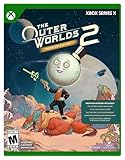
- This SKU will only work on Xbox Series X Console. Game disc + digital code for premium content.**
- PREMIUM EDITION: Includes The Outer Worlds 2 base game, DLC Pass for 2 future story expansions*, Moon Man’s Corporate Appreciation Premium Prize Pack, and access to the Digital Artbook & Original Soundtrack.
- The Outer Worlds 2 is the eagerly awaited sequel to the award-winning first-person sci-fi RPG from Obsidian Entertainment.
- Get ready for an action-packed adventure with a new crew, new weapons, and new enemies in a new colony! So much newness!
- As a daring Earth Directorate, the entire galaxy, rests on your decisions—your strengths, your flaws, your crew, and the factions you choose to trust.
Do not interpret this as proof that Essential can never include the game. The accurate advice is to check the title-specific Game Pass badge in the live catalog before paying.
How to play on Xbox Series X|S
- Sign in to the Xbox console with the Microsoft account that has the eligible Game Pass subscription.
- Open My games & apps or the Xbox Store.
- Search for The Outer Worlds 2.
- Choose the Game Pass installation option if it appears.
- Select the available storage location and install the game.
- Launch it using the subscribing Microsoft account.
Xbox dashboard labels can change, but searching the Store or the Game Pass library is the normal route. If the installation option is missing, check the account, plan, region, and current catalog listing.
How to play on Windows PC
PC Game Pass and Ultimate use the Xbox PC app. PC Game Pass requires a Windows 10 or Windows 11 PC running version 22H2 or later. The game has its own hardware requirements, so meeting the app requirement alone does not guarantee that the computer can run it.
- Install or update the Xbox PC app.
- Sign in with the Microsoft account holding PC Game Pass or Ultimate.
- Open the Game Pass library and search for The Outer Worlds 2.
- Select Install.
- Choose the installation drive and launch location.
- Start the game from the Xbox app after installation finishes.
Microsoft’s Xbox on PC guidance covers the app’s requirements. Windows in S mode can impose additional restrictions and may require leaving S mode to use the Xbox PC app.
The Xbox app version is tied to the Microsoft/Xbox ecosystem and PC Game Pass. The Steam version is a separate purchase installed and launched through Steam, with Steam’s own account and library workflow. Do not assume that buying or subscribing on one storefront automatically transfers ownership to the other.
Windows Errors? Fix Them Before They Spread
Repair common Windows errors and clear accumulated junk for a smoother, more stable PC - no reinstall needed.Free scan · no reinstallCrashes, No Sound, or Screen Glitches?
Random freezes, missing sound and display glitches usually trace back to one bad driver. Find and replace yours safely.Free scan · under a minuteRank #4
![The Outer Worlds 2 - Premium Upgrade Edition - Xbox Series X|S & Windows [Digital Code]](https://m.media-amazon.com/images/I/51nIqU0pnYL._SL160_.jpg)
- Requires base game, Xbox Game Pass Ultimate, or PC Game Pass membership. (Sold separately)
- This Premium Upgrade Edition add-on for your Standard Edition* game includes: DLC Pass for 2 future story expansions**, Moon Man’s Corporate Appreciation Premium Prize Pack, access to the Digital Art Book & Original Soundtrack.
- The Outer Worlds 2 is the eagerly awaited sequel to the award-winning first-person sci-fi RPG from Obsidian Entertainment.
- Get ready for an action-packed adventure with a new crew, new weapons, and new enemies in a new colony! So much newness!
- As a daring Earth Directorate, the entire galaxy, rests on your decisions—your strengths, your flaws, your crew, and the factions you choose to trust.
Can you stream The Outer Worlds 2 through Xbox Cloud Gaming?
Potentially, yes. Xbox supports cloud gaming through Essential, Premium, or Ultimate, but only when the specific game, device, region, and subscription qualify. Do not assume that every Game Pass title is streamable everywhere.
Xbox’s cloud-gaming guidance lists these practical requirements:
- An active eligible Game Pass subscription
- A supported game, device, and region
- A compatible Bluetooth or USB controller, unless touch controls are supported
- At least 10 Mbps download speed; some devices may need 20 Mbps for best quality
- A supported browser such as Microsoft Edge, Google Chrome, or Safari when playing on the web
- Preferably a 5 GHz Wi-Fi connection
Cloud-play steps
- Sign in at the Xbox Cloud Gaming website, or open a supported Xbox app.
- Use the Microsoft account attached to the eligible subscription.
- Search for The Outer Worlds 2.
- Confirm that the title is marked as playable from the cloud.
- Pair a compatible controller and select Play.
If the game is absent, first check the region, plan, device support, and current cloud catalog. Cloud gaming avoids local installation and may work when a PC cannot meet the game’s hardware requirements, but streaming quality still depends on network conditions, server demand, and latency.
Independent reader supportYour contribution helps us test, update, and keep practical guides available for everyone.Game Pass versus buying The Outer Worlds 2
Game Pass is generally the more flexible way to try the game or play it during a shorter period. You avoid the full upfront purchase and can stop once you have finished. The drawback is that you do not own the game: access ends when the subscription ends or the title leaves the catalog.
Buying the game is the more predictable option for long-term players. A purchase is not tied to Game Pass availability, although platform storefront rules still apply. Compare the current purchase price on your Xbox, Steam, or PlayStation store with the relevant subscription price rather than relying on an old break-even calculation.
Best Value

- Tests are unbreakable: No constant restarting of test chambers necessary.
- Removable paint: Painting and mixing is fine, but undoing it is even better.
- Three dimensions: Where other test chambers are merely 2D in nature, ours are not. Experienc advanced puzzles, such as physics puzzles and advanced paint mechanics.
- Bonus Goodies: Includes a game manual ("Chromatec Tester Orientation Handbook") and a voucher for the sensational original soundtrack.
- Languages: Text - English, Chinese, French, German, Italian, Japanese, Korean, Portuguese, Spanish. Voice - English.
Game Pass members may receive a discount on eligible purchases. Check the current offer in the Game Pass deals section before buying. Promotional subscription prices may be limited to new or eligible subscribers, and subscriptions generally renew automatically unless canceled.
Does Game Pass include the Premium Edition or DLC?
Do not confuse Game Pass access to the catalog version of the base game with ownership of Premium Edition bonuses or future expansions.
Xbox separately lists a The Outer Worlds 2 DLC Pass covering two future story expansions. A normal Game Pass subscription should not be treated as automatic ownership of that DLC Pass or separately sold Premium Edition content.
Recommended Free Tools
Before paying for an upgrade, check:
- Which version of the base game your subscription installs
- Whether a Premium Edition upgrade is offered on your platform
- Whether the DLC Pass is sold separately
- Whether future expansions remain accessible if you stop subscribing
Best choice by player type
- Windows PC only: PC Game Pass is the most direct confirmed option.
- Xbox Series X|S: Ultimate is the safest confirmed route, unless the live listing confirms access through a cheaper eligible tier.
- PC and Xbox: Ultimate avoids maintaining separate platform subscriptions.
- Cloud-only: Verify regional and device availability first; Premium or Ultimate may be suitable under Xbox’s current cloud policy.
- Xbox One: Look for cloud support rather than assuming a native Xbox One version.
- Long-term ownership: Buy the game if you want access independent of Game Pass, then evaluate the DLC Pass separately.
Verdict
The Outer Worlds 2 is on Game Pass and released on October 29, 2025. PC players should start with PC Game Pass. Xbox Series X|S players and anyone wanting console, PC, and cloud flexibility should choose Ultimate. Premium may be enough if the current title listing confirms eligibility; Essential is not a reliable plan to choose specifically for this game. Cloud access, regional availability, and separate DLC ownership all require their own checks.
Quick Recap
Product prices and availability are accurate as of the date/time indicated and are subject to change. Any price and availability information displayed on Amazon at the time of purchase will apply.

