Free tools Windows power users keep installed
One-click scans. No signup required.
The fastest reliable method is the 50/50 method: confirm that mods or custom content (CC) are causing the problem, then remove and restore files in halves until one file or a small group reproduces the fault. Start with gameplay mods, because EA’s troubleshooting guidance says they are more likely than CC to cause problems. The steps below follow EA’s guidance and the community guide on the EA Forums, and they work the same way whatever the cause turns out to be.
Confirm that mods or CC are the cause
Before you hunt for a bad file, make sure one exists. Launch The Sims 4 with the Mods folder moved out of the way and with no CC active, then reproduce the problem. If it still happens, the cause is more likely the game itself, a save file, or your system, and bisecting your mods will not help. If the problem disappears, you have a mod or CC problem and can continue.


EA says there is no single test that identifies a mod-caused problem, so you have to judge from behavior in play. Watch for symptoms such as crashes, save corruption, UI or gameplay changes, and CC that behaves oddly. A visibly misplaced item, such as a hat floating above a head, is a useful clue that a specific piece of CC is involved.
Protect your saves before you start
Most damage from troubleshooting happens here, not during the test itself. EA cautions that saving while CC and mods are disabled, and then re-enabling them, can remove that content from the save. The safe sequence is:
The Tool Desk
Outbyte PC Repair FREERepair Windows errors before they cause bigger problemsFix Now →Outbyte Driver Updater FREEFix the driver behind crashes, sound loss and screen glitchesFind Drivers →#1 Best Overall

- WHY CHOOSE POPDARTS? In a world that isolates us with devices, we bring you a game that brings friends and family together, fuels creativity, and challenges abilities. PowerSpots take that connection to the next level by adding clever twists, surprise wins, and new layers of strategy that keep everyone on their toes.
- WHAT’S INCLUDED IN A SET? 10 PowerSpots (each with a unique rule and design) | 1 Sleek Storage Tin for easy organization | Gameplay Guide with scoring ideas and game variations. Popdarts sold separately.
- WHERE CAN I PLAY? Just like standard Popdarts, PowerSpots stick best to smooth, non-porous surfaces like windows, countertops, refrigerators, glass doors, car windshields, and more. Use them on your Popdarts Boards or create trick shot setups around the house. They are not stickers or sticky. They are a clingy/silicone like material that is PERFECT for Popdarts!
- HOW DO POWERSPOTS WORK? Each PowerSpot activates a unique rule when in play. Some award double points, others blindfold your opponent, reset the score, or even end the game instantly. Stick one or several on the board and change how the game is played. Every round becomes a new challenge.
- Launch the game with mods disabled and open the affected household in Live Mode.
- Check the save state you want to keep, then exit without saving.
- Restore mods only after you have exited without saving.
For the test itself, the EA Forums guide says to use Load rather than Resume each time you relaunch a test configuration. Resume can carry over state from the previous batch and make results unreliable.
Step-by-step: the 50/50 workflow
- Test gameplay mods first. Remove only the gameplay mods and see whether the problem persists. If it disappears, a gameplay mod is the likely culprit and you can bisect that group. If it remains, move on to CC.
- Clear the Mods folder for a clean baseline. The EA Forums guide recommends moving or renaming the Mods folder in your The Sims 4 folder under Documents, deleting
localthumbcache.package, and letting the game create a fresh Mods folder. Keep the original folder somewhere safe so nothing is lost. - Build a manageable batch. Copy in a group of files, launch the game, and reproduce the symptom. Keep required meshes, injector mods, and core libraries in the same batch as the mods that depend on them. Otherwise a missing dependency can look like a broken file.
- Bisect the failing batch. If the batch reproduces the problem, remove half of it and test again. If the symptom remains, keep splitting the group that still reproduces it. If it disappears, restore the other half and test that group. Repeat until a single file or a small set remains.
- Set aside cleared batches. If a batch does not reproduce the problem, note it as cleared and move on to the next batch. Keep written notes of each batch and its result so you do not retest the same files.
- Check the patch list and the creator. The EA Forums index links a Broken and Updated Mods and CC tracker for game patch 1.128, dated September 22, 2026. Search it for your mod, then check the creator’s own compatibility notes. EA says a mod that worked before an update can break afterward, and creators sometimes need time to release updates. Treat the tracker as a lead, not proof that a file is compatible with your version.
- Remove confirmed outdated files carefully. After you identify a broken file, delete the mod or CC file and the local thumbnail cache. Some complex mods have creator-specific uninstall steps, so read the creator’s instructions before deleting anything with multiple parts.
Comparing the two troubleshooting paths
EA’s guidance supports two approaches. Use the first when symptoms point to changed game behavior. Use the second when you cannot tell where the problem comes from.
| Factor | Gameplay-mods-first path | Full batch (50/50) path |
|---|---|---|
| Scope | Gameplay mods only, then CC if the problem remains | All mod and CC files, tested in batches |
| Best starting point | Symptoms that look like changed gameplay or system behavior | Unknown cause or a problem that could come from any file |
| Manual sorting | Low: a single category to remove and restore | Higher: repeated splitting, with notes on each batch |
| Dependency handling | Keep required libraries with their dependent mods | Keep required libraries with their dependent mods |
| Time required | Not stated by EA | Not stated by EA |
What the method can and cannot tell you
The 50/50 method narrows down files that trigger a reproducible problem. It does not prove that every file that passes is compatible in every situation. The EA Forums guide notes that batch testing can miss several issues, so check these if your results change from one run to the next or if the symptom cannot be reproduced consistently:
- Duplicate files that override each other
- Conflicts between mods that only appear in specific gameplay situations
- Missing dependencies or required packs
- Incorrect installation, such as files placed in the wrong folder
The same guide cautions that conflict-detection tools do not reliably show whether two mods conflict in a meaningful way, or whether a mod is outdated. Two optional utilities are mentioned for specific jobs. Better Exceptions helps locate duplicate files. Sims 4 Studio can batch-fix some isolated CC. Both are software tools, not replacements for testing.
Rank #3
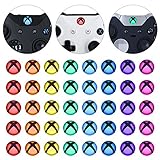
- Perfectly designed for Xbox Series X & S, for Xbox One, for Xbox One Elite Series 1, for Xbox One Elite Series 2, for Xbox Elite Series 2 Core, for Xbox One S/X controller
- Easy to install and removal. Leaves behind no sticky residue. Get installation video guide by searching “extremerate for xbox one home mod” on Youtube. Note: the sticker is pasted inside the logo button, and its size will be smaller than the outside of the logo button of the original controller
- Personalize for Xbox One controller. Custom your controller with cool colors without soldiering
- Required customers to take apart the controller to install these home button stickers; Required customers handy with controller modifications
- Comes with 8 different colors, 5 pcs of each color, 40 pcs stickers in total
Mods can cause anything from small visual or functional glitches to crashes and save problems. EA states that neither Maxis nor EA pre-screens, endorses, or supports specific mods or CC, so download from creators and sources you trust and keep backups of your saves.
Independent reader supportYour contribution helps us test, update, and keep practical guides available for everyone.Reader questions this method answers
Readers usually search for this in one of three forms: how to find broken CC in The Sims 4, how to tell which mod is breaking the game, or what the 50/50 method is. The same workflow answers all three. The first two steps tell you whether you have a mod problem at all, and the bisection steps tell you which file is responsible.
Rank #4

- STUNNING ARTWORK: Fun and evocative art on the player side.
- IMMERSIVE CONTENT: Useful information on key gameplay elements printed on the Guide side.
- CARD HOLDER: Custom integrated card holder to display locations or monsters from the associated card decks (available separately).
- KEY GAME MASTER INFORMATION: Helps the Guide while running games with all the information at a glance.
- YOU ARE WHAT YOU EAT: Compatible with the Wilderfeast Core Rulebook where players assume the role of “wilders”, monster hunters / chefs.
Compatibility changes with each game patch. The tracker linked from EA’s forum index covers patch 1.128, dated September 22, 2026. If you are on a later patch, check the creator’s latest notes before assuming a file is safe.
Quick Recap
Product prices and availability are accurate as of the date/time indicated and are subject to change. Any price and availability information displayed on Amazon at the time of purchase will apply.



