What’s actually slowing this PC down?
Pick the symptom - the matching free tool is one click away.
XIM MATRIX is a physical multi-input adapter from XIM Technologies. It lets supported consoles and PCs accept mice, keyboards, controllers and joysticks, and it adds its own aiming system and macro feature. Whether it works for you depends on your platform, the exact input devices you own and the settings you configure. The details below come from XIM’s official MATRIX guides, which describe the product and its setup. They are manufacturer documentation, not independent tests.
What the adapter does
According to XIM’s product guide, MATRIX supports combinations of mice, controllers, keyboards and joysticks on Xbox Series X|S, PlayStation 5, Xbox One, PlayStation 4 and PC. The adapter sits between your input devices and the system. Your peripherals plug into the adapter, and the adapter presents them to the console or computer as a supported controller or input device.
Two named features define the product:
- Smart Translator, which XIM describes as its proprietary precision-aim system.
- Smart Actions, which XIM describes as an advanced macro engine that runs sequences of outputs from a single input.
These are XIM’s own descriptions. No independent performance comparison was available for this article, so the adapter’s aiming benefit should be read as the manufacturer’s claim.
Ports and connections
XIM’s hardware compatibility guide assigns a role to each connector:
#1 Best Overall

- Latest version update: If you cannot connect to the app, please update the firmware to the latest version.Important: The XIM MATRIX operates strictly at 5V. Do not use a power source exceeding 5V to prevent device damage.
- Versatile Compatibility: Compatible with Xbox Series X, Xbox Series S, PlayStation 5, Xbox One, PlayStation 4, and PC, offering expansive support across various gaming platforms.
- Precision Gaming: Employs XIM's proprietary Smart Translator precision aim system and Smart Actions advanced macro engine, enhancing gameplay accuracy and responsiveness.
- Important Setup Note: XIM Matrix is not a plug-and-play device. To ensure optimal performance and avoid connectivity issues like latency, follow these steps:Download the XIM Manager App:Compatible with iOS 13+, Android 6+, or Windows 10 x64 and later (Bluetooth LE required).Supports firmware updates for Windows 7/8/8.1/10 (32/64-bit) and macOS 10.11+ (via USB).Check for Updates Regularly: Keep both firmware and the app updated for peak performance.
- Community Forum: This is a community-driven project. Before purchasing, please ensure you are familiar with the warranty terms, hardware compatibility list, supported games, and special game settings. Visit the official XIM website for more details. Starting from the November 2023 firmware update, you will need to register on the official XIM forum and log in to your XIM account to download the corresponding firmware.
- USB ports 1 and 2 accept supported input devices.
- USB-C connects MATRIX to the console or PC.
- USB port 3 is the console-authentication port for Xbox and PlayStation 4.
- The Ethernet port is the connection used for gaming on PlayStation 5.
Because the port roles differ by platform, check the port map before you cable anything. Plugging an authentication device into the wrong port is the most likely cause of a setup that appears to work but does not register correctly.
Platform support at a glance
Platform support is broad, but setup is not identical across platforms. The table summarises what XIM’s official pages state and where they leave gaps.
Rank #2
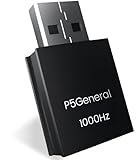
- 【1000Hz polling rate and 0.001-second ultra-low latency,120FPS, USB Wired connection, disconnections, and stability】You can now enjoy popular converters XIM Matrix, REASNOW and Arcade controller(Respberry pi 2040) with all PS5 game software.
- 【Graduated from remote play, and can be used with all PS5 game】Just plug and play. No complicated settings required.
| Platform | Connection path stated by XIM | What the reviewed official pages do not confirm |
|---|---|---|
| Xbox Series X|S and Xbox One | Genuine Xbox Series, Xbox One or Elite controller on USB port 3 for authentication; USB-C to the console | Whether the controller cable is included with your purchase (XIM states it is not) |
| PlayStation 5 | Wired Ethernet port used for gaming | The step-by-step connection procedure; consult XIM’s current dedicated PS5 guide |
| PlayStation 4 | USB port 3 for authentication | Controller and cable requirements; consult XIM’s current dedicated PS4 guide |
| PC | USB-C to the computer; output modes listed on XIM’s Inputs and Outputs page include XInput, Xbox controller, DualSense and mouse-and-keyboard | Exact PC setup steps, and which modes need authentication hardware, were not confirmed in the official pages reviewed; check the live guide |
Input device compatibility
Supporting a platform does not mean supporting every controller. XIM lists supported controller families and states the following:
- Genuine Xbox, PlayStation and Nintendo controllers are required in the cases where XIM specifies them.
- Third-party PlayStation and Nintendo controllers are unsupported.
- Mice, keyboards, and gyro-capable controllers can be used, but the exact supported device list should be checked in XIM’s current guide before purchase.
Xbox setup
Xbox is the platform with the most specific official instructions in the sources reviewed. The general sequence is:
Windows Errors? Fix Them Before They Spread
Repair common Windows errors and clear accumulated junk for a smoother, more stable PC - no reinstall needed.Free scan · no reinstallCrashes, No Sound, or Screen Glitches?
Random freezes, missing sound and display glitches usually trace back to one bad driver. Find and replace yours safely.Free scan · under a minuteRank #3

- Seamless PS5, PS5 Pro & PS5 Slim Compatibility: Unlock the full potential of your PS5. The BESAVIOR P5 General is specifically designed for the latest P5, P5 Pro, P5 Slim systems, allowing you to use your favorite specialized gaming controllers effortlessly.This adapter CANNOT be plugged directly into your PS5. It must be inserted into a compatible bridge device (HITBOX with RP2040 chip, XIM Matrix, ReaSnow S1, or Raspberry Pi), which then connects to the PS5. Both the adapter and your bridge device must run the latest firmware – scan the QR code included in the packaging to visit the official Besavior website and verify the required firmware version.
- COMPATIBLE BRIDGE DEVICES (Whitelist): XIM Matrix (Firmware 20251030 BETA) ReaSnow S1 (Firmware V5.6.251) HITBOX or fightsticks ONLY with Raspberry Pi 2040 chip and GP2040-CE firmware Raspberry Pi. NOT COMPATIBLE: Cronus Zen Direct PS5 connection Standard PS5 / PS4 controllers Fightsticks without RP2040 chip.
- Easy Use After One-Time Setup: Once firmware is updated and the correct modes are configured (XIM Matrix and ReaSnow S1 set to PS4 mode, HITBOX set to P5general mode), the adapter delivers stable, lag-free performance – no Remote Play required, no repeated configuration needed. Step-by-step setup guide and video tutorials are accessible via the two included QR codes.Important Setup Note: For a successful connection, please ensure the "USB Connection" feature is enabled in your PS5's system settings before use.
- Compact, Portable & Tournament-Ready Performance: With its lightweight and space-saving design, easily move your setup between the living room and your esports station. Its pocket-sized form factor makes it the perfect travel companion for gaming on the go or at tournaments, without sacrificing performance.
- 1000Hz Polling Rate for Elite Responsiveness: Experience gaming with virtually no lag. Our 1000Hz response rate ensures your every command is registered instantly, giving you the critical edge in fast-paced competitive games where every millisecond counts.
- Connect a genuine Xbox Series, Xbox One or Elite controller to USB port 3 for authentication. You will need the matching controller cable, which XIM says is not included.
- Connect MATRIX to the Xbox with USB-C.
- Open XIM MATRIX Manager and create an Xbox configuration.
- Apply the game-specific settings shown for the title you are playing.
XIM’s Xbox guide warns about configuration accuracy in a direct statement: “Failure to configure your game’s required settings correctly will result in negative aiming performance and the inability to effectively share and use Configs from others.” That warning comes from XIM’s official MATRIX User Guide, Xbox setup section. The required settings vary by game, so the instructions for each title matter more than a generic template.
PlayStation setup
For PlayStation 5, XIM’s hardware guide directs gaming through the wired Ethernet port, so a working wired network connection is part of the setup. For PlayStation 4, USB port 3 is the authentication port. The exact controller and cable requirements for both consoles are in XIM’s dedicated guides for each system, which should be followed rather than general instructions.
Rank #4

- 【The popular P5Mate has been significantly upgraded】 【Converter that can be directly inserted into PS5, graduated from remote play, and can be used with all PS5, PC game software】Just plug and play. No complicated settings required.
- 【120FPS, Wired/Wireless connection without delays, disconnections, and stability,1000Hz】You can now enjoy popular Wired/Wireless devices including popular converters Cronus Zen, Titan,XIM Matrix APEX, REASNOW and PS5, PS4, Xbox Elite2, G7 SE, Xbox One S, Xbox Series X/S, Switch Pro controllers with all PS5 game software.
- 【Equipped with high-precision macros】motion aiming & gyro functions, Button Mapping, Combo/Rapid Fire, Recoil Reduction, Automatic Looping, two-player play on PS5, Controller vibration function, Reproduces all functions of the PS5 touchpad
Smart Actions and bindings
MATRIX uses a binding system in which you map an input, such as a mouse button or gamepad trigger, to one or more outputs. Smart Actions extend this by letting one input trigger a sequence of outputs. There is an important limit: XIM’s bindings guide says analog inputs, including aiming and movement inputs, only work with matching analog actions and cannot run Smart Action sequences. In practice, a macro can be bound to a button, but not to a thumbstick or other analog axis.
Independent reader supportYour contribution helps us test, update, and keep practical guides available for everyone.Aim settings
XIM’s aim settings guide documents mouse, gamepad thumbstick and gyro as possible aiming sources. Mouse sensitivity is expressed in centimetres per 360 degrees, which is a common way to compare sensitivity across settings. XIM also warns that correct DPI and in-game settings are needed for accurate real-world velocity. Treat these as setup requirements for consistent results rather than a claim that aim will improve in every game.
The Tool Desk
Outbyte PC Repair FREERepair Windows errors before they cause bigger problemsFix Now →Outbyte Driver Updater FREEFix the driver behind crashes, sound loss and screen glitchesFind Drivers →Best Value

- Seamless Compatible with Playstation 5:Unlock the full potential of your PlayStation 5 system. The RALAN adapter is specifically designed for Playstation 5, allowing you to use your favorite specialized gaming controllers and input devices effortlessly.
- Broad Device Support for Ultimate Flexibility: Officially supports a wide range of elite gaming gear including HITBOX, XIM Matrix, ReaSnow S1, Raspberry Pi, keyboard, and mouse. Perfect for fighting game enthusiasts, FPS pros, and custom controller builders who want the best performance on their PS5.
- True Plug-and-Play Simplicity, Zero Setup: Get straight into the game without the hassle. Simply plug it in and play immediately — no complicated software, no unreliable Remote Play required, and no tedious setup processes. It's the simplest connection solution available.
- 1000Hz Polling Rate for Elite Responsiveness: Experience gaming with virtually no lag. The 1000Hz response rate ensures your every command is registered instantly, giving you the critical edge in fast-paced competitive games where every millisecond counts. Perfect for fighting games, FPS titles, and rhythm games.
- Compact, Portable & Tournament-Ready Performance:With its lightweight and space-saving design, easily move your setup between the living room and your esports station. Its pocket-sized form factor makes it the perfect travel companion for gaming on the go or at tournaments, without sacrificing performance.
Limits and things to check before buying
- Game rules: The manufacturer sources reviewed do not establish whether every publisher permits every adapter use or Smart Action. Check the current rules for each game you play.
- Firmware and guides: XIM’s documentation is updated over time. The guide home page reviewed showed documentation build 20260714, so confirm the current guide for your platform before setup.
- Price and availability: XIM’s official store page is the primary source for the product, but the page reviewed did not give a dependable current price or stock status. Check regional availability before buying.
What to buy alongside it
- Xbox: a genuine compatible Xbox controller and the matching USB cable, since the cable is not included.
- PS5: an Ethernet cable and a wired network connection.
- Input devices: a mouse, keyboard, supported gamepad or gyro-capable controller chosen against XIM’s current compatibility list.
Choose accessories only after checking that they are on XIM’s compatibility list for your exact platform.
Quick Recap
Product prices and availability are accurate as of the date/time indicated and are subject to change. Any price and availability information displayed on Amazon at the time of purchase will apply.



