If custom content is missing in The Sims 2, check that the game has custom content enabled, restart after changing that setting, and make sure the download is extracted and installed according to its file type. The right Downloads folder can vary by edition and operating system, so confirm which user-data folder your installed game actually uses before moving files.
Start with the quick checks
- Confirm the active game folder. Find the user-data folder used by the edition you launch. If you have more than one installation, the game may be reading a different folder from the one where you placed the files.
- Enable custom content. In the game’s options, check that custom content is enabled. The Sims Resource’s 2012 installation guide notes that the game can have custom content disabled.
- Restart the game. If you just enabled the setting, exit and reopen the game. This restart advice comes from an EA Forums community reply, not an official technical specification.
- Check what you downloaded. A ZIP archive is compressed; extract it before installing or placing its contents.
- Use the right installation method. A
.packagefile goes in Downloads; a.sims2packfile is installed by opening it and choosing Install, according to The Sims Resource guide.
Install files according to their extension
If the download is still a ZIP
Extract the archive first. The files inside—not the unopened ZIP—are what you need to install or place in the game folder. If extraction produces a .package file, use the Downloads-folder method below. If it produces a .sims2pack file, use the installer method.
| # | Preview | Product | Price | |
|---|---|---|---|---|
| 1 |

|
The Sims 2: Double Deluxe - PC | $34.52 | Buy on Amazon |
| 2 |

|
The Sims 2 - PC | $4.50 | Buy on Amazon |
| 3 |
|
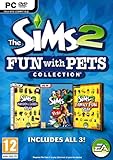
The Sims 2: Fun with Pets Collection - PC | $29.99 | Buy on Amazon |
| 4 |
|
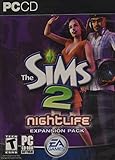
The Sims 2: Nightlife Expansion Pack - PC | $13.95 | Buy on Amazon |
| 5 |

|
The Sims 2: Apartment Life Expansion Pack | $44.49 | Buy on Amazon |
If it is a .package file
Place the file in a folder named Downloads inside the active The Sims 2 user-data folder. The Sims Resource’s legacy Windows instructions give this path for the Windows setup they describe: DocumentsEA GamesThe Sims 2Downloads. The guide says to create the folder if it is missing and specifies the capital D and plural s.
That is a dated, edition-specific Windows path, not a universal location for every modern storefront release or Mac installation. Use it only if it matches the user-data folder for your Windows setup; otherwise, identify the active folder for your edition before copying files. The available Mac community discussion reflects different folder-discovery issues but does not establish a single current Mac path.
#1 Best Overall
- Classic The Sims 2 Gameplay—Create unique Sims with personalities and life goals. Fulfill their dreams and build their ultimate home as you design their world
- The Sims 2 Nightlife Expansion Pack—Send your Sims on an epic night out. Hit the downtown hot spots, play the dating game with your Sims, and live the Pleasure Life Aspiration
- The Sims 2 Celebration Stuff Pack-Host the social event of the season. Must-have stuff to throw the ultimate weddings, birthday parties, and fiestas for your Sims
- Get expert tips and tricks from the Bonus 101 Video. The game’s designers share their best tricks and strategies. Learn how to create Sims and build and design their homes
If it is a .sims2pack file
Double-click the file and choose Install, as described in The Sims Resource’s guide. Do not treat it as a .package file that should simply be copied into Downloads.
If you still cannot find the right folder
Folder paths depend on the operating system and game distribution. Older guides also list legacy Windows XP and Mac locations, but those should not be assumed to apply to a newer release. Check that you are placing files in the data folder belonging to the edition you actually start, especially if multiple installations are present. The available community material does not establish every current storefront-specific or Mac path.
Rank #2
- Electronic Arts 14726 Sims 2 PC
If only some custom content is missing
When build or buy items appear but content for Create-a-Sim does not—or the reverse—the problem may be limited to a particular item or category rather than the whole Downloads setup. Check that the item is made for The Sims 2, intended for the age or category you are viewing, and includes any files or meshes its creator says it needs. EA Forums discussions illustrate these kinds of category-specific symptoms and suggestions; they do not establish one cause for every missing item.
Should you use a custom-content utility?
An EA Forums reply suggests Sims2 Clean Pack Installer, but that is a player recommendation, not an official requirement or evidence that the utility is needed. First confirm the enabled setting, restart, file extension, and active Downloads folder. The cited installation guide describes built-in file handling and does not make a third-party utility necessary.
Rank #3
- Choose from three new architectural themes, Moroccan, Art Deco, and Second Empire, to re-imagine and re-make the exteriors of your Sims' estates
- The Sims 2 Fun with Pets Collection includes 3 great titles: The Sims 2 Pets Expansion, The Sims 2 H&M Family Fun Stuff Pack, and The Sims 2 Mansion and Garden Stuff Pack
- Your Sims can share a lifetime with their pets. Sims can adopt dogs, cats, birds, and more. Choose from dozens of dog and cat breeds, or customize features for a unique pet and then pick their personalities
- Your Sims can encourage and discipline pets, training them to shake, play dead, and more. Unruly pets might dig in the yard, claw the sofa, topple the trash, or surprise their Sims in other ways
- The ability to possess must-have items for your Sims' entire family. Hang loose with Hawaiian style patio furniture and clothing or bring out the kids' adventurous side with exciting costumes
Details that help narrow down the cause
If the basic checks do not resolve the problem, gather these specifics before changing more files: your operating system, the Sims 2 edition you launch, the content category that is missing, the downloaded file’s extension, and the exact Downloads folder you used. Those details distinguish a setting or installation issue from a wrong-folder or item-compatibility problem.
Quick Recap
Best Value
- Move into the perfect apartment: a spacious loft, a cozy place for a young couple, or a multi-bedroom flat-share with friends
- Mingle with Sims from all-new social groups: stylish socialites, artsy bohemians, sports jocks, gadget-collecting techies, or edgy gearheads
- Take advantage of apartment life: form social networks to make new friends, advance their careers, or look for love
- Build your Sim’s new reputation meter: with a good reputation, your Sim can find the right friends to help them achieve their goals
- Control multiple households: will you make your Sims live in happy harmony or comical conflict
Rank #4
- Sims romantic attraction is now based on personality - Figure out their compatibility, then heat up their love life with new romantic social interactions
- Give the Sim of your dreams a longing gaze, go for a slow dance and top it off with a dramatic dip kiss
- Live it up in fun and style - over 125 new items objects & items including a DJ station, photo booth, karaoke machine and more. Exotic new Sims to mingle or date including vampires, hot waiters and more
- Doll up and head out -- chill out at mellow lounges, dance the night away at nightclubs, enjoy candlelight dinners at fine restaurants or hit the bowling alley with the guys and become the ultimate king of the pins
Product prices and availability are accurate as of the date/time indicated and are subject to change. Any price and availability information displayed on Amazon at the time of purchase will apply.



