
Do these 3 things before closing this tab:
1Fix the driver behind crashes, sound loss and screen glitches2Repair Windows errors before they cause bigger problems3Scan for outdated or missing drivers - takes under a minuteFactorio is the best factory simulation game for players who want to optimize dense production lines and logistics. Satisfactory is the better fit for first-person construction, while Dyson Sphere Program is the pick for planetary and interstellar expansion. This ranking is an editorial guide to different play styles, not a measured test: the right choice depends on how you want to build, how much scale you want, and whether you want pressure beyond production planning.
What is the best factory simulation game?
Factorio takes the top spot for automation depth. Its top-down view puts logistics and production optimization at the center. Satisfactory offers a more spatial, first-person approach, and Dyson Sphere Program expands the factory concept across planets and star systems. Those three games make the clearest direct comparison: each delivers a different answer to the question of what a factory game should feel like.
As an Amazon Associate I earn from qualifying purchases.
The rest of the ranking includes games that lean toward industrial management, abstract automation puzzles, combat, colony simulation, or exploration. The lower positions are not necessarily worse games; they are less direct matches for players specifically seeking a conventional factory simulator.
How these factory games differ
| Rank | Game | Best fit | Main distinction |
|---|---|---|---|
| 1 | Factorio | Logistics and optimization | Top-down factory building with deep production and routing challenges |
| 2 | Satisfactory | First-person construction | Walk-through 3D factories and exploration |
| 3 | Dyson Sphere Program | Large-scale expansion | Planetary and interstellar logistics |
| 4 | Captain of Industry | Industry plus management | Production planning combined with terrain, resources, and settlement concerns |
| 5 | Shapez / Shapez 2 | Abstract automation puzzles | Automation focused on puzzle-like systems rather than a conventional industrial setting |
| 6 | Mindustry | Factory building under pressure | Automation mixed with defense and combat |
| 7 | Oxygen Not Included | Interdependent colony systems | Environmental and resource management rather than conveyor-belt production |
| 8 | Autonauts | Automation with colony management | A broader automation and settlement-management blend |
| 9 | Techtonica | Underground first-person factories | Factory automation framed around exploration below ground |
| 10 | Astroneer | Exploration and modular bases | An adjacent recommendation, not a direct factory-simulation rival |
Store prices, platform support, and development status can change. Check each game’s current regional store listing before buying; the Steam pages for Satisfactory, Factorio, and Dyson Sphere Program are useful starting points.
#1 Best Overall

- 9 games on 1 CD
1. Factorio: best for logistics and optimization
Factorio is the strongest recommendation for players who want the factory itself to be a dense logistics puzzle. Its top-down view keeps production lines, routing, and throughput legible, making it a natural fit for people who enjoy improving how materials move through a growing operation.
Choose it if you want to think in terms of production chains and bottlenecks. If walking through and constructing a factory in 3D is part of the appeal, Satisfactory is the more natural alternative.
2. Satisfactory: best for first-person factory building
Satisfactory makes the factory a place you inhabit. Instead of looking down on a production layout, you build and move through a 3D environment, with exploration as part of the experience. That perspective gives construction a more spatial, hands-on character than Factorio’s top-down planning.
Rank #2
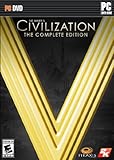
- ENDLESS REPLAYABILITY: Play as one of 43 historical leaders and wage war by land, sea, and air, conduct diplomacy & espionage, establish religious beliefs, and discover new technologies in your quest to build the most powerful empire the world has ever known.
- HUGE BATTLES: Wars between empires spread across land and sea. Ranged bombardment challenges you to develop clever strategies to guarantee victory on the battlefield.
- DIPLOMACY: Negotiate with some of history’s most cunning rulers, each with a well-crafted plan for victory. City-states present a diplomatic battleground on which the major powers of the world will vie for supremacy.
- RELIGION: Cultivate Great Prophets and create a religion you can customize and enhance.
- ESPIONAGE: Send your spies into foreign cities for surveillance, to steal advanced technologies from your competitors, or to interfere with city-state alliances.
Pick Satisfactory if you want to design a factory you can walk around in. Pick Factorio if optimizing a compact, readable logistics network matters more than first-person construction.
3. Dyson Sphere Program: best for planetary-scale expansion
Dyson Sphere Program is the choice for players drawn to factories that expand beyond a single site. Its distinguishing appeal is the move from planetary production toward logistics spanning multiple worlds and star systems. That larger scale separates it from Factorio’s logistics-puzzle emphasis and Satisfactory’s walk-through construction.
Its Steam listing identified the game as Early Access when checked for this comparison. Because development status can change, verify the current listing before purchase rather than relying on that label as permanent.
Rank #3

- FlightGear Flight Simulator is a highly sophisticated, detailed and ultra-realistic flight simulation which includes 20,000 real airports worldwide! You have the freedom to fly anywhere, anytime, night or day, and experience the ultimate flight simulation! You will receive the USB (not a disc) exactly as pictured. Our slimline USB is 100% compatible with ALL standard size USB ports. IMPORTANT - THIS IS A PROFESSIONAL SIMULATOR, NOT AN ARCADE GAME. Multilingual - English, Spanish (Español) and more languages supported.
- With over 600 aircraft included, this flight simulator gives you more aircraft than you could possibly learn to fly in a lifetime! Fly from lightweight aircraft to huge commercial jumbo jets, military planes, helicopters and even airships! Hundreds of aircraft are included with new aircraft added regularly which you can download for free! 1000+ aircraft liveries are also available as free downloads along with all future updates of the simulator!
- Compatible with Microsoft Windows 11, 10 and macOS 11 to latest. Recommended system specs - CPU: Quad-core / RAM: 6GB / GPU: 2048MB VRAM / HDD: 5GB minimum / Internet required. Regardless of operating system compatibility, if the rest of your computer does not meet the required spec, then it may not be compatible; please check your computer specs before purchase. This will fit all standard/classic USB ports, but please insert the correct way up as indicated in the instructions.
- PixelClassics exclusive extras include bonus aircraft, easy-to-use PixelClassics installation menu, installation guide, first flight guide, 200+ page user manual, email support and more! To ensure you receive exactly as advertised including all our exclusive extras, please choose PixelClassics. All our USBs are checked and scanned 100% virus-free, and backed up by our friendly dedicated email support.
- PLEASE NOTE: This is NOT ‘MS’ flight simulator, this is FLIGHTGEAR flight simulator and this USB is compatible with Windows PC only. You will receive USB (not a disc) exactly as advertised and described. It includes all the excellent features as listed, including 600 aircraft which is at least 570 more than you get with any other flight simulator by default! This is a professional simulator and will require reading of the manual included on USB to learn how to fly.
4. Captain of Industry: best for industrial management
Captain of Industry combines production chains with broader industrial and settlement-management concerns. Terrain, resource planning, and the needs of a growing operation matter alongside making goods. It suits players who want factory optimization to sit inside a wider management problem, rather than serve as the whole game.
5. Shapez and Shapez 2: best for abstract automation puzzles
Shapez represents the more abstract, puzzle-oriented end of automation. It is a good direction for players who care more about designing efficient systems than about a realistic industrial setting or a large world to explore.
The comparison material supports Shapez as part of this broader category, but does not establish current version or store details for Shapez 2. Check its listing directly if you are choosing between the two titles.
Rank #4

- FlightGear Flight Simulator is a highly sophisticated, detailed and ultra-realistic flight simulation which includes 20,000 real airports worldwide! You have the freedom to fly anywhere, anytime, night or day, and experience the ultimate flight simulation! IMPORTANT - THIS IS A PROFESSIONAL SIMULATOR, NOT AN ARCADE GAME. You will be required to read the PDF manuals included to learn how to use the simulator and fly. Multilingual - English, Spanish (Español) and more languages supported.
- With over 600 aircraft included, this flight simulator gives you more aircraft than you could possibly learn to fly in a lifetime! Fly from lightweight aircraft to huge commercial jumbo jets, military planes, helicopters and even airships! Hundreds of aircraft are included with new aircraft added regularly which you can download for free! 1000+ aircraft liveries are also available as free downloads along with all future updates of the simulator!
- Multi-platform edition disc compatible with Microsoft Windows 11, 10 and macOS from 11 to latest. IMPORTANT: RECOMMEND SYSTEM SPEC - CPU: Quad-core / RAM: 6GB / GPU: 2048MB VRAM / HDD: 5GB minimum / Internet required. Regardless of operating system compatibility, if the rest of your computer does not meet required spec then it may not be compatible, so please check your computer specs before purchase.
- PixelClassics disc content includes 500 aircraft (600+ total with downloads), access to 1000+ liveries, FULL worldwide scenery, easy-to-use PixelClassics installation menu (PC only), installation guide, first flight guide, 200+ page user manual, email support and more! To ensure you receive exactly as advertised including all extras, please choose PixelClassics. All our discs are checked and scanned 100% virus-free, and backed up by our dedicated email support.
- PLEASE NOTE: This is NOT ‘MS’ flight simulator, this is FLIGHTGEAR flight simulator exactly as advertised and described. It includes all the excellent features as listed, including 600 aircraft which is at least 570 more than you get with any other flight simulator by default! This is a professional simulator and will require reading of the manual included on disc to learn how to fly.
6. Mindustry: best if you want defense with your factory
Mindustry adds defensive pressure and combat to factory building. That changes the appeal: production is not only an optimization exercise, but also part of a game with threats to manage. It is a strong fit if you want automation that has consequences beyond improving throughput, and a weaker fit if you want a calm, pure logistics sandbox.
7. Oxygen Not Included: best for colony systems
Oxygen Not Included is an adjacent recommendation for players who enjoy tightly interdependent resources and environmental management. Its core attraction is managing a colony’s connected systems, not building conveyor-belt factories in the style of Factorio. Choose it when systems thinking matters more than direct factory construction.
Free tools Windows power users keep installed
One-click scans. No signup required.
8. Autonauts: best for automation with colony management
Autonauts broadens automation with colony-management elements. It belongs on a factory-game shortlist for readers willing to trade some emphasis on industrial logistics for a blend of automation and settlement growth.
Best Value

- 【With Vibration Function】This flight stick is ONLY for PC/Computer and ONLY compatible with Windows 7/8/10/11 (Mac/Apple computers/Apple devices/PS3/PS4/PS5/Xbox One/Switch not supported).PXN2113 PRO gaming joystick for pc will never let you down with realistic fly experience. Compatible with many flight joystick pc games: World of Tanks,World of Warplanes,War Thunder,Assault Horizon,Microsoft Flight Simulator,X Plane 10,etc. Vibration Switch is at the bottom,please switch to“ON”.If less than 20%,you will almost not feel the vibration.Please set the vibration strength in the driver to 50% or higher for this joystick pc flight simulator.
- 【Immersive Fly Experience for Your Flying Dream】You can make the right moves with rapid fire trigger,4 axis controlling,8-Way hat switch and 12 programmable buttons of this computer joystick for gaming pc flight.Advanced software,Support various custom adjustment and keyboard mapping,enjoy exciting joystick flight simulator controls for pc games now! Not only a game, but also a dream of flying!
- 【FAQ】:Q1:Why doesn't it work on my pc/Xbox? A: It is ONLY for PC and Windows 7/8/10/11(Not for Mac/Apple devices/Xbox).Please turn on pc First and then connect with this joystick.If not,some pc may not identify it. Q2: How to install the driver? A: No need to install the driver and can play games directly.If you need driver,please find "Installation" section in manual or follow below steps: 1:Visit PXN official website→Support→Driver→Find PXN-2113PRO driver to download. 2:Extract the driver and install. 3:Plug joystick into PC USB port,pc will identify new hardware and install automatically. 4:Play games or set the joystick in driver.The drive can test and calibrate the pc flight joystick.
- 【Comfortable to Hold, Agile to Operate】This usb joystick for pc is with a solid and smooth feeling,very comfortable.Four power-grip suction cups at the bottom of this pc joystick for flight simulator pc games,they can fix firmly and easily when the table is smooth.Precise throttle control,Ergonomic design,Single hand control full function with this flight joystick for pc games.(Note:Force Feedback/Minecraft/Asphalt 8/Ace Combat 7 not supported).This Flight simulation pc controller with Friendly and Easy-to-Reach Customer Service.If any problem,please contact us directly(Contact Seller),Fengying will reply within 12 hours.
- 【Setup Guide for Microsoft Flight Simulator】For PXN 2113 flight sim joystick pc setup in Microsoft Flight Simulation,please refer to below images and follow below steps: Step 1: Launch the game and click"MENU.FLOWBAR_ OPTIONS",select“MENU.OPTIONS CONTROLS". Step 2: Except the keyboard and mouse mode, also have joystick mode in game.Please click“GENERIC USB JOYSTICK" to map the key. (Note:The joystick should be plugged into PC before this setting). Step 3: For function settings,take “INPUT.KEY_ _SWITCH_ CAMERA"as an example,scroll down to select“Select an input",click No.12 button,finally click“VALIDATE”to save.
9. Techtonica: best for underground, first-person automation
Techtonica pairs first-person factory automation with underground exploration. It is an appealing direction if you want to build while moving through the world, but its current development state and platform support should be checked on its store listing before making a purchase decision.
10. Astroneer: best for exploration and modular bases
Astroneer is the loosest fit on this list. Its appeal is exploration and modular base-building rather than deep factory logistics, so treat it as an adjacent option for players who want a broader exploration game with building rather than a direct automation competitor.
Is Factorio better than Satisfactory?
Neither is universally better. Factorio is the stronger match for top-down logistics planning and optimization; Satisfactory is the stronger match for first-person, spatial construction and exploration. Choose based on the perspective and building process you prefer, not on a single overall ranking.
What is the closest game to Dyson Sphere Program?
Among these picks, Factorio is the closest match if the draw is building and optimizing interconnected logistics systems. Satisfactory is closer if you want to construct and explore a factory in first person. Neither replicates Dyson Sphere Program’s particular emphasis on expansion across planets and star systems.
Which factory game is best for beginners?
There is no evidence-based universal beginner winner here: the games differ in perspective, complexity, scale, and pressure. A practical starting point is to choose the play style that sounds appealing—top-down optimization in Factorio, first-person building in Satisfactory, or abstract puzzles in Shapez—and check the current store page for platform and purchase details.

