A failed Facebook login does not necessarily mean your PUBG MOBILE account or progress is gone. First confirm that Facebook itself works, then verify the correct Facebook profile, check Facebook’s game integration, and move from low-risk app and network fixes to recovery or official support.
Do not remove PUBG MOBILE from Facebook, clear the game’s storage, or reinstall it until you have confirmed that the account is linked and you know how to sign back in. Guest progress and an incorrectly linked account can be difficult or impossible to restore.
As an Amazon Associate I earn from qualifying purchases.
Quick symptom check
| What you see | Likely area | Safest first action |
|---|---|---|
| “Facebook login failed” or “Authorization failed” | Facebook session, permissions, network, app version, or service issue | Test Facebook outside PUBG MOBILE |
| Facebook opens, then returns to the game | Stale session, browser handoff, cookies, or authorization token | Sign in to the intended Facebook account in the normal browser |
| Endless loading | Connection, temporary app data, or service-side problem | Restart the phone and switch networks |
| A different PUBG account opens | Wrong Facebook profile or game edition | Sign out of Facebook and use the originally linked profile |
| Facebook itself will not log in | Facebook account or security problem | Recover Facebook before troubleshooting PUBG MOBILE |
| The Facebook button is missing | Region, edition, app build, or current login availability | Check that you installed the correct PUBG MOBILE edition and update it |
PUBG MOBILE account behavior can vary by country, operating system, app build, and game edition. PUBG MOBILE, PUBG MOBILE LITE, and region-specific versions may not show identical login options.
1. Check whether Facebook works outside PUBG MOBILE
Use this when: Facebook login fails, authorization stops immediately, or you are unsure whether the Facebook account is accessible.
#1 Best Overall

- ✅【Using Tips】These Mobile Game controllers are using the sensitive real mouse micro switch inside. So there are several phones which have the electromagnetic problems. This will cause the triggers touch the screen automatically. Please do not worry about this and you just need to turn off the screen for 10 seconds and turn on the screen again. This issue will solved right away.
- ✅【Perfect Compatibility】These Mobile Game controllers are compatible with iPhone, iPad and most Android Phones, without even remove your case.(The thickness of the compatible mobile phone should be not more than 13mm.) These 6-fingers-operation mobile game controllers are suitable for a variety of shooting games, including PUBG, Call of Duty, Fortnite, Knives Out, Rules of Survival, Survivor Royale, Critical Ops etc. As long as the game allows customizing and draging the keys.
- ✅【Small and Lightweight】The PUBG game triggers are portable and tiny for you to put them into your pocket, and have them for gaming when in office, school, trip, camping and play games anywhere and anytime. With the 6 trigger PUBG mobile controller, you can simultaneously move, turn, aim and shoot by using the index fingers to press the buttons, which can eliminate the trouble that use thumbs only to make all operations.
- ✅【Mechanical Touch】4 triggers PUBG mobile controller designed for longevity with greater durability and responsiveness, more than 2 million click. Fast mechanical keys with medium resistance, precise actuation, audible click sound, and tactile bump feedback. Easy To Use, High Sensitive, Physical Button Feedback. Using this PUBG mobile game controller, you can move, angle adjust, aim and shoot at the same time with the thumbs and index fingers of the left and right hand.
- ✅【Super Gaming Experience】This PUBG game triggers is made of ABS and alloy, durable and ergonomic. 6 trigger PUBG mobile controller electroplated alloy materials, mouse buttons, smooth touch, six-finger linkage, auxiliary pressure grab, one-second burst, dominate the game battlefield, and enjoy the ultimate gaming experience. Call of Duty mobile controller are sensitive to shoot and aim, no Power supply and driver needed, easy to use and high precision, increase your game score!
- Open the Facebook app and check whether the intended account is signed in.
- Sign out and sign back in if the session appears stuck.
- Open Facebook in Chrome, Safari, or another normal browser.
- Confirm that the account is not locked, suspended, or waiting for identity or security verification.
- Check that you know the correct email address, confirmed phone number, username, and password.
Facebook supports login with an email address, confirmed phone number, or username. Its login and password help can direct you to the appropriate recovery flow.
If Facebook fails in the app and browser: stop troubleshooting PUBG MOBILE for now. Recover Facebook first. The game cannot complete a Facebook authorization that Facebook itself is refusing.
2. Switch to the correct Facebook profile
Use this when: PUBG MOBILE opens a new account, shows missing progress, or the login succeeds but the wrong character appears.
- Compare the active Facebook profile’s name and profile image with the account you previously used.
- Check whether multiple Facebook accounts are saved on the phone.
- Sign out of Facebook.
- Sign in only to the profile originally linked to PUBG MOBILE.
- If a browser authorization page appears, verify that the browser is using the same profile.
The phone’s current Facebook account is not necessarily the account linked to PUBG MOBILE. Do not create a new game account while checking this: a fresh identity can make the old account appear to have disappeared.
3. Check Facebook’s Apps and Websites connection
Use this when: Facebook works normally, but PUBG MOBILE rejects authorization or immediately returns to the login screen.
- Open Facebook.
- Go to Settings & privacy → Settings.
- Find Apps and websites, or the equivalent Apps, websites and games section.
- Look for PUBG MOBILE or the relevant game connection.
- Confirm that Facebook’s integration with apps, websites, and games has not been disabled.
Facebook says that disabling this integration prevents Facebook login to connected apps and games. See its apps, websites and games guidance.
4. Update PUBG MOBILE, Facebook, and the device
Use this when: the problem began after an operating-system update, the login button changed, or either app has not been updated recently.
Free tools Windows power users keep installed
One-click scans. No signup required.
Rank #2
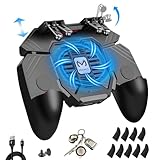
- ✅🎮UPGRADED 4000mAh EMERGENCY POWER BANK- Portable charging dock to power your phone anywhere, so you’re not tied to a wall when your phone is out of power. Playing without the fear of phone dying in a gameplay, that's a must! Hate that charging cable getting in the way when playing fierce battle royale games? We solved it for you.The triggers are set on the back not shoulder, so there is an angle and distance between index finger and the cable, it won't interfere with your operation at all.
- ✅🎮6 FINGERS OPERATION, FULL OF CHICKEN DINNER- Just use your index and middle fingers to press the L1 R1 L2 R2 triggers, that shooting, aiming, left/ right tilted head, moving, jumping, squatting and and lying operations can be performed at the same time, It will be a breeze to defeat the thumb-hold players, also a massive advantage in close range combat because difference in milliseconds can be life or death. No disconnection, response delay, root request or system incompatibility issues.
- ✅🎮QUIET COOLING FAN & 180° FLIP TOUCH HEAD- Rotatable touch head for easy installation of the phone and setting buttons. The high conductive silicone head is smaller and more sensitive than other grips, it won't obscure the game map. Alloy L2R2 buttons are tested over 100,000 times to ensure durability and fast responsive. The powerful cooling fan with switch button protects your smart phone from overheat and reduce heat lag, prolong the service life of the phone and battery.
- ✅🎮ERGONOMIC CONTROLLER & PHONE SECURE LOCKED IN PLACE- People may get hands cramps after playing hours of battle royal games with cellphone. DELAM gamepad is specially designed for mobile shooting games, it extends your phone into a traditional Xbox or PS controller, more comfortable for big hands. Phone body and controller are firmly fixed through three contact points covered of rubber pads to prevent the phone sliding, and won't press your on off button and volume keys, or scratch your phone.
- ✅🎮TELESCOPIC-BOOM GRIP SUPPORT ALL 4.7-6.5 INCH MOBILE PHONES OF IOS & ANDROID DEVICE- Work for PUBG Mobile/ Call Of Duty Mobile/ Free Fire/ Critical Ops/ Rules of Survival/ Knives Out/ Cross Fire/ Terminator 2 Judgment Day/ Survivor Royale as long as the game allows customize and drag the touch points. Please feel free to contact us at the first time
Check for updates to:
- PUBG MOBILE in Google Play or the App Store.
- Facebook.
- Android or iOS/iPadOS.
- Google Play services on Android.
On Android, menu names vary by manufacturer and version. Google’s app troubleshooting guidance recommends checking updates and restarting the device. Google Play services supports functions used by many apps, although it is not automatically the cause of every Facebook-login failure.
On iPhone or iPad, use the App Store’s account menu to check updates. Apple’s app download and update guidance also recommends restarting when updates or downloads fail.
5. Force-close both apps and restart the phone
Use this when: Facebook opens but the handoff to PUBG MOBILE loops, hangs, or returns to the login screen.
- Close PUBG MOBILE and Facebook completely.
- Restart the phone.
- Open Facebook first and confirm the correct profile is active.
- Open PUBG MOBILE and try Facebook login once.
Do not repeatedly tap the login button. Multiple attempts can leave several browser sessions or temporary security checks in progress. If one clean attempt fails, continue to the next diagnostic step.
Do these 3 things before closing this tab:
1Repair Windows errors before they cause bigger problems2Scan for outdated or missing drivers - takes under a minute3Clear out junk files and repair common Windows errors6. Switch between Wi-Fi and mobile data
Use this when: Facebook pages or the authorization screen load slowly, remain blank, or PUBG MOBILE hangs while connecting.
- Try mobile data instead of Wi-Fi.
- Then try a different trusted Wi-Fi network.
- Check whether Facebook and other online apps work normally.
- Temporarily disable a VPN, private DNS, ad blocker, firewall, or restricted-network filter.
A successful login on another network suggests a connection or filtering issue, but it does not prove the network is the only cause. Avoid downloading an unknown “free VPN” as a default fix: it adds another authentication, privacy, and latency variable.
7. Clear temporary cache on Android
Use this when: PUBG MOBILE or Facebook repeatedly hangs after updates and Facebook works elsewhere.
Rank #3

- 6 FINGERS OPERATION, FULL OF CHICKEN DINNER- Just use your index and middle fingers to press the L1 R1 L2 R2 triggers, that shooting, aiming, left/ right tilted head, moving, jumping, squatting and and lying operations can be performed at the same time, It will be a breeze to defeat the thumb-hold players, also a massive advantage in close range combat because difference in milliseconds can be life or death. No disconnection, response delay, root request or system incompatibility issues.
- UPGRADED 1200mAh EMERGENCY POWER BANK- Portable charging dock to power your phone anywhere, so you’re not tied to a wall when your phone is out of power. Playing without the fear of phone dying in a gameplay, that's a must! Hate that charging cable getting in the way when playing fierce battle royale games? We solved it for you.The triggers are set on the back not shoulder, so there is an angle and distance between index finger and the cable, it won't interfere with your operation at all.
- QUIET COOLING FAN & 180°FLIP DESIGNED TOUCH HEAD- Rotatable touch head for easy installation of the phone and setting buttons. The high conductive silicone head is smaller and more sensitive than other grips, it won't obscure the game map. Alloy l1 r1 buttons are tested over 100,000 times to ensure durability and fast responsive. The powerful cooling fan with switch button protects your smart phone from overheat and reduce heat lag, prolong the service life of the phone and battery.
- ERGONOMIC CONTROLLER & PHONE SECURE LOCKED IN PLACE- People may get hands cramps after playing hours of battle royal games with cellphone. DELAM gamepad is specially designed for mobile shooting games, it extends your phone into a traditional Xbox or PS controller, more comfortable for big hands. Phone body and controller are firmly fixed through three contact points covered of rubber pads to prevent the phone sliding, and won't press your on off button and volume keys, or scratch your phone.
- TELESCOPIC-BOOM GRIP SUPPORT ALL 4.7-6.5 INCH MOBILE PHONES OF IOS & ANDROID DEVICE- Work for PUBG Mobile/ Call Of Duty Mobile/ Free Fire/ Critical Ops/ Rules of Survival/ Knives Out/ Cross Fire/ Terminator 2 Judgment Day/ Survivor Royale as long as the game allows customize and drag the keys. Please feel free to contact us at the first time if you have any questions or problems.
- Open Settings.
- Tap Apps or Apps & notifications.
- Select PUBG MOBILE.
- Open Storage or Storage & cache.
- Tap Clear cache.
- Repeat for Facebook if necessary.
- Restart the phone and test again.
Android manufacturers use different labels. Google distinguishes temporary cache from Clear storage or Clear data: the latter removes local app data and settings. See Google’s cache and storage explanation.
Quick wins for a faster PC:
Clear out junk files and repair common Windows errorsFree Scan →Fix the driver behind crashes, sound loss and screen glitchesFind Drivers →Do not tap Clear storage or Clear data casually. Do not promise that clearing cache will never sign you out; behavior can vary by app and device. If the account is a guest account or the link is uncertain, verify access before deleting local data.
8. Check automatic date, time, and time zone
Use this when: authorization codes or secure connections fail despite working Facebook and a normal network.
- Open the phone’s date and time settings.
- Enable Automatic date and time.
- Enable Automatic time zone.
- Restart the phone.
- Try Facebook login again.
An incorrect device clock can interfere with authentication. Google includes automatic time synchronization among its Android troubleshooting checks. Do not leave the clock manually set to an incorrect time.
9. Retry the browser authorization handoff carefully
Use this when: Facebook opens in a browser but authorization does not return to PUBG MOBILE.
The Tool Desk
Outbyte PC Repair FREERepair Windows errors before they cause bigger problemsFix Now →Outbyte Driver Updater FREEScan for outdated or missing drivers - takes under a minuteDriver Scan →- Use the normal Facebook app or a current, non-private browser.
- Make sure the browser is signed in to the intended Facebook profile.
- Allow normal cookies and redirects.
- Close duplicate Facebook login windows.
- Authorize once, then return to PUBG MOBILE.
This is a practical troubleshooting step, not a guarantee that every PUBG MOBILE build uses the same browser controls. Avoid private browsing and several simultaneous authorization attempts, which can preserve the wrong session.
Independent reader supportYour contribution helps us test, update, and keep practical guides available for everyone.10. Do not remove the Facebook link or clear all app data yet
Use this when: you are considering a more drastic fix because the normal steps did not work.
Rank #4
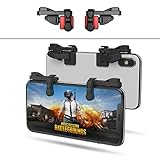
- SUPPORTED DEVICE - Compatible for iPhone and Android Phones(less than 11mm thickness mobile phone with 4.5-6.5 inch screen), the phone can be used with a screen protector and a phone case. SUPPORTED GAMES - Compatible with PUBG Mobile, Fortnitee Mobile, Knives Out, Call of Duty Mobile and the other shooting mobile games.
- GOOD GAME EXPERIENCE - Easy To Use, High Sensitive, Physical Button Feedback. Using our mobile game controller, you can move, angle adjust, aim and shoot at the same time with the thumbs and index fingers of the left and right hand.
- EXCELLENT DESIGN - Compared with similar products, our mobile gaming controller uses a unique clip design that provides long-lasting elasticity and protects the screen from scratches. High-quality ABS conductive plastics are durable, and the minimalist design reduces the use of the phone screen and avoids occlusion of the phone camera and the map in the game.
- 1mm Anti-misoperation Design - Avoid accidental pressing of the mobile phone's side buttons(such as volume buttons, power button and so on) in game, LOW SCREEN OCCUPANCY - Our mobile game controller has the lowest screen usage in the similar products, it can't affect the fluency of the game operation.
- HOW TO USE - Before playing game, customize your shoot and aim buttons(in button setting fo the game) under the touch pad of the our mobile gaming controller.
Pause before doing any of the following:
- Removing PUBG MOBILE from Facebook’s connected apps.
- Using Android’s Clear storage or Clear data.
- Uninstalling PUBG MOBILE or Facebook.
- Creating a new PUBG MOBILE account.
- Giving your password or verification code to a recovery service.
Removing a Facebook-connected game removes its Facebook login connection. Clearing storage or uninstalling can remove local data. These actions may be manageable for a confirmed, server-linked account, but they are especially risky for a guest account or an account whose original Facebook profile has not been identified.
11. Reinstall PUBG MOBILE only after confirming account access
Use this when: the installation appears damaged, updates repeatedly fail, and the account is definitely protected by a working login method.
Recommended Free Tools
Before uninstalling, confirm all of the following:
- Facebook works in a browser.
- You know the credentials for the originally linked Facebook profile.
- Another supported PUBG MOBILE login method is available if one was previously linked.
- You have recorded your player ID, nickname, server or region, and purchase receipts if available.
- You are not deleting the PUBG MOBILE account or removing its Facebook connection.
Google notes that uninstalling an Android app erases its app data, although the app can be installed again. See its reinstall guidance. On iPhone and iPad, treat reinstallation as a last-resort local-app repair; it is not a guarantee that every local state will return.
After reinstalling, install the same game edition from the official store, choose Facebook login, and use the original Facebook profile. If a new account appears, stop: do not play on it or make purchases while investigating.
12. Recover Facebook or contact official PUBG MOBILE support
If Facebook is inaccessible
- Use Facebook’s account-recovery flow.
- Try a phone or browser previously used to access the account.
- Reset the password if you still control the email address or phone number.
- Check spam and junk folders for recovery messages.
- Use Facebook’s hacked-account route if you suspect compromise.
Facebook says recovery may work better from a recognized device. Use its account recovery and hacked-account guidance. PUBG MOBILE support generally cannot replace Facebook’s identity verification.
If Facebook works but PUBG MOBILE still fails
Contact the official support route shown inside your current PUBG MOBILE app or on the official PUBG MOBILE website. Labels and support paths can vary by region and edition, so do not rely on an old third-party email address or an unofficial recovery site.
What’s actually slowing this PC down?
Pick the symptom - the matching free tool is one click away.
Include:
- Player ID and in-game nickname.
- Server or region.
- Approximate account creation date.
- Devices previously used.
- Linked login methods.
- Relevant error text or screenshots.
- Purchase receipts or transaction IDs, if available.
Receipts can help establish ownership, but they do not guarantee recovery. A ban, suspension, or region-specific restriction must be handled through the official appeal or support process; repeated login attempts will not remove it.
Android and iPhone/iPad differences
| Task | Android | iPhone/iPad |
|---|---|---|
| Update apps | Google Play → profile icon → Manage apps & device; labels vary | App Store → account icon → update list |
| Clear temporary data | Settings → Apps → PUBG MOBILE → Storage → Clear cache, where available | There is no identical system-wide cache button; restart or use app-specific repair options |
| Clear storage | Available on many devices, but removes local app data and is higher risk | No identical Android menu; avoid deleting the app until access is confirmed |
| Reinstall | Uninstalling erases app data | Use only after confirming the account can be reauthenticated |
Android settings differ by phone maker and Android version. Neither platform should be treated as proof that reinstalling will restore an unlinked guest account.
What the result tells you
- Facebook fails everywhere: recover Facebook first.
- Facebook works, but PUBG MOBILE fails: continue with updates, restart, network, integration, cache, and browser-session checks.
- A different PUBG account opens: check the Facebook profile, game edition, and any cloned or parallel app before changing account settings.
- Progress is missing after reinstall: stop creating accounts and contact official support with ownership evidence.
- Many players are affected: local cache changes are unlikely to solve a service-side problem; wait for an official resolution or support notice rather than repeatedly changing the account link.
- You see a ban or suspension: use the official appeal or support route.
The Bottom Line
Start with Facebook itself and the correct Facebook profile. Then check Facebook’s game integration, update both apps, restart the phone, test another network, and clear only temporary Android cache. Reinstalling, clearing storage, or removing PUBG MOBILE from Facebook comes later—and only after you have confirmed a safe way back into the original account.
Quick Recap
Product prices and availability are accurate as of the date/time indicated and are subject to change. Any price and availability information displayed on Amazon at the time of purchase will apply.




