Quick wins for a faster PC:
Clear out junk files and repair common Windows errorsFree Scan →Fix the driver behind crashes, sound loss and screen glitchesFind Drivers →Repair Windows errors before they cause bigger problemsFix Now →Faithful 32x is the best starting point for most Minecraft players. It keeps the familiar Minecraft art style, adds sharper detail, and has creator-listed downloads for Java 26.2 and Bedrock 26.x. If you want a more dramatic change, choose Bare Bones for a bright simplified look, Misa’s Realistic or Luna HD for realism, John Smith Legacy for medieval builds, or Fresh Animations to bring mobs to life.
There is no universal best texture pack. The right choice depends on your edition, Minecraft version, preferred style, hardware, resolution, and whether you are willing to install supporting tools such as OptiFine, Continuity, EMF/ETF, Iris, or Fabric add-ons. This guide was checked against Minecraft Java Edition 26.2 and Bedrock Edition 26.30 on August 10, 2026. A creator-listed version means the pack page names that version; it is not a claim of independent FPS testing.
As an Amazon Associate I earn from qualifying purchases.
The Tool Desk
Outbyte Driver Updater FREEFix the driver behind crashes, sound loss and screen glitchesFind Drivers →Outbyte PC Repair FREERepair Windows errors before they cause bigger problemsFix Now →Quick picks: the best Minecraft texture packs
The table is organized around different uses rather than pretending that a medieval pack, an ore-visibility utility, and a photorealistic pack can be ranked on one objective scale.
| Pack | Best for | Edition and version status | Resolution or burden | Main caveat |
|---|---|---|---|---|
| Faithful 32x | Best overall vanilla-plus | Java 26.2; Bedrock 26.x listed | 32x; 64x variants available | Improves vanilla rather than reinventing it |
| Stay True | Subtle vanilla refresh | Java; latest listed file found was 1.21.5 | Vanilla-style | Some connected-texture features require OptiFine |
| Bare Bones | Simple, colorful visuals | Java; Bedrock availability reported, verify the current listing | 16x | Flat surfaces can reduce build detail |
| Faithless | Accessibility-focused overhaul | Java 1.21.11 listed; creator claims Bedrock support | 16x | Changes much more than a vanilla-plus pack |
| Fresh Animations | Animated mobs | Java 26.2 listed | 16x entity-animation pack | Usually needs EMF/ETF or OptiFine-compatible support |
| Misa’s Realistic | Active semi-realistic pack | Java 26.1.2 listed | 64x | OptiFine is required for advanced features |
| John Smith Legacy | Medieval and rustic builds | Java 26.2; Bedrock 26.30 listed | 32x-class | Standard and JimStoneCraft editions differ |
| PureBDcraft | Comic-book and cel-shaded style | Official Java and Bedrock downloads | Multiple resolutions | Use BDcraft’s official distribution |
| Better Visible Ores | Mining readability | Java 26.2 listed | 16x-class utility pack | Not a complete visual overhaul |
| Luna HD | High-end realism | Java-focused | 32x preview; higher paid tiers, including 512x coverage | Paid access and high hardware demand |
Short version: choose Faithful 32x for everyday survival, Stay True for a gentler visual change, Bare Bones for a clean cartoon look, John Smith Legacy or Dokucraft for medieval worlds, Misa’s Realistic for detailed survival, and Better Visible Ores for a utility layer rather than a full pack.
#1 Best Overall

- Fast Charging: MFi Certified Lightning Cable iPhone Charger Cord. Charge your iPhone to 50% in 30 minutes
- Dual Port Equipped: USB C & USB A Wall Charging Block
- Stylish & Durable Design: Minecraft cable cord with Custom Aluminum alloy housings that pair perfectly with devices
- Extra Long Charger Length: 6ft lightning cable for convenience
- A Cable for Life: We’re so confident about Powertek’s long-lasting performance that we gave it a hassle-free Instaprotek life-time replacement warranty
Before choosing a pack
Texture pack versus resource pack
Texture pack is still the phrase most players search for, but Java Edition officially uses resource pack. A modern resource pack can replace more than block textures: it may include item and entity models, animations, fonts, menus, sounds, skies, particles, and other client assets. That is why two packs with the same advertised resolution can feel completely different.
| Content type | What it usually changes |
|---|---|
| Resource pack | Textures, models, UI, fonts, sounds, animations, skies, and other client assets |
| Shader pack | Lighting, shadows, reflections, water, color grading, and post-processing |
| Mod | Code-based changes, performance improvements, rendering features, or gameplay |
| Bedrock add-on | A resource pack, behavior pack, or both |
| World template | A prebuilt world that may bundle resource and behavior content |
Minecraft’s Bedrock add-on documentation distinguishes resource content from behavior content. A normal visual resource pack does not automatically change recipes, mobs, or game rules. If a download includes a data pack, behavior pack, or add-on, treat it as more than a cosmetic texture change.
Do these 3 things before closing this tab:
1Clear out junk files and repair common Windows errors2Scan for outdated or missing drivers - takes under a minute3Repair Windows errors before they cause bigger problemsJava and Bedrock are not interchangeable
Java Edition: third-party packs are normally downloaded as .zip files and added through Options → Resource Packs → Open Resource Pack Folder. CurseForge, Modrinth, creator websites, GitHub repositories, and Planet Minecraft are common distribution routes. Advanced features may depend on OptiFine, Continuity, EMF/ETF, Iris, FabricSkyBoxes Interop, or another compatible tool.
Bedrock Edition: the official Marketplace is the safest and most predictable option, especially on consoles. Community packs may be distributed as .mcpack files. Microsoft describes .mcpack as a packaged resource or behavior pack that Minecraft can import. Java packs do not become Bedrock-compatible simply because the images look similar: conversion can require different folder names, metadata, animation definitions, and file formats. See Microsoft’s Bedrock file-extension documentation and conversion documentation.
For Bedrock, always distinguish between Marketplace, Windows/mobile sideloading, and console availability. A creator may support Bedrock without having a pack available on Xbox, PlayStation, or Nintendo Switch. Marketplace availability can also vary by platform, country, and account configuration.
Resolution is not a quality score
- 8x and 16x: light on hardware and close to Minecraft’s original pixel-art scale.
- 32x: a useful middle ground with more texture detail while retaining a Minecraft-like appearance.
- 64x: noticeably more detailed and usually more demanding.
- 128x, 256x, and 512x: intended for players who prioritize detail, screenshots, or realism and have enough graphics memory.
A carefully designed 16x pack can be more readable and coherent than a poorly designed 512x pack. Resolution also is not an FPS benchmark. Animated textures, custom models, connected textures, shaders, render distance, GPU memory, mods, and the rest of the client setup all affect performance.
The 20 best Minecraft texture packs
Vanilla-plus and everyday survival
1. Faithful 32x — best overall
Best for: players who want Minecraft to look sharper without losing its identity.
Faithful 32x is the safest general recommendation because it preserves the familiar vanilla shapes and palette while adding more texture detail. It works well for survival, building, multiplayer, and long-term worlds where a radically different art direction could become tiring. The creator’s download page lists Java 26.2 and Bedrock 26.x options, and 64x variants are available for players who want more detail.
Resolution: 32x, with 64x variants. Dependencies: the base pack is the straightforward choice; optional add-ons may have their own requirements. Main drawback: it is a refinement of vanilla, not a dramatic transformation. If you want realism, medieval materials, or a cartoon style, another pack will make a larger difference.
2. Stay True — best subtle vanilla refresh
Best for: players who like vanilla but want more variation and a warmer, more finished look.
Stay True sits between an untouched vanilla game and a full overhaul. It adds visual variation while keeping blocks recognizable, making it a strong choice for survival players who want their existing builds to remain compatible with the original Minecraft aesthetic.
Compatibility warning: the latest creator-listed file found for this guide was for 1.21.5, not Java 26.2. It may load on a newer release, but do not call it 26.2-verified without testing. The creator also lists OptiFine requirements for some connected textures, overlays, and related advanced features. Those features should not be expected in unmodified vanilla Java.
Check the current Stay True files and requirements on CurseForge.
3. Clarity — best sharper recognizable vanilla look
Best for: players who want a more detailed, crisp version of familiar Minecraft rather than a completely new style.
Clarity is a 32x pack with a traditional vanilla-inspired direction. It is a good middle option for builders who find 16x textures too coarse but do not want the memory cost or visual intensity of photorealism.
Compatibility warning: the creator page lists releases through 1.21.1 rather than Java 26.2. Its custom skybox also depends on OptiFine or Fabric through FabricSkyBoxes Interop. The base textures and optional sky feature should therefore be treated as separate compatibility questions.
See Clarity’s current files and dependency notes.
4. JICKLUS — best rustic survival atmosphere
Best for: players who want classic Minecraft with a rustic, slightly medieval edge.
JICKLUS gives survival worlds a warmer and more handcrafted character without jumping all the way to a fantasy RPG overhaul. It suits farms, villages, wooden bases, and countryside builds especially well. The creator page lists a 26.1 build and Bedrock Marketplace availability.
Resolution: 16x. Main drawback: its rustic direction is more opinionated than pure vanilla, so modern or highly colorful builds may not match it as naturally. Observe the creator’s personal-use and credit restrictions before redistributing screenshots, edits, or bundled files.
5. Nature X — best for terrain variation
Best for: survival players who want more environmental variety and subtle three-dimensional detail.
Nature X is a Java-focused vanilla-plus option that concentrates on terrain and natural surfaces. It is a useful choice when the biggest problem with vanilla is repetitive grass, stone, foliage, or environmental texture rather than the entire game’s art direction.
Recommended Free Tools
Compatibility warning: current coverage lists it for 1.21, not Java 26.2. Peak functionality requires additional visual or performance mods, so it should not be marketed as a completely zero-setup resource pack. Test the base pack first, then add supporting components one at a time.
Rank #2

- Fast Charging: MFi Certified Lightning Cable iPhone Charger Cord. Charge your iPhone to 50% in 30 minutes
- Dual Port Equipped: USB C & USB A Wall Charging Block
- Stylish & Durable Design: Minecraft cable cord with Custom Aluminum alloy housings that pair perfectly with devices
- Extra Long Charger Length: 6ft lightning cable for convenience
- A Cable for Life: We’re so confident about Powertek’s long-lasting performance that we gave it a hassle-free Instaprotek life-time replacement warranty
6. Faithless — best accessibility-focused overhaul
Best for: players who want stronger visual quality-of-life and accessibility-oriented changes in a more complete 16x overhaul.
Faithless changes substantially more than a conventional vanilla-plus pack. That makes it a better fit for someone who wants a new visual language, improved readability, and a pack that feels intentionally redesigned rather than merely sharpened. It is not the best choice if preserving every vanilla texture is your priority.
The creator claims Java and Bedrock support, and the Java page lists a 1.21.11 file updated July 28, 2026. That is newer than many older packs in this guide but is still not the same as creator-listed Java 26.2 support. The creator also prohibits unapproved redistribution and unofficial Bedrock ports, so use the official Faithless page rather than a rehost.
Outdated Drivers Are Slowing You Down
One free scan finds every outdated or missing driver and matches the right update for your exact hardware.Free scan · exact hardware matchPC Slower Than It Used to Be?
A free scan shows the junk files, broken settings and background clutter dragging Windows down - then fixes them in one click.Free scan · Windows 10 & 11Simple, colorful, and stylized
7. Bare Bones — best bright simplified style
Best for: players who want a clean, colorful look inspired by Minecraft’s promotional art and trailers.
Bare Bones strips back surface noise and emphasizes flat colors, clear silhouettes, and simple shapes. It is particularly effective for colorful builds, screenshots, and players who find detailed textures visually busy. It can also make the game feel more playful and approachable.
Resolution: 16x. Main drawback: simplified surfaces can make large builds look less detailed and may reduce the visual distinction between some materials. Current coverage reports Bedrock availability, but verify the current Bedrock distribution for your device. The Bare Bones x Fresh Animations compatibility add-on is the appropriate route if you want both packs to work together; do not simply assume that two unrelated packs will combine cleanly.
8. Pastel Craft — best cozy colorful pack
Best for: cottagecore builds, colorful interiors, soft fantasy worlds, and players who prefer gentle colors.
What’s actually slowing this PC down?
Pick the symptom - the matching free tool is one click away.
Pastel Craft uses a deliberately soft palette that can make villages, gardens, cafés, and decorative interiors feel cozy. It is a style choice rather than a neutral upgrade, and it works best when the entire world is built around its color direction.
Compatibility warning: current coverage lists Java 1.21 and Bedrock availability, but Java 26.2 support was not verified. The pastel palette can also affect the readability of blocks and items, so test important materials before committing a large survival world.
See the Pastel Craft creator listing.
9. PureBDcraft — best comic-book style
Best for: players who want cel shading, bold outlines, and a comic or graphic-novel interpretation of Minecraft.
PureBDcraft is one of the clearest choices when the goal is not realism or vanilla fidelity but a recognizable comic-book transformation. It is well suited to themed worlds, creative builds, and players who want every screenshot to have a strong visual identity.
Free tools Windows power users keep installed
One-click scans. No signup required.
The official BDcraft downloads page provides separate Java and Bedrock routes, including multiple resolutions. Use the official distribution instead of a third-party mirror, and confirm that the Java or Bedrock file matches your platform.
10. MineBricks — best LEGO-style world
Best for: novelty builds, LEGO fans, and players who want Minecraft to look like a plastic brick set.
MineBricks is a themed transformation rather than an everyday recommendation. Its block surfaces and geometry aim for a LEGO-like appearance, making ordinary buildings and redstone constructions look immediately different.
Cost and compatibility: it is a paid pack, with current coverage describing a lower-resolution option and higher-resolution paid tiers. Coverage lists Java support around 1.19, so it should be treated as an older-version or specialty choice rather than a Java 26.2 recommendation. Check the creator’s official Gumroad page for the current edition and purchase terms.
Realistic and high-detail packs
11. Misa’s Realistic — best actively maintained semi-realistic choice
Best for: detailed survival worlds with a darker, more grounded visual style.
Misa’s Realistic adds substantial texture detail while maintaining a deliberately Minecraft-like structure. It is a strong fit for players who want forests, stone, buildings, and interiors to feel richer without necessarily moving to the most extreme photorealistic packs.
Resolution: 64x. The creator page lists a Java 26.1.2 release. OptiFine is required for the pack’s advanced features, and the pack is not designed to deliver its full experience in unmodified vanilla Minecraft. Expect a higher hardware burden than 16x or 32x packs, particularly if you also use shaders.
Check Misa’s Realistic requirements on CurseForge.
Free tools Windows power users keep installed
One-click scans. No signup required.
12. LB Photo Realism Reload — best free high-resolution realism
Best for: players who want free high-resolution textures, randomized materials, 3D models, and animations.
LB Photo Realism Reload aims for a more photographic presentation than vanilla-plus packs. Its additional models, animated elements, and randomized textures can make repeated surfaces feel less uniform, which is useful for detailed builds and screenshots.
Compatibility warning: CurseForge categorizes it as 128x, and the latest creator-listed file found was for 1.21.5. Current Java 26.2 compatibility was not verified. The pack is free according to the creator listing, but free access does not grant permission to rehost or redistribute it. Use the creator’s CurseForge page.
13. Luna HD — best high-end realism
Best for: cinematic screenshots, showcase builds, and players with powerful graphics hardware.
Recommended Free Tools
Rank #3
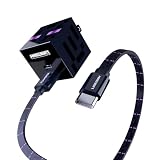
- Fast Charging: Charge your iPhone to 50% in 30 minutes
- Dual Port Equipped: USB C & USB A Wall Charging Block
- Stylish & Durable Design: Minecraft cable cord with Custom Aluminum alloy housings that pair perfectly with devices
- Extra Long Charger Length: 6ft lightning cable for convenience
- A Cable for Life: We’re so confident about Powertek’s long-lasting performance that we gave it a hassle-free Instaprotek life-time replacement warranty
Luna HD targets photorealism and is best understood as a premium visual project rather than a lightweight survival pack. Current coverage describes a 32x preview and higher-resolution Patreon versions, including 512x coverage. The higher tiers can provide much more surface detail, but they also increase memory pressure and may require shader settings to be tuned carefully.
Cost: paid access is part of the proposition. Main drawback: high-resolution textures combined with demanding shaders can overwhelm low-memory GPUs. Visit the official Luna HD site and confirm the exact version and tier before buying.
Medieval, fantasy, and modded worlds
14. John Smith Legacy — best medieval pack
Best for: castles, villages, RPG maps, rustic survival bases, and historical or medieval fantasy builds.
John Smith Legacy has a strong, cohesive medieval identity. Stone, timber, metal, GUI elements, and building materials are designed to work together, which makes it easier to create a convincing themed world than by mixing unrelated packs.
The creator site lists Java 26.2 and Bedrock 26.30 files, making this one of the strongest current-version recommendations in the medieval category. It also separates the standard and JimStoneCraft editions and offers add-ons such as GlowOres, LightGUI, and 3D-model options. Choose the edition and add-ons deliberately rather than activating every file at once.
Open the official John Smith Legacy site.
15. Dokucraft — best fantasy RPG variety
Best for: players who want several fantasy and medieval directions, including Light, High, and Dwarven styles.
Dokucraft is valuable when you want to choose a sub-style instead of accepting one fixed medieval palette. Its 32x-class presentation works well for RPG maps, fortresses, underground settlements, and fantasy survival worlds.
The creator provides Java and Bedrock installation documentation, but Bedrock availability is platform-dependent. The official help page says the pack is not available on platforms that require Marketplace distribution, so do not assume a free community download can be installed on every console.
Do these 3 things before closing this tab:
1Fix the driver behind crashes, sound loss and screen glitches2Clear out junk files and repair common Windows errors3Scan for outdated or missing drivers - takes under a minute16. Epic Adventures — best stylized realistic fantasy
Best for: players who want fantasy detail without the extremely dark or heavily medieval look of some RPG packs.
Epic Adventures combines a stylized-realistic direction with fantasy-oriented materials, making it a good bridge between a normal survival pack and a full RPG aesthetic. It suits castles, adventure maps, and detailed creative builds.
Compatibility warning: the creator page lists Java 1.21.11 as the latest release found and an official Bedrock version, but current Java 26.2 support was not verified. Treat it as a strong 1.21-era recommendation that needs testing on newer installations.
Check the Epic Adventures listing.
17. Unity — best for modded Minecraft
Best for: Java players who use mods and want vanilla blocks and supported mod content to share one visual language.
Unity is better framed as a modded-Minecraft resource pack than as a first recommendation for an unmodified survival world. Its purpose includes retexturing supported mods around a common vanilla-inspired base, reducing the visual mismatch that can occur when a mod introduces assets with a completely different art direction.
Current 26.2 compatibility should be checked before publication or installation because the creator maintains mod-support material rather than guaranteeing that every version and mod combination is current. Use the Unity CurseForge page and check the supported mod list.
Utility and animated companion packs
18. Fresh Animations — best animated-mob add-on
Best for: players who like their existing block pack but want villagers, animals, and hostile mobs to feel more alive.
PC Slower Than It Used to Be?
A free scan shows the junk files, broken settings and background clutter dragging Windows down - then fixes them in one click.Free scan · Windows 10 & 11Crashes, No Sound, or Screen Glitches?
Random freezes, missing sound and display glitches usually trace back to one bad driver. Find and replace yours safely.Free scan · under a minuteFresh Animations is not a complete block-and-item replacement. It is an entity-animation resource pack that changes how compatible mobs move and present themselves, so it can complement Faithful, Bare Bones, or another base pack instead of forcing you to replace the entire visual style.
The official Fresh Animations site and CurseForge page list Java 26.2 support. Current setups generally need compatible entity-model and entity-texture support such as EMF/ETF or OptiFine. If the base pack loads but mobs remain static, the missing feature provider or an incompatible entity model is the likely cause. Compatibility patches exist for combinations such as Bare Bones and Fresh Animations and Faithful with Fresh Animations.
19. Visible Ores — best shader-oriented ore readability
Best for: Java players who want ores to stand out more clearly, especially when using shaders.
Visible Ores is a utility pack, not a full visual overhaul. It highlights ore blocks so they are easier to identify in caves and dark areas. That can improve readability, but it also provides information that some servers may consider an unfair visual aid. Check server rules before using it in multiplayer.
The creator lists Java 26.1.2 support and says Continuity is required. It also excludes coal, so do not expect every ore to receive the same treatment. Because it changes a specific gameplay-adjacent visual cue, keep it separate from your normal aesthetic pack if you want a clean baseline.
See the Visible Ores requirements.
20. Better Visible Ores — best newer-version mining utility
Best for: players who want ore visibility on newer Java versions without building the same OptiFine-dependent setup.
Better Visible Ores is the more current utility choice in this guide. The creator lists a Java 26.2 release dated July 11, 2026. According to the creator, versions 1.21.2 and newer work without OptiFine, while older versions require OptiFine for emissive textures.
It is still a utility layer rather than a complete texture pack, and the same multiplayer fairness warning applies: ore-highlighting may be prohibited on servers. If your goal is simply a better-looking world, choose a full pack such as Faithful or John Smith Legacy instead.
Rank #4

- VERSATILE LIGHTING: Features 4 different colour modes for customizable ambiance, perfect for gaming rooms, hallways, or bedside illumination
- DIMENSIONS: 11 inch x 2.2 inch x 2.2 inch, providing optimal wall-mounted illumination while maintaining a space-efficient design, it allows to convert between handheld flashlight, wall lamp and upright flashlight, perfect for game
- POWER SOURCE: USB rechargeable functionality eliminates the need for constant battery replacement and ensures convenient power management. The night light charges for about 3.5 hours, and the battery lasts about 8 hours
- INSTALLATION: The torch lamp can not only be placed directly on the tabletop as a desk lamp, but can also be hung on the wall with the included accessories to become a wall lamp
- GAMING AESTHETIC: Pixelated torch design inspired by popular gaming culture,Maintaining a nightmare bay designed to fend off pesky monsters and hostile mobs while enhancing your gaming atmosphere
Check Better Visible Ores on CurseForge.
Independent reader supportYour contribution helps us test, update, and keep practical guides available for everyone.Current-version notes: which recommendations are safest?
For Java 26.2 and Bedrock 26.30, the strongest creator-listed matches in this guide are Faithful 32x, Fresh Animations, John Smith Legacy, and Better Visible Ores. JICKLUS has a creator-listed 26.1 build, while Faithless lists Java 1.21.11 and the creator claims Bedrock support.
Stay True, Clarity, LB Photo Realism Reload, Epic Adventures, MineBricks, and Pastel Craft remain useful recommendations, but their latest listed versions in the research were older than Java 26.2 or were not independently verified against it. A pack can load on a newer Minecraft release and still have missing textures, incorrect item models, broken fonts, missing animations, or outdated metadata.
Java 1.21.9 also introduced resource-pack format changes and new min_format and max_format metadata behavior. A warning that a pack was made for an older version should not automatically be ignored; read the creator’s notes and test the pack in a copy of your world. See Mojang’s Java 1.21.9 release notes.
How to install a Java texture pack
- Download the file for your Minecraft Java version from the creator’s official site or a trusted platform such as CurseForge or Modrinth.
- Keep the resource pack as a compressed
.zip. Do not extract it. - Launch the correct Minecraft Java installation.
- Open Options.
- Select Resource Packs.
- Select Open Resource Pack Folder.
- Move the downloaded
.zipinto that folder. - Return to the Resource Packs screen.
- Move the pack to the selected side, then select Done.
This is the installation path described in Mojang’s resource-pack guide. CurseForge also advises keeping the downloaded resource-pack ZIP compressed. If you use a third-party launcher or modded instance, make sure you open the resource-pack folder for the instance that actually launches the game.
What’s actually slowing this PC down?
Pick the symptom - the matching free tool is one click away.
How to install a Bedrock texture pack
Marketplace pack
For a new world, the labels can vary slightly by platform, but the usual process is:
- Launch Minecraft Bedrock.
- Select Play, then begin creating a new world.
- Open the Marketplace content or world-creation resource-pack section.
- Open Resource Packs.
- Activate the pack.
- Create the world.
For an existing world:
- Select Play.
- Select the pencil or edit icon beside the world.
- Open Resource Packs.
- Activate the pack and return to the world.
See Minecraft’s official Bedrock activation instructions. Marketplace packs are generally the best route for consoles because they use Bedrock’s supported content system. Microsoft also explains the Minecraft Marketplace content model.
Community .mcpack file
On supported Windows, mobile, and other devices:
- Download the
.mcpackfrom the creator or a trusted platform. - Open the file with Minecraft.
- Wait for the import confirmation.
- Go to Settings → Global Resources, select the pack, and press the plus button, or activate it from the world’s resource-pack settings.
This method is not guaranteed to work on every console. Dokucraft’s installation documentation, for example, explicitly excludes platforms that require Marketplace distribution.
Dependencies and pack stacking
Some packs load basic textures in vanilla but reserve their best features for compatible tools. Use this quick guide:
Quick wins for a faster PC:
Scan for outdated or missing drivers - takes under a minuteDriver Scan →Clear out junk files and repair common Windows errorsFree Scan →Fix the driver behind crashes, sound loss and screen glitchesFind Drivers →| Feature | Possible requirement | Examples in this guide |
|---|---|---|
| Connected glass, overlays, or randomized textures | OptiFine or Continuity | Stay True, Visible Ores |
| Emissive textures | OptiFine or a version-specific alternative | Better Visible Ores, Misa’s Realistic |
| Animated entity models | EMF/ETF or OptiFine-compatible support | Fresh Animations |
| Custom skyboxes | OptiFine or FabricSkyBoxes Interop | Clarity |
| Shader lighting and post-processing | Iris or another shader-capable setup plus a shader pack | Not included automatically by any texture pack |
When several packs are active, the pack at the higher-priority end of the list overrides matching files from lower-priority packs. CurseForge recommends moving the preferred pack to the top and following the creator’s pack-order instructions. Add-ons such as animation patches generally need to be placed above the base pack, but follow the specific creator’s instructions rather than applying that rule blindly.
A dependable stacking method is to start with one full base pack, add one companion pack, reload, and test. Keep a clean baseline so you can identify which pack caused a missing texture or broken model.
Performance: will a texture pack reduce FPS?
Sometimes. A normal 16x or 32x pack often has a modest impact compared with high-resolution textures and shader effects, but no responsible guide can promise zero FPS loss. High-resolution textures use more memory, and custom models, animated assets, connected textures, shaders, and post-processing can add additional work.
- Start with a 16x or 32x pack on integrated graphics or an older laptop.
- Test 64x before moving to 128x or higher.
- Do not combine a 512x pack with demanding shaders on a low-memory GPU unless you have tested it carefully.
- If performance drops, reduce render distance and shader settings before assuming the pack is corrupt.
- Keep a lightweight fallback pack for large modpacks or multiplayer.
CurseForge’s resource-pack guidance also warns that high-resolution packs can cause lag or FPS drops and recommends checking version compatibility, pack order, and required mods.
The Tool Desk
Outbyte Driver Updater FREEScan for outdated or missing drivers - takes under a minuteDriver Scan →Outbyte PC Repair FREERepair Windows errors before they cause bigger problemsFix Now →Troubleshooting
The Java pack does not appear
- Confirm the file still ends in
.zipand was not renamed to.zip.zip. - Make sure the ZIP was not extracted into a folder.
- Check that you opened the resource-pack folder for the correct launcher instance.
- Open the ZIP and confirm its metadata is at the archive root, not inside a second nested folder.
- Confirm the pack is intended for your Minecraft version.
- Restart or reload the Resource Packs menu after copying the file.
The pack loads but textures are missing
The pack may be too old for the current version, incomplete, or overridden by a higher-priority pack. Modded blocks and items may also lack compatibility textures. Disable other packs, test the base pack alone, and then reactivate packs one at a time.
Animations remain static
For Fresh Animations, loading the ZIP is not enough if the required entity-model and texture feature support is missing. Install the compatible EMF/ETF or OptiFine setup listed by the creator, confirm the versions match, and check whether a compatibility add-on is required for your base pack.
Connected textures or emissive effects do not work
These features may require OptiFine, Continuity, FabricSkyBoxes Interop, Iris, or another specific setup. Stay True, Clarity, Visible Ores, and Misa’s Realistic each have feature-specific requirements; do not assume that the base pack itself is broken until those requirements are checked.
Bedrock will not import the .mcpack
Confirm that the file is a genuine .mcpack, not a ZIP renamed incorrectly, and open it with Minecraft rather than extracting it manually. If the import succeeds but the pack is not visible, check Settings → Global Resources and the individual world’s resource-pack settings. On consoles, the issue may be platform restriction rather than a damaged file.
The pack causes lag
Remove shaders and companion packs first, then test the base pack at a lower render distance. If the problem persists, move down from 128x or higher to 64x, 32x, or 16x. High resolution alone is not the only cause: animated textures, connected textures, custom models, and shader effects can be responsible.
Which pack should you choose?
- I want Minecraft to still look like Minecraft: Faithful 32x. Try Stay True if you are on a supported 1.21.x release and want more variation.
- I want a simple, colorful style: Bare Bones.
- I want a cozy pastel world: Pastel Craft.
- I want a complete accessibility-oriented visual change: Faithless.
- I want medieval castles and rustic villages: John Smith Legacy or Dokucraft.
- I want stylized fantasy: Epic Adventures.
- I want realistic survival visuals: Misa’s Realistic.
- I want the highest-end screenshot quality: Luna HD, provided your hardware can handle the resolution and shaders.
- I want free high-resolution realism: LB Photo Realism Reload, with its older 1.21.5 listing clearly in mind.
- I want animated mobs without replacing every block: Fresh Animations.
- I want ore readability: Better Visible Ores for newer Java versions, or Visible Ores if its Continuity setup suits you.
- I play on a console: begin with a Marketplace pack and confirm the exact platform listing before downloading a community pack.
- I have an older or low-end PC: start at 16x or 32x and avoid combining high-resolution textures with demanding shaders.
- I play modded Minecraft: try Unity if your installed mods are supported by its compatibility work.
Safe download checklist
- Match the edition: Java, Bedrock, or a specific Marketplace platform.
- Match the Minecraft version, preferably using a file whose creator lists your exact release.
- Use the creator’s website, CurseForge, Modrinth, official GitHub, Planet Minecraft, or the official Marketplace.
- Do not run an executable file advertised as a texture pack. A normal Java pack is a
.zip; a Bedrock import is commonly a.mcpack. - Keep the original download so you can reinstall or revert.
- Test a new pack in a backup world before using it in an important save.
- Read license and redistribution restrictions. A free download is not automatically free to rehost, bundle, commercially use, or convert into an unofficial Bedrock port.
- Check multiplayer rules before using ore-highlighting or other utility packs.
Frequently Asked Questions
What is the best Minecraft texture pack overall?
Faithful 32x is the best general recommendation because it improves detail while preserving vanilla Minecraft’s recognizable style. It is not objectively best for every player: choose Bare Bones for simplicity, Misa’s Realistic for detail, John Smith Legacy for medieval builds, or Fresh Animations for animated mobs.
Can I use a Java texture pack on Bedrock Edition?
Not automatically. Java resource packs and Bedrock packs use different metadata, folder structures, animation definitions, and sometimes different file formats. Use a creator-provided Bedrock version or a legitimate conversion, and remember that community .mcpack files may not work on consoles that require Marketplace distribution.
Do Minecraft texture packs require OptiFine?
Basic textures often load without OptiFine, but specific features may require it or an alternative such as Continuity, EMF/ETF, or FabricSkyBoxes Interop. Misa’s Realistic lists OptiFine as required for advanced features, Stay True uses it for some connected effects, and Fresh Animations needs compatible entity-animation support.
Do texture packs change Minecraft gameplay or achievements?
A conventional visual resource pack changes client assets rather than gameplay mechanics. Bedrock add-ons and Java downloads that include behavior packs or data packs are different, and utility packs such as Visible Ores can affect fair-play rules even when they do not change game code. Check the creator’s notes and your server or world rules before activating anything beyond cosmetic textures.
The Bottom Line
For one dependable recommendation, install Faithful 32x after confirming the creator’s file matches your edition and version. Choose a pack by visual goal rather than resolution alone: John Smith Legacy for medieval worlds, Misa’s Realistic or Luna HD for realism, Bare Bones for a simple colorful look, and Fresh Animations or Better Visible Ores when you want a companion feature instead of a full replacement. Always download from the creator or an authorized platform, and test version compatibility and pack order before committing to a world.
Quick Recap
Product prices and availability are accurate as of the date/time indicated and are subject to change. Any price and availability information displayed on Amazon at the time of purchase will apply.




