The Tool Desk
Outbyte Driver Updater FREEFix the driver behind crashes, sound loss and screen glitchesFind Drivers →Outbyte PC Repair FREEClear out junk files and repair common Windows errorsFree Scan →If you want one recommendation, start with All the Mods 10. It is the best all-round choice for most experienced Java Edition players because it combines technology, magic, exploration, quests, and a substantial endgame. If you are completely new to modpacks, choose Better MC BMC4 instead: it expands vanilla Minecraft without immediately requiring you to understand complex industrial systems.
This is a playstyle-based list rather than a download-count ranking. It covers current 1.21.1 NeoForge packs, excellent older Forge and Fabric classics, expert technical challenges, RPG campaigns, skyblock, horror, zombies, and Pokémon-style adventures. The version, loader, status, hardware notes, and biggest drawback are included because a great pack can still be the wrong choice if it is unfinished, too demanding, or incompatible with your setup.
Release information and recommendations below were checked against the linked project pages on August 10, 2026. Modpack versions can change after publication, so verify the exact release before installing.
Quick picks: which Minecraft modpack should you play?
| What you want | Best pick | Why |
|---|---|---|
| One huge modern pack | All the Mods 10 | Technology, magic, exploration, quests, and a real endgame. |
| Your first modpack | Better MC BMC4 | Familiar Minecraft with more structures, biomes, bosses, dimensions, and quests. |
| Current tech and magic | FTB Evolution | A polished current Feed The Beast pack with guided progression and an endgame pyramid. |
| Flexible current kitchen sink | Enigmatica 10 | Broad content with quests and room to choose your own route. |
| Skyblock without expert recipes | FTB Skies 2 | Progression-driven skyblock that explicitly is not an expert pack. |
| Dungeon runs and loot | Vault Hunters Third Edition Remastered | Repeatable procedural Vaults, character builds, loot, talents, and artifacts. |
| Story and classes | Prominence II: Hasturian Era | A campaign-focused RPG with lore, talents, classes, artifacts, and bosses. |
| Extreme technical progression | GregTech: New Horizons | Thousands of quests and a deliberately enormous technology journey. |
| Hardcore survival | RLCraft | Dangerous mobs, thirst, temperature, dragons, and punishing survival. |
| Pokémon-style Minecraft | Pixelmon or Cobblemon | Pixelmon for depth and scale; Cobblemon for a lighter, more Minecraft-native feel. |
What makes a modpack worth playing?
A modpack is more than a folder containing mods. It can also bundle configuration files, scripts, resource packs, custom recipes, quests, progression stages, server files, and custom worlds. Those extra files determine how the individual mods work together and are often what turns a collection of mods into a coherent game. Modrinth’s documentation describes modpacks as mod lists bundled with additional files such as configurations.
Do these 3 things before closing this tab:
1Fix the driver behind crashes, sound loss and screen glitches2Clear out junk files and repair common Windows errors3Scan for outdated or missing drivers - takes under a minute#1 Best Overall

- 【Speed Controllable】Easy Cloud axial fan 120v allows you to freely adjust the computer cooling fan speed according to your needs. This flexibility allows you to adjust fan operation to a level that best suits your environment, whether you require powerful cooling or a quiet work environment
- 【AC Plug】Dual-ball bearings have a lifespan of 50,000 hours. Easy Cloud small computer fan 120mm comes with 3V to 12V multi-speed controller, increases maximum axial fan speed and powers the muffin fan from an AC outlet. Just plug it into an outlet and start the 120mm pc fan
- 【Applicability】Designed to meet the cooling and ventilation needs of a variety of devices, including pcs, game consoles, appliances, entertainment equipment, solar equipment and more, this 120mm vent fan provides effective silent cooling and is also an ideal replacement for your existing 12v computer fan. No matter what type of equipment you have, this 120mm case fan ensures it stays at the right operating temperature, improving performance and extending life
- 【Parameter】120 x 120 x 25 mm ( 4.72 x 4.72 x 0.98 inches. ) | Rated Voltage: 12V | Airflow: 95.8 ±10M | Rated Current: 0.3A | Bearings: Dual Ball | Speed: 700RPM to 2800RPM | Power: 3.3W | Noise: <41dB
- 【Customer Support】We strive to offer the excellent services out of your expectations. If you have any problems with our product, please feel free to contact us at anytime
The 25 packs below were selected for six reasons:
- Distinct identity: each pack offers a recognizable experience rather than hundreds of unrelated additions.
- Curated progression: quests, custom recipes, stages, campaigns, bosses, or meaningful long-term goals.
- Replay value: there is a reason to continue after the first few hours.
- Practical availability: current maintained projects are preferred, while exceptional legacy packs remain included with clear warnings.
- Usability: installation routes, memory guidance, and server requirements are available or documented.
- Playstyle coverage: the list includes kitchen-sink, vanilla-plus, technology, magic, RPG, skyblock, horror, Pokémon, hardcore, and expert packs.
Popularity is useful evidence that people play a pack, but it is not proof that the pack is good for you. Download-based lists also tend to favor older projects and place multiple generations of the same franchise near one another. This list therefore groups packs by the experience they provide instead of pretending that the 25th entry is objectively worse than the first.
Modern all-rounders
1. All the Mods 10 — best overall
Verdict: The safest recommendation for a player who wants one enormous modern modpack and does not yet know which modded Minecraft systems they prefer.
- Version and loader: Minecraft 1.21.1, NeoForge. The latest listed release when checked was ATM10-7.2, released July 20, 2026. See the official CurseForge page.
- What you do: Follow quests or set your own goals across technology, magic, automation, exploration, combat, dimensions, and late-game crafting. The project describes the pack as containing around 500 mods, quests, and a proper endgame.
- Best for: Solo players and groups who want many viable directions in one world.
- Trade-off: Its size creates a long learning curve, substantial memory demand, and the possibility of feature overload. “All the Mods” is a curated kitchen-sink name, not a literal promise that every Minecraft mod is included.
2. FTB Evolution — best current tech-and-magic kitchen sink
Verdict: Choose this over ATM10 if you want a first-party Feed The Beast experience with a more deliberate progression path.
- Version and loader: Minecraft 1.21.1, NeoForge; latest listed version 1.39.0. See FTB Evolution.
- What you do: Build advanced technology, use magic, explore, complete quests, collect rewards, and work toward the FTB Pyramid endgame. Loot crates and guided objectives give the pack a more curated rhythm than a completely free-form kitchen sink.
- Hardware: The project lists 6 GB RAM as a minimum and 8 GB as recommended, and requires Java 21 for this current 1.21.1 release. Check the project requirements.
- Trade-off: It is a poor fit for a low-memory computer or anyone who dislikes quest-driven progression.
3. Enigmatica 10 — best flexible modern kitchen sink
Verdict: A strong middle ground between a giant content pack and a tightly scripted expert campaign.
- Version and loader: Minecraft 1.21.1, NeoForge; latest listed version 1.30.0, released July 23, 2026. See Enigmatica 10.
- What you do: Explore, automate, use magic, fight, build, and follow quests while choosing which systems deserve your attention.
- Hardware: The pack page advises allocating at least 4 GB RAM.
- Best for: Players who like the breadth of a kitchen-sink pack but prefer the structure and documentation associated with the Enigmatica series.
- Trade-off: It is younger than several mature Enigmatica releases, so progression, balance, and documentation may continue to change.
4. Better MC [FORGE] BMC4 — best first modpack
Verdict: The best starting point for a vanilla player who wants more adventure without being pushed immediately into industrial automation.
- Version and loader: Minecraft 1.20.1, Forge; latest listed release BMC4 v60, released July 25, 2026. See the official pack page.
- What you do: Explore overhauled world generation, discover structures, use waystones and a minimap, visit the Aether, fight new bosses and mobs, and work through more than 100 quests. The pack lists more than 350 mods.
- Best for: New modpack players and multiplayer groups with mixed experience levels.
- Trade-off: “Vanilla-plus” is relative. More than 350 mods can still be overwhelming, and the large world-generation changes make it especially important to start a new world.
5. FTB StoneBlock 4 — best underground progression pack
Verdict: Pick it when skyblock-style resource progression appeals to you but you would rather live inside a massive underground world than float above the void.
- Version and loader: Minecraft 1.21.1, NeoForge; latest listed version 1.17.0. See the official StoneBlock 4 page.
- What you do: Progress through quests, technology, magic, handcrafted Vaults, Echoes, and the World Engine while turning limited underground resources into a large automated base.
- Hardware: At least 6 GB RAM is listed, with 8 GB recommended, and the current pack uses Java 21.
- Server warning: Enable command blocks on a server. The project warns that some structures will not function correctly without them.
- Trade-off: It is not for players who want normal overworld terrain, varied surface biomes, or conventional exploration.
6. FTB OceanBlock 2 — best ocean survival pack
Verdict: A focused survival challenge for players who enjoy building an economy and technology base in a world almost entirely covered by water.
- Version and loader: Minecraft 1.21.1, NeoForge; latest listed version 1.19.0. See the official OceanBlock 2 page.
- What you do: Survive in a water-covered world, expand from constrained resources, explore underwater locations and dimensions, and use technology to unlock a much larger progression space.
- Hardware: The pack lists 4 GB RAM as a minimum and 6 GB as recommended, with Java 21.
- Trade-off: The ocean premise is the attraction, but it can feel repetitive to players who need varied terrestrial terrain.
7. FTB Skies 2 — best current skyblock
Verdict: The best modern choice for skyblock players who want custom progression and lots of systems without an expert-pack recipe maze.
Quick wins for a faster PC:
Repair Windows errors before they cause bigger problemsFix Now →Scan for outdated or missing drivers - takes under a minuteDriver Scan →Clear out junk files and repair common Windows errorsFree Scan →- Version and loader: Minecraft 1.21.1, NeoForge; latest listed release 1.19.0, released July 24, 2026. See FTB Skies 2.
- What you do: Generate resources, complete quests, build automation, use magic, explore, and progress through custom mechanics in a carefully directed skyblock world.
- Important distinction: The project describes the pack as progression-driven but explicitly says it is not an expert pack.
- Trade-off: Players who want ordinary terrain, villages, and open-world exploration may dislike the resource-generation loop.
Technology, automation, and progression
8. Create: Above and Beyond — best structured Create experience
Verdict: Still the reference Create challenge pack if your ideal Minecraft experience is designing visible machines and production lines that lead to space travel.
- Version and loader: Minecraft 1.16.5, Forge; latest release v1.3, released December 15, 2021. See Create: Above and Beyond.
- What you do: Build roughly 50 inventions and increasingly complicated production chains, using Create’s kinetic machinery, logistics, and automation as a structured campaign rather than an optional side system.
- Best for: Engineering-minded players who enjoy solving factory problems and seeing how machines work.
- Trade-off: This is a legacy pack, not a current 1.21 release. It uses an older Create version and lacks newer Minecraft features, but its focused design remains exceptional.
9. Create: Arcane Engineering — best Create-plus-magic challenge
Verdict: Choose this when Create factories are essential but you also want a serious magic route rather than a purely mechanical campaign.
- Version and loader: Minecraft 1.18.2, Forge; latest release 1.9.3, released November 8, 2023. See Create: Arcane Engineering.
- What you do: Combine Create, PneumaticCraft, Thermal Expansion, Forbidden & Arcanus, Ars Nouveau, and custom progression into a connected technology-and-magic challenge.
- Hardware: The pack recommends 8 GB RAM and lists 4 GB as a minimum.
- Trade-off: Its older version and smaller ecosystem make it less convenient than a current 1.20.1 or 1.21.1 pack.
10. Mechanical Mastery — best pure automation skyblock
Verdict: The most focused recommendation here for players who think in factories, throughput, bottlenecks, and optimized production chains.
- Version and loader: Minecraft 1.18.2, Forge; latest listed release r1.5.1, released June 16, 2026. See Mechanical Mastery.
- What you do: Use ProjectE, custom resource processing, and several technology mods to automate increasingly valuable mechanical crystals.
- Best for: Factorio-minded players who want every new machine to solve a production problem.
- Trade-off: Its deliberately narrow focus means little for players primarily seeking RPG combat, world exploration, or broad building variety.
11. GregTech: New Horizons — best extreme technical challenge
Verdict: The pack to choose when you want a months- or years-long technical project and regard complexity as the main attraction.
- Version and loader: Minecraft 1.7.10, Forge; latest listed pack version 2.8.4, released January 11, 2026. Visit the official GT New Horizons site.
- What you do: Advance through multiple technology ages, master interlocking machines and custom recipes, complete a huge quest book, and build increasingly sophisticated infrastructure. The project describes hundreds of mods, more than 3,900 quests, custom mods, and extensive progression.
- Java: The official download page provides Java 8 and Java 17–25 distributions; follow the pack’s instructions instead of assuming a modern Java install is correct.
- Best for: Experienced technical players who enjoy planning, documentation, logistics, and slow progression.
- Trade-off: It is extremely demanding and intentionally slow. It is one of the worst first modpacks despite being one of the deepest.
12. StaTech Industry — best Fabric tech progression
Verdict: The standout choice for a player who wants structured technical Minecraft on Fabric rather than Forge or NeoForge.
Rank #2

- High Performance Cooling Fan: The design of nine fan blades, the maximum speed reaches 1200 RPM, and it is connected to the motherboard through the 3 PIN interface, providing a good cooling effect for the case
- Low Noise: Every fans is equipped with four soft silicone cushions that can absorb vibration at high speeds. The maximum noise is only 32.1 dBA. Keep the case in a relatively quiet environment when working
- Hydraulic Bearing Design: High-quality bearings can make the fan rotate more stably, reduce noise, and prolong its service life. Each fan can work an average of 30,000 hours
- Simple Installation: This computer fan's size is 120 mm and is compatible with all types of cases, making it easy to install. You can do it even if you have no installation experience
- Good Insulation and Heat Resistance: Case fan uses PBT environmental protection material, with good insulation and heat resistance, tough and durable quality
- Version and loader: Minecraft 1.19.2, Fabric; latest release 1.1.15, released January 22, 2025. See StaTech Industry.
- What you do: Follow more than 750 quests through heavily modified progression built around Modern Industrialization, TechReborn, Create, Ad Astra, Applied Energistics 2, Spectrum, and Wizards.
- Best for: Players who want a quest-driven technology journey and specifically prefer the Fabric ecosystem.
- Trade-off: It is older and more focused than a current kitchen-sink pack, with less room for players who want to ignore the intended progression.
13. Project Ozone 3: A New Way Forward — best multi-mode skyblock challenge
Verdict: Pick Project Ozone 3 if you want to choose the level of pain yourself: Normal, Titan, or Kappa modes substantially change the challenge.
- Version: Minecraft 1.12.2; latest listed release 3.4.11F, released January 16, 2023. See Project Ozone 3.
- What you do: Progress through an extensive quest-driven skyblock campaign covering technology, magic, exploration, automation, and increasingly difficult recipes.
- Hardware: The pack says it needs at least 6 GB RAM and should use no more than 8 GB.
- Best for: Experienced skyblock players who want a difficulty selector rather than a single fixed progression.
- Trade-off: It is an old 1.12.2 pack with slower startup and a steep difficulty jump in Titan or Kappa.
14. SevTech: Ages — best age-gated progression
Verdict: The defining choice for players who want progression itself to be the game, beginning with primitive survival and eventually reaching space-age technology.
- Version and loader: Minecraft 1.12.2, Forge; latest release 3.2.3, released December 17, 2021. See SevTech: Ages.
- What you do: Advance through technological ages that unlock items, ores, recipes, mobs, and mechanics. Familiar systems are intentionally hidden until your stage allows them.
- Multiplayer: Progression is player-based and supports multiplayer teams, so a group can coordinate its stages rather than sharing one undifferentiated unlock state.
- Trade-off: Its design can feel frustrating if you want immediate access to familiar Minecraft or modded tools.
15. The Decursio Project — Expert — best modern SevTech-style alternative
Verdict: A good bridge between age-based progression and expert recipes for players who have outgrown SevTech but do not want to jump straight to GTNH.
Outdated Drivers Are Slowing You Down
One free scan finds every outdated or missing driver and matches the right update for your exact hardware.Free scan · exact hardware matchPC Slower Than It Used to Be?
A free scan shows the junk files, broken settings and background clutter dragging Windows down - then fixes them in one click.Free scan · Windows 10 & 11- Version and loader: Minecraft 1.16.5, Forge; latest release r1.0.9, released May 12, 2025. See The Decursio Project.
- What you do: Work through four major ages, custom recipes, technology, magic, dimensions, quests, and a space progression tree.
- Design: It combines age-based progression inspired by SevTech with recipe changes influenced by Enigmatica 2: Expert.
- Trade-off: It remains a niche pack with a smaller knowledge base and less documentation than SevTech or GTNH.
RPG, combat, horror, and survival
16. Vault Hunters Third Edition Remastered — best dungeon-running RPG
Verdict: The strongest choice for players who want Minecraft to become a repeatable action RPG built around loot runs, builds, and escalating dungeon challenges.
- Version and loader: Minecraft 1.18.2, Forge; latest Remastered release 2.0.4, released July 24, 2026. See Vault Hunters Third Edition Remastered.
- What you do: Gather materials, craft Vault Crystals, enter procedurally generated Vaults, earn loot and experience, unlock talents and abilities, and pursue 25 artifacts.
- Best for: Solo players or groups who enjoy combat, randomized dungeon objectives, character builds, and repeatable runs.
- Trade-off: Repeated Vaults can become grindy, and the pack is much more combat-focused than a normal kitchen sink.
- World warning: Remastered is intended for a fresh world. Do not treat it as a routine update for an existing Vault Hunters world.
17. DawnCraft — best Souls-like Minecraft RPG
Verdict: Choose DawnCraft for directed adventure, punishing combat, bosses, and a reputation system rather than open-ended automation.
- Version and loader: Minecraft 1.18.2, Forge; latest listed release 2.0.16_hf, released November 20, 2025. The current CurseForge listing is the authority for this technical metadata.
- What you do: Follow custom quests, fight Souls-like battles, improve reputation, discover structures, and defeat custom bosses and mobs.
- Best for: Players who want a Minecraft RPG campaign with a directed route and meaningful combat.
- Trade-off: Combat difficulty and progression can be opaque, so it is not a gentle introduction to modded combat.
- Correction to common listings: Some secondary articles label DawnCraft as NeoForge, but the current official project page identifies it as Forge on 1.18.2.
18. Prominence II: Hasturian Era — best story-driven RPG
Verdict: The best pick here when lore, classes, custom gear, talent trees, and boss progression matter more than unrestricted sandbox freedom.
- Version and loader: Minecraft 1.20.1, Fabric; latest listed release 3.9.27, released May 10, 2026. See the official Modrinth project or its CurseForge page.
- What you do: Follow custom campaigns, choose classes and talents, collect artifact weapons, complete quests, fight scaling enemies, and face mythic bosses.
- Best for: Players who read quest text and tooltips and want a campaign rather than a loose collection of mods.
- Trade-off: Its custom systems require attention and are less immediately intuitive than vanilla Minecraft.
- Safety note: Use the designated official project pages only. The official Modrinth page warns against unofficial Prominence II download sites.
19. RLCraft — best notorious hardcore survival challenge
Verdict: Play RLCraft when you want a survival gauntlet where simply staying alive is the main progression system.
- Version and loader: Minecraft 1.12.2, Forge; latest release 2.9.3, released June 27, 2023. See the official RLCraft page.
- What you do: Manage thirst and temperature, learn dangerous mob behavior, use RPG mechanics, search for equipment, and survive encounters with dragons and other powerful creatures.
- Hardware and setup: The project recommends 3–4 GB RAM, requires Forge 2860 or newer for its 1.12.2 release, and warns against incompatible performance mods including VanillaFix and BetterFPS.
- Server warning: Command blocks must be enabled for some structures to generate correctly.
- Trade-off: It is old, extremely harsh, and not representative of modern 1.20 or 1.21 modding. Difficulty here is primarily survival and combat difficulty, not GregTech-style technical complexity.
20. Rebirth of the Night — best horror and reactive survival pack
Verdict: The best choice for making Minecraft feel atmospheric, hostile, and responsive to the player rather than merely larger.
- Version and loader: Minecraft 1.12.2, Forge; latest listed release 3.3.4, released February 2, 2026. See Rebirth of the Night.
- What you do: Survive stronger nights, blood moons, seasons, staged progression, custom enemies, and a lore-driven world where threats can mine or build toward you.
- Hardware: The project advises 4–8 GB RAM and warns against allocating more than 8 GB.
- Best for: Players who want horror, base defense, and a world that actively pressures their survival plans.
- Trade-off: The familiar Minecraft appearance hides a substantial learning curve, and the 1.12.2 foundation feels dated.
21. DeceasedCraft — best modern zombie apocalypse
Verdict: A compelling zombie-survival sandbox, but choose the branch carefully: the current 1.20.1 version is a beta and cannot yet provide a complete campaign.
- Current branch: Minecraft 1.20.1, Forge, Beta 5.10.17, released July 17, 2026. See the current project page.
- What you do: Scavenge handcrafted cities, use firearms and other weapons, build a defensible base, manage infections, develop technology, and survive escalating hordes in an urban apocalypse.
- Completion warning: The 1.20.1 beta is explicitly incomplete. Later districts, endgame content, and high-tier gear are missing, so it cannot currently be completed. The complete older branch is Minecraft 1.18.2 version 5.5.5; see the pack’s official About page.
- Multiplayer warning: The project discourages LAN multiplayer and recommends using its server pack because of reported performance and bug issues.
Creature collection and enduring classics
22. Cobblemon Official Modpack — best modern, Minecraft-native Pokémon experience
Verdict: Pick Cobblemon if you want Pokémon-style collecting and battles to blend naturally with Minecraft’s visual style and survival loop.
- Version and loader: The NeoForge pack’s latest listed release was 1.7.3 for Minecraft 1.21.1, released February 3, 2026. See Cobblemon Official.
- What you do: Catch, train, evolve, and battle creatures, complete a Pokédex, ride Pokémon, and use Showdown-based battle mechanics while building and exploring Minecraft worlds.
- Hardware: The project recommends at least 2.5 GB of memory and 3 GB or more for best performance.
- Best for: Minecraft players who want a Pokémon-inspired experience without replacing Minecraft’s block-built identity.
- Trade-off: Cobblemon remains in active development. Some planned features are unfinished or represented by placeholders, so it is not a finished replacement for a dedicated Pokémon RPG.
23. The Pixelmon Modpack — best full-scale Pokémon experience
Verdict: Choose Pixelmon over Cobblemon when the depth and scale of the Pokémon systems matter more than maintaining a vanilla-Minecraft feel.
Free tools Windows power users keep installed
One-click scans. No signup required.
- Version and loader: Minecraft 1.21.1, NeoForge; latest listed Pixelmon version 9.3.16, released May 5, 2026. Start with the official Pixelmon Modpack page and consult the Pixelmon project page for mod details.
- What you do: Collect and train a large Pokémon roster, battle, evolve creatures, explore structures, challenge gyms, find Dynamax dens, and build a long-term creature-collecting world.
- Best for: Pokémon fans who want the most established and expansive creature-collection layer in this list.
- Trade-off: It feels less like ordinary vanilla Minecraft than Cobblemon, and its history across several Minecraft versions makes compatibility especially important. The project warns that older-version worlds may not work correctly after an update.
24. SkyFactory 4 — best classic skyblock
Verdict: Still an approachable and recognizable skyblock starting point if you are comfortable using a legacy 1.12.2 pack.
- Version: Minecraft 1.12.2; latest listed release 4.2.4, released December 13, 2021. See SkyFactory 4.
- What you do: Grow resource-producing trees, automate materials, use technology and magic, try multiple world types, and follow advancement-based goals with optional prestige.
- Best for: Players who want a mature, relatively approachable automation skyblock experience.
- Trade-off: It lacks the newer content, visuals, performance improvements, and modern loader ecosystem of 1.20.1 and 1.21.1 packs.
25. MC Eternal — best free-form variety pack
Verdict: A strong multiplayer choice when different players want to pursue technology, magic, RPG systems, shops, towns, dungeons, and exploration in the same world without one mandatory route.
Rank #3

- 【Universal Compatibility】This USB cooling fan works seamlessly with Mini PC, PS5, routers, Apple TV, modems, PlayStation, receivers, Rokus, T-Mobile 5G Home Internet, Xbox Series, and other audio-video electronics. Whether cooling a gaming console, router, or streaming device, it eliminates overheating worries across your digital ecosystem.
- 【Powerful Cooling Performance】Equipped with a 120mm fan boasting 55.8 CFM airflow and 850RPM±10% speed, this USB PC fan delivers rapid cooling—dropping device temperatures by 20% in seconds. The 9-blade design ensures powerful airflow to tackle heat buildup in routers, mini PCs, and gaming consoles, preventing lag and performance drops caused by overheating.
- 【Ultra-Quiet Operation & Scratch-Proof Protection】 Designed for ultra-quiet and scratch-resistant cooling needs, this USB computer fan comes with 4 shock-absorbing pads and operates at just 18dB(A)±10% noise—whisper-quiet, quieter than library silence (30dB) and close to the sound of rustling leaves (20dB). It enables efficient device cooling without noise interference or surface scratches, letting you fully immerse in video, audio, and gaming. It’s perfect for home offices, living rooms, and gaming setups.
- 【USB-Powered & Space-Saving Setup】This USB powered fan features an integrated 530mm (20.87-inch) USB cable, connecting easily to chargers, mobile power banks, or laptops—no extra wires needed. With dimensions of 130mm×130mm×48.6mm (5.12×5.12×1.91 inches), it can be placed flat or upright, making it perfect for narrow spaces while keeping your setup tidy.
- 【Sturdy & Long-Lasting Durability】Made from premium eco-friendly ABS material, this USB fan (with a box fan-like structure) supports heavy-duty use and can withstand weights up to 11LB. With a lifespan of 40000 hours, it offers long-term cooling for your devices, ensuring stable performance and protection against overheating for years to come.
- Version and loader: Minecraft 1.12.2, Forge; the project lists a 1.6.3.1 beta released in December 2024. See MC Eternal.
- What you do: Choose from a large mix of technology, magic, quests, RPG progression, shops, towns, dungeons, and optional objectives.
- Hardware: The pack’s guidance recommends approximately 8–10 GB RAM.
- Best for: Groups who want freedom to specialize rather than follow the same quest line.
- Trade-off: It is large, old, and less tightly curated than many modern packs. Its latest listed build is beta, so confirm the release status before starting a long-term server.
Current packs versus classic packs
The current center of gravity for new modpacks is Minecraft 1.21.1 with NeoForge. That includes All the Mods 10, FTB Evolution, Enigmatica 10, FTB StoneBlock 4, FTB OceanBlock 2, FTB Skies 2, Cobblemon’s NeoForge pack, and Pixelmon. Current does not automatically mean better: many of the most influential designs on this list remain on 1.12.2, 1.16.5, 1.18.2, or 1.20.1 because their progression and mod integrations are already mature.
Use a current pack when you want modern Minecraft features, current launcher support, and an active development cycle. Use a classic when its design is the specific reason you are playing it. The price of a legacy pack can include older Java requirements, outdated performance advice, fewer current tutorials, and more difficult server setup. A pack being old does not make it bad; it does mean you should install the exact documented version rather than casually substituting a newer loader or Minecraft release.
Recommended Free Tools
How much RAM and which Java version do you need?
There is no universal modpack RAM setting. “The pack needs 8 GB” may mean 8 GB allocated to Minecraft, 8 GB of total system memory, or a project-specific recommendation. Treat the project page as the authority and leave enough memory for the operating system, launcher, background applications, and the server if you are hosting locally.
| Pack or guidance | Published memory guidance | Java note |
|---|---|---|
| FTB Evolution | 6 GB minimum; 8 GB recommended | Java 21 |
| FTB StoneBlock 4 | 6 GB minimum; 8 GB recommended | Java 21 |
| FTB OceanBlock 2 | 4 GB minimum; 6 GB recommended | Java 21 |
| Cobblemon Official | 2.5 GB minimum; 3 GB or more recommended | Use the pack’s launcher profile |
| Create: Arcane Engineering | 4 GB minimum; 8 GB recommended | Older 1.18.2 setup |
| Project Ozone 3 | At least 6 GB; no more than 8 GB according to the pack page | Older 1.12.2 setup |
| Rebirth of the Night | 4–8 GB; do not exceed 8 GB | Older 1.12.2 setup |
| MC Eternal | Approximately 8–10 GB | Older 1.12.2 setup |
Minecraft’s Java Edition system requirements now list 8 GB of system RAM as a baseline with a discrete GPU, or 12 GB with integrated graphics, and 16 GB as the recommended system memory for vanilla Java Edition at 1080p/60 FPS. That is not a universal modpack allocation rule. Large modpacks can need considerably more practical headroom than vanilla.
For Java, let the launcher choose a compatible runtime whenever possible. Current 1.21.1 FTB packs in this list use Java 21. GTNH provides separate Java 8 and Java 17–25 distributions. Older 1.12.2, 1.16.5, and 1.18.2 packs may need different configurations. Set Java per instance rather than forcing one installation across every pack.
Forge, Fabric, and NeoForge: why the loader matters
Forge, Fabric, and NeoForge are mod loaders, and the loader is part of a pack’s compatibility identity. A Forge 1.20.1 pack is not automatically compatible with NeoForge 1.21.1, and a Fabric pack is not interchangeable with either. Even when two loaders support the same Minecraft version, their mods, libraries, configuration files, and launcher profiles may differ.
What’s actually slowing this PC down?
Pick the symptom - the matching free tool is one click away.
CurseForge’s support documentation specifically warns that Minecraft versions and mod loaders matter. Always install the exact pack profile instead of creating a vanilla instance and adding mods by hand.
Independent reader supportYour contribution helps us test, update, and keep practical guides available for everyone.How to install a Minecraft modpack safely
The easiest route: use the pack’s official launcher ecosystem
- Confirm Java Edition: This list is for Minecraft: Java Edition on a Windows, Mac, or Linux PC. Bedrock add-ons and Marketplace content are not interchangeable with Java modpacks. Minecraft’s official platform comparison identifies Java Edition as the version that supports mods.
- Choose the launcher: Use the CurseForge App for most CurseForge packs, the FTB App for FTB packs, or the Modrinth App for packs hosted there. Modrinth recommends its App’s Browse section for installing Modrinth-hosted packs.
- Search the exact name: Distinguish editions such as Better MC Forge, Cobblemon NeoForge, a beta branch, or a Remastered edition. Similar names do not guarantee compatible files.
- Check the profile metadata: Confirm the Minecraft version and whether the instance is Forge, Fabric, or NeoForge before pressing Install.
- Set memory in the instance settings: Start with the pack creator’s recommendation, not an arbitrary maximum. Do not give Minecraft nearly all the computer’s memory.
- Launch the unmodified pack once: Let it reach the title screen and create a new test world before adding shaders, resource packs, or extra mods.
- Back up before changing versions: A pack update can alter recipes, structures, dimensions, registries, and world generation. Keep a separate copy of the world and instance configuration.
CurseForge supports Forge, Fabric, NeoForge, Quilt, and Vanilla profiles, but that does not mean every pack supports every loader. Compatibility is still determined by the individual project.
Using Modrinth or Prism Launcher
Modrinth-hosted packs can be installed from the Modrinth App, and Modrinth also documents support for Prism Launcher, MultiMC, and ATLauncher. Prism Launcher is useful for experienced players who want separate Java versions, explicit memory settings, multiple Minecraft versions side by side, and easy instance backups. It can install packs from CurseForge, Modrinth, Technic, and FTB, and can import ZIP or .mrpack files through its import workflow.
Do not assume every FTB pack imports identically into every third-party launcher. For FTB Evolution, StoneBlock 4, OceanBlock 2, and Skies 2, the FTB App or the official distribution is usually the least ambiguous route.
Solo, co-op, and dedicated-server considerations
Good multiplayer choices include Vault Hunters, Prominence II, Better MC, FTB Evolution, All the Mods 10, MC Eternal, StoneBlock 4, and OceanBlock 2. However, multiplayer success depends on matching the exact pack version, not merely choosing the same pack name.
- Every client must match: Use the same Minecraft version, loader, pack release, and mod list. A client-only visual mod should not be copied to the server unless the pack documentation says it belongs there.
- Use server files when available: Download the official server pack or server installer rather than copying a random client directory.
- StoneBlock 4: Enable command blocks or some structures will not work correctly.
- RLCraft: Command blocks are required for some structures to generate correctly.
- DeceasedCraft: Follow the project’s server instructions instead of relying on LAN; the pack notes performance and bug problems with LAN multiplayer.
- SevTech: Ages: Its progression is player-based and supports multiplayer teams, making it suitable for a coordinated group.
Common installation failures and fixes
“Mod X requires Fabric” or another loader error
Check the official project page, then confirm both the Minecraft version and the loader. Do not replace Forge with Fabric or NeoForge manually. If the launcher created the wrong profile, delete and reinstall the instance using the exact pack listing.
Instant crash or “unsupported class version”
This usually points to the wrong Java runtime. Use automatic Java selection if the launcher provides it, or assign Java per instance. Use Java 21 for the current 1.21.1 FTB packs, and follow the separate Java 8 or Java 17–25 guidance provided by GTNH. Do not use the same Java assumption for every 1.12.2 and 1.21.1 pack.
Rank #4

- 【Powerful & Quiet Cooling】This usb computer fan features a 120mm design that delivers strong airflow for laptops, consoles, and receivers. With a noise level of only 55dB on low speed, it keeps your devices cool without creating extra disturbance during work or leisure.
- 【Three Adjustable Speed Settings】Computer cooling fan comes with a handy speed controller, allowing you to choose between low, medium, and high airflow. It adapts easily to daily use or more demanding tasks, providing just the right amount of cooling when you need it.
- 【Durable & Long-Lasting】Built with dual ball bearings rated at 45000 hours, this mini usb fan runs smoothly and reliably. Its seven blades generate steady airflow to keep your cabinet or device cool, making it perfect for long-term home or office use.
- 【Safe & Protective Design】This usb cooling fan features aluminum grills on both sides to prevent accidental contact with the blades and protect cables from damage. Its sturdy build ensures safe operation while maintaining efficient airflow for your electronics.
- 【Flexible Placement Options】120mm usb fan can be placed flat or upright, fitting easily into tight spaces. It works well beside laptops, routers, AV receivers, or game consoles, providing targeted cooling exactly where you need it.
Out-of-memory errors or severe stuttering
Start with the pack’s own memory recommendation. Too little RAM can cause loading crashes and garbage-collection pauses, but too much can also hurt performance by leaving insufficient memory for the operating system or creating longer pauses. Close browsers and other heavy applications, lower render distance, disable shaders, and test the unmodified pack before allocating more memory.
Respect pack-specific limits. For example, Rebirth of the Night explicitly warns against allocating more than 8 GB. More RAM is not an automatic performance fix.
Adding OptiFine or performance mods causes a crash
Launch the original pack first. RLCraft documents compatibility warnings for performance mods such as VanillaFix and BetterFPS and requires a particular OptiFine branch for its documented setup. Rebirth of the Night says OptiFine is fetched automatically through ModDirector and should not be added manually. A performance mod that works in one pack can break another because of loader, Minecraft-version, or library conflicts.
Clients cannot connect to a server
Install the exact same pack release on both sides. Match Minecraft version and loader, use the correct server files, remove client-only mods from the server, and check required settings such as command blocks. Missing registry entries, invisible items, and login disconnects commonly indicate a client/server mismatch.
Structures or progression are missing
Check whether command blocks are enabled, whether the correct world type was selected, and whether the world was created with the current pack version. Do not remove mods that provide required recipes or structures. Avoid updating an established world without a backup, especially in packs with custom dimensions, staged progression, or extensive world generation.
Which pack should you choose first?
New to modpacks? Start with Better MC BMC4.
Want one pack with everything? Choose All the Mods 10.
Want current technology and magic? Choose FTB Evolution.
Want broad content with a flexible structure? Choose Enigmatica 10.
Want underground survival? Choose FTB StoneBlock 4.
Want skyblock without expert recipes? Choose FTB Skies 2.
Want a story, classes, and bosses? Choose Prominence II: Hasturian Era.
Want repeatable dungeons and loot? Choose Vault Hunters Remastered.
Want engineering and factories? Choose Create: Above and Beyond.
Best Value
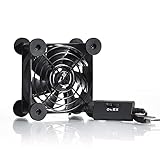
- High Quality: The double ball bearing has a service life of 65,000 hours, and the 7 blades generate strong airflow to keep the cabinet cool.
- Three Speeds: Silent fan features a multi-speed controller to set the fan’s speed to optimal noise and airflow levels. Low gear (L), middle gear (M) and high gear (H), the noise is only 21dB in low gear.
- Full Protection: Iron grill on both sides can protect your hands or prevent damage to the power cord during operation.
- Convenient USB Fan: The USB plug can supply power to the fan through the USB port on the back of popular audio-visual electronic equipment and game consoles.
- Dimension: 3.64” X 3.64” X 1.81”. Shockproof foot pads can make the fan lay flat or upright.
Want a serious technical project? Choose GregTech: New Horizons.
Want punishing survival? Choose RLCraft.
Want zombies and firearms? Choose DeceasedCraft, but use the complete 1.18.2 branch rather than the incomplete 1.20.1 beta if you want to finish the campaign.
Want Pokémon? Choose Pixelmon for deeper dedicated Pokémon systems or Cobblemon for a more Minecraft-native presentation.
Whichever pack you select, install the exact version and loader shown on its official page, launch it without modifications, and create a new backed-up world. That simple discipline prevents most modpack problems before they start.
Recommended Free Tools
Frequently Asked Questions
Can I play these modpacks on Minecraft Bedrock Edition?
No. This list is for Minecraft: Java Edition on PC. Bedrock add-ons and Marketplace content are separate from Java modpacks and cannot be installed through Forge, Fabric, NeoForge, CurseForge, or Modrinth modpack profiles.
Which launcher should I use for Minecraft modpacks?
Use the CurseForge App for most CurseForge projects, the FTB App for Feed The Beast packs, and the Modrinth App for Modrinth-hosted packs. Experienced users may prefer Prism Launcher because it supports separate Java settings and multiple instance versions. Always follow the individual pack’s official installation instructions.
How much RAM should I allocate to a modpack?
Use the project’s own recommendation. The packs in this list range from Cobblemon’s published 2.5 GB minimum to MC Eternal’s approximate 8–10 GB guidance. FTB Evolution and StoneBlock 4 list 6 GB minimum and 8 GB recommended. Do not allocate nearly all of your computer’s system RAM, and do not assume more memory always improves performance.
Do all players need the same mods to play together?
For a normal modded server, every player should use the exact same Minecraft version, loader, modpack release, and server-compatible mod list. Use official server files where available. Client-only visual mods may be handled differently, but do not add or remove gameplay mods casually.
Free tools Windows power users keep installed
One-click scans. No signup required.
Can I update an existing modpack world?
Treat updates as potentially unsafe. Back up the world first, and read the project’s release notes. Vault Hunters Third Edition Remastered is specifically intended for a fresh world, and Pixelmon warns that worlds from older Minecraft versions may not work correctly in newer versions. World-generation, structure, recipe, and dimension changes can permanently damage an existing save.
Are old 1.12.2 Minecraft modpacks still worth playing?
Yes, if their design is what you want. GTNH, RLCraft, SevTech, Project Ozone 3, SkyFactory 4, and Rebirth of the Night remain distinctive experiences. The trade-offs are older Minecraft features, different Java requirements, slower startup, outdated tutorials, and more complicated server setup.
Which modpack is best for a low-end PC?
No pack can be guaranteed to run well without knowing the computer’s CPU, GPU, system memory, resolution, and settings. Cobblemon has the lowest published memory guidance among the recommendations, while large packs such as ATM10, FTB Evolution, MC Eternal, and GTNH need substantially more headroom. Test without shaders, use a lower render distance, and follow the pack’s stated memory limits.
Which packs on this list are unfinished or beta?
DeceasedCraft’s current 1.20.1 Beta 5.10.17 is incomplete and cannot currently be completed; its older 1.18.2 version 5.5.5 is the complete branch. Cobblemon is actively developed with unfinished features, and MC Eternal’s latest listed build is beta. Always check the official project page before beginning a long-term world.
The Bottom Line
For most players, All the Mods 10 is the best single recommendation; for a first experience, choose Better MC BMC4. Pick FTB Evolution for current tech and magic, Vault Hunters for dungeon RPG gameplay, Prominence II for story, GTNH for extreme technical progression, and Pixelmon or Cobblemon for Pokémon-style play. The important final choice is not just the pack name: match its exact Minecraft version, loader, Java runtime, memory guidance, and world requirements before you launch.
Quick Recap
Product prices and availability are accurate as of the date/time indicated and are subject to change. Any price and availability information displayed on Amazon at the time of purchase will apply.




