The 6 Sites to Play Retro Games Online For Free named in the 2021 roundup were Old Gameshelf, retrogames.cz, Classic Reload, gamesfrog.com, Play Classic Games, and My Emulator Online. For current browser play, platform-focused choices include ClassicReload for DOS and Windows, RetroPlayOnline for DOS and Flash-era games, and REG-Vault, PressStart, or RetroGames.pro for broad console catalogs.
The original article remains useful as a record of what was available at the time, but its six recommendations should not be treated as a live directory. Sites change names, catalogs, controls, browser compatibility, advertisements, and rights policies, so the current options below are presented with those limits clearly marked.
As an Amazon Associate I earn from qualifying purchases.
Key takeaways
- The original six-site roundup was published on August 4, 2021, so its recommendations should be treated as historical rather than a current availability guarantee.
- ClassicReload is the clearest current choice for DOS, older Windows, and preservation-focused browsing, with a self-reported collection of more than 6,000 games and software titles.
- REG-Vault, PressStart, and RetroGames.pro offer broader console coverage, but their catalog totals are current site claims that can change and do not independently establish quality or legality.
- Browser play usually avoids installing an emulator, although keyboard-heavy DOS games are generally better on a desktop and some mobile games have memory or control limitations.
- “Free to play” does not prove that every title is legally authorized; check each site’s rights disclosures and the laws applicable to your location.
What were the six original sites?
The exact-title article, published by Online Tech Tips on August 4, 2021, named Old Gameshelf, Retro Games at retrogames.cz, Classic Reload, Emulator Games Online at gamesfrog.com, Play Classic Games, and My Emulator Online.
Do these 3 things before closing this tab:
1Scan for outdated or missing drivers - takes under a minute2Repair Windows errors before they cause bigger problems3Fix the driver behind crashes, sound loss and screen glitchesThe 2021 article described Old Gameshelf as particularly useful for NES games, with browser play, customizable controls, controller support, and saving. Retro Games at retrogames.cz was described as covering systems such as SNES, Game Boy, and Sega Genesis, with controls, game information, manuals, and multiple emulator choices.
#1 Best Overall

- Lightweight, breathable performance fabric
- Moisture-wicking technology to keep you dry
- Ribbed crew neck and short sleeves
- Designed for a regular men's fit
- Inspired by the 25/26 season home kit
The same historical roundup positioned Classic Reload around DOS, Commodore 64, Windows 3.x, Sega Genesis, and arcade material. Emulator Games Online at gamesfrog.com was described as having a large Nintendo-inclusive library, customizable controls, save/load options, fullscreen play, and display settings. Play Classic Games was described as having a modern interface and systems including SNES, Game Boy, and Atari, while My Emulator Online was described as supporting older systems including Nintendo 64 and Nintendo DS, with controller and save/load support.
Those descriptions are historical reporting from 2021, not independent tests of the sites today. Catalogs, domains, emulator implementations, advertisements, device support, and rights policies can change, so readers should verify current conditions before using any site.
Which current sites are best for playing retro games in a browser?
The best site depends on the platform and experience you want: ClassicReload is strongest for preserved computer games, RetroPlayOnline combines DOS and Flash-era browser games, and broader services such as REG-Vault, PressStart, and RetroGames.pro focus more heavily on multi-system console catalogs.
The Tool Desk
Outbyte Driver Updater FREEScan for outdated or missing drivers - takes under a minuteDriver Scan →Outbyte PC Repair FREERepair Windows errors before they cause bigger problemsFix Now →| Site | Best platform match | Current advertised features | Device and control notes |
|---|---|---|---|
| ClassicReload | DOS, older Windows, and selected console games | More than 6,000 preserved games and software titles; browser play | Current Chrome or Firefox recommended; many games support a connected controller; desktop, tablet, and phone access advertised |
| RetroPlayOnline | DOS classics and retro Flash-era games | Nearly 200 DOS games and more than 150 retro Flash games; no account or download required | DOS titles are better suited to desktop or laptop keyboards; many Flash games are more touch-friendly; USB and Bluetooth controllers supported |
| REG-Vault | Broad console coverage | WASM emulation, encrypted ROM streaming, save states, and gamepad support; 30 systems and 12,977 games advertised | Browser-based access with gamepad support; verify individual title rights |
| Retro Online | DOS and Windows PC games | Gamepad support plus Roland MT-32, General MIDI, and 3DFX Voodoo support; optional Gold Membership with ad-free play and cloud saves | No client required; some games may fail on mobile because of memory limitations |
| PressStart | Mixed consoles, handhelds, arcade, DOS, and browser formats | 1,603 browser-playable games across categories including GBA, DS, NES, SNES, N64, PS1, Sega, arcade, DOS, HTML5, Flash, and Java | No emulator or ROM download needed for browser play; Chrome recommended; guidance covers iOS, Android, iPad, Mac, and Windows |
| RetroGames.pro | Very broad mixed-system browsing | 29,764+ free browser-playable games advertised across arcade, PS1, Sega, Atari, NES, DOS/PC, Commodore 64, Amiga, MSX, SNES, N64, and more | No registration needed; most games are advertised as supporting save/load progress |
The counts in the table are self-reported figures displayed by the sites in 2026, not independent audits. A large catalog can make discovery easier, but it does not guarantee that a particular game works, that emulation is accurate, or that a title is authorized for distribution.
Rank #2

- Comfortable fit: Regular fan version fit for game day, training, or casual wear. Breathable fabric: Lightweight material for comfortable everyday use. Classic soccer style: Detailed design with vibrant colors. Great gift: Perfect for soccer fans, birthdays, and holidays. Size notice: Runs small. Choose one or two sizes larger.
Where can I play DOS and older Windows games online for free?
ClassicReload is the clearest choice for DOS-era computer games, older Windows software, and preservation-oriented browsing. ClassicReload describes “Over 6000+ DOS/Windows and Console games preserved for future generations.” The current site visibly features examples such as The Oregon Trail, Sid Meier’s Civilization, Prince of Persia, Wolfenstein 3D, DOOM II: Hell on Earth, Number Munchers, SkiFree, and Zork I.
Retro Online is another suitable option when compatibility features matter more than a general console library. The site separates DOS and Windows categories and advertises Roland MT-32, General MIDI, and 3DFX Voodoo support, which can matter for games designed around period-specific audio or graphics hardware. Retro Online says no client is required, but warns that some games may not work correctly on mobile devices because of memory limitations.
RetroPlayOnline offers a simpler mixed computer-game experience. RetroPlayOnline says, “Everything here runs directly in your web browser.” The site currently describes nearly 200 DOS classics and more than 150 retro Flash games. The DOS selection is better suited to a desktop or laptop because keyboard shortcuts are important, while many Flash-era games are more comfortable on a touchscreen.
Recommended Free Tools
Which sites cover NES, SNES, Sega, handhelds, and arcade systems?
REG-Vault, PressStart, and RetroGames.pro are the broadest current choices in the dossier for readers seeking several console generations in one place.
Rank #3

- NATIONAL PRIDE DESIGN: This mexico soccer jersey, made as a mexican shirt women and men both wear with pride, celebrates Mexican heritage and football culture with classic team colors and a bold, standout look for game day or any day
- BREATHABLE UNISEX FIT: Made from 100% polyester, this lightweight, breathable jersey is cut for a comfortable unisex fit — working equally well as mexican shirts for women or men, with sizing from S to 5XL for everyone in the family.
- VERSATILE EVERYDAY WEAR: Ideal for match days, training, tailgates, or casual outings, this mexico jersey women and men both enjoy moves easily from the stadium to everyday street style, making it a fan favorite for any occasion
- MEANINGFUL FAN GIFT: A thoughtful gift for soccer fans, including mexican shirts for girls who are new to cheering on the team — ideal for birthdays, holidays, Father's Day, Mother's Day, or watch parties with the whole family.
- CARE INSTRUCTIONS: Machine wash cold with like colors, tumble dry on low heat, and avoid ironing directly on the printed design to keep the jersey's colors vibrant and the fabric in top game-day condition for years to come.
REG-Vault advertises WASM emulation, encrypted ROM streaming, save states, and gamepad support across 30 classic systems and 12,977 games. Its listed systems include NES, SNES, Game Boy Advance, Sega Genesis, Atari, Nintendo 64, Game Gear, and TurboGrafx-16. REG-Vault describes the service as “No download, no install, no plugin.”
PressStart displays 1,603 browser-playable games and categories spanning GBA, Game Boy, Game Boy Color, Nintendo DS, NES, SNES, Nintendo 64, PlayStation/PS1, Sega Genesis, Master System, Sega CD, Neo Geo, Atari, arcade, DOS, HTML5, Flash, and Java. PressStart recommends Chrome for the most stable experience and provides device guidance for iOS, Android, iPad, Mac, and Windows. PressStart says, “Play classic retro games directly in your browser. No downloads required.”
RetroGames.pro advertises 29,764+ total games across a particularly wide range of systems, including arcade, PlayStation 1, Sega, Atari, NES, NEC, DOS/PC, Commodore 64, Amiga, MSX, SNES, 3DO, and Nintendo 64. The site says no registration is needed and that most games support saving and loading progress. Its displayed category counts include 7,847 DOS/PC games, 5,943 Commodore 64 games, 1,929 Sega games, and 1,697 SNES games, but these volatile figures should be checked immediately before publication if exact counts matter.
Can I play retro games without downloading an emulator?
Yes, the current sites in this dossier advertise browser-based emulation or browser game delivery, so the reader generally does not need to install a separate emulator or download a ROM to start playing. PressStart explicitly says no emulator or ROM download is needed, while REG-Vault advertises WASM emulation and no download, installation, or plugin.
Rank #4
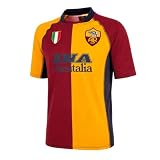
- Official AS Roma product
- 100% Football
- Gift Boxed
Browser-only access does not mean every game is equally simple to run. A current browser, sufficient memory, a stable connection, and compatible input may still be necessary. Some sites may open advertisements, ask for browser permissions, or present different behavior across desktop and mobile browsers. Do not install an unknown executable or browser extension merely because a page claims it is required for a game.
What works best on a phone or tablet?
Touch-friendly browser games are usually the better mobile option, while keyboard-heavy DOS games and memory-intensive PC titles are often more reliable on a desktop or laptop.
| Reader’s device | Better starting points | Likely limitation |
|---|---|---|
| Desktop or laptop | ClassicReload, RetroPlayOnline DOS, Retro Online, REG-Vault, PressStart, or RetroGames.pro | Keyboard shortcuts may be essential for DOS and PC games |
| Phone | PressStart, touch-friendly RetroPlayOnline games, or selected titles on ClassicReload | Small controls, memory limits, and game-specific compatibility can affect play |
| Tablet | PressStart, ClassicReload, and simple browser-era games on RetroPlayOnline | Touch controls vary; physical keyboards or controllers may improve some games |
| Desktop with a controller | ClassicReload, RetroPlayOnline, REG-Vault, Retro Online, or other titles that advertise gamepad support | Controller mappings vary by game and site |
ClassicReload says its games can be played on modern desktop computers, tablets, and phones and recommends current Chrome or Firefox. RetroPlayOnline says many Flash-era games work well on touchscreens and that USB or Bluetooth controllers can be connected. Retro Online’s mobile warning is more specific: some games may not work properly on mobile because of memory limitations.
Crashes, No Sound, or Screen Glitches?
Random freezes, missing sound and display glitches usually trace back to one bad driver. Find and replace yours safely.Free scan · under a minuteWindows Errors? Fix Them Before They Spread
Repair common Windows errors and clear accumulated junk for a smoother, more stable PC - no reinstall needed.Free scan · no reinstallCan I use a USB or Bluetooth controller?
Often, yes, but controller support varies by site and individual game. ClassicReload says many games support a connected controller, and RetroPlayOnline explicitly discusses USB and Bluetooth controllers. REG-Vault advertises gamepad support, while the historical 2021 descriptions of Old Gameshelf and My Emulator Online also mentioned controller support.
Best Value

- Regular fit
- 100% polyester (recycled)
- HEAT.RDY
For the most predictable setup, connect the controller before opening the game, use a current Chrome or Firefox browser, and look for a control-mapping or gamepad option inside the game interface. A USB game controller or Bluetooth gamepad is optional; keyboard and touchscreen controls may be sufficient for simpler titles.
Are free retro-game websites safe and legal?
“Free to play” describes the access price, not the copyright status of every game. Rights vary by title, country, jurisdiction, and website, so no site in this roundup should be treated as universally authorized without checking its current terms and rights disclosures.
PressStart provides an important qualification: it says game ROMs and programs are submitted by users or collected from the internet and that copyrights belong to their owners. That disclosure is why the entire catalog should not be called legal by default. REG-Vault’s technical description of encrypted streaming and WASM emulation also does not independently certify the rights status of every title.
Use basic online-safety precautions: avoid downloading executables, unexpected browser extensions, or “required” players; keep the browser updated; do not enter payment details for a supposedly free game; and leave pages that repeatedly redirect, trigger suspicious downloads, or request unnecessary permissions. These precautions are general safety guidance, not the result of independent malware testing—no comprehensive malware, performance, latency, or legal review was performed for this article.
How should you choose among these sites?
Choose by platform first, then by controls, mobile fit, saving, and rights transparency rather than by the biggest advertised number.
| If you want… | Start with… | Why |
|---|---|---|
| DOS, Windows 3.x, or preserved computer software | ClassicReload or Retro Online | Both focus on older computer games; Retro Online adds period audio and graphics compatibility features |
| DOS plus Flash-era browser games | RetroPlayOnline | It separates nearly 200 DOS games from more than 150 retro Flash games and supports browser play without an account or download |
| Many console generations in one catalog | REG-Vault, PressStart, or RetroGames.pro | These sites advertise broad system coverage, with site-reported catalogs ranging from 1,603 to 29,764+ games |
| Phone or tablet browsing | PressStart or simple touch-friendly games on RetroPlayOnline | PressStart covers major mobile platforms, while RetroPlayOnline says many Flash games work well on touchscreens |
| Controller-based play | ClassicReload, RetroPlayOnline, or REG-Vault | These sites explicitly advertise connected-controller or gamepad support, although mappings remain game-specific |
| Preservation-oriented discovery | ClassicReload | Its stated purpose and collection emphasize preserving DOS, Windows, and console games for future generations |
For a quick test, open the site in a current browser, search for a specific title, confirm that the game loads without an unexpected download, check the control instructions, and test saving before investing time in a long session. If the game is unresponsive, try another browser or device, but do not assume that a failure means the title is unavailable everywhere.
The Bottom Line
The original six-site list is useful historical context, but current browser retro gaming is better approached by platform: ClassicReload and Retro Online for DOS and older Windows, RetroPlayOnline for DOS plus Flash-era games, and REG-Vault, PressStart, or RetroGames.pro for broad console coverage. Browser play is convenient, but catalogs, compatibility, and rights status change over time.
What’s actually slowing this PC down?
Pick the symptom - the matching free tool is one click away.
Quick Recap
Product prices and availability are accurate as of the date/time indicated and are subject to change. Any price and availability information displayed on Amazon at the time of purchase will apply.




