Free tools Windows power users keep installed
One-click scans. No signup required.
Buy an Early Access simulation game for the build you can play today—not for features or a release date that may never arrive. Before paying, check its current core simulation, the developer’s stated plan, recent updates, system and control support, and the refund rules for the storefront you’ll use.
Start with what the game lets you do now
Look past the feature roadmap and identify the current playable loop. What can you operate, build, manage, simulate, or progress through in the available build? Check current gameplay footage, screenshots, and the store description for evidence that those systems are already playable, rather than merely planned.
Steam describes Early Access games as works in progress and advises buyers to decide whether they are excited to play the game in its current state. Future changes may substantially alter it. If the simulation you want depends on a planned feature, treat that feature as uncertain; consider waiting until it is actually available.
Read the developer’s plan—and treat it as a plan
Open the game’s Early Access section on its store page. On Steam, developers complete a game-specific questionnaire before release, and its answers are shown to customers. Read what the developer says is playable, what remains unfinished, what it hopes to change, and what feedback it is seeking.
The Tool Desk
Outbyte Driver Updater FREEFix the driver behind crashes, sound loss and screen glitchesFind Drivers →Outbyte PC Repair FREEClear out junk files and repair common Windows errorsFree Scan →#1 Best Overall

- 9 games on 1 CD
This is the developer’s stated plan, not an independently verified schedule or guarantee. Steamworks characterizes Early Access as a paid, playable work in progress and says buyers should assess the current state rather than rely on future promises. A planned feature may change, arrive later than expected, or not arrive.
Check the game’s update history
Review dated developer announcements and the store page’s update history. Look for the timing and substance of updates, not just whether a roadmap exists. Steam says it adds a note to a store page when a game has gone more than 12 months without an update and without an update-type event. That notice is a reason to investigate the game’s condition; it does not, by itself, establish that development has stopped.
Rank #2
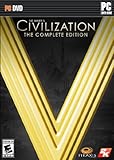
- ENDLESS REPLAYABILITY: Play as one of 43 historical leaders and wage war by land, sea, and air, conduct diplomacy & espionage, establish religious beliefs, and discover new technologies in your quest to build the most powerful empire the world has ever known.
- HUGE BATTLES: Wars between empires spread across land and sea. Ranged bombardment challenges you to develop clever strategies to guarantee victory on the battlefield.
- DIPLOMACY: Negotiate with some of history’s most cunning rulers, each with a well-crafted plan for victory. City-states present a diplomatic battleground on which the major powers of the world will vie for supremacy.
- RELIGION: Cultivate Great Prophets and create a religion you can customize and enhance.
- ESPIONAGE: Send your spies into foreign cities for surveillance, to steal advanced technologies from your competitors, or to interfere with city-state alliances.
Verify requirements, controls, and fit
Check the individual game listing for current minimum and recommended system requirements, supported operating systems, input options, accessibility information, and compatibility notes. Compare those details with your own setup and preferred way to play. A general Early Access policy cannot tell you whether a particular simulation runs well on your hardware or supports the controls you want.
If fidelity or a particular control method matters, look for current gameplay that shows the relevant systems in use. Distinguish what you can confirm in the current build from features the developer says it intends to add.
Do these 3 things before closing this tab:
1Scan for outdated or missing drivers - takes under a minute2Clear out junk files and repair common Windows errors3Fix the driver behind crashes, sound loss and screen glitchesRank #3

- FlightGear Flight Simulator is a highly sophisticated, detailed and ultra-realistic flight simulation which includes 20,000 real airports worldwide! You have the freedom to fly anywhere, anytime, night or day, and experience the ultimate flight simulation! You will receive the USB (not a disc) exactly as pictured. Our slimline USB is 100% compatible with ALL standard size USB ports. IMPORTANT - THIS IS A PROFESSIONAL SIMULATOR, NOT AN ARCADE GAME. Multilingual - English, Spanish (Español) and more languages supported.
- With over 600 aircraft included, this flight simulator gives you more aircraft than you could possibly learn to fly in a lifetime! Fly from lightweight aircraft to huge commercial jumbo jets, military planes, helicopters and even airships! Hundreds of aircraft are included with new aircraft added regularly which you can download for free! 1000+ aircraft liveries are also available as free downloads along with all future updates of the simulator!
- Compatible with Microsoft Windows 11, 10 and macOS 11 to latest. Recommended system specs - CPU: Quad-core / RAM: 6GB / GPU: 2048MB VRAM / HDD: 5GB minimum / Internet required. Regardless of operating system compatibility, if the rest of your computer does not meet the required spec, then it may not be compatible; please check your computer specs before purchase. This will fit all standard/classic USB ports, but please insert the correct way up as indicated in the instructions.
- PixelClassics exclusive extras include bonus aircraft, easy-to-use PixelClassics installation menu, installation guide, first flight guide, 200+ page user manual, email support and more! To ensure you receive exactly as advertised including all our exclusive extras, please choose PixelClassics. All our USBs are checked and scanned 100% virus-free, and backed up by our friendly dedicated email support.
- PLEASE NOTE: This is NOT ‘MS’ flight simulator, this is FLIGHTGEAR flight simulator and this USB is compatible with Windows PC only. You will receive USB (not a disc) exactly as advertised and described. It includes all the excellent features as listed, including 600 aircraft which is at least 570 more than you get with any other flight simulator by default! This is a professional simulator and will require reading of the manual included on USB to learn how to fly.
Compare games on the same practical criteria
When choosing between titles, assess each one against the same questions. The answer depends on your priorities and what each current listing and update history actually shows.
- Playable simulation: How much of the core loop is available, and does it already appeal to you?
- Feature status: Which of your must-haves are present now, and which are only planned?
- Technical fit: Do the current requirements, performance information, input support, and compatibility suit your setup?
- Development activity: How recent and substantive are the dated updates?
- Current value: Is the available build worth its price to you even if planned additions do not arrive?
- Refund terms: What conditions apply on the storefront and in your region?
Check the storefront’s refund policy before playing
Refund rules vary by storefront, so read the policy that applies to your purchase and region before starting the game. On Steam, the standard refund offer is for requests made within 14 days of purchase and with less than two hours of playtime. Steam explicitly counts Early Access playtime toward that two-hour limit. Its Early Access FAQ says Early Access purchases use the standard refund policy; the Steam Refunds page states the platform’s terms and was last updated April 23, 2024.
Rank #4

- FlightGear Flight Simulator is a highly sophisticated, detailed and ultra-realistic flight simulation which includes 20,000 real airports worldwide! You have the freedom to fly anywhere, anytime, night or day, and experience the ultimate flight simulation! IMPORTANT - THIS IS A PROFESSIONAL SIMULATOR, NOT AN ARCADE GAME. You will be required to read the PDF manuals included to learn how to use the simulator and fly. Multilingual - English, Spanish (Español) and more languages supported.
- With over 600 aircraft included, this flight simulator gives you more aircraft than you could possibly learn to fly in a lifetime! Fly from lightweight aircraft to huge commercial jumbo jets, military planes, helicopters and even airships! Hundreds of aircraft are included with new aircraft added regularly which you can download for free! 1000+ aircraft liveries are also available as free downloads along with all future updates of the simulator!
- Multi-platform edition disc compatible with Microsoft Windows 11, 10 and macOS from 11 to latest. IMPORTANT: RECOMMEND SYSTEM SPEC - CPU: Quad-core / RAM: 6GB / GPU: 2048MB VRAM / HDD: 5GB minimum / Internet required. Regardless of operating system compatibility, if the rest of your computer does not meet required spec then it may not be compatible, so please check your computer specs before purchase.
- PixelClassics disc content includes 500 aircraft (600+ total with downloads), access to 1000+ liveries, FULL worldwide scenery, easy-to-use PixelClassics installation menu (PC only), installation guide, first flight guide, 200+ page user manual, email support and more! To ensure you receive exactly as advertised including all extras, please choose PixelClassics. All our discs are checked and scanned 100% virus-free, and backed up by our dedicated email support.
- PLEASE NOTE: This is NOT ‘MS’ flight simulator, this is FLIGHTGEAR flight simulator exactly as advertised and described. It includes all the excellent features as listed, including 600 aircraft which is at least 570 more than you get with any other flight simulator by default! This is a professional simulator and will require reading of the manual included on disc to learn how to fly.
Epic Games Store has its own policy, which discusses Early Access or beta products and requires less than two hours of runtime under the stated eligibility conditions. Read the current Epic Games Store Refund Policy rather than assuming Steam’s terms apply. Consumer rights may also vary by jurisdiction.
Independent reader supportYour contribution helps us test, update, and keep practical guides available for everyone.Do not assume a full release is guaranteed
The developer decides when a game is ready to leave Early Access. Steam cautions that a developer may be unable to finish its game, so do not treat a target date or roadmap as a promise. The sources available here do not establish a reliable category-wide completion rate or typical time to full release; assess the specific title’s current build and stated plans instead.
Recommended Free Tools
Best Value

- 【With Vibration Function】This flight stick is ONLY for PC/Computer and ONLY compatible with Windows 7/8/10/11 (Mac/Apple computers/Apple devices/PS3/PS4/PS5/Xbox One/Switch not supported).PXN2113 PRO gaming joystick for pc will never let you down with realistic fly experience. Compatible with many flight joystick pc games: World of Tanks,World of Warplanes,War Thunder,Assault Horizon,Microsoft Flight Simulator,X Plane 10,etc. Vibration Switch is at the bottom,please switch to“ON”.If less than 20%,you will almost not feel the vibration.Please set the vibration strength in the driver to 50% or higher for this joystick pc flight simulator.
- 【Immersive Fly Experience for Your Flying Dream】You can make the right moves with rapid fire trigger,4 axis controlling,8-Way hat switch and 12 programmable buttons of this computer joystick for gaming pc flight.Advanced software,Support various custom adjustment and keyboard mapping,enjoy exciting joystick flight simulator controls for pc games now! Not only a game, but also a dream of flying!
- 【FAQ】:Q1:Why doesn't it work on my pc/Xbox? A: It is ONLY for PC and Windows 7/8/10/11(Not for Mac/Apple devices/Xbox).Please turn on pc First and then connect with this joystick.If not,some pc may not identify it. Q2: How to install the driver? A: No need to install the driver and can play games directly.If you need driver,please find "Installation" section in manual or follow below steps: 1:Visit PXN official website→Support→Driver→Find PXN-2113PRO driver to download. 2:Extract the driver and install. 3:Plug joystick into PC USB port,pc will identify new hardware and install automatically. 4:Play games or set the joystick in driver.The drive can test and calibrate the pc flight joystick.
- 【Comfortable to Hold, Agile to Operate】This usb joystick for pc is with a solid and smooth feeling,very comfortable.Four power-grip suction cups at the bottom of this pc joystick for flight simulator pc games,they can fix firmly and easily when the table is smooth.Precise throttle control,Ergonomic design,Single hand control full function with this flight joystick for pc games.(Note:Force Feedback/Minecraft/Asphalt 8/Ace Combat 7 not supported).This Flight simulation pc controller with Friendly and Easy-to-Reach Customer Service.If any problem,please contact us directly(Contact Seller),Fengying will reply within 12 hours.
- 【Setup Guide for Microsoft Flight Simulator】For PXN 2113 flight sim joystick pc setup in Microsoft Flight Simulation,please refer to below images and follow below steps: Step 1: Launch the game and click"MENU.FLOWBAR_ OPTIONS",select“MENU.OPTIONS CONTROLS". Step 2: Except the keyboard and mouse mode, also have joystick mode in game.Please click“GENERIC USB JOYSTICK" to map the key. (Note:The joystick should be plugged into PC before this setting). Step 3: For function settings,take “INPUT.KEY_ _SWITCH_ CAMERA"as an example,scroll down to select“Select an input",click No.12 button,finally click“VALIDATE”to save.
For more context, Steam Support’s Early Access FAQ explains the buyer-facing guidance, while Valve’s Steamworks Early Access documentation describes the model for developers.
Quick Recap
Product prices and availability are accurate as of the date/time indicated and are subject to change. Any price and availability information displayed on Amazon at the time of purchase will apply.



