Xbox backward compatibility is selective: Xbox One and Xbox Series X|S play Xbox One games plus supported Xbox 360 and original Xbox titles, but not every older game works. If a compatible digital game is tied to your Microsoft account, it can appear in Ready to Install after you sign in. A compatible disc must stay in the console while you play, and Xbox Series S has no disc drive. Upgrades, saves, and online features depend on the individual game.
Which Xbox generations play which games?
| Console | Xbox One games | Xbox 360 and original Xbox games | Physical discs |
|---|---|---|---|
| Xbox One | Xbox One games | Select titles only | Insert a supported disc to download and play its game; keep the disc inserted |
| Xbox Series X | Xbox One games | Select titles only | Supported physical discs work; keep the disc inserted to play |
| Xbox Series S | Xbox One games | Select titles only | Digital-only; no disc drive |
Microsoft describes backward compatibility as free for games you already own, but that does not make the Xbox 360 or original Xbox catalogs complete. Check the official backward-compatible games catalog for the exact title and supported console.
How to access a digital game or disc
Owned digital games
Sign in on the console with the Microsoft account associated with the purchase, then look for eligible games in Ready to Install. A game appearing in your library does not mean every title from an older generation is compatible; the game must also be in the supported catalog.
Compatible discs
Insert the disc in a disc-capable console. The console downloads the game, and the disc serves as the license check: it must remain inserted to play. This route is unavailable on Series S because it has no disc drive.
PC Slower Than It Used to Be?
A free scan shows the junk files, broken settings and background clutter dragging Windows down - then fixes them in one click.Free scan · Windows 10 & 11Outdated Drivers Are Slowing You Down
One free scan finds every outdated or missing driver and matches the right update for your exact hardware.Free scan · exact hardware match#1 Best Overall
![Xbox Game Pass Ultimate – 1 Month Membership – Xbox Series X|S, Xbox One, Windows, Cloud Gaming Devices [Digital Code]](https://m.media-amazon.com/images/I/51bMCG9v4vL._SL160_.jpg)
- GAME PASS ULTIMATE: Play new games on day one, and enjoy hundreds of high-quality games on console, PC, and cloud. Game Pass Ultimate also includes online console multiplayer, EA Play, and other great member benefits.
- SOMETHING FOR EVERYONE: From fast-paced action and adventure to timeless classics, family-friendly games, innovative indie titles, brain-teasing puzzles, immersive roleplaying adventures, and intense shooters. Dive into a world where every gamer can find their next favorite game.
- NEW GAMES ON DAY ONE: Enjoy incredible new games on day one from Xbox Game Studios, Bethesda Softworks, Activision Blizzard, and more. Play The Outer Worlds 2, NINJA GAIDEN 4, and High on Life 2 as soon as they are released.
- ONLINE CONSOLE MULTIPLAYER: Tap into the heart of the Xbox community and join millions of players ready to play together. Online console multiplayer is included with Game Pass Ultimate.
- EA PLAY MEMBERSHIP INCLUDED: Jump into Battlefield, STAR WARS, and other great game franchises with EA Play. Included at no extra cost, members get access to a collection of EA’s best-loved games, in-game rewards, and trials of select new games.
Installed games and external storage
Microsoft says an external drive can be brought to Series X|S to transfer an already-installed library. That guidance does not establish which drive models or specifications to buy. See Microsoft’s storage-device transfer guidance before moving games.
Who can use your digital games?
Xbox One and Series digital-game licenses are associated with the Microsoft account that acquired them. Access differs depending on whether you are using your designated Home console or a roaming console.
Rank #2

- Standard Edition for Xbox Series X (disc) includes the full EA SPORTS Madden NFL 27 game. Not compatible with Xbox One. Enjoy Franchise mode, Superstar Career, and Ultimate Team.
- DYNAMIC FRANCHISE MODE – Persona Engine brings each NFL athlete to life with unique personalities, creating a reactive and evolving league shaped by your decisions.
- AUTHENTIC NFL GAMEPLAY – Realistic WR vs DB battles, improved coverage, and new short-yardage mechanics deliver true on-field physicality and control.
- BUILD YOUR LEGACY – Progress through the Superstar G.O.A.T. Career Journey and customize your roster with Ultimate Team Captains.
- Home console: Other users on the designated Home console can access qualifying games and durable content, subject to Microsoft’s licensing rules.
- Roaming console: The purchaser needs to be signed in and connected. When that account signs out, other accounts cannot keep using the roaming license.
- Subscription access: Game Pass games are available under subscription terms, not as permanent purchases. Availability can depend on the subscription and catalog.
Microsoft’s explanations of Home Xbox sharing and service and account terms describe the applicable conditions.
What happens to upgrades, saves, and online features?
Upgrades and Smart Delivery
Smart Delivery is not a promise that every Xbox One game receives a Series X|S version. Microsoft’s developer policy says Xbox One games that do not use Smart Delivery run on Series X|S in compatibility mode. Check the game’s store listing or publisher information to determine whether a separate upgrade is included or must be acquired another way. Microsoft’s Smart Delivery overview explains the policy.
Do these 3 things before closing this tab:
1Repair Windows errors before they cause bigger problems2Fix the driver behind crashes, sound loss and screen glitches3Clear out junk files and repair common Windows errorsRank #3
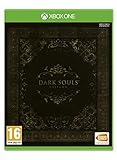
- DARK SOULS REMASTERED - Then, there was fire. Re-experience the genre-defining game that started it all. Return to Lordran in the beautifully remastered game in high definition, 60 fps with single-player or online multiplayer with dedicated servers. Includes the Artorias of the Abyss DLC.
- DARK SOULS II: SCHOLAR OF THE FIRST SIN - Prepare to Die again. The second installment of the series includes the base Dark Souls II plus all three DLCs: Crown of the Sunken King, Crown of the Old Iron King, and Crown of the Ivory King.
- DARK SOULS III: THE FIRE FADES - Now only embers remain… Dark Souls III is the final journey in the series where players can fight through intense combat solo or team up for in co-op or PvP multiplayer. Includes the award-winning game and both DLC chapters: Ashes of Ariandel and The Ringed City.
- ALL ORIGINAL SOUNDTRACKS - Visit the EP!C corner to download the music of the Dark Souls saga composed by Motoi Sakaraba and Yuka Kitamura. 110 tracks and more than 6 hours to listen and take back any Dark Souls fan to the intense boss fights and the best moments of their deadly journeys.
Save transfer
Save behavior is game-specific. Microsoft’s cross-generation save-roaming requirements apply to titles that share a TitleID and have content available on both generations; they are not a guarantee that every game transfers progress. Verify the individual game’s support and use the same account where required.
Original Xbox saves do not transfer to Xbox One or Series X|S. Saves created on Xbox One or Series X|S can move among those consoles through the cloud, where the game supports the relevant functionality.
Rank #4

- Standard Edition for Xbox Series X (disc) includes the full EA SPORTS College Football 27 game. Not compatible with Xbox One.
- DYNASTY BLUEPRINT – Control your program’s future with recruiting, NIL, staff, facilities, and Athletic Director Expectations..
- ROAD TO GLORY – Build your player, explore new positions, earn NIL deals, chase the Heisman, and raise your Legacy Score.
- MASCOT MASHUP – Play as your favorite mascot, collect 120+ icons, and compete in wild 11-on-11 matchups full of school spirit.
Multiplayer and other original Xbox features
Microsoft says original Xbox online multiplayer services and in-game marketplaces are unavailable through backward compatibility. Supported offline multiplayer scenarios may still work. Original Xbox achievements are also unavailable. Xbox Live features, cross-play, and other online functions for later games should be checked title by title.
Independent reader supportYour contribution helps us test, update, and keep practical guides available for everyone.Can you claim a digital version from a disc?
Microsoft’s digital-goods rules allow a limited digital license for eligible Xbox One or Xbox Series X discs. Xbox Wire announced that inserting a supported disc and launching the game can claim a digital entitlement; benefits may include Play Anywhere or Cloud Gaming where supported. The physical disc continues to work as before.
Quick wins for a faster PC:
Scan for outdated or missing drivers - takes under a minuteDriver Scan →Repair Windows errors before they cause bigger problemsFix Now →Fix the driver behind crashes, sound loss and screen glitchesFind Drivers →Best Value

- Standard Edition for Xbox Series X (disc) includes the full EA Sports UFC 6 game. Not compatible with Xbox One.
- Powered by fighters: advanced striking and motion systems bring UFC stars to life with more realistic movement, impact, and responsiveness in every exchange.
- Step into the Octagon: refined gameplay delivers tighter controls, fluid animations, and authentic MMA action.
- Fight your story: new immersive modes add narrative depth, making every bout feel personal and driven by your choices.
Eligibility is not universal and can change. The license depends on continued possession of the qualifying disc; Microsoft may ask you to revalidate eligibility and may suspend or revoke access if you no longer possess it. Windows Central reported a general rollout to all players on September 29, 2026; that date is the publication’s report, not a date stated by Xbox Wire.
Sources: Microsoft Digital Goods Terms of Sale, Xbox Wire, and Windows Central.
How to check a specific game before switching consoles
- Search the official backward-compatibility catalog for the exact game and confirm it is supported on your intended console.
- Identify whether you own a digital license, have a physical disc, or access the game through a subscription.
- If it is a disc, confirm you have a disc-capable console and keep the disc available for play.
- Check the game’s listing or publisher guidance for Smart Delivery, upgrade entitlement, save transfer, online multiplayer, and peripheral support.
- Sign in with the purchasing account and, when sharing, review the Home console settings and roaming-console requirements.
Microsoft reported that the backward-compatibility team had tested well over 500,000 hours of gameplay before the planned Series X|S launch. This was a historical testing figure reported by Xbox Wire in 2020, not a current catalog size or performance measure. Xbox Wire’s 2020 report.
Quick Recap
Product prices and availability are accurate as of the date/time indicated and are subject to change. Any price and availability information displayed on Amazon at the time of purchase will apply.




