To customize an Overwatch Mythic, open that item’s own preview and use its available tier options to choose components, colorways, and effects. The options differ by Mythic, so check the preview rather than assuming every skin has the same choices. Blizzard’s published guides explain how those options unlock, but do not confirm a named preset or favorite-saving feature; selecting a look and saving it for later are not necessarily the same thing.
How Mythic customization works
Mythic customization is tied to each individual skin or weapon. Its preview shows which tiers and choices are available. Depending on the item, those choices may alter parts of the model, colors, or visual effects; Mythic weapons can also offer weapon-specific effects and animations.
| # | Preview | Product | Price | |
|---|---|---|---|---|
| 1 |

|
Overwatch Coins | 2,000 | XBOX Digital | $19.99 | Buy on Amazon |
| 2 |
|
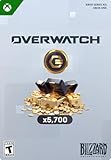
Overwatch Coins | 5,000 | XBOX Digital | $49.99 | Buy on Amazon |
| 3 |
|
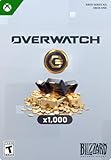
Overwatch Coins | 1,000 | XBOX Digital | $9.99 | Buy on Amazon |
| 4 |
![$25 XBOX Gift Card [Digital Code]](https://m.media-amazon.com/images/I/41Y0U46RO7L._SL160_.jpg)
|
$25 XBOX Gift Card [Digital Code] | $25.00 | Buy on Amazon |
Blizzard described a revised tier approach beginning in Season 19: Tier 1 unlocks the complete Mythic skin design, while later tiers add refinements such as alternate components, colorways, and ambient-effect toggles. That description applies to the revised approach, not necessarily every older Mythic. For any specific item, rely on its own in-game preview. Blizzard’s Season 19 announcement
What different Mythics can offer
These examples illustrate how options vary; they are not a checklist of features every Mythic includes.
#1 Best Overall
- OVERWATCH COINS BUNDLE — Receive 2,000 Overwatch Coins plus a 200 Coin bonus to customize your heroes and enhance your Overwatch experience.
- UNLOCK PREMIUM CONTENT — Use Overwatch Coins to purchase the Premium Battle Pass and a wide variety of in‑game cosmetic items, including skins, emotes, and more.
- BATTLE PASS TIER SKIPS — Premium Battle Pass owners can spend Overwatch Coins to unlock tiers instantly and gain immediate access to Legendary and Mythic content.
- HERO CUSTOMIZATION — Personalize your favorite heroes with cosmetics purchased using Overwatch Coins to stand out in every match.
- REQUIRES BASE GAME — Requires Overwatch to use this currency, with Coins applied directly in‑game after purchase.
| Mythic item | Published customization examples |
|---|---|
| Volted Overdrive Soldier: 76 (Season 22) | Level 1: ability VFX toggle; Level 2: additional hairstyles; Level 3: red/black and white/blue colorways; Level 4: ambient VFX toggle. Blizzard’s Season 22 announcement |
| Sumi-ichimonji Genji weapon (Season 22) | Level 1: weapon design; Level 2: reactive visuals; Level 3: two flourish animations; Level 4: kill VFX. Blizzard’s Season 22 announcement |
| Cyber Fuel Junkrat (Season 19) | Blizzard described a full Mythic form that could be refined with colorways, tire choices, and an ambient glow. Blizzard’s Season 19 midcycle announcement |
How to choose a variant in the game
Use the selected Mythic’s preview as the guide: inspect the item and its listed tiers, then choose among the options that the client makes available for that item. The official announcements establish that Mythic options unlock through tiers, but they do not provide a reliable, current menu-by-menu path for selecting them. Menu labels and exact controls should therefore be taken from the live client, not guessed from older guides.
Can you save a favorite variant as a preset?
Blizzard’s official pages cited here do not establish whether the current client lets you name, save, or quickly reapply a Mythic combination as a favorite or preset. They explain unlockable customization, not a reusable preset workflow. Do not treat choosing or equipping a combination as proof that it has been saved for later. Check the selected Mythic’s current interface for an explicit save or preset control before relying on that behavior; without one, keep track of your preferred options so you can select them again.
Rank #2
- OVERWATCH COINS BUNDLE — Receive 5,000 Overwatch Coins plus a 700 Coin bonus to customize your heroes and enhance your Overwatch experience.
- UNLOCK PREMIUM CONTENT — Use Overwatch Coins to purchase the Premium Battle Pass and a wide variety of in‑game cosmetic items, including skins, emotes, and more.
- BATTLE PASS TIER SKIPS — Premium Battle Pass owners can spend Overwatch Coins to unlock tiers instantly and gain immediate access to Legendary and Mythic content.
- HERO CUSTOMIZATION — Personalize your favorite heroes with cosmetics purchased using Overwatch Coins to stand out in every match.
- REQUIRES BASE GAME — Requires Overwatch to use this currency, with Coins applied directly in‑game after purchase.
Check current unlock requirements in the client
Mythic Shop and Prism rules have changed over time, so older cost and availability figures should not be treated as universal current guidance. Blizzard’s April 2024 explainer described a then-current model of 50 Mythic Prisms for the base unlock and 10 for each of three additional levels, or 80 total; it also described earning up to 80 Prisms through completion of the Premium Battle Pass. Those figures are historical. Blizzard’s Season 17 article separately announced up to 80 Mythic Prisms from that season’s Premium Battle Pass, which is a season-specific figure, not a promise for every pass. Check the chosen item and current in-game shop for its present availability and requirements. Blizzard’s 2024 Mythic Shop explainer · Blizzard’s Season 17 announcement
Quick Recap
Rank #4
- THE PERFECT GAMING GIFT — Buy an XBOX Gift Card for yourself or a friend and let them choose the games, add‑ons, subscriptions, and accessories they want most.
- USE FOR GAMES & CONTENT — Redeem for thousands of digital XBOX games, from backward compatible classics to the latest new releases, plus DLC and in‑game currency.
- GAME PASS READY — Apply your balance toward XBOX Game Pass Ultimate to play new titles on day one* and access a library of hundreds of high‑quality console games.
- PRE‑ORDER & PRE‑INSTALL GAMES — Use your balance to pre‑order and pre‑download upcoming titles so you’re ready to play the moment they launch.
- NO FEES OR EXPIRATION — XBOX Gift Cards never expire and have no service fees, so your balance is ready whenever you are.
Rank #3
- OVERWATCH COINS BUNDLE — Receive 1,000 Overwatch Coins to customize your heroes and enhance your Overwatch experience.
- UNLOCK PREMIUM CONTENT — Use Overwatch Coins to purchase the Premium Battle Pass and a wide variety of in‑game cosmetic items, including skins, emotes, and more.
- BATTLE PASS TIER SKIPS — Premium Battle Pass owners can spend Overwatch Coins to unlock tiers instantly and gain immediate access to Legendary and Mythic content.
- HERO CUSTOMIZATION — Personalize your favorite heroes with cosmetics purchased using Overwatch Coins to stand out in every match.
- REQUIRES BASE GAME — Requires Overwatch to use this currency, with Coins applied directly in‑game after purchase.
Product prices and availability are accurate as of the date/time indicated and are subject to change. Any price and availability information displayed on Amazon at the time of purchase will apply.
Free tools Windows power users keep installed
One-click scans. No signup required.




