The Tool Desk
Outbyte Driver Updater FREEScan for outdated or missing drivers - takes under a minuteDriver Scan →Outbyte PC Repair FREERepair Windows errors before they cause bigger problemsFix Now →If Honkai: Star Rail will not download or update, first check your connection and available storage. Then restart the launcher or device and use the official repair or file-integrity tool for your platform. HoYoverse says error 9908 can indicate network trouble or corrupted game data, so the code alone does not identify the cause. On Android and iOS, its guidance for 9908 is to reinstall the game from the official store.
What causes a Honkai: Star Rail download or update error?
HoYoverse lists unstable internet or network restrictions, firewall or antivirus interference, insufficient storage or system resources, incomplete or corrupted files, and outdated system software or drivers as possible causes of download and update failures. These are possibilities, not a diagnosis of your specific installation. For error 9908, HoYoverse says the problem may be network-related or caused by corrupted data: official error 9908 guidance.
Try these checks before reinstalling
- Test your connection. Restart your router if appropriate, then retry on another Wi-Fi network or mobile data. HoYoverse also suggests a direct cable connection when possible. If a firewall or antivirus may be interfering, check its settings rather than downloading a third-party repair utility.
- Check storage and system resources. Make sure the device has enough free space for the download and installation, and close resource-heavy apps before trying again.
- Restart and retry. Restart the device or launcher, then attempt the download or update again.
- Use the official repair or integrity check. On PC, use HoYoPlay’s Repair Now option when available. Some errors have a separate update or integrity-verification action on the login screen; follow the option specified for your error code.
- Give verification time to finish. A progress bar at 100% may mean the launcher is verifying game-resource integrity, not that it has frozen. Wait for verification. If it remains stuck for an extended time, contact Customer Support.
HoYoverse’s general troubleshooting advice is collected in its download and update guidance and common installation-issue guidance.
Fix error 9908 by platform
HoYoverse’s recommended steps for 9908 differ between PC and mobile. Use the current official launcher or app-store version rather than an unofficial download.
Do these 3 things before closing this tab:
1Clear out junk files and repair common Windows errors2Fix the driver behind crashes, sound loss and screen glitches3Repair Windows errors before they cause bigger problems#1 Best Overall

- Brand new. UK Import PAL version. Game in English. UK PSN account may be required for any online features.
| Platform | Recommended action | When to reinstall |
|---|---|---|
| PC | Try a different network, then run Repair Now in HoYoPlay. | If repair does not resolve the error, reinstall using the official PC source. |
| Android or iOS | Try a different network first. | HoYoverse’s 9908 guidance recommends a full reinstall from Google Play or the App Store. |
See HoYoverse’s error 9908 instructions for the code-specific steps. Reinstalling can take time and requires downloading the game again, so on PC try the launcher repair first.
Use the remedy for your specific error code
Not every download failure has the same fix. HoYoverse’s error-code guidance gives code-specific instructions: for error 2000_0, PC users should use the login-screen update or integrity action and then try another network if needed; Android and iOS users should verify integrity and reinstall if the issue persists. Some listed corrupted-file codes call for a complete uninstall and reinstall. Check the official error-code instructions for the exact code instead of applying one code’s remedy to every failure.
Rank #2

- Honkai: Star Rail Amphoreus' Saga of Heroes Super Stacker - Mydei
If downloads are slow or the installer appears stuck
For a slow or failed download, try a different network. If the progress indicator reaches 100%, allow the resource-integrity check to run; if it stays stuck for an extended period, contact support rather than repeatedly interrupting it. HoYoverse also notes that installing on an SSD may improve performance when the game is on a mechanical HDD. That is a performance suggestion, not a general fix for a network failure or corrupted files.
Independent reader supportYour contribution helps us test, update, and keep practical guides available for everyone.When to contact HoYoverse support
If the official repair, network checks, or platform-specific reinstall do not resolve the problem, send Customer Support the details needed to investigate the failure. Include:
What’s actually slowing this PC down?
Pick the symptom - the matching free tool is one click away.
Rank #3

- Honkai: Star Rail Amphoreus' Saga of Heroes Super Stacker - Anaxa
- The error code and a short description of what happens.
- Your device model and operating-system version.
- A screenshot or screen recording of the error.
- The time and region where the issue occurred.
- The troubleshooting steps you have already tried.
Use the contact route in HoYoverse’s official support guidance. Launcher labels and support instructions can change, so follow the current wording shown in the official app or support page.
Quick Recap
Rank #4
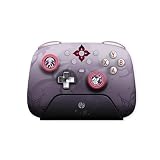
- Honkai: Star Rail Evernight Wireless Game Controller
Product prices and availability are accurate as of the date/time indicated and are subject to change. Any price and availability information displayed on Amazon at the time of purchase will apply.




