Windows Errors? Fix Them Before They Spread
Repair common Windows errors and clear accumulated junk for a smoother, more stable PC - no reinstall needed.Free scan · no reinstallOutdated Drivers Are Slowing You Down
One free scan finds every outdated or missing driver and matches the right update for your exact hardware.Free scan · exact hardware matchIn Minecraft, a “dog” is a tamed wolf. To stop it following you, make it sit; that does not untame it. To remove its owner relationship, Java Edition has a command-supported route: `/data remove entity <wolf UUID> Owner`, documented as fixed in Java 1.21.4 Pre-Release 1. Bedrock’s official references do not document an equivalent player-facing vanilla untame command.
First decide what you mean by “untame”
Minecraft calls the animal a wolf, including after you tame it with bones. There are two different outcomes players often mean by untaming: stop a wolf from following, or remove its tame/owner relationship. The first is a normal in-game behavior; the second is an ownership change.
Stop the wolf following you
Point at the wolf and use the interaction key to make it sit. Mojang’s wolf article explains that it will stay seated until you return. Sitting changes its behavior, not its tame status or owner.
Remove ownership in Java Edition
In Java Edition, the command route documented by Mojang is /data remove entity <wolf UUID> Owner. The Java Edition issue tracker records the ownership-removal bug as resolved, with a fix in 1.21.4 Pre-Release 1. In practical terms, treat this as the Java solution for 1.21.4 and later, and ensure commands are available and the wolf is correctly targeted. See the Mojang issue record.
Recommended Free Tools
#1 Best Overall

- From A Minecraft Movie, the Food Mode Dennis interactive plush wolf is fuzzy and soft to the touch!
- The plush toy comes with a bone accessory for the hungry adventurer…
- …kids can feed the bone to Dennis the wolf by placing it in his mouth activating growling and barking sounds!
- Fearsome but lovable, Dennis is a breakout overworld star -- recreate movie scenes for play and display!
- Add to a collection or gift to a fan and bring the Minecraft fun to life for Minecraft lovers and collectors of all ages!
The command removes the wolf’s Owner data; it is not the same as making the wolf sit. The cited issue is specifically about Java Edition, so do not assume this syntax works in Bedrock, on every console, or in older affected builds.
What about Bedrock Edition?
Microsoft’s official Bedrock references describe the tameable component, tame state and owner, and a scripting method called tame(player) that sets an entity as tamed. They do not document an ordinary player-facing vanilla command or interaction for untaming a wolf. The scripting references describe access to tame data, not instructions for reversing it. See the EntityTameableComponent API and the tameable component reference.
Rank #2

- It’s a whole Minecraft assortment of collectible plush fun!
- There are lots of Minecraft favorite characters available, including fan-favorites that have stood the test of time!
- Plush creatures are 12-in long, and their elastic material makes them stretchy and soft.
- Legs contain beans for extra weight and floppy-ness.
- A great collectible gift for fans of Minecraft, age 3 years old and up.
That is a limit of what these official pages document, not proof that no add-on or external world-editing tool can change a Bedrock world. Java’s /data command is not a supported Bedrock substitute.
Quick Recap
Best Value

- Minecraft fans can create snuggles and stories with plush figures inspired by favorite characters from the video game universe!
- Each soft doll is 8 inches tall and is made with premium fabrics, making them fun to hold and cuddle.
- They wear their iconic costumes so they're easily recognizable and ready for dreams of adventure!
- Pixelated details give them an extra element of collectability!
- The selection of Minecraft plush makes a great gift for kids and collectors ages 3 years old and up (each sold separately, subject to availability).
Rank #4

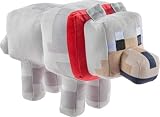
- DESIGNED FOR MINECRAFT FANS: Cuddle with a tamed Wolf stuffed toy from Minecraft video game (unboxed version)
- CUTE & CUDDLY: Constructed with soft polyester Velboa fibers so you can cuddle with your favorite Minecraft Character
- STANDARD SIZE MINECRAFT PLUSH: Measures approximately 15 inches long
- KID FRIENDLY: Suitable for ages 3 and up
- AUTHENTIC VIDEO GAME TOY: Officially licensed by Minecraft; designed and created by JINX
Rank #3
- Minecraft fans can create snuggles and stories with plush figures inspired by favorite characters from the video game universe!
- Each soft doll is 8 inches tall and made with a mix of premium fabrics, making them fun to hold and cuddle.
- They wear their iconic costumes so they're easily recognizable and ready for gaming adventure!
- Pixelated details give them an extra element of collectability!
- The selection of Minecraft plush makes a fun video-themed for kids and collectors ages 3 years old and up (each sold separately, subject to availability).
Quick comparison
| Goal or edition | Supported route in the cited sources | Limit |
|---|---|---|
| Stop following in ordinary play | Use the interaction key to make the wolf sit. | It remains tamed. |
| Remove ownership in Java | /data remove entity <wolf UUID> Owner; fix recorded for Java 1.21.4 Pre-Release 1. |
Requires command access and correct targeting; do not assume the syntax applies to other editions. |
| Untame in Bedrock | The official references expose tame data and a method to set tame state. | They do not document a player-facing vanilla untame command. |
Which option should you use?
- If you only need the wolf to stay put, make it sit.
- If you need to remove ownership and are playing Java 1.21.4 or later, use the documented Java command route with command access and the correct wolf UUID.
- If you are playing Bedrock, do not enter Java’s
/datasyntax expecting it to work; the cited official documentation does not provide a vanilla untame method.
Product prices and availability are accurate as of the date/time indicated and are subject to change. Any price and availability information displayed on Amazon at the time of purchase will apply.
Quick wins for a faster PC:
Fix the driver behind crashes, sound loss and screen glitchesFind Drivers →Repair Windows errors before they cause bigger problemsFix Now →



