Recommended Free Tools
In Farming Simulator 20, the exit-and-walk feature was added in Content Update #4. On Nintendo Switch, try pressing Y; on Android or iOS, use the exit action shown on screen. If you cannot find the action, check that the game is updated.
How to exit a vehicle on each platform
Nintendo Switch
Press Y to leave the vehicle. This is player-reported Switch guidance, not a control confirmed in an official post-update control map. The official FS20 Switch manual covers the base game and does not document the walk-around action added later.
| # | Preview | Product | Price | |
|---|---|---|---|---|
| 1 |

|
Farming Simulator 23 (Nintendo Switch) (Non-US Version) | $39.97 | Buy on Amazon |
| 2 |
|
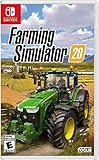
Farming Simulator 20 for Nintendo Switch (Renewed) | $26.99 | Buy on Amazon |
| 3 |

|
Farming Simulator 20 (Nintendo Switch) | $48.00 | Buy on Amazon |
| 4 |

|
Minecraft - Nintendo Switch | $29.83 | Buy on Amazon |
| 5 |

|
Autobahn Police Simulator 2 | $33.99 | Buy on Amazon |
Android and iOS
Tap the in-game exit action prompt. GIANTS Software confirmed the feature for mobile, but its announcement and the reviewed FS20 manual page do not establish the button’s exact label or screen position. Follow the prompt shown in your game rather than relying on a specific icon location.
What to do if you cannot exit
Check for a game update. GIANTS Software introduced the ability to leave a vehicle and walk around in Content Update #4, announced on 10 December 2020 for Nintendo Switch, Android, and iOS. The announcement described it this way: “Leave the seat of your tractor and walk around!” GIANTS Software’s Content Update #4 announcement.
The Tool Desk
Outbyte Driver Updater FREEFix the driver behind crashes, sound loss and screen glitchesFind Drivers →Outbyte PC Repair FREEClear out junk files and repair common Windows errorsFree Scan →#1 Best Overall
- Carrera
- Carrera FIRST
- Mario Kart 8 - Mario
- Officially licensed Carrera FIRST Mario Kart 8 Slot Car
If the game is updated and the action still is not apparent, use the platform-specific guidance above. Do not assume controls from another Farming Simulator edition apply to FS20; each edition has its own controls.
Quick Recap
Best Value
- CON4949
Rank #4
- Minecraft is a game about placing blocks and going on adventures
- Explore randomly generated worlds and build amazing things from the simplest of homes to the grandest of castles
- Play in creative mode with unlimited resources or mine deep into the world in survival mode, crafting weapons and armor to fend off the dangerous mobs
- Play on the go in handheld or tabletop modes
- Includes Super Mario Mash-Up, Natural Texture Pack, Biome Settlers Skin Pack, Battle & Beasts Skin Pack, Campfire Tales Skin Pack; Compatible with Nintendo Switch only
Rank #3
- Use and drive over 100 faithfully reproduced farming vehicles and tools including, for the first time on Nintendo Switch, the largest agriculture machinery Company in the world: John deertend to your livestock, including pigs, cows, sheep, and horses
- Ride your own horses and explore the vast areas offered in a new North American open world loaded with farming activities
Rank #2
Product prices and availability are accurate as of the date/time indicated and are subject to change. Any price and availability information displayed on Amazon at the time of purchase will apply.
Independent reader supportYour contribution helps us test, update, and keep practical guides available for everyone.



