What’s actually slowing this PC down?
Pick the symptom - the matching free tool is one click away.
To add a BIOS to MAME, place the correctly named BIOS set—usually a ZIP archive—in a directory MAME searches through its rompath. The default is a roms directory under MAME’s working directory, but that location can differ depending on how you launch MAME. Identify the BIOS set the game actually needs, then verify it with MAME’s diagnostics.
What a MAME BIOS set is—and whether your game needs one
A BIOS set contains system-level ROM data shared by games that run on the same hardware platform. For example, Neo-Geo hardware performs startup and self-tests before running a game cartridge, so its shared system data is kept in a BIOS set rather than duplicated in each game set. Not every MAME game requires a separate BIOS.
The required BIOS is identified by the system’s MAME short name. A game on the Capcom ZN2 platform, for example, may require the coh3002c set. That example is not a universal filename: use the missing-file diagnostic or MAME documentation for your game to identify the exact set and files.
Add the BIOS set
- Identify the required set. Find the game’s MAME short name and inspect its missing-file message, or consult MAME’s documentation. The BIOS short name and expected files vary by system.
- Obtain the data legitimately. MAME lists possible routes including licensing through an authorized vendor, using ROM sets publicly released for non-commercial use, or reading ROMs or disks from an arcade PCB you purchased. Rights and availability vary by title; none of these routes is necessarily available for every game. See MAME’s information about BIOS dumps and software and its FAQ on legally obtaining ROMs or disk images.
- Place the set in a searched location. Put the BIOS archive or unpacked BIOS folder directly inside a directory listed in MAME’s
rompath. By default, that path isromsunder MAME’s current working directory. You can specify one or more locations with-rompath; MAME’s command-line example separates multiple paths with semicolons. See Universal Command-line Options. - Preserve the expected name and arrangement. MAME’s FAQ says BIOS ROMs must be named correctly and left zipped in the ROMs folder. MAME can also search for a folder matching the BIOS short name. It recognises ZIP and 7z archives, but does not load an archive nested inside another archive. See How does MAME look for files?.
- Verify the set. Run
mame -verifyroms <shortname>, replacing<shortname>with the game or set name you want to check. The FAQ also documentsmame -verifyroms * >verify.txtto check all ROMs in the ROM directory and save the output toverify.txt. See MAME’s ROM verification FAQ.
Where MAME looks for BIOS files
MAME searches the directories configured in rompath. Its default is a roms directory beneath the current working directory—not necessarily the directory where the MAME executable is installed. The working directory can depend on how MAME is launched; macOS Finder and many Linux desktop environments may start it with the home directory as the working directory.
#1 Best Overall

- Compatible with Switch and Windows.
- Supports ultimate software - customize button mapping and create macros
- Dynamic button layout - button mapping changes with mode functionally and visually
- Ultra-moddable arcade stick - Universal mounting plate supports Sanwa arcade sticks
- Three ways to connect: Bluetooth, 2.4g and wired USB-C. The included 2.4g receiver has a special hidden compartment to store it safely.
For system ROMs, MAME can search the game’s own folder or archive, a relevant parent system, and the applicable BIOS system. The BIOS short name is used to locate a folder or archive in each configured ROM path. For example, MAME may look for coh3002c, coh3002c.zip, or coh3002c.7z for the Capcom ZN2 BIOS example. See MAME’s file-search documentation.
Fix common BIOS and ROM errors
MAME reports a missing BIOS or missing files
- Check the diagnostic for the BIOS short name and expected file names; do not assume the game uses a generic BIOS archive.
- Confirm the archive or folder is named and arranged as expected, and that it is directly inside a configured
rompath. - Inspect MAME’s file-search diagnostic to see where it looked. If the expected
romsdirectory appears to be ignored, check the effective working directory andrompath. - Check whether the game also depends on device or parent ROM sets.
The archive was extracted, renamed, or put inside another archive
MAME’s FAQ says BIOS ROMs should remain zipped and correctly named. Compare the archive name and its member files with the expected set. MAME does not search inside nested archives; put the BIOS archive directly in a configured ROM path, or use an unpacked folder there.
Rank #2

- Compatible with Switch/Switch 2, PS4, PS3, Xbox Series S/X, Xbox One, Xbox 360, PC Windows, macOS, Steam Deck, Android.
- Compatible with Sanwa Denshi buttons and joystick that is perfect for customization
- Supports the XINPUT and DINPUT when being used on PC
- Supports the Turbo functions with different speed settings.
- F300 is compatible with PS5 by MAYFLASH Magic-S Ultimate adapter or MagicBoots-S5 Converter.
The ROM set is from a different MAME version
MAME warns that ROM sets from older versions have spotty compatibility with later versions. Run -verifyroms with the installed MAME version, then check the BIOS, device, and parent-set requirements reported for the game. The relevant documentation is About ROMs and Sets.
The missing file is a CHD, not a BIOS ROM
A CHD is media data for storage devices such as hard disks, CDs, DVDs, or LaserDiscs. Some games require a CHD in addition to ROM data. CHDs are already compressed and should generally remain outside ZIP or 7z archives; loading them from archives can consume excessive memory. See MAME’s explanation of ROM sets and CHDs.
Quick Recap
Best Value

- 【8BitDo Ultimate Software】Customize button mapping and create macros with any button combination. It even has 2 dedicated macro buttons(P1/P2). Create controller profiles and switch between them at any time.
- 【Dynamic Button Layout】When you switch between Switch and PC (X-Input) mode, Arcade Stick's dynamic button layout instantly changes its visual layout.
- 【3 Ways to Connect】Bluetooth, 2.4g and wired USB-C. The included 2.4g receiver has a special hidden compartment to store it safely.
- 【Compatibility】Compatible with Switch, Windows.
- 【Ultra-moddable】You can swap out 30mm/24mm arcade buttons. Arcade Stick is even designed with a universal joystick mounting plate. It supports virtually every arcade stick ever made such as Sanwa JLF.
Rank #4

- 【8BitDo Ultimate Software】Customize button mapping and create macros with any button combination. It even has 2 dedicated macro buttons(P1/P2). Create controller profiles and switch between them at any time.
- 【Dynamic Button Layout】When you switch between Switch and PC (X-Input) mode, Arcade Stick's dynamic button layout instantly changes its visual layout.
- 【3 Ways to Connect】Bluetooth, 2.4g and wired USB-C. The included 2.4g receiver has a special hidden compartment to store it safely.
- 【Compatibility】Compatible with Switch, Windows.
- 【Tempered Glass Faceplate】Features a sleek tempered glass faceplate for a premium look, smooth feel, and durable finish.
Rank #3
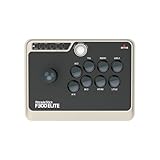
- Compatible with Switch/Switch 2, PS4, PS3, Xbox Series X, Xbox One/S, Xbox 360, PC Windows, macOS, Steam Deck, Android. F300 Elite is compatible with PS5 by MAYFLASH Magic-S Ultimate Adapter or MagicBoots-S5 Converter.
- By using premium quality Sanwa components—9 highly responsive buttons and a precision 4-way joystick, you can reliably strike instantly and surely, game after game, while maintaining peak performance.
- Supports the XINPUT and DINPUT when being used on PC. Supports Turbo.
- The F300 Elite was built for modding enthusiasts, so the inside of the platform is accessible for further customization, and the joystick as well as buttons can be switched to suit your playstyle.
- [Buy with Confidence] Your warranty begins working as soon as you place an order. All MAYFLASH products are fully and strictly tested before shipping. If you have any questions or have any difficulty operating the device, please reach out to our service team and we will be more than happy to help you out.
Product prices and availability are accurate as of the date/time indicated and are subject to change. Any price and availability information displayed on Amazon at the time of purchase will apply.
Independent reader supportYour contribution helps us test, update, and keep practical guides available for everyone.



