Free tools Windows power users keep installed
One-click scans. No signup required.
In Football Manager 26, define what you want to find, then give the search to an appropriate scout or delegate it to your recruitment staff. Check scouting reports as they develop before deciding whether a player merits closer attention. FM26 guidance confirms delegation and youth-scouting approaches, but it does not document a universal current menu path; use the labels in your edition rather than assuming FM23 screens still apply.
Start with the edition you are playing
Scouting menus and terminology differ between Football Manager editions. This guide focuses on FM26 where official advice is available, and labels older mechanics as FM23-specific. If you cannot find a control, search the in-game interface for scouting or recruitment rather than relying on an older guide’s exact clicks.
| # | Preview | Product | Price | |
|---|---|---|---|---|
| 1 |

|
Football Manager 2026 - PlayStation 5 | $34.00 | Buy on Amazon |
| 2 |
|
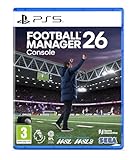
Football Manager 26 Console (Playstation 5) | $34.99 | Buy on Amazon |
| 3 |

|
Football Manager 2024 (PS5) | $34.34 | Buy on Amazon |
| 4 |

|
Football Manager 2021 (PC) (64-Bit) | $46.86 | Buy on Amazon |
| 5 |
![EA SPORTS FC 26 ULTIMATE EDITION - Xbox [Digital Code]](https://m.media-amazon.com/images/I/41iN7YEy-wL._SL160_.jpg)
|
EA SPORTS FC 26 ULTIMATE EDITION - Xbox [Digital Code] | $99.99 | Buy on Amazon |
For context, Football Manager’s FM23 feature overview describes Recruitment Focuses as replacing the older Assignments system. That is useful background, not proof that FM26 uses the same screens or labels. Football Manager’s FM23 Recruitment Revamp
Set a clear purpose for each search
Before assigning anyone, decide what decision the search should help you make. A useful focus narrows the pool by the player you need and the places you can realistically scout. FM23’s documented Recruitment Focuses included examples such as position, transfer type, age, role proficiency, potential and territory; treat those as examples of the concept, not a confirmed list of FM26 controls.
#1 Best Overall
- Powered by the Unity graphics engine, matchdays are more dramatic than ever through enhanced player movement and greater on-pitch detail. Feel the rush of weaving dribbles, inch-perfect through balls and last-gasp winners with player movements brought to life with fresh motion capture and volumetric animations from real football matches that give every attack more personality.
- A game-changing user interface overhaul primes you for smoother navigation in the managerial hotseat. The newly-integrated Portal is your gateway to the wider football world, surfacing key information you need, when and where you need it and empowering you to make the right calls in every situation.
- Immerse yourself in world football’s most-watched league with the Premier League fully-licensed for the first time with official kits, badges and player photos. Authenticity reaches new heights as you pursue the biggest prize in domestic football with the full broadcast experience from the best seat in the house.
- Discover a new world of possibilities as women’s football makes its long-awaited debut, seamlessly integrated into the FM ecosystem, as one footballing world. Explore new horizons with a choice of 14 playable leagues across 11 nations, including some of the world’s top competitions like the WSL and NWSL, and discover new stars with the biggest women’s football database in games.
- Make your mark on the pitch and explore the cutting edge of football tactics with the introduction of customisable in and out-of-possession formations. Redefined player roles and a dynamic visualiser that shows how your team adapts and moves in every phase of play levels up your pre-match prep game in, game out.
- Position or role: Search for a role that addresses a squad need, rather than asking staff to find a vague “good player.”
- Age: Decide whether you are recruiting for the first team or looking for younger development prospects.
- Transfer preference: Where the edition offers it, distinguish permanent transfer targets from loan options.
- Ability or potential: Set a threshold that fits your intended use and the level of your club.
- Territory: Keep the search within the areas or competitions your club can scout effectively.
These criteria help define the search; they do not guarantee that the game will return a suitable player.
Choose manual assignment or delegation
FM26’s official delegation advice recommends having effective scouts and a Chief Scout in place before handing scouting work to staff. The Chief Scout can create assignments and provide opposition analysis, so delegation can cover routine recruitment work as well as preparation for matches. Football Manager’s FM26 delegation guide
Rank #2
- Powered by the Unity graphics engine, matchdays are more dramatic than ever through enhanced player movement and greater on-pitch detail. Feel the rush of weaving dribbles, inch-perfect through balls and last-gasp winners with player movements brought to life with fresh motion capture and volumetric animations from real football matches that give every attack more personality.
- A game-changing user interface overhaul primes you for smoother navigation in the managerial hotseat. The newly-integrated Portal is your gateway to the wider football world, surfacing key information you need, when and where you need it and empowering you to make the right calls in every situation.
- Immerse yourself in world football’s most-watched league with the Premier League fully-licensed for the first time with official kits, badges and player photos. Authenticity reaches new heights as you pursue the biggest prize in domestic football with the full broadcast experience from the best seat in the house.
- Make your mark on the pitch and explore the cutting edge of football tactics with the introduction of customisable in and out-of-possession formations. Redefined player roles and a dynamic visualiser that shows how your team adapts and moves in every phase of play levels up your pre-match prep game in, game out.
- Harness the power of TransferRoom to shape your title-winning squads with even greater insight.
Assign scouts yourself when the target matters
Manual assignment gives you direct control over who handles a defined priority. Use it when a search is particularly important and you want to choose a scout whose role or geographic knowledge suits the work. Keep the focus narrow enough that the scout is searching for a useful group of players, not an unbounded list.
Delegate routine work when staff are ready
Delegation reduces the need to manage every search yourself, but it is only as useful as the staff and instructions you have provided. Check that the recruitment team and Chief Scout are established, then review what staff produce instead of assuming an assignment has found the right player.
Rank #3
Use geography and competitions to shape youth scouting
Football Manager’s FM26 youth-recruitment advice recommends focusing searches by position when you need more depth or your scouting range is limited. It also suggests manually checking youth tournaments and national squads to broaden recruitment coverage. These are ways to add structure and depth to a search, not guarantees of discovering stronger prospects. Football Manager’s FM26 youth recruitment tips
- When your range is limited, break a broad youth search into position-based searches.
- Use youth tournaments and national squads as additional places to look for prospects.
- Keep your expectations tied to the coverage available to your club; a narrow range cannot reveal every player in the game world.
Read reports before acting
A scout’s work is useful because it adds information to a recruitment decision, not because every recommendation should be treated as a signing instruction. Review the report and its progress in your edition’s scouting or recruitment area, then decide whether you need more assessment before pursuing a player.
Rank #4
- Choose a club and challenge that suits your ambitions and work with the club bosses
- As the first career station, choose one of over 2,000 playable clubs from more than 50 football countries
- Develop strategies, formations, and game styles for any situation to increase the chance of winning your club and get the three points
- Work with your staff to judge your team's strengths and talents
FM23 documented progress updates that arrived monthly by default, with weekly updates available, and grouped players as Recommended, Near Matches or Ongoing. It also used report states including Ongoing, Stopped, Completed and Needs Updating; the latter indicated an old completed report. These labels and update options are historical FM23 mechanics. Confirm the wording and controls in FM26 rather than expecting identical status names. Football Manager’s FM23 Recruitment Revamp
That same FM23 overview described Extensive scouting as a fuller assessment by the recruitment team, after which the manager decides what to do. In any edition, use a completed report as decision support and consider whether the information is still current before acting.
Best Value
- Play your way with an overhauled gameplay experience powered by community feedback. The new Authentic Gameplay option delivers the most true-to-football experience ever in Career, while the Competitive Gameplay option—driven by refined fundamentals, added consistency, and enhanced responsiveness—is tailor-made for play in Football Ultimate Team and Clubs.
- Put your dream squad to the test in Football Ultimate Team with new Live Events and Tournament modes, as well as a refreshed Rivals and Champs experience.
- Experience Manager Career like never before with all-new Manager Live Challenges. Earn rewards throughout the new season by taking on a variety of real-world scenarios and alternative storylines – ranging from a few minutes of play to multiple seasons.
- Archetypes inspired by the greats of the game introduce new classes to Clubs and Player Career, bringing more individuality to your player. Develop your abilities by upgrading attributes and unlocking Archetype Perks to give your player a distinct feel on the pitch.
Keep opposition analysis separate from recruitment
Scouting also supports match preparation. FM26’s delegation guidance identifies opposition analysis as a task the Chief Scout can provide, but it serves a different purpose from finding transfer or youth targets. Keep recruitment searches focused on players you might sign and use opposition analysis to prepare for upcoming opponents.
If you cannot find scout priorities or active searches in FM26
Menu names from older editions may not match FM26. A community player has asked where to find scout priorities and players currently being scouted, but that question does not establish an authoritative menu path. Check the scouting and recruitment sections of the in-game interface for the current assignment and report views, and avoid following FM23 click-by-click directions as if they were verified for FM26. Sports Interactive Community discussion
Quick Recap
Product prices and availability are accurate as of the date/time indicated and are subject to change. Any price and availability information displayed on Amazon at the time of purchase will apply.




