Free tools Windows power users keep installed
One-click scans. No signup required.
In Minecraft: Java Edition 26.3, turn on fullscreen and use Borderless Fullscreen. It is now the default fullscreen mode. If the game is set to Exclusive Fullscreen, change that option in the display settings; Java 26.3 lets you switch modes without restarting. Mojang’s 26.3 release notes describe the change. These steps are verified for Java Edition, not Bedrock.
How to make Minecraft Java Edition borderless
-
Open Minecraft: Java Edition and enter a world or stay at the title screen.
-
Open the video or display settings and enable fullscreen. You can also press F11 to toggle fullscreen.
-
Find the fullscreen mode option. Select Borderless Fullscreen if Exclusive Fullscreen is selected.
Special offer. See more information about Outbyte and uninstall instructions. Please review EULA and Privacy policy.#1 Best Overall
Sale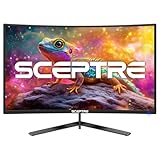 Sceptre New 24-inch Curved Gaming Monitor 1080p up to 180+Hz DisplayPort HDMI 100% sRGB, AMD FreeSync Build-in Speakers Machine Black 2026 (C248B-FWT168 Series)
- 【SEAMLESS CONNECTIVITY & PERFORMANCE】 Seamlessly link your devices to our two HDMI ports and two DisplayPort providing up to 180Hz refresh rate, ensuring not only versatile connectivity but also a buttery-smooth visual experience for both work and play. Built-in Speakers and Audio Out Jack also provides diverse audio options.
- 【EASY ON THE EYES】 Protect your eyes and enhance your comfort with Blue-Light Shift technology. This feature reduces harmful blue light emissions from your screen, helping to alleviate eye strain during long hours of use and promoting healthier viewing habits.
- 【INTEGRATED SPEAKERS】Whether you're at work or in the midst of an intense gaming session, our built-in speakers provide rich and seamless audio, all while keeping your desk clutter-free.
- 【EXPAND YOUR VIEW】With a VESA wall mount pattern, you have the flexibility to choose the perfect viewing angle for your monitor, tidy up cable clutter, and reclaim precious desk space in both your gaming and work setups.
- 【CUSTOM GAMING MODES】Experience enriched gaming with Sceptre's custom display settings tailored for gamers. Dive into the heart-pounding action of First Person Shooters (FPS) or master the strategic gameplay of Real-Time Strategy (RTS) titles, all optimized for peak performance on our monitor.
-
In version 26.3, the mode change takes effect without restarting. Mojang’s 26.3 notes say Borderless Fullscreen is the default fullscreen mode.
Borderless Fullscreen vs. Exclusive Fullscreen
Both modes fill the display, but they differ in how the game interacts with it. Borderless Fullscreen runs in a window without exclusive control of the monitor; on Windows, Microsoft explains that the Desktop Window Manager retains overarching display control in borderless-windowed mode. Microsoft’s DirectX explanation describes the Windows display architecture, not Minecraft-specific performance.
Rank #2

- 【ENHANCED GAMING EXPERIENCE】 Elevate your gaming prowess with a lightning-fast 1ms BR (Blur Reduction) and a silky-smooth 100Hz refresh rate. Enjoy unparalleled responsiveness and immersive visuals on a 1500R curved VA panel that will take your gaming experience to the next level.
- 【EASY ON THE EYES】 Protect your eyes and enhance your comfort with Blue-Light Shift technology. This feature reduces harmful blue light emissions from your screen, helping to alleviate eye strain during long hours of use and promoting healthier viewing habits.
- 【TRUE TO LIFE COLORS】Experience vibrant and true-to-life colors with a 100% sRGB color gamut performance, ensuring accurate and stunning visuals for all your creative and multimedia tasks.
- 【SEAMLESS CONNECTIVITY & PERFORMANCE】 Seamlessly link your devices to our two HDMI ports and one DisplayPort providing up to 100Hz refresh rate, ensuring not only versatile connectivity but also a buttery-smooth visual experience for both work and play. Built-in Speakers and Audio Out Jack also provides diverse audio options.
- 【INTEGRATED SPEAKERS】Whether you're at work or in the midst of an intense gaming session, our built-in speakers provide rich and seamless audio, all while keeping your desk clutter-free.
| Mode | What it means | Version notes |
|---|---|---|
| Borderless Fullscreen | Fullscreen presentation without exclusive control of the monitor. | Default fullscreen mode in Java Edition 26.3; switching to or from Exclusive Fullscreen does not require a restart, according to Mojang’s 26.3 notes. |
| Exclusive Fullscreen | The option for fullscreen to take full control of a monitor. | Introduced in Java Edition 26.1. In that release, changing the option required restarting the game, according to Mojang’s 26.1 notes. |
There is no general performance result established here: these sources do not show that one mode universally improves Minecraft’s frame rate, input lag, or application switching.
If borderless fullscreen does not fill the screen
Check the game version if the taskbar or a gap is visible
Mojang tracked a defect in Java Edition 26.3 Pre-Release 2: after maximizing the window and then toggling fullscreen, the taskbar could remain visible. The issue tracker lists the fix in Pre-Release 3. Check that your build includes the fix before trying external utilities. Mojang issue MC-278282.
Rank #3

- 1800R curve monitor the curved display delivers a revolutionary visual experience with a leading 1800R screen curvature as the images appear to wrap around you for an in depth, immersive experience
- Hdmi, VGA & PC audio in ports
- High refresh rate 75Hz.Brightness (cd/m²):250 cd/m2
- Vesa wall mount ready; Lamp Life: 30,000+ Hours
- Windows 10 Sceptre Monitors are fully compatible with Windows 10, the most recent operating System available on PCs.Brightness: 220 cd/M2
Use care with older-version workarounds
An older community support thread suggests leaving fullscreen and maximizing the window, or editing the fullscreen value in options.txt. That is a legacy community workaround, not the current built-in procedure. If you edit the file, back it up first. The community thread.
Do not generalize prerelease crash reports
Java Edition Snapshot 4 notes listed exclusive-fullscreen crashes in some Windows multi-monitor situations and a crash on Wayland. Those were prerelease known issues; they do not establish that current releases or all systems have the same problem. Snapshot 4 notes.
Rank #4

- Quality Visuals: The KG251Q 24.5" monitor with 1920 x 1080 Full HD resolution in a 16:9 aspect ratio presents stunning, high-quality images with excellent detail. The zero-frame design does away with the thick frames found on conventional monitors freeing up precious screen space.
- AMD FreeSync Premium Technology: Say “goodbye” to stuttering and tearing. With AMD FreeSync Premium, the monitor’s frames are synced with the graphics card’s frames, which eliminates screen tearing and provides the smoothest gaming experience.
- 200Hz Refresh Rate: The 200Hz refresh rate speeds up the frames per second to deliver an ultra-smooth 2D motion scene. With a rapid refresh rate of 200Hz, Acer Monitors shorten the time it takes for frame rendering, lower input lag and provide gamers an excellent in-game experience.
- Responsive!!: Up to 0.5ms GTG (Gray to Gray) response time enhanced gamers’ in-game experience. No matter if the fast-moving action or any dramatic transitions will be rendered smoothly without the annoying effects of smearing or ghosting with KG251Q Gaming Monitor
- ZeroFrame Design: With a Nitro KG251Q monitor, you’ll want to see as much of the display as possible. Get more real estate with the near bezel-less design, allowing you to see more and do more. The ZeroFrame design lets you place multiple monitors next to each other for a seamless, almost uninterrupted view.
Does this work in Minecraft Bedrock?
The documented setting and steps above are for Java Edition. The official Java release notes cited here do not establish that Bedrock Edition has the same Borderless Fullscreen option or setting path, so do not assume the Java instructions apply there.
Quick Recap
Best Value

- 200Hz PC Monitor - LXZ 24.5-inch gaming monitor combines high resolution with an impressive 200Hz refresh rate. Enhanced by freesync technology, it effectively eliminates tearing and freezing, ensuring crystal-clear video playback for an exceptional gaming experience
- Exceptional Gaming Experience - LXZ PC monitors utilize Adaptive-Sync technology for smooth, tear-free gaming experiences, eliminating lag and input delays. Enjoy immersive gameplay with added eye protection through flicker-free
- Vivid Color - The gaming monitor offers a vibrant visual experience with 8-bit color depth, an extensive 16.7 million color gamut, a dynamic 100000:1 contrast ratio, and full coverage of the 99% sRGB spectrum. Immerse yourself in rich, detailed colors that bring your gaming and visuals to life
- Flexible Connectivity - Experience high-quality image transmission, allowing you to seamlessly transition between work and entertainment.Support USB/HDMI/ DP (up to 200Hz), Exact refresh rate performance depends on your CPU, consoles and Apps
- Tilt -5 to 15 degree angle adjustment and 75*75mm wall mountable design make it convenient to relax or work at an optimum position. Bring you a enjoyable office and gaming experience
Product prices and availability are accurate as of the date/time indicated and are subject to change. Any price and availability information displayed on Amazon at the time of purchase will apply.
Do these 3 things before closing this tab:
1Scan for outdated or missing drivers - takes under a minute2Repair Windows errors before they cause bigger problems3Fix the driver behind crashes, sound loss and screen glitches



