There is no single confirmed fix for every Fallout: New Vegas infinite loading screen. First identify whether the game hangs at launch, while loading one save, or during a door or fast-travel transition. Then use the steps for your platform and setup; avoid changing several things at once.
First, identify where the loading screen hangs
“Infinite loading” describes several different problems, not one confirmed diagnosis. Before changing files or mods, note your platform, whether the game is modded, and what action triggers the hang.
- At startup: the game does not reach its menu.
- When loading one save: the menu works, but a particular save will not load.
- During a transition: the game hangs after entering a door, fast-traveling, or otherwise changing locations.
Bethesda’s documented guidance covers launch failures and freezes when loading a save, but it does not establish one universal infinite-loading fix. Its steps are a useful baseline for those symptoms, not a diagnosis for every transition hang. Bethesda Support: Fallout: New Vegas troubleshooting. Community posts use the same phrase for varied symptoms, but anecdotes do not confirm a common cause. Community reports.
If the game will not launch on PC
For a launch failure, Bethesda’s baseline is to remove the game’s configuration file and verify the installed files through the launcher. Back up files before deleting or changing them.
Crashes, No Sound, or Screen Glitches?
Random freezes, missing sound and display glitches usually trace back to one bad driver. Find and replace yours safely.Free scan · under a minuteWindows Errors? Fix Them Before They Spread
Repair common Windows errors and clear accumulated junk for a smoother, more stable PC - no reinstall needed.Free scan · no reinstall#1 Best Overall
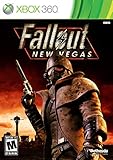
- Not even nuclear fallout could slow the hustle of Sin City. Explore the vast expanses of the desert wastelands
- Feuding Factions, Colorful Characters and a Host of Hostiles
- Enjoy new additions to Fallout: Special melee combat moves have been added to bring new meaning to the phrase "up close and personal"
- With double the amount of weapons found in Fallout 3
- In a huge, open world with unlimited options you can see the sights, choose sides, or go it alone
- Find
Fallout.ini, usually inDocumentsMy GamesFalloutNV, and delete it. The game can recreate its configuration file. - Use the relevant launcher’s option to verify the game files. Verification checks the installation; it is not a guaranteed cure. Steam may report local configuration files that it does not alter.
- If the game still will not start, Bethesda also lists running it in Windows 7 compatibility mode and running it as an administrator as possible troubleshooting steps. Treat these as options to test, not assured fixes.
See Bethesda’s launch troubleshooting instructions for the supported guidance.
If one save freezes while loading
Preserve your progress before troubleshooting. Bethesda recommends keeping multiple save copies and trying an earlier save; if the problem persists, starting a new game may be necessary. Use that only after testing earlier saves, since it can mean losing access to the affected playthrough.
Rank #2

- Beyond the Wasteland: The world of New Vegas is more expansive than ever. Each new distinct area presents a fresh set of branching-quests, remarkable personalities and more chances to play the Savior or the Pariah to the natives of New Vegas.
- Dead Money: Lured into a trap masquerading as the Sierra Madre Casino, you are thrown into a high stakes game where you'll have to work with three other lost souls if you want to survive.
- Honest Hearts: An expedition into Utah's Zion National Park goes horribly wrong and you become embroiled in a war between tribes and put into a conflict between a New Canaanite missionary and the mysterious Burning Man.
- Old World Blues: Transported to the Big MT research crater, you are enlisted by the Think Tank to save them from their own science experiments that have gone horribly out of control.
- Lonesome Road: Ulysses, the original Courier Six, contacts you and promises to answer why he refused to deliver the Platinum Chip at the start of Fallout: New Vegas, but only if you make one last journey into the treacherous canyons of the Divide.
- Back up your save files before experimenting.
- Load an earlier save and check whether it works.
- If earlier saves also fail, consider whether the problem began after a specific change, such as installing or updating a mod, and investigate that separately.
- Consider starting a new game only as a last resort if the issue persists.
Bethesda’s advice addresses save-loading freezes, not every kind of loading transition hang. Bethesda Support.
If you use mods on PC
Do not apply an executable patch or add a collection of fixes based solely on an old forum post. Match instructions to your game edition and check the maintained Viva New Vegas guide, which documents separate patcher setup for Steam/GOG and Epic. The guide says its patchers allow the game to use up to 4GB of RAM and automatically load xNVSE; follow the instructions for your edition rather than assuming the procedures are interchangeable.
Free tools Windows power users keep installed
One-click scans. No signup required.
Find a conflicting mod systematically
- Back up saves and note your current mod setup before changing it.
- Disable mods in groups, then test the same action that caused the hang.
- If disabling a group resolves the problem, re-enable or disable smaller subsets until you narrow down the likely conflict.
- Change one group at a time so you can tell which change affected the result.
Viva New Vegas recommends narrowing down problematic mods this way. Its changelog says New Vegas Heap Replacer was removed because possible crashes were not worth its often-small performance gain; do not treat it as a default fix simply because older advice mentions it. Viva New Vegas.
Does installing the game on an SSD fix it?
Not necessarily. Viva New Vegas says an SSD improves ordinary loading times and reduces stuttering, but that is different from evidence that it cures an infinite loading screen. An SSD is not an established fix for this symptom.
Rank #4

- Ultimate Edition
- If you've played Fallout 3, you won't miss a step when transitioning over to New Vegas since it's largely the same in terms of gameplay.
- RPG
- Play in first-person or third-person perspective
What to do if it still hangs
Keep the troubleshooting focused on the symptom you can reproduce. Record whether the hang occurs at startup, with one save, or during a transition; note the platform and, on PC, whether mods are installed. For modded PC play, use the edition-specific guide and isolate mod groups. For launch or save-loading problems, follow the relevant Bethesda steps. The cause and remedy for an individual setup cannot be determined from the phrase “infinite loading” alone.
Quick Recap
Best Value

- Gamestop Exclusive that includes additional content on disc.
Product prices and availability are accurate as of the date/time indicated and are subject to change. Any price and availability information displayed on Amazon at the time of purchase will apply.




