On Roblox’s website, open the Avatar Editor, use Advanced in the accessories area, enter the asset IDs for the shoulder accessories you want, and save. This method comes from a Roblox Developer Forum reply dated April 8, 2025, so it is community guidance—not a workflow confirmed in an official consumer support article. Roblox Developer Forum
Equip multiple shoulder accessories on the Roblox website
- Open Roblox in a web browser and go to the Avatar Editor.
- In the accessories area, look for Advanced. The cited forum reply says this option appears on the website’s Avatar page.
- Enter the asset IDs for the shoulder accessories you want to wear.
- Save the changes and check the avatar preview.
The community reply describes entering asset IDs but does not provide an official procedure for finding them. Do not assume a particular copy-ID option or menu path is available.
Why the accessories may look or behave differently
Accessory type affects how an item fits
Roblox distinguishes rigid accessories, which attach to a specific point, from layered accessories, which stretch and fit over an avatar and its existing clothing. A catalog item described as a shoulder accessory is not necessarily the same thing as a layered accessory. Roblox Creator Hub: Accessories
Attachment type affects movement
Roblox’s technical specifications list shoulder and collar attachment points. Accessories using RightShoulderAttachment or LeftShoulderAttachment move with the character’s arm; items using RightCollarAttachment or LeftCollarAttachment do not. This describes how an item behaves, not a separate way to equip it. Roblox Creator Hub: Accessory specifications
#1 Best Overall
![Roblox Avatar Shop Series Collection - Social Medusa Influencer with Selfie Stick Figure Pack [Includes Exclusive Virtual Item]](https://m.media-amazon.com/images/I/51NTOqw7n5L._SL160_.jpg)
- The Avatar Shop Series includes an action figure and interchangeable accessories inspired by some of the most popular items on Roblox
- Mix and match parts to build your own unique Roblox character
- Deck out your figures with the included accessories
- Each package comes with a redeemable code to unlock an exclusive virtual item on Roblox
Why an accessory may be missing in a particular game
A saved avatar setup does not guarantee that every Roblox experience will display it unchanged. Developers can configure an experience to override accessory types or remove accessories in a category, and Roblox’s character appearance tools let developers change accessories in bulk. If an item appears in your avatar preview but not in one experience, that experience may be customizing or filtering the character’s appearance. These are developer-side controls, not settings you can change in the website editor. Roblox Creator Hub: Character appearance Roblox Creator Hub: Studio game settings
Quick Recap
Rank #3
![Roblox Imagination Collection - Sea Serpent Figure Pack [Includes Exclusive Virtual Item]](https://m.media-amazon.com/images/I/418mLBZlR4L._SL160_.jpg)
- Fans will love imagining scenes from the Roblox universe with this collectible figure
- Inspired by one of the many community-created avatar bundles on Roblox
- Deck out your figures with the included accessories
- Each package comes with a redeemable code to unlock an exclusive virtual item on Roblox
- Collect all your favorite Roblox figures today!
Rank #2
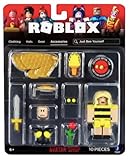
- Collectible figure
- Roblox
What is not confirmed
- The cited guidance concerns the Roblox website. It does not establish that Advanced is available in every mobile app, console client, or interface version.
- Neither the forum reply nor the official Creator Hub material cited here establishes a current maximum number of shoulder accessories. No numeric limit can be stated from these sources.




