Use LiveSplit’s global keyboard hotkeys to control the timer while your game remains active; LiveSplit does not need to be the focused window. Set up and test those hotkeys before a run, since support can vary by platform. If by “use LiveSplit in game” you mean keeping its timer visibly overlaid on top of the game, the steps depend on the game and operating system and are not established by the general instructions below.
Set up LiveSplit before starting the game
-
Get LiveSplit from the official downloads page. LiveSplit recommends reading its FAQ and watching its Introduction Video before first use; both are linked from that page.
-
Configure the game and route in your split list. LiveSplit is a timer for speedrunners, with a timer and splits display among its standard components, and you can customize its layout.
-
Set or check the timer’s keyboard hotkeys, then test them before you begin a run. The LiveSplit hotkey documentation says the hotkeys are global, so the application window does not need to be in focus. Global-hotkey support depends on platform.
Recommended Free Tools
Special offer. See more information about Outbyte and uninstall instructions. Please review EULA and Privacy policy.#1 Best Overall
 PULIVIA Stopwatch Timer, Digital Stop-Watch for Sports, Black
- Large Display --- Large and clear digit display, easy to read.
- Split Function --- Split Function can time single & split events, freezing the split-time display while total time continues; Time-Out Function has separate start/stop & reset buttons.
- Stopwatch for Coaches --- Includes 47" lanyard (neck strap), Light weight, small in volume, geat handheld, easy to carry, It is a good equipment for coaches referee to make practice like swimming running rugby basketball football and soccer etc.
- Multi-functions Stopwatch --- The stopwatch can show calendar and clock, hour, minute, second, week, month, day, selectable 12/24 hour.
- Precise Stopwatch --- PULIVIA this stopwatch is with high-precision, 1/100th second accuracy; One timing maximum up to 99 hours 59 minutes 59 seconds.
Control the timer without switching out of the game
Once the hotkeys are configured and working, leave the game active and press the assigned keyboard shortcut for the timer action you need. You do not have to click LiveSplit’s window first. The exact shortcuts depend on your configuration, so check the hotkey settings rather than assuming particular keys.
If a shortcut seems inactive, check whether global hotkeys are enabled. LiveSplit’s component catalog describes a Hotkey Indicator that changes color according to global-hotkey status; it can help you see whether hotkeys are enabled.
Rank #2
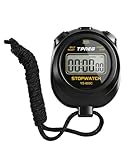
- 【Easy-to-use simple stopwatch】: This simple stopwatch only features stopwatch and countdown timer functions, with a large screen making numbers easy to read. It's an ideal timer for various uses, including sports and classroom settings
- 【Easy to set, kid-friendly】: This digital stopwatch features a single lap function and requires minimal buttons for control. It's very simple to operate, so even children can set it up easily. It includes minutes, seconds, and 1/100 seconds, making it a perfect stopwatch for kids and a practical timer for classroom activities
- 【Shut-Off Mode, No Annoying Noise】: When not in use, you can turn off this stop watches timer to save power. The digital stopwatch timer is powered by a 3A battery, which can last up to a year and is easy to replace. It does not have an hourly chime function, so it won't emit annoying beeps for no reason
- 【Excellent one-hand control】: The small soccer referee stopwatch with large buttons is easy to press, carry, and store. Comes with a 22-inch lanyard, allowing you to wear it around your neck if needed. This simple stop watch is perfect for coaches and suitable as a sports stopwatch for track and field events
- 【Detailed Instructions and Worry-Free After-Sales Service】: The package includes a plastic stopwatch and a user manual. If you need any assistance, you can contact us through Amazon. Whether you need a stop clock, a lap timer, or a stop watches for sports, this stopwatch meets various needs
Choose the timing method your run requires
| Method | What it measures | Loading time | When to use it |
|---|---|---|---|
| Real Time | Unmodified elapsed timing, as described by LiveSplit. | Included in the elapsed time. | Use it when the run’s rules call for real-time timing. |
| Game Time | An optional time value that may be provided by the game or represent real time with loading times removed. | May be removed, depending on the supported Game Time implementation. | Use it only when supported for the game and allowed by the run’s rules. |
For a game with detected support, open the Splits Editor and activate Game Time or autosplitting there. LiveSplit’s features page describes these as game-dependent options; it does not establish support for every title. Follow your category’s timing rules rather than choosing one method universally.
Independent reader supportYour contribution helps us test, update, and keep practical guides available for everyone.Hotkeys and a visible timer overlay are different
Global hotkeys let you control LiveSplit while the game has focus; they do not, by themselves, establish that the timer will remain visible on top of a particular game. No game or operating system is specified here, so overlay setup steps cannot be given reliably. For overlay instructions, identify your game, operating system, and whether you need the timer displayed over the game or only need to control it without switching windows.
What’s actually slowing this PC down?
Pick the symptom - the matching free tool is one click away.
Quick Recap
Best Value

- LARGE Display & BIG Digits & LOUD Alarm & SLEEK Design - Three desirable features as a handy kitchen timer: Large LCD Display (3" screen); Big Digits (1.5" bold fonts); Loud Beeper Alarm (loud & clear but not deafening). - The Sleek Design outlooks competitors: 3 big no show function buttons on the front bulge of the battery case, leaving more space for LCD screen and looking much nicer than ugly buttons-on competitors; matte black exterior textures well with your kitchen, bedroom, office, etc.
- COUNT DOWN OR UP & ONE-THUMBED OPERATION & VISION FRIENDLY - Can both count down as a timer and count up as a stopwatch in a range from 1 second to 99 minutes - 3 big no show function buttons aligned on the front bulge allow simple and reliable one-thumbed operation, no frills features - Ever-on technology consumes almost no power while the timer stands by not in use, no need for switching it off - Two separate digital timings: MINUTE in larger display; SECOND in large display, easy to read.
- SLEEK DESIGN AS A VERSATILE TIMER - Designed not to be just an ugly kitchen utensil, Home Most timer looks much nicer than competitors so that you want to use it in many other occasions. - 3 big no show function buttons seamlessly aligned on the front bulge for one-thumbed simple controls, outlooking those ugly buttons-wearing competitors; the matte black exterior textures well with your kitchen, bedroom, office, etc. for meetings, homework, exercise, meditation sessions, games, laboratory, etc.
- THREE Placements: Magnetic Back, Retractable Stand, Foldable Hook - There are 3 different options for you to place the kitchen timer - Stick the kitchen timer to the fridge door with its magnet - Place the unit on the flat surface with its retractable stand for table-top use - Pull out the foldable hook and hang it on a wall hook or around your neck if you are on the go as it is battery operated (1 AAA battery included).
- DEVOTED CUSTOMER SERVICE - This product comes with 1-MONTH trial period and LIFE-TIME customer service - Genuine HOME MOST Design House Trademarked Product - Certified under UL588 and Complies with 16 CFR 1120.3(c) - TRADEMARK filed in U.S.A. - In business since 2006.
Rank #4

- 2‑PACK DIGITAL TIMER WITH BATTERY. This set includes 2 digital timers with 2 AAA batteries. It supports both count‑down and count‑up timing, max timing range up to 99 minutes 59 seconds. Built‑in memory function retains your last time setting without repeated reset, suitable for cooking, homework, focus study and workout timing. ( *It can not set Hour. Also no clock function. )
- LOUD AUDIBLE ALARM & SILENT FLASHING RED LIGHT. 2 reminder modes for different environments. Loud beeping alarm can be heard from another room for kitchen cooking. Silent mode triggers flashing red light only, no beep noise, perfect for quiet classroom, kid's study room and library without disturbing others. ( *For alarm mode, timer will beep during setting. )
- 3‑WAY MOUNTING OPTIONS. Each timer features magnetic back to attach on fridge or metal surface; fold‑out kickstand for desktop tabletop placement; hanging hole allows hanging (Need extra small string). 3 placement solutions fit kitchen, classroom, office and home desk scenarios. Small item size: 2.68"D x 2.48"W x 0.63"H. (You will get: 2 pcs digital timers, 2 pcs AAA batteries (Pre-install).
- SIMPLE OPERATION & BATTERIES PRE‑INCLUDED. Easy M/S buttons make time setting intuitive for kids, seniors and teachers. 2‑pack AAA batteries are pre-included in timer, ready to use out of box. When not in use, please manually switch it to shut-off on the backside. ( *It does not feature auto shut off. Its battery can not be charged. )
- WIDE‑APPLICATION HOUSEHOLD & CLASSROOM TIME MANAGEMENT TOOL. Practical timing tool for kitchen baking, egg boiling; classroom teaching for teachers; kids homework & screen‑time control; fitness exercise, hair salon timing and many more daily timing tasks. Perfect as homeschool supplies, classroom must haves, back to school supplies & teacher essentials. Compact lightweight design for home and travel use.
Rank #3

- 1 Blue & 1 Green Timer: Measures 2.91 * 2.75", large screen, large numbers, easy to read.
- Easy to use: Digital Timer can use for countup/countdown. With three simple buttons, anyone can learn to use them. The memory function will automatically remember the countdown settings.
- Power saving: Side switch design for you to turn off the kids timer when not in use. Saving battery and extend service life.
- Multiple uses: The built-in stand on the back for flat surface, a strong magnet for magnetic surface, and a hole on the top for hanging (comes with hanging ropes).
- Multiple occasions: Perfect timers can be used in classrooms, homework, reading, games, brushing teeth, kitchen, exercise, and more.
Product prices and availability are accurate as of the date/time indicated and are subject to change. Any price and availability information displayed on Amazon at the time of purchase will apply.



