Quick wins for a faster PC:
Clear out junk files and repair common Windows errorsFree Scan →Scan for outdated or missing drivers - takes under a minuteDriver Scan →Repair Windows errors before they cause bigger problemsFix Now →If your PS3 will not play a Blu-ray, follow the symptom before assuming the optical drive has failed: respond to any encryption-key message with a system update; check whether the disc format and condition are supported; rule out region or parental restrictions; and, if the disc appears to play but the picture is missing, check the HDMI/HDCP path. The exact PS3 model and whether one or several known-good discs fail both matter when deciding whether console service is needed.
Start with the message or symptom
- A request to renew the Blu-ray player encryption key: update the system software using Sony’s official method.
- The disc is not recognized or will not start: check its orientation, condition, recording format, and compatibility with your PS3 model.
- The disc is recognized but playback is refused or interrupted: check region coding, parental controls, and any disc-lock password.
- The disc seems to play, but the picture is absent or distorted: check the HDMI connection and HDCP-compatible display path.
These symptoms point to different parts of the playback chain. In particular, picture-output trouble is not the same as a disc-reading failure.
If PS3 asks to renew the Blu-ray encryption key
Sony says a PS3 needs a renewed Blu-ray player encryption key to play Blu-ray discs. If the console displays a key-renewal message, update its system software using Sony’s official data and instructions. Sony’s US PS3 system software page lists an internet method at Settings > System Update > Update via Internet. Its USB method uses a FAT32-formatted drive, a folder path named PS3/UPDATE, and the update file name PS3UPDAT.PUP. Follow Sony’s current instructions rather than using unofficial update files.
Sony’s US support page reported system software version 4.93 on October 8, 2026; version availability can change, so check the page for the current release before updating.
#1 Best Overall

- ➤ KEM-450DAA KEM-450D BLU-RAY DRIVE WITH KES-450DAA LASER FOR SONY PS3 CECH-3001A, CECH-3001B, CECH-2501A, CECH-2501B - 160, 320 GB Models
- ➤ PS3 slim console with dual lens and it will fit any CECH-25XXA model, 160GB Slim Console.
- ➤ Tips: This is replacement to replace your old damage Blu Ray DVD Disc Drive, don't include instructions, please install it by a professional technician.
- ➤ Please note this item is a Disassembly parts from original device. (may get a little scratches) if you mind the condition, please do not order this.
- ➤ Package Content:1 replacement KEM-450DAA Blu-ray Drive for Sony Playstation 3 Slim
Check whether the disc and PS3 model are compatible
“Blu-ray” covers more than one kind of disc. Support for recordable formats can depend on the PS3 model and the document for that model; do not assume every PS3 plays every BD-R or BD-RE revision.
| Source and model context | Formats listed | Important qualification |
|---|---|---|
| Sony’s current Japanese PS3 Blu-ray troubleshooting article | PS3 BD-ROM, BDMV BD-ROM, BDAV BD-R (version 1.1), and BD-RE (version 2.1) | These are the formats listed in that article; match them to the console and disc in question. |
| Legacy US manual for PS3 model CECH-2501B | BD-ROM, BD-R, and BD-RE | The manual specifically excludes BD-RE version 1.0. This is model-era guidance, not a universal compatibility list. |
For the broader Japan support article and its model-specific guidance, see Sony’s PS3 Blu-ray Disc playback troubleshooting page. Check the model number on your console and consult the matching manual where possible.
Rank #2
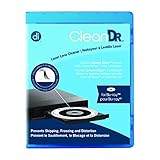
- Laser lens cleaner for Blu-Ray players and Blu-Ray video game systems having issues with discs that load slowly, skip, or freeze during playback
- Patent-pending Zero-Clearance Technology and 10-Brush Cyclone Clean process removes dirt and dust build-up that causes audio and video dropout and distortion
- Cleaning the laser lens can extend the life of the Blu-Ray player while improving sound and image quality
- Includes Image & Sound Calibration Tools and instructions in English, French or Spanish
- Works with Blu-Ray Players, DVD Players, XBOX/XBOX 360/XBOX ONE, PS/2/3/4. Not compatible with CD only players
Inspect the disc and see whether other discs work
- Eject and reinsert the disc. Make sure a labeled disc is inserted label-side up.
- Look for visible dirt or scratches. If it is dirty, gently wipe it with a soft cloth.
- Try another known-good Blu-ray that is supported by your PS3 model.
Sony’s PS3 manual cautions: “Some discs may not be playable due to scratches, dust, the quality of recording, or the characteristics of the recording device.” A single disc failing while other supported Blu-rays work points first toward that disc, its format, or its recording. If several known-good supported discs fail, console diagnosis becomes more plausible—but that pattern alone does not identify a failed part.
Use the manual for your model when checking the instructions above. Sony’s PS3 system manual, disc playback section covers disc handling and playback limitations.
Rank #3

- Weighted, anti-skid bottom and flexible to fit any dash
- Works with any suction-cup mount bracket
Rule out playback restrictions
A disc may be recognized yet blocked from playback for reasons unrelated to a failed drive. Sony’s manual identifies region-code mismatch, parental-control settings, and a disc-lock password as possible restrictions. Check the disc’s region and the console’s applicable settings if playback is refused or stops after recognition. These checks are distinct from investigating a disc the PS3 cannot read at all.
If the disc plays but there is no usable picture
For protected Blu-ray video, Sony’s manual calls for an HDMI connection to an HDCP-compatible device. Check that the HDMI cable is seated at both ends and that the display or receiver in the signal path supports HDCP; Sony also recommends trying another compatible cable when troubleshooting picture problems.
Rank #4

- Replacement KEM-450DAA Blu-Ray Drive for the 160gb and 320gb Slim PS3. Please verify model compatibility prior to ordering.
- This item is complete with the drive, tray assembley and KES-450DAA laser.
This branch applies to picture-output symptoms. An HDMI cable will not renew the encryption key or make an unsupported, locked, or unreadable disc play.
Independent reader supportYour contribution helps us test, update, and keep practical guides available for everyone.When console diagnosis is reasonable
First separate a disc-specific problem from a console-wide one: test more than one known-good Blu-ray in a format supported by your exact PS3 model, and complete the relevant update, disc-condition, and restriction checks. Repeated failure across those discs makes further console diagnosis reasonable, but the symptoms here do not establish which component has failed or what repair it needs.
Best Value

- Replacement lens with deck for sony ps3 playstation 3
- Brand new original sony component - safely packaged in Totalconsole packaging
- Replacement for your damaged lens
- Reads all cds, dvds and blu-ray discs
Sony’s Japan support page says after-service intake for PS3 has ended in Japan. That statement is specific to Japan and does not establish service availability in other countries; check the support options for your region.
Quick Recap
Product prices and availability are accurate as of the date/time indicated and are subject to change. Any price and availability information displayed on Amazon at the time of purchase will apply.



