A Game Boy Advance can control Old School RuneScape in the setup reported by Hackaday, but not by plugging the handheld straight into a PC. The 2019 project links the GBA through a GameCube and Game Boy Player, adapters, and JoyToKey. Its appeal is the nostalgic hardware mash-up; using the GBA’s digital pad as a mouse is described as clunky.
How the GBA-to-RuneScape setup works
In a September 2, 2019 report, Tom Nardi at Hackaday describes a chain that turns GBA button presses into computer inputs. The handheld is not a direct PC controller: the arrangement uses GameCube hardware and software to pass its input along.
- Run Game Boy Player homebrew on the GameCube. The tool makes a connected Game Boy Advance mimic a standard controller.
- Connect the GBA to the console. An appropriate GBA-to-GameCube adapter cable links the handheld to the GameCube.
- Connect the controller setup to a computer. A Wii U-to-USB adapter is used between the console setup and the computer.
- Map the controls in JoyToKey. The software assigns GBA buttons to mouse and keyboard actions for Old School RuneScape.
This is the reported arrangement, not a tested, current build guide. The article does not identify exact cable or USB-adapter models, so it does not establish which products to buy or whether particular hardware combinations work today.
Is a GBA a practical way to play Old School RuneScape?
Not especially. The report characterizes mouse control with the GBA’s digital pad as clunky. The build is better understood as a retro-gaming novelty: it brings together a handheld, a GameCube accessory, adapters, and PC input-mapping software rather than offering a straightforward or comfortable controller setup.
#1 Best Overall

- It features a more powerful processor than any previous portable system, for faster, smoother gameplay
- The high-resolution, full color screen makes the game jump out at you -- 50% bigger than Game Boy Color
- Two new buttons, L & R, bring you more control & game options
- Extended battery life lets you play for up to 15 hours on a pair of AA batteries
- Compact Game Paks let you store your game progress & are smaller then Game Boy Color Paks
What is the alternative mentioned in the report?
Hackaday briefly points to a separate DIY adapter that can make a GBA function as a standard Bluetooth controller. The article does not provide its build details, so it is not enough to reproduce that route or judge its reliability, cost, or compatibility against the GameCube chain.
Quick Recap
Best Value

- Compatible with Nintendo GBA, GBA SP and for GameCube.
- Compatible with Nintendo Wii with GC Port only ( Not for Wii U).
- Only Work for Specific Designed Game allows you to connect the GBA or GBA SP for GameCube or Wii.
- Connect your GBA/GBA SP for GameCube Controller Port.
- The pictures are accurate because of real shooting, please check it carefully to make sure it is what you need.
Rank #4
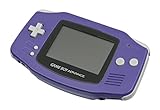
- It features a more powerful processor than any previous portable system, for faster, smoother gameplay
- The high-resolution, full color screen makes the game jump out at you -- 50% bigger than Game Boy Color
- Two new buttons, L & R, bring you more control & game options
- Extended battery life lets you play for up to 15 hours on a pair of AA batteries
- Compact Game Paks let you store your game progress & are smaller then Game Boy Color Paks
Rank #3

- Compatible Model: The link cable only compatible with Game Boy Advance/for Game Boy Advance SP/for GameCube. Not for other model, please make sure your console model. And it do not include other accessories.
- Wide Application: To solve the problem of Unable to play multiplayer games/Unable to use specific peripherals/Multi-device online interruption/Cross-platform online play is restricted,ect. The new one link cable for GameBoy Advance will help to make it normal to use.
- Accurate Design:The link cable for GameBoy Advance SP was with precision molded connectors designed to fit the console ports tightly Built with high‑quality wiring for stable data transfer. Say goodbye to lag, disconnects, or corrupted trades.
- Easy Installation: For GameCube link cable do need need tools to install, just need to remove the old cable and then insert with the new link cable. Also comes with cleaning brush to help to clean up the internal inside of console.
- Suggestion Tips: Please check the connector orientation before inserting link cable for GameCube end into the port and never force it. Grip the connector body when plugging or unplugging—do not pull on the cable—and avoid sharp bends near the ends. For best results, connect the cable while devices are powered off to reduce static or data errors.
Rank #2

- 15 hour rechargeable battery pack.
- Shaped for comfort and control.
- Vibration function
- Speakers
- Built in AC adapter/charger.
Product prices and availability are accurate as of the date/time indicated and are subject to change. Any price and availability information displayed on Amazon at the time of purchase will apply.
Independent reader supportYour contribution helps us test, update, and keep practical guides available for everyone.



