If Assassin’s Creed Valhalla crashes on your PS5, first note whether it fails to launch, crashes while loading a save, or stops during a particular quest—and record any error code. There is no single confirmed fix for every crash. For launch problems, PlayStation’s general troubleshooting steps include moving the game from USB extended storage to console storage, restarting the PS5, restoring licenses, and, if needed, reinstalling the game.
First identify when Valhalla crashes
The timing helps narrow down which steps are relevant. Note whether the game crashes before reaching its menus, while loading a save, during a specific quest, or unpredictably during play. Write down the exact on-screen error code or message, if one appears. Without those details, the cause of an individual crash cannot be diagnosed from the available official guidance.
![PS5 - Assassin's Creed Valhalla - [PAL EU - NO NTSC]](https://m.media-amazon.com/images/I/51efoxSepyL._SL160_.jpg)
- It will not start: Follow PlayStation’s general game-launch troubleshooting below.
- It crashes during a quest: Check whether the quest matches a historical issue addressed in a game update.
- It displays an error code: Use guidance for that exact code rather than assuming every code has the same cause.
Check the game update and quest
Ubisoft’s Title Update 1.6.2 notes marked two PS5 crash issues as addressed: one during “Restless Dreams” and another during “Beyond Fear.” These are historical fixes, not evidence that every crash is resolved or that this update is the latest available. If your crash occurs in either quest, check the installed game version and whether an update is available. Read Ubisoft’s Title Update 1.6.2 notes.
If Valhalla will not launch, try PlayStation’s general steps
These are PlayStation’s troubleshooting steps for game-launch issues, not fixes confirmed specifically for every Valhalla crash. Work through the relevant actions in order:
Recommended Free Tools
#1 Best Overall

- Viking Warrior Experience: Step into the role of Eivor, a fierce Viking raider driven by tales of battle and glory, as you lead your clan from the harsh shores of Norway to the rich lands of England's Dark Ages
- Epic Raiding Gameplay: Launch devastating raids on Saxon troops and fortresses, gathering resources and wealth to strengthen your clan while carving your path through a beautifully realized open world
- Settlement Building: Establish and expand your own Viking settlement, constructing buildings, recruiting new clan members, and customizing your growing community to create a thriving home for your people
- Political Power Dynamics: Forge strategic alliances with various kingdoms and factions across England, making critical decisions that shape your influence and determine your clan's future in a land torn by conflict
- PlayStation 5 Optimized: Experience enhanced graphics, faster loading times, and immersive gameplay designed specifically for PlayStation 5 hardware, bringing the Viking Age to life with stunning visual fidelity
- If the game is installed on USB extended storage, move it to PS5 console storage. Then try launching it again.
- Restart the PS5 and try the game again.
- Restore licenses on the console, then test the launch.
- If the problem continues, delete and re-download the game. PlayStation recommends using a wired internet connection if possible.
- Check for the latest PS5 system software and install an update if one is available.
For a disc copy, use PlayStation’s disc troubleshooting guidance. See PlayStation’s full game-launch troubleshooting page for the current instructions and options.
Use error-code guidance only when it matches
If the exact code on your screen is CE-109573-5, PlayStation describes it as an error that can occur when starting a game on PS5. If the problem continues, its guidance includes trying the system-software update again through Safe Mode. Do not apply this code-specific advice to a different error. See PlayStation’s CE-109573-5 instructions.
Rank #2
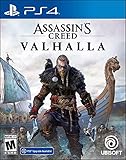
- Lead epic Viking raids against Saxon troops and fortresses
- Relive the visceral fighting style of the Vikings as you dual-wield powerful weapons
- Challenge yourself with the most varied collection of enemies ever in Assassin's Creed
- Shape the growth of your character and your clan's settlement with every choice you make
- Explore a Dark Age open world, from the harsh shores of Norway to the beautiful kingdoms of England
Preserve your saves while troubleshooting
The PlayStation Store listing says Valhalla supports manual save points. Preserve any available saves and avoid deleting saved data as a generic crash fix. The official guidance cited here does not establish a safe save-recovery procedure for a potentially damaged save. Reinstalling the game and deleting saved data are different actions; do not remove save files unless you understand the consequences and have confirmed an appropriate backup or recovery option for your situation.
Independent reader supportYour contribution helps us test, update, and keep practical guides available for everyone.Contact support if the crash persists
PlayStation directs players with continuing game-launch problems to support. When contacting PlayStation Support or Ubisoft Support, include details that can help identify the specific case:
Rank #3

- Only at Amazon Limited Edition Content includes the base game and Sekiryu Character Pack
- Explore the captivating open world of feudal Japan, from spectacular castle towns and bustling ports to peaceful shrines and war-ravaged landscapes. Adventure through unpredictable weather, changing seasons, and reactive environments.
- Become Naoe, a shinobi Assassin, and Yasuke, a legendary samurai, as you experience their riveting stories and master their complementary playstyles.
- Make information your weapon as you explore the world, and build your own network of spies to be your eyes and ears across locations to hunt down your next target. Along the way, recruit new allies with unique abilities to help accomplish your missions.
- Create a fully customizable hideout for your growing shinobi league as you train your crew, craft new gear, interact with key characters, and choose your base’s layout, decorations, and accessories.
- The exact error code or message, or that no code appeared.
- Where and when the crash happens, including the quest or activity if relevant.
- The installed game version and PS5 system software version.
- Whether you use a disc or digital copy, and whether the game is on USB extended storage or console storage.
- Which troubleshooting steps you tried and what happened afterward.
Ubisoft’s support page covers technical issues such as crashes and directs players to its general troubleshooting guide: Ubisoft Help: Troubleshooting technical issues in Assassin’s Creed Valhalla.
Quick Recap
Best Value

- Discover a tightly crafted, narrative-driven action-adventure experience that follows the transformation of a defiant young man into a refined Master Assassin.
- Journey to Alamut, the legendary home of the Assassins who laid the foundations of the Creed in this heartfelt homage to the game that started it all.
- Experience a modern take on the iconic features and gameplay that have defined a franchise for 15 years as you parkour seamlessly through the city and stealthily take down targets with more visceral assassinations than ever before.
- Explore an incredibly dense and vibrant city whose inhabitants react to your every move, and uncover the secrets of four unique districts as you venture through the Golden Age of Baghdad.
- If you already own the PS4 version of this game, you can get the PS5 digital version at no extra cost and you do not need to purchase this product. Owners of a PS4 disc copy must insert it into the PS5 every time they want to download or play the PS5 digital version. PS4 game disc owners who buy the PS5 Digital Edition disc-free console will not be able to get the PS5 version at no extra cost.
Rank #4
Product prices and availability are accurate as of the date/time indicated and are subject to change. Any price and availability information displayed on Amazon at the time of purchase will apply.




