Free tools Windows power users keep installed
One-click scans. No signup required.
If Delta Force keeps crashing on Xbox Series X or Series S, first check the game’s official notices for maintenance, an update, or a known issue. Install any available game update, restart the game and console, then note exactly when and where the crash happens. Delta Force’s official guidance is to contact Customer Service if the problem persists; no Series X|S-specific cause or confirmed fix is established in the available official information.
Are other Xbox players reporting Delta Force crashes?
Yes, players have described crashes on both Xbox Series X and Series S, but those accounts are anecdotal and do not show how widespread the problem is or what causes it. One Series X player reported a crash after the end-of-match loading screen in Warfare; a commenter said they had experienced the same issue on Series S. Other players described crashes in Operations. A later community post reported crashes around the third sector of several Warfare maps and said reinstalling had not helped. These reports describe different patterns, not a confirmed diagnosis or a verified fix.
| # | Preview | Product | Price | |
|---|---|---|---|---|
| 1 |

|
Xbox Series X 1TB Gaming Console Console + 1 Wireless Controller - Backward Compatible with... | $848.98 | Buy on Amazon |
| 2 |
|
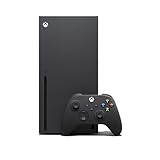
Xbox Series X Console (Renewed) | $719.99 | Buy on Amazon |
| 3 |

|
Xbox Series X | Disc Gaming Console | 1TB SSD | $799.99 | Buy on Amazon |
| 4 |

|
Xbox Series S | Digital Gaming Console | 512GB SSD | $498.00 | Buy on Amazon |
Delta Force’s official news page lists a technical-support guide dated September 18, 2026. It advises players to check the official website and social channels for maintenance, updates, or known-issue notices. The current status can change, so check those channels for the latest information.
What to do when Delta Force crashes on Xbox
- Check official notices. Look at the Delta Force news page and official social channels for maintenance, a recent update, or a known issue.
- Update and restart. Make sure the game has installed its latest available update. Close the game, restart the console, and try again.
- Identify the crash pattern. Record whether it happens when launching, during a match, at a particular map or sector, or while loading after a match. Note whether it occurs in Warfare, Operations, or both—and whether Delta Force returns to the dashboard or the console itself powers off.
- Contact Delta Force Customer Service if it continues. The official support guidance directs players with persistent problems to Customer Service. Include your console model, game version, mode and map, when the crash occurs, what the console does afterward, and the steps you have already tried.
Details such as mode, map, timing, and what happens to the console can help support understand your specific report. They do not, by themselves, establish the cause.
Quick wins for a faster PC:
Repair Windows errors before they cause bigger problemsFix Now →Fix the driver behind crashes, sound loss and screen glitchesFind Drivers →Clear out junk files and repair common Windows errorsFree Scan →#1 Best Overall
- What's in the box: Xbox Series X console, 1 Xbox Wireless Controller - Carbon Black, Ultra High Speed HDMI cable, Power cord.
- Equipped with AMD's Zen 2 and RDNA 2 architectures, DirectX ray tracing delivers true-to-life lighting, shadows and accurate reflections to create dynamic, living worlds.
- Memory: 16GB GDDR6 w/320 bit-wide bus; Memory Bandwidth: 10 GB @ 560 GB/s, 6 GB @ 336 GB/s; Internal Storage: 1TB Custom NVME SSD
- Gaming Resolution: True 4K; Performance Target: Up to 120 FPS; High Dynamic Range: Up to 8K HDR; Optical Drive: 4K UHD Blu-Ray; HDMI Features: Auto Low Latency Mode, HDMI Variable Refresh Rate, AMD FreeSync.
- Bundled with HDMI_Cable
Should you try Xbox saved-data or profile troubleshooting?
Microsoft Flight Simulator Support describes local saved-data resynchronization and removing and re-adding an Xbox profile as general troubleshooting options for that game. Its guidance is not a Delta Force fix, so treat these steps as optional rather than proven remedies. Read each console prompt carefully before deleting saved data; local-data changes can involve cloud resynchronization.
You can review that general guidance in Microsoft Flight Simulator Support’s Xbox troubleshooting article. If you are unsure what a prompt will remove or resynchronize, do not proceed until you understand the consequences.
Rank #2
- Experience brighter worlds, vivid imagery, and sharper details with 4K gaming and up to 120 FPS that makes everything feel so real it’s unreal.
- Quick Resume: Seamlessly switch between your favorite games and pick up right where you left off.
- Backward compatibility: Play four generations of games, including games that are optimized for Xbox Series X|S to look and play better than ever.
- Lightning-fast load times: Jump into your favorite games like Fortnite and Grand Theft Auto instantly.
- Play new games on day one like The Outer Worlds 2, Call of Duty: Black Ops 7, and Grounded 2. Choose from hundreds of high-quality games on console, PC, and cloud with Xbox Game Pass Ultimate.
What is not confirmed
- No official Series X|S-specific cause or confirmed fix is established in the available Delta Force information.
- Player reports do not establish crash frequency, and different reported modes or timings do not prove a cause based on console model.
- A community comment claimed a later update would address an issue, but that is not official confirmation that a fix shipped or worked.
- Delta Force’s July 2025 console FAQ listed target resolutions of 1440p for Xbox Series X and 1080p for Series S. Those launch-era specifications do not explain the crashes.
Until an official notice or support response identifies a cause, buying storage, cooling accessories, repair tools, or replacement hardware would be speculative. The available guidance points first to checking notices and updates, restarting, and contacting Customer Service.
Quick Recap
Rank #4
- BEST VALUE IN GAMING — Experience next-gen speed and performance in the smallest XBOX ever. The XBOX Series S delivers powerful all-digital gameplay in a sleek, compact design.
- UP TO 120 FPS GAMEPLAY — Enjoy smooth, responsive gaming with frame rates up to 120 FPS, powered by XBOX Velocity Architecture, a custom NVMe SSD, and DirectX Raytracing for a heightened level of realism.
- 512GB CUSTOM SSD AND XBOX VELOCITY ARCHITECTURE — Reduce load times dramatically with the custom 512GB NVMe SSD and XBOX Velocity Architecture, enabling lightning-fast performance and seamless world streaming.
- QUICK RESUME — Seamlessly switch between multiple games and resume exactly where you left off. No more waiting through title screens and loading bars.
- FOUR GENERATIONS OF DIGITAL GAMES — Play thousands of digital games from XBOX Series X|S, XBOX One, XBOX 360, and Original XBOX with backward compatibility. Many titles are enhanced for better visuals and performance. Smart Delivery ensures you always get the best version for your console.
Rank #3
- FASTEST, MOST POWERFUL XBOX — Experience next-generation performance with 12 teraflops of processing power, delivering smoother gameplay, richer worlds, and faster responsiveness than any previous XBOX.
- TRUE 4K GAMING UP TO 120 FPS — Enjoy breathtaking visuals with true 4K resolution, HDR, and frame rates up to 120 FPS, plus hardware-accelerated ray tracing for a heightened level of realism.
- 1TB CUSTOM SSD AND XBOX VELOCITY ARCHITECTURE — Reduce load times dramatically with the custom 1TB NVMe SSD and XBOX Velocity Architecture, enabling lightning-fast performance and seamless world streaming.
- QUICK RESUME — Seamlessly switch between multiple games and resume exactly where you left off. No more waiting through title screens and loading bars.
- FOUR GENERATIONS OF GAMES — Play thousands of games from XBOX Series X|S, XBOX One, XBOX 360, and Original XBOX, with many titles enhanced for better visuals and performance on XBOX Series X.
Product prices and availability are accurate as of the date/time indicated and are subject to change. Any price and availability information displayed on Amazon at the time of purchase will apply.




