Free tools Windows power users keep installed
One-click scans. No signup required.
Verdict: Switch Up can be useful if you already own a specifically supported controller and want to use it on Nintendo Switch or access the adapter’s game-specific modes. It is not a universal controller converter: it presents as one Pro Controller, requires a console setting change, and has meaningful limits around third-party controllers and Switch 2. The official store listing showed $24.99 and “Sold Out” on October 8, 2026, so availability and price should be checked before buying.
What Switch Up does
Switch Up is a physical USB controller adapter from Collective Minds. It lets certain controllers from other platforms connect to a Nintendo Switch and offers firmware-based modes associated with selected games. The maker advertises wired and wireless use across several PlayStation, Xbox, and Wii U controller families, but the owner manual provides the more useful compatibility boundary: supported first-party controllers only, with third-party controllers unsupported.
![PAC-MAN CHAMPIONSHIP EDITION 2 PLUS - Nintendo Switch [Digital Code]](https://m.media-amazon.com/images/I/51Y+i0l9RyL._SL160_.jpg)
The Switch recognizes the adapter as a single Pro Controller. That means a game must support the Switch Pro Controller, and one Switch Up does not become several player controllers. NFC functionality does not pass through the adapter. See the official Switch Up product overview and the Collective Minds store listing for the maker’s product description.
Which controllers are supported?
The manual lists these official controller families. Compatibility claims should not be extended to every revision, third-party clone, or wireless configuration without checking the current documentation.
The Tool Desk
Outbyte Driver Updater FREEScan for outdated or missing drivers - takes under a minuteDriver Scan →Outbyte PC Repair FREEClear out junk files and repair common Windows errorsFree Scan →#1 Best Overall

- Upgrade Your Video Games from 1080p to 4K@60fps: The 4K Upscaler enhances resolution while also delivering crisp, clear, and three-dimensional images. It achieves this through image sharpening, color processing, and depth of field using advanced image processing technology, all without any lag or decrease in FPS.
- Compatible Gaming Devices: Suitable for Nintendo Switch, mClassic, Original Xbox, PlayStation, GameCube, PS2, Wii, DreamCast, PS3, Xbox 360, Wii U, mClassics, RetroTink 5x, and more.
- Black Screen Issue: Please make sure your game console has 1080p output. If you encounter any issues with a tight or black screen, please contact us. We will guide you on how to identify a 4K@60Hz display or HDMI 2.0 cable, as HDMI 1.4 cables are not supported by this product.
- Usage Instructions: Please insert the HDMI end labeled "UHD" into your Nintendo Switch dock, and use the provided cable to connect the other end to your 4K@60Hz display.Note: It does not support 4K@30fps and 1440P monitors. If you use this device on a 4K@30fps or 1440P monitor, a black screen will appear.
- No Latency or FPS Drop: Experience high-resolution video quality without sacrificing FPS or enduring any delays.
| Controller family listed in the manual | Important connection qualification |
|---|---|
| Nintendo Joy-Con and Switch Pro Controller | Official first-party controllers are listed. |
| Wii U Pro Controller | Official controller is listed. |
| PlayStation 5, PlayStation 4, and PlayStation 3 controllers | Official controller families are listed. Firmware changes can affect support; check current update notes for the exact model and connection method. |
| Xbox Series and Xbox One controllers | For wireless use, the manual requires the official Xbox Wireless Adapter. Bluetooth from the Xbox controller itself is not compatible with Switch Up. |
| Xbox 360 controllers | Listed by the manual; verify the specific wired or wireless arrangement in its instructions. |
| Third-party controllers | Unsupported according to the manual; do not assume compatibility from a similar shape or brand. |
The manufacturer’s official product page uses broader marketing language, including Bluetooth support for certain controllers. The manual’s supported-family list and specific Xbox wireless restriction are safer guides than a general promise of broad compatibility.
How to set it up on Nintendo Switch
- On the Switch, open System Settings and turn Pro Controller Wired Communication to ON. Collective Minds’ support and updater page makes this a prerequisite. The manual warns that leaving it off can cause an error or control and rumble problems.
- Connect Switch Up to the console as directed in its manual, then pair or attach the supported controller using the instructions for that controller family.
- If using an Xbox One or Xbox Series controller wirelessly, connect through the official Xbox Wireless Adapter. The controller’s own Bluetooth connection is not supported by Switch Up.
- Update firmware using the official Switch Up updater page if required, and confirm that the firmware or mode you need is the correct one for your device.
- Test controls in a game that supports the Pro Controller. If controls or rumble fail, recheck the wired-communication setting and the exact controller connection method before assuming the adapter is defective.
For Switch Lite, the store listing says an OTG USB-C cable is included. Check the contents of the actual package before purchasing a separate cable.
Game modes, upgrades, and firmware
The manual lists Standard, Pokémon Sword & Shield, Animal Crossing, Macro Recorder, Battle Royale, Breath of the Wild, and Super Odyssey modes. It also marks Diamond & Pearl and Scarlet & Violet modes as optional upgrades. These are the manual’s listed features; check the device and current official instructions to establish which modes are installed or available for a specific unit.
The manual describes the Diamond & Pearl upgrade as a one-time US$19.99 charge tied to one device, with Windows 10 or 11 required for programming. Those are manual-stated terms, not confirmation of current upgrade availability or pricing. The standard firmware and the BDSP upgrade use separate updaters: the official updater page says its standard firmware does not include the Brilliant Diamond & Shining Pearl mode and directs upgrade owners to a separate updater.
Recommended Free Tools
Rank #3

- Universal Compatibility:Works with Nintendo Switch, Switch OLED, and Switch 2 consoles. Simply dock your switch console into the mini retro arcade machine and enjoy instant arcade-style gameplay
- Screenshot Icon Button: Easily take screenshots and record highlights when playing Switch arcade games
- Plug & Play: Play freely while charging your Switch, or enjoy unplugged play when your Switch console has power. The included cable connects to your TV for big-screen arcade fun at home or parties
- Turbo & Precision Controls: Classic joystick + 8 responsive buttons with Turbo rapid-fire. Swap between stick/D-pad modes to dominate Switch fighting games and shooters
- Smart LED Indicators:Blue LED stays on when your Switch/OLED/Switch 2 console is connected. Red LED flashes to confirm Turbo settings and active rapid-fire. A built-in reset button quickly resolves arcade cabinet connection issues
Firmware matters because the official patch history records controller fixes and additions. Version 2.1.18 restored wireless Bluetooth support for PS5 controllers after a recent update and added PS5 Edge support. The official updater page listed standard firmware 2.1.18 at the time checked; its BDSP 2.1.18 build also had a Macro Recorder bug noted on that page. Check the updater page and patch notes for current instructions rather than treating a firmware number as a permanent state.
Independent reader supportYour contribution helps us test, update, and keep practical guides available for everyone.Does Switch Up work with Switch 2?
It was not designed for Switch 2, and the manual says it is no longer actively updated. The manual allows that some operation may occur with supported controllers because of backward compatibility, but that is not a compatibility guarantee. It also warns that some macros may no longer work and timing may be off. A buyer who needs dependable Switch 2 support should not purchase Switch Up on the assumption that it will work.
Rank #4
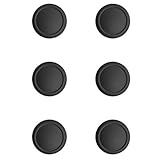
- The easiest way to replace worn out joystick covers.
- The same material as the original joystick cover.
- Super easy to install.
Price, availability, and review evidence
The Collective Minds store listing showed $24.99 and “Sold Out” when checked on October 8, 2026. That is a dated store snapshot, not a guarantee of current stock or price. Check the official listing for the latest status. No current like-for-like alternative or retailer availability is established here.
A November 2020 independent review reported several months of personal use, including firmware updating, wired and wireless connections, game modes, and use with a PS4 StrikePack; the reviewer rated it 4.5/5. That is one reviewer’s experience, not a controlled compatibility test or a reliability study. The review also described an unsupported controller, consistent with the manual’s warning not to assume third-party compatibility. Read it as an anecdotal account, not proof that a particular controller will work.
Quick wins for a faster PC:
Fix the driver behind crashes, sound loss and screen glitchesFind Drivers →Repair Windows errors before they cause bigger problemsFix Now →Quick Recap
Who should consider it?
- It may suit you if you already own an officially listed controller, your game supports the Pro Controller, you are comfortable changing a system setting and keeping firmware current, and the mode you want is available on your unit.
- It is a poor fit if your only controller is third-party, you expect Xbox controller Bluetooth to connect directly, you need NFC pass-through, you expect one adapter to serve multiple players, or you need supported Switch 2 operation.
- Check the total before buying if you need an Xbox Wireless Adapter or a paid game-mode upgrade. The included cable detail for Switch Lite and any upgrade entitlement can vary by package or device.
Product prices and availability are accurate as of the date/time indicated and are subject to change. Any price and availability information displayed on Amazon at the time of purchase will apply.



