Windows Errors? Fix Them Before They Spread
Repair common Windows errors and clear accumulated junk for a smoother, more stable PC - no reinstall needed.Free scan · no reinstallCrashes, No Sound, or Screen Glitches?
Random freezes, missing sound and display glitches usually trace back to one bad driver. Find and replace yours safely.Free scan · under a minutePrestige in MultiVersus was earned mainly by acquiring eligible cosmetic items: the item’s type and rarity determined whether it granted Prestige and how much. Common cosmetics, including Badges, granted none. That earning system is no longer active: the game’s online features ended after May 30, 2025, and Prestige guides now describe historical mechanics rather than current ways to earn currency.
How Prestige worked
Prestige was an in-game currency used to obtain exclusive cosmetics from the Prestige Store. The main way to earn it was to add eligible cosmetics to your collection, whether by obtaining them from the Store or unlocking them through events and Battle Passes. The amount depended on the cosmetic’s type and rarity. The community-maintained MultiVersus reference lists Common items, including every Badge, as awarding no Prestige.
| # | Preview | Product | Price | |
|---|---|---|---|---|
| 1 |

|
Xbox Wireless Gaming Controller | Storm Breaker Special Edition | $64.99 | Buy on Amazon |
| 2 |
|
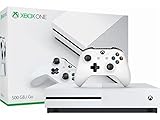
Microsoft - Xbox One S 500GB Console - White - ZQ9-00028 (Renewed) | $201.45 | Buy on Amazon |
| 3 |
|
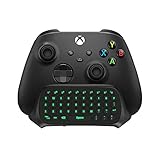
TiMOVO Green Backlight Keyboard for Xbox Gaming Controller, Black | $26.95 | Buy on Amazon |
| 4 |
|
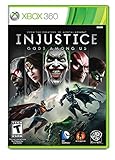
Injustice: Gods Among Us - Xbox 360 | $22.99 | Buy on Amazon |
| 5 |

|
Minecraft – Xbox 361 | $29.89 | Buy on Amazon |
Playing matches by itself was not the general earning method. Some seasons also offered Prestige through missions or Arena match rewards, but those were season-dependent routes, not permanent alternatives to acquiring cosmetics. The same reference describes those historical mechanics; it is not an official economy document.
Can you earn Prestige in MultiVersus now?
No. Online features ended after May 30, 2025, so there is no active online economy in which to earn or spend Prestige. The publisher’s Season 5 announcement said the game would no longer be available to play online or download after Season 5 concluded.
Do these 3 things before closing this tab:
1Repair Windows errors before they cause bigger problems2Fix the driver behind crashes, sound loss and screen glitches3Clear out junk files and repair common Windows errors#1 Best Overall
- BREAKER SERIES — Hold nothing back. Storm Breaker lets nothing stop its style with classic grays and blacks, offset with whites. Part of the collective debut of the Breaker special edition series.
- BOLD STYLE, BUILT TO PERFORM — Define your swagger with a wild, head-turning design. Stay elegantly on target with textured triggers built for every moment.
- RUBBERIZED GRIPS — Hold on to the action with rubberized grips on the back cases, designed for comfort and control during long gaming sessions.
- UP TO 40 HOURS OF BATTERY LIFE — Get up to 40 hours of battery life so you can keep playing without stopping to recharge.
- PLAY ACROSS EVERY SCREEN — Quickly pair with, play on, and switch between devices including console and PC. Stream games across mobile, gaming handhelds, Smart TVs, and supported VR headsets with XBOX Cloud Gaming.
The publisher specified that offline play after May 30 required downloading the latest version and logging in during Season 5, between February 4 and May 30. The game’s official Discord listing describes it as permanently offline and delisted from storefronts on May 30, 2025, while remaining playable through offline modes. Offline access does not restore the online Prestige earning system.
What older Prestige guides can still tell you
- Look for whether a cosmetic was eligible: Common items, including Badges, were listed as granting no Prestige.
- For eligible cosmetics, the amount depended on item type and rarity; do not assume every item had the same value.
- Check the season context for mission or Arena rewards, since those routes were described for particular seasons.
- Prestige was spent on exclusive Prestige Store cosmetics, according to the community-maintained Prestige Store reference.
These points explain how the currency worked while the online game was operating. They are not steps for earning Prestige today.
Quick Recap
Best Value
- The infinite possibilities in Minecraft just got bigger; The gaming phenomenon is coming to the console for the first time exclusively to Xbox 360
- The new crafting interface in Minecraft for Xbox 360 delivers a completely new way to build Minecraft worlds where your imagination is the only limit
- Full featured Tutorial mode to teach the basics and help master essential skills faster
- Social Multiplayer – up to 4 player split screen on one console, share the experience for the first time from the comfort of your couch
- Play Minecraft for Xbox 360 with Friends over Xbox LIVE, combine split screen and Xbox LIVE play in any combination up to 8 players
Rank #4
- Injustice: Gods Among Us - Ultimate Edition (Xbox 360)
- The "Ultimated Edition" version of "Injustice: Gods Among Us" for Xbox 360 that includes OVER $60+ WORTH OF NEW BONUS CONTENT, including: Over 30 New Skins, 6 New Characters (Lobo, Batgirl, Scorpion, General Zod, Martian Manhunter and Zatanna), and 60 New S.T.A.R. Lab Missions.
- Key Game Features: *A unique addition to the fighting genre in which an intriguing storyline pits the heroes -- and villains -- of the DC universe against each other. *A powerful and diverse array of over 20 playable characters, including Superman, Batman, Wonder Woman, The Flash, Nightwing, Catwoman, Cyborg, Harley Quinn, Solomon Grundy, and others.
- A variety of play areas based in the mythologies of each character franchise. *An accessible attack system broken down into light, medium and heavy attack, with each character having their own specific attacks.
- "Wager battles" that allow the winner of the battle to collect a portion of an opponents metered power. *Deep multiplayer play options, including local and online play, as well as tournament support. *Great game for collectors.
Rank #3
- Compatibility: Specifically designed for your Windows 10, Xbox one, Xbox one S, Xbox one Elite, Xbox one Elite 2, Xbox Series X and S controller. NOTE: NOT compatible with Xbox One X
- Brilliant Green Backlight: Once installed, just press the "Xbox" key, the keyboard's backlight will light up, which enhances your game experience. If the keyboard is idle for 10 seconds, the backlight will automatically enter power-saving state
- Chat While Play: 47 keys full keyboard allows you to type, text and email easier and faster. Perfect for group chat while playing games. The keyboard is automatically powered by the connected controller, 2.4G wireless protocol(receiver) to transfer data. The 2.4G receiver is on the top right side of the keyboard and can be withdrawn
- Enjoy the Sound: Audio jack port fits all 3.5 mm audio devices. Connect your headphones, earphones or headset to enjoy the sound
- Simple Installation: Just align it with all ports and connect to controller. And easy to remove
Rank #2
- Memory storage capacity, 500.0
Product prices and availability are accurate as of the date/time indicated and are subject to change. Any price and availability information displayed on Amazon at the time of purchase will apply.
Independent reader supportYour contribution helps us test, update, and keep practical guides available for everyone.



