To move an accessory in Catalog Avatar Creator, open Effects (the sparkles icon), select the accessory, and choose Transform Item. Use the controls shown to adjust it. The option may be unavailable for some items, and an adjustment made in-game may not carry over when you save your avatar to Roblox.
Move an accessory with Transform Item
-
Open Effects in Catalog Avatar Creator. Players describe its icon as sparkles.
-
Find and select the accessory you want to adjust.
-
Choose Transform Item.
-
Use the controls in the transform interface to reposition or otherwise adjust the item. Community guidance describes movement and rotation sliders; a tutorial result also describes moving, resizing, and positioning items. The exact labels and layout may differ in the current game version.
This is a reported player workflow rather than an officially documented menu path. Community answers and a recent tutorial result describe it; the sources do not establish that the interface is identical on PC, mobile, and console. Community guidance · Tutorial result
#1 Best Overall
![Roblox Avatar Shop Series Collection - Social Medusa Influencer with Selfie Stick Figure Pack [Includes Exclusive Virtual Item]](https://m.media-amazon.com/images/I/51NTOqw7n5L._SL160_.jpg)
- The Avatar Shop Series includes an action figure and interchangeable accessories inspired by some of the most popular items on Roblox
- Mix and match parts to build your own unique Roblox character
- Deck out your figures with the included accessories
- Each package comes with a redeemable code to unlock an exclusive virtual item on Roblox
If Transform Item is missing or the accessory will not move
-
The item may not be editable. Community reports say transform availability depends on the accessory. Look for an in-game notice that an item can only be used in-game; some items reportedly cannot be edited.
-
Movement may be limited. Item type and movement bounds can restrict how far an accessory moves. Community guidance mentions a “keep within bounds” setting that imposes a Roblox-like limit when enabled; treat that as player-reported behavior, not an official specification.
Rank #2
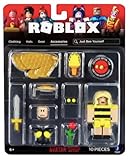 Jazwares Roblox - Avatar Shop: Just Bee Yourself
- Collectible figure
- Roblox
-
Saving may not preserve the adjustment. A community post reports that adjustments to waist accessories may work in Catalog Avatar Creator but fail to save to the Roblox avatar. Check the saved avatar rather than assuming every transform persists.
Community guidance on item eligibility, bounds, and saving
Quick wins for a faster PC:
Fix the driver behind crashes, sound loss and screen glitchesFind Drivers →Repair Windows errors before they cause bigger problemsFix Now →Rank #3
![Roblox Imagination Collection - Sea Serpent Figure Pack [Includes Exclusive Virtual Item]](https://m.media-amazon.com/images/I/418mLBZlR4L._SL160_.jpg)
- Fans will love imagining scenes from the Roblox universe with this collectible figure
- Inspired by one of the many community-created avatar bundles on Roblox
- Deck out your figures with the included accessories
- Each package comes with a redeemable code to unlock an exclusive virtual item on Roblox
- Collect all your favorite Roblox figures today!
Catalog Avatar Creator is not Roblox Studio’s fitting workflow
If you are editing an accessory asset as a creator in Roblox Studio, that is a different task. Roblox’s Accessory Fitting Tool is for fitting rigid or layered accessory assets; its documented workflow uses Move, Scale, and Rotate tools in the viewport. It is not the in-game player menu described above. Roblox Creator Hub: Accessory Fitting Tool
Quick Recap
Product prices and availability are accurate as of the date/time indicated and are subject to change. Any price and availability information displayed on Amazon at the time of purchase will apply.



