Cronus Zen supports Xbox Series X|S consoles. For the standard wired setup, set the Zen’s Emulator Output Protocol to XBOX ONE X/S and connect an official Xbox Series X|S controller to port A1. Xbox controller wireless use requires the Xbox Wireless Adapter; Bluetooth is not supported for this setup.
Check your controller before connecting
Cronus’s Xbox Series X|S setup guide says Zen supports all versions of the console and all official Xbox Series X|S controllers. Its listed supported official models include controller model 1914 and the Elite Series 2 Core. Some licensed third-party devices are also listed, but compatibility is model-specific; check the manufacturer’s current compatibility table for your exact controller. The guide lists the Thrustmaster ESWAP S PRO, ESWAP X PRO, unlicensed Xbox controllers, flight sticks, and HOTAS as not currently compatible.
Set up a wired Xbox controller
- Check for current updates. Follow Cronus’s official update instructions before setup. The Xbox guide displays firmware 2.2.14 and Zen Studio 1.6.1 Build 82 in its procedure, but does not establish that these are the latest releases; check the live update guidance rather than assuming those numbers are current.
- Connect Zen to a PC. Use the Zen’s PROG USB port to connect it to your computer, then open Zen Studio.
- Choose the output protocol. In Zen Studio, open Device and set Emulator Output Protocol to XBOX ONE X/S.
- Connect the Xbox controller. Plug the Xbox Series X|S USB controller into port A1.
- Connect other devices only if needed. For a crossover setup, keep an Xbox Series X|S controller connected at A1 and connect the other device—such as a supported non-Xbox controller, mouse, or keyboard—to A3. Port A2 is also available when connecting a second device.
The cited guide does not specify the final Zen-to-console cable sequence, so follow the current manufacturer instructions for completing that connection rather than guessing cable orientation.
Use an Xbox controller wirelessly
Xbox controller wireless support in this setup uses the Xbox Wireless Adapter procedure; Bluetooth is not supported for Xbox controllers.
#1 Best Overall

- Sires X|S wireless connection for the Cronus Zen
- Use the Cronus Zen to play with your Wireless Controller on Series X|S and other consoles
- Plug the Xbox Wireless Adapter into port A3.
- Briefly connect the Xbox controller to port A2 to pair it.
- Check that both the adapter and controller LEDs turn solid white, which the guide identifies as successful pairing.
Test controls and audio
Before loading scripts or GamePacks, check that the controller and any crossover device respond as expected. Headset support depends on the specific controller, headset, and console combination. Cronus does not promise full audio functionality for every setup, so test your exact wired-headset configuration rather than assuming it will work.
Quick Recap
Rank #4
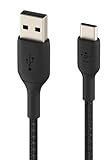
- For new Cronus Zen USB-C Models
Rank #3

- 【The popular Besavior P5Mate has been significantly upgraded】 【Converter that can be directly inserted into PS5, graduated from remote play, and can be used with all PS5, PC game software】Just plug and play. No complicated settings required.
- 【120FPS, Wired/Wireless connection without delays, disconnections, and stability,1000Hz】You can now enjoy popular Wired/Wireless devices including popular converters Cronus Zen, Titan,XIM Matrix APEX, REASNOW and PS5, PS4, Xbox Elite2, G7 SE, Xbox One S, Xbox Series X/S, Switch Pro controllers with all PS5 game software.
- 【Equipped with high-precision macros】motion aiming & gyro functions, Button Mapping, Combo/Rapid Fire, Recoil Reduction, Automatic Looping, two-player play on PS5, Controller vibration function, Reproduces all functions of the PS5 touchpad
Rank #2

- 【The popular P5Mate has been significantly upgraded】 【Converter that can be directly inserted into PS5, graduated from remote play, and can be used with all PS5, PC game software】Just plug and play. No complicated settings required.
- 【120FPS, Wired/Wireless connection without delays, disconnections, and stability,1000Hz】You can now enjoy popular Wired/Wireless devices including popular converters Cronus Zen, Titan,XIM Matrix APEX, REASNOW and PS5, PS4, Xbox Elite2, G7 SE, Xbox One S, Xbox Series X/S, Switch Pro controllers with all PS5 game software.
- 【Equipped with high-precision macros】motion aiming & gyro functions, Button Mapping, Combo/Rapid Fire, Recoil Reduction, Automatic Looping, two-player play on PS5, Controller vibration function, Reproduces all functions of the PS5 touchpad
Product prices and availability are accurate as of the date/time indicated and are subject to change. Any price and availability information displayed on Amazon at the time of purchase will apply.




