Yes. Age of Mythology: Retold supports cross-platform multiplayer between Microsoft Store, Xbox, Steam, and PlayStation players. Create a multiplayer lobby and it will appear in the universal game lobby; on PS5, players need to link a Microsoft/Xbox account to play with people on other platforms.
Which platforms can play together?
Age of Empires Support lists PC, Xbox Series X|S, Xbox Cloud gaming, and PlayStation 5 as supported platforms. Its cross-network guide names Microsoft Store, Xbox, Steam, and PlayStation and says players can create and play matches together regardless of platform or input method.
The platform list and storefront names describe the available versions; they do not guarantee that every matchmaking setting is enabled. Check that Cross-Network is on, and complete the PS5 account link if applicable.
Sources: Age of Mythology: Retold FAQ (updated January 20, 2026) and Cross-network and input settings for Age of Mythology: Retold (updated March 17, 2025).
#1 Best Overall

- Age of Mythology: Retold goes beyond history to a mythical age where gods, monsters, and humans collide
- Combining the best of the beloved Age of Mythology with modern real-time strategy design and visuals
- Retold is an epic and innovative experience for old and new players alike
- Secure your domain, command monsters, and invoke divine wrath on foes
How to play with friends on another platform
- On PS5, link accounts first. Link your PlayStation and Microsoft/Xbox accounts. The official linking guidance says this is needed for cross-play; after linking, cross-play is enabled by default. The PS5 FAQ clarifies that a Microsoft account is required there to play with people on different platforms.
- Check Cross-Network. From the main menu, open Settings > Game > Multiplayer and confirm Cross-Network is enabled.
- Create a multiplayer lobby. The official guide says the match will appear in the universal game lobby, where players on the other platform can join.
Cross-Network is on by default on Microsoft Store, Steam, and PlayStation, but a player can disable it. The Xbox/Microsoft Store and Steam versions then match only with players on that same platform who have also disabled Cross-Network. On PlayStation, the setting is under Settings > Multiplayer > Allow-Crossplay.
Source: Age of Empires Support’s cross-network and input settings guide.
Rank #2

- Embark on a gaming journey of first-class offerings with the Premium Edition
- Curated to offer an elevated gaming experience day one and beyond
Cross-Network and Cross-Input are different settings
Cross-Network determines whether matchmaking can include players on other platforms. Cross-Input determines whether matchmaking can include different input methods, such as controller and mouse-and-keyboard. Turning Cross-Input off requires all players in the match to use a controller; it does not switch cross-platform play off.
Independent reader supportYour contribution helps us test, update, and keep practical guides available for everyone.PS5 requirements and limits
- Online multiplayer: PlayStation Plus is required for PS5 multiplayer, according to the official PS5 FAQ. Single-player is available without it.
- Progress does not carry over: Progress, achievements, and trophies do not transfer between platforms. Cross-play lets people play together; it does not provide cross-progression.
Source: Age of Mythology: Retold on PlayStation 5 FAQ, updated September 22, 2025.
Quick wins for a faster PC:
Repair Windows errors before they cause bigger problemsFix Now →Fix the driver behind crashes, sound loss and screen glitchesFind Drivers →Clear out junk files and repair common Windows errorsFree Scan →Quick Recap
Rank #3
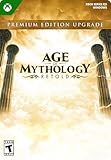
- Xbox Game Pass members or those who have access to the Standard Edition, elevate your mythological journey with the Premium Upgrade
- Enjoy: up to 7-day exclusive Advanced Access, exclusive "Freyr" New Gods Pack, Legacy Deity Portrait Pack, Expansion 1 (all-new Chinese pantheon), and Expansion 2 (additional new pantheon).
- Requires Age of Mythology: Retold, sold separately or via Game Pass subscription (Ultimate, PC, Console)
Product prices and availability are accurate as of the date/time indicated and are subject to change. Any price and availability information displayed on Amazon at the time of purchase will apply.




