In Final Fantasy XIV, open Actions & Traits and select the Extras tab to find the Command Panel. To open or close it directly, enter /commandpanel in chat; /cmdpanel works as an alias.
Open the Command Panel from the menus
- Open Actions & Traits.
- Select the Extras tab. The Command Panel is listed there.
These menu directions are documented in Square Enix’s Patch 7.4 notes.
| # | Preview | Product | Price | |
|---|---|---|---|---|
| 1 |
![Final Fantasy XIV Online: 60 Day Time Card [Online Game Code]](https://m.media-amazon.com/images/I/51bYMOf2hEL._SL160_.jpg)
|
Final Fantasy XIV Online: 60 Day Time Card [Online Game Code] | $29.99 | Buy on Amazon |
| 2 |

|
Final Fantasy XIV Online Complete Edition (PS4) | $59.99 | Buy on Amazon |
| 3 |
|
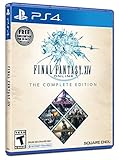
Final Fantasy XIV Online, Complete Edition - PlayStation 4 | $99.97 | Buy on Amazon |
| 4 |

|
Final Fantasy XIV: Stormblood - PlayStation 4 | $16.25 | Buy on Amazon |
| 5 |
|
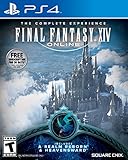
Final Fantasy XIV Online | $45.60 | Buy on Amazon |
Open it with a text command
Enter /commandpanel in chat to open or close the panel. The shorter /cmdpanel command is an alias. Square Enix lists both in its text-command database, whose entry displays Version: Patch 7.56.
What the Command Panel is for
Added in Patch 7.4, the Command Panel holds actions and commands in collapsible panels. It offers another place for occasional-use shortcuts—such as mounts, gear sets, and emotes—without filling regular hotbars or adding more clutter to the HUD. Square Enix describes the feature on its Patch 7.4 feature page.
#1 Best Overall
- Adventure awaits you beyond the horizon in FINAL FANTASY XIV.
- This product is a digital 60-Day Game Time Card for FINAL FANTASY XIV Online. It serves as a payment option that allows players to add 60 days of game time to their FFXIV account at the Standard subscription rate, subject to account limits. Both the game and game time are required to play.
- This product can be redeemed on service accounts registered with the Windows, Mac, PlayStation, or Steam versions of FINAL FANTASY XIV Online. However, it cannot be redeemed on service accounts that have only the XBOX or Nintendo Switch 2 versions registered.
There are four panels with 25 slots each, for 100 slots total. The Patch 7.4 notes do not say that individual Command Panel slots can be keybound.
Add entries and use the panel
Mouse and keyboard
Drag an eligible action or command into a panel slot. Once assigned, click its icon to use it. Individual slots cannot be keybound, according to the Patch 7.4 notes.
Rank #2
- Access to all expansion content from Heavensward and Stormblood, unlocking additional jobs, areas, story quests and more ways to explore: flying, swimming and diving
- A flexible class system that allows players to switch freely between a variety of classes and jobs, including new additions red mage and samurai, and reach the new level cap of level 70
- All the hallmarks of the FINAL FANTASY franchise, including an engaging storyline, genre-leading graphics, and HD real time cut scenes.
- Robust gameplay features such as player-managed Free Companies, diverse party finder features to group up with other players with ease, and a variety of fun activities in the Gold Saucer area, all designed to accommodate a dynamic player community.
- Challenging trials, dungeons and raids for groups of up to 24, and exciting player-vs-player (PvP) content for groups of up to 72 players
Gamepad
Open the Hotbar Palette and choose Assign to Command Panel. Use the directional buttons to select an entry, then press A (X) to execute it. Holding Y (△) moves the cursor two slots.
Optional L3 or R3 access
You can configure L3 or R3 to access the panel under System Configuration > Gamepad Settings (or Controller Settings) and Gamepad Customization (or Controller Customization). This is an optional configurable control, not a default binding to assume.
Rank #3
- A new adventure awaits in Norvrandt
- New jobs, including gun breaker and dancer
- New playable races: Viera and Hrothgar
- Level cap increase from 70 to 80
- New cities to explore: The Crystarium and Eulmore
Settings and panel shortcuts
Use the gear icon at the panel’s top-right or its subcommand menu to reach settings and panel-specific shortcuts.
Quick Recap
Best Value
- Increased level cap from 50 to 60
- Dark Knight: Tank - Wields a two-handed greatsword and the power of darkness to deal damage to their foes
- Astrologian: Healer - Tap the power of the stars to cast potent healing magicks, while drawing energies from constellation-based divining cards to support your party
- Machinist: DPS - Deal damage from afar using a combination of firearms enhanced with various attachments, and mechanical turrets deployed on the battlefield
- Included in this expansion pack is a new race called The Au Ra, a new City-State - Ishgard, new Primals Bismarck and Ravana, and Flying Mounts
Rank #4
- Customer must have Final Fantasy XIV: A Realm Reborn to play Stormblood
- Increased level cap up to level 70
- New Jobs – Red Mage and Samurai
- New Beast Tribe and Primal
- New Alliance Raid
Product prices and availability are accurate as of the date/time indicated and are subject to change. Any price and availability information displayed on Amazon at the time of purchase will apply.
Independent reader supportYour contribution helps us test, update, and keep practical guides available for everyone.



