Short answer: The Edifier HECATE G3M Pro is the best-supported silent gaming mouse for 2026. Its manufacturer documents separate gaming and silent modes while retaining serious gaming hardware: a PAW3395 sensor, up to 26,000 DPI, 1 ms 2.4 GHz wireless, tri-mode connectivity, approximately 63 g weight, and about 70 hours of battery life.
The Razer Pro Click Mini is the clearest low-noise alternative, with explicitly specified silent mechanical switches and very little click noise in independent testing. It is a compact productivity mouse that handles casual gaming, not a universal esports choice. The premium Logitech G PRO X2 SUPERSTRIKE is quiet according to independent coverage, but should be described as quiet rather than officially silent.
One caveat: “zero noise” is not literal. Even a silent main switch does not eliminate sound from the scroll wheel, side buttons, shell, or desk. This list therefore separates documented silent designs from mice that are merely quieter—or louder—than conventional gaming models.
A genuinely silent mouse does not exist in the literal sense: the scroll wheel, side buttons, shell, and desk can still make noise. But some mice dramatically reduce the sound of the primary clicks without giving up responsive tracking. The best-supported choice is the Edifier HECATE G3M Pro, which documents separate gaming and silent modes. The Razer Pro Click Mini is quieter still in independent testing, but its compact productivity-focused design makes it better for shared spaces and casual gaming than serious esports. The Logitech G PRO X2 SUPERSTRIKE is the premium performance pick when quiet operation matters more than absolute silence.
The Tool Desk
Outbyte PC Repair FREEClear out junk files and repair common Windows errorsFree Scan →Outbyte Driver Updater FREEFix the driver behind crashes, sound loss and screen glitchesFind Drivers →#1 Best Overall

- 【High Precision Tracking Sensor】6‑speed DPI presets range from 800 to 12800 (800/1600/2400/3200/4800/12800) to suit document editing, graphic design and gaming. Its stable optical sensor ensures jitter‑free, smooth tracking across desks, mouse pads and fabric surfaces. For further personalization, the Windows‑only driver allows you to tweak DPI, set 125‑1000Hz polling rate and remap all mouse buttons for tailored gameplay and workflow
- 【Tri-Mode Connection】Supports Bluetooth 5.0 Dual Channel + 2.4GHz Wireless + USB-C Wired 3 connection modes. Freely switch between two Bluetooth devices and one 2.4G device, easily connect laptops, desktops, tablets and mobile phones. Ideal for users who work across multiple devices. Please note that a separate USB-C data cable is required for wired mode (cable not included)
- 【Right-Handed Ergonomic All-Day Comfort】Optimized asymmetric shape specially designed for right-handed users. Sculpted thumb rest and matte anti-slip surface perfectly fit palm and claw grip. Effectively reduce wrist strain during long gaming sessions or office work, suitable for medium & large hands
- 【Rechargeable Battery with Power Indicator】Built-in large 500mAh rechargeable battery with Type-C fast charging. Real-time 3-level battery indicator avoids unexpected shutdown. Long standby supports up to 1 month daily use; eliminate waste of disposable batteries
- 【Silent Click & Wide Compatibility】Quiet left & right button clicks reduce noise, perfect for offices, libraries and shared workspace. Plug and play without driver installation. Compatible with Windows, macOS, Linux, Android, iOS system for computers, laptops and tablets
This guide ranks 13 complete mice plus two model-specific switch-upgrade paths. The final two entries are not standalone mice; they are included because replacing the click hardware can be the most practical route for enthusiasts who already own a high-performance, hot-swappable mouse.
What “silent” means in a gaming mouse
“Zero noise” is useful search language, but it is not a realistic laboratory promise for a complete mouse. A silent or damped main switch only addresses the sound produced when you press the left and right buttons. You may still hear:
- the scroll wheel ratchet or wheel button;
- side-button clicks;
- button rebound and shell vibration;
- the mouse sliding across a hard desk;
- your fingers striking the buttons during fast play.
For that reason, this list uses three evidence levels:
| Evidence level | What it means |
|---|---|
| Documented silent design | The manufacturer explicitly describes silent switches, almost-silent clicks, or separate silent and gaming modes. |
| Quiet in testing | Independent testing or reviews report unusually low click noise, but the manufacturer does not provide a formal silent-switch specification. |
| Not established | The mouse may be excellent for gaming, but the available evidence does not support calling it silent. |
Quick recommendations
| Mouse or upgrade path | Best for | Noise verdict | Important trade-off |
|---|---|---|---|
| Edifier HECATE G3M Pro | Best overall direct match | Documented gaming and silent modes | Check regional availability and whether wheel or side-button noise matters to you |
| Logitech G PRO X2 SUPERSTRIKE | Premium competitive gaming | Quiet according to independent coverage | Quiet is not the same as an officially rated silent switch |
| Razer Pro Click Mini | Shared offices, bedrooms, travel, casual gaming | Manufacturer-rated silent mechanical switches; very little click noise in testing | Small body, AA batteries, productivity-first shape |
| Razer Orochi V2 | Compact gaming | Not established as silent | More gaming-oriented than the Pro Click Mini, but louder |
| ASUS ROG Gladius III Wireless | Switch experimentation and gaming | Depends on the installed switch | Hot-swap compatibility is not universal |
| ASUS ROG Pugio | Repairable switch design | Depends on the installed switch | Confirm replacement-switch compatibility before buying |
| ASUS SmartO Mouse MD200 Silent Plus | Work and casual gaming | Manufacturer describes almost-silent clicks | Not aimed at high-level competitive play |
| MOJO Pro Performance Silent Gaming Mouse | Dedicated silent-click design | Quiet clicks are the main selling point | Older evidence; middle click and software concerns |
| Lenovo Legion M600 Wireless | Long battery life and stealth shortcuts | Silent switches not established | Stealth mode should not be confused with silent clicks |
| SteelSeries Rival 3 | Budget gaming baseline | Not established as silent | Do not transfer the Apex 3 keyboard’s near-silent claim to this mouse |
| Corsair Nightsword V2 Wireless | Ergonomic gaming | Not established as silent | Tactile optical clicks favor feedback over quietness |
| Razer Viper V4 Pro | Maximum performance despite noise | Independent coverage reports loud clicks | A poor choice for noise-sensitive spaces |
| Razer Viper | Historical optical-switch reference | Silent operation not established | Older model; availability and support may vary |
| Model-specific silent replacement switches | Repair and customization | Potentially quieter, if compatible | Must match the exact mouse and switch standard |
| Compatible quiet switch bundles | Enthusiast upgrades | Depends on the chosen replacement | Fit, firmware, actuation force, debounce, and warranty can change |
1. Edifier HECATE G3M Pro — best overall direct match
Edifier HECATE G3M Pro is the strongest answer for someone who wants one mouse for quiet work and responsive gaming. Edifier documents dual mechanical switches with separate gaming and silent modes, which is much stronger evidence than simply describing a mouse as “quiet.”
The gaming hardware is also credible: a PixArt PAW3395 sensor, sensitivity up to 26,000 DPI, 1 ms 2.4 GHz wireless performance, tri-mode connectivity, an approximately 63 g body, and roughly 70 hours of battery life. Those specifications make it a real gaming mouse rather than an office mouse with a muted click.
The important qualification is that the documented silent behavior primarily concerns the switch mode. It does not prove that the wheel, side buttons, or shell are inaudible. If you play beside a sleeping partner or in a recording environment, check independent audio testing for the exact revision available in your region.
Choose it if: you want the best balance of documented quiet operation, low weight, wireless flexibility, and gaming hardware.
Skip it if: you need a large ergonomic shape, require a specific regional warranty, or want independently measured noise levels before buying.
Windows Errors? Fix Them Before They Spread
Repair common Windows errors and clear accumulated junk for a smoother, more stable PC - no reinstall needed.Free scan · no reinstallOutdated Drivers Are Slowing You Down
One free scan finds every outdated or missing driver and matches the right update for your exact hardware.Free scan · exact hardware match2. Logitech G PRO X2 SUPERSTRIKE — best premium quiet gaming option
Logitech G PRO X2 SUPERSTRIKE belongs near the top for competitive players who want a premium gaming design and do not require a formal silent-switch rating. Logitech positions it around customizable actuation, rapid trigger resets, and click haptics. Independent coverage describes it as quiet to operate.
That distinction matters: the available official information does not establish that it uses a manufacturer-rated silent mechanical switch. It is therefore more accurate to call it quiet than silent. Its appeal is performance control and premium gaming functionality, not guaranteed acoustic isolation.
For an FPS player, this is the stronger choice than a productivity mouse if shape, actuation behavior, and fast repeat inputs matter more than minimizing every click. For a shared bedroom or microphone-heavy streaming setup, the Edifier or Razer options have clearer low-noise evidence.
Choose it if: you want a serious gaming mouse with customizable actuation and quiet operation documented by reviewers.
Skip it if: your buying requirement is an officially specified silent switch rather than a quiet review impression.
3. Razer Pro Click Mini — best for shared spaces and casual gaming
Razer Pro Click Mini is the clearest low-noise alternative because Razer explicitly specifies silent mechanical switches and a 15-million-click life cycle. Independent testing reports very little click noise, along with low click latency and usable gaming performance.
It is not a conventional esports mouse. Razer markets it as a productivity model, and its small body will not suit every grip or larger hand. The mouse uses AA batteries rather than presenting the same rechargeable, ultralight gaming profile as the Edifier. Its 12,000 DPI sensor, 1,000 Hz polling, seven programmable buttons, and wireless design are sufficient for ordinary gaming, but the shape and battery choice are more important than the headline specifications.
This is an excellent choice for an office, library, bedroom, or shared desk where click noise matters more than shaving every possible gram. It is also a sensible travel mouse for someone who plays casually. Competitive players should try the compact shape before committing.
What’s actually slowing this PC down?
Pick the symptom - the matching free tool is one click away.
Choose it if: your first priority is quiet main clicks and your gaming is casual, strategic, or secondary to productivity.
Rank #2

- 【12800 DPI OPTICAL SENSOR】Six adjustable DPI levels(800/1600/2400/3200/4800/12800)let you dial in the perfect speed for any task. Need fine control for photo retouching or spreadsheet work? Crank it down. Need to dash across dual monitors or snap onto targets in an FPS? Dial it up. It is responsive, accurate, and stays smooth across different surfaces
- 【THREE WAYS TO CONNECT】Supports dual Bluetooth pairing, 2.4G wireless, and USB-C wired connection. Switch among laptop, tablet, and desktop with one button — no re-pairing. Use it as a wired mouse while charging, and enjoy the low-latency response expected from top PC gaming mice in 2.4G mode
- 【SILENT CLICK TECHNOLOGY】No loud clicking to annoy coworkers or family. The silent buttons make this mouse at home in open offices, libraries, and late-night gaming sessions. At 102g, it is light enough to carry anywhere, yet shaped to fit your hand comfortably for hours of use
- 【RECHARGEABLE WIRED MOUSE】High-capacity battery powers through long work sessions without dying midday. White flashing light alerts you when power runs low. USB-C fast charging gets you back up quickly, and you can keep using the gaming wireless mouse as a wired mouse while it charges — zero downtime
- 【POWER SAVING & WIDE COMPATIBILITY】Auto sleep after idle, wake instantly on click or movement. This ergonomic mouse works with Windows, macOS, Android, and iOS — a true Bluetooth mouse for all your devices. Optional driver download (Windows only) for DPI, polling rate, button mapping, and more
Skip it if: you have large hands, demand a purpose-built esports shape, or dislike carrying replacement AA batteries.
4. Razer Orochi V2 — best compact gaming alternative
The Razer Orochi V2 is a better compact-gaming comparison than the Pro Click Mini, but it should not be presented as a silent mouse without model-specific acoustic evidence. Independent comparisons generally position it as more gaming-suited, while the Pro Click Mini remains quieter.
Its compact format can work well for fingertip and claw grips, travel, and small hands. The trade-off is that a small shell can feel cramped for palm grip or larger hands. If you are deciding between these two Razer models, select the Pro Click Mini for acoustic discretion and the Orochi V2 for a more gaming-oriented compact feel.
Quick wins for a faster PC:
Clear out junk files and repair common Windows errorsFree Scan →Fix the driver behind crashes, sound loss and screen glitchesFind Drivers →Choose it if: you need a small wireless gaming mouse and can accept ordinary click noise.
Skip it if: quiet clicks are the central reason you are replacing your mouse.
5. ASUS ROG Gladius III Wireless — best switch-customization platform
The ASUS ROG Gladius III Wireless is valuable because its Push-Fit Switch Socket II accepts compatible mechanical and Omron optical micro switches. ASUS also documents firmware filtering for unintended clicks and a sensor tuned to 26,000 DPI.
That makes it a platform for finding your preferred balance between click force, feel, durability, and noise. However, the mouse is not automatically silent. Acoustic behavior depends on the switches installed, and a replacement that physically fits may not reproduce the original actuation force, debounce behavior, firmware expectations, or warranty coverage.
This is a better recommendation for an enthusiast who enjoys maintenance than for someone who wants quiet operation immediately after unboxing. Verify the exact socket standard and the switch manufacturer’s compatibility information before ordering parts.
Choose it if: you want a capable wireless gaming shell and the option to tune or replace the switches later.
Skip it if: you want a guaranteed quiet mouse with no modification.
6. ASUS ROG Pugio — best repairable switch design
The ASUS ROG Pugio is another relevant choice for switch experimentation. ASUS states that its push-fit socket allows worn or broken switches to be replaced, extending the mouse’s useful life.
Recommended Free Tools
Its value for a silent-mouse buyer comes from repairability, not from a documented silent stock configuration. A compatible quieter switch could reduce the sound of the primary clicks, but you must check the exact Pugio revision, socket design, switch dimensions, electrical behavior, and installation requirements first.
The Pugio makes sense when you prefer to keep a familiar shell and sensor rather than discard the whole mouse because the buttons have worn out. It is less suitable as a simple, current, plug-and-play recommendation if local availability or parts support is uncertain.
Choose it if: repairability and switch replacement matter as much as the initial click sound.
Skip it if: you cannot verify compatible replacement parts or do not want to open the mouse.
7. ASUS SmartO Mouse MD200 Silent Plus — best office/gaming crossover
ASUS SmartO Mouse MD200 Silent Plus is designed for the person who divides time between work and casual gaming. ASUS explicitly describes its clicks as almost silent, while also highlighting high-performance tracking and gaming-grade PTFE feet.
That combination makes it more credible for gaming than a generic office mouse, but it is still best understood as a crossover product. Readers who play competitive shooters at a high level may prefer a lighter, more specialized shape with more clearly documented gaming latency and switch behavior.
Rank #3

- The next-generation optical HERO sensor delivers incredible performance and up to 10x the power efficiency over previous generations, with 400 IPS precision and up to 12,000 DPI sensitivity
- Ultra-fast LIGHTSPEED wireless technology gives you a lag-free gaming experience, delivering incredible responsiveness and reliability with 1 ms report rate for competition-level performance
- G305 wireless mouse boasts an incredible 250 hours of continuous gameplay on just 1 AA battery; switch to Endurance mode via Logitech G HUB software and extend battery life up to 9 months
- Wireless does not have to mean heavy, G305 lightweight mouse provides high maneuverability coming in at only 3.4 oz thanks to efficient lightweight mechanical design and ultra-efficient battery usage
- The durable, compact design with built-in nano receiver storage makes G305 not just a great portable desktop mouse, but also a great laptop travel companion, use with a gaming laptop and play anywhere
It is a good fit for a shared workspace, a quiet study, or a home office where occasional gaming is part of the routine. As with other quiet-click designs, “almost silent” should not be read as a promise that the wheel and side buttons make no sound.
Choose it if: work comfort and subdued clicks are more important than tournament-focused performance.
Do these 3 things before closing this tab:
1Fix the driver behind crashes, sound loss and screen glitches2Clear out junk files and repair common Windows errors3Scan for outdated or missing drivers - takes under a minuteSkip it if: you need a lightweight esports mouse or a highly customizable gaming control layout.
8. MOJO Pro Performance Silent Gaming Mouse — best dedicated silent-design specialist
The MOJO Pro Performance Silent Gaming Mouse is one of the few products in this group built around quiet clicks as a primary selling point rather than treating silence as an accidental benefit.
Independent coverage identifies the click noise reduction as its main advantage, but also notes drawbacks involving the middle click and software. The available evidence is older than the research for the leading recommendations, so availability, software support, firmware, and operating-system compatibility deserve a check before purchase in 2026.
This is an interesting specialist option when silent primary clicks are more important than having the newest sensor platform. It should not outrank the Edifier or Razer options on confidence until current retail and support information is confirmed.
Free tools Windows power users keep installed
One-click scans. No signup required.
Choose it if: you specifically want a purpose-built quiet-click design and have verified current support.
Skip it if: you need the safest current availability or polished mainstream software.
9. Lenovo Legion M600 Wireless Gaming Mouse — best feature-rich stealth-mode candidate
The Lenovo Legion M600 Wireless Gaming Mouse offers 2.4 GHz wireless, Bluetooth, and wired connectivity, up to 16,000 DPI, nine buttons, a stealth-mode button, and up to 200 hours of battery life with lighting turned off.
Those features make it attractive for long sessions and multi-device use, but the stealth button is not evidence of silent switches. It may control lighting or another low-visibility function; it should not be interpreted as a command that mechanically dampens the left and right buttons.
Consider it a feature-rich gaming mouse that can operate discreetly in a visual sense, not a documented silent-click recommendation.
Choose it if: long battery life, three connection methods, and extra buttons are more important than click acoustics.
Skip it if: you need manufacturer-confirmed silent switches.
10. SteelSeries Rival 3 — best budget gaming reference point
The SteelSeries Rival 3 is useful as a budget gaming baseline, not as a strict silent recommendation. SteelSeries documents 60-million-click switches and onboard profiles, but the cited near-silent claim from the same product announcement applies to the Apex 3 keyboard—not to the Rival 3 mouse.
The Tool Desk
Outbyte Driver Updater FREEScan for outdated or missing drivers - takes under a minuteDriver Scan →Outbyte PC Repair FREEClear out junk files and repair common Windows errorsFree Scan →That distinction prevents a common buying mistake. A durable switch is not necessarily a quiet switch, and a quiet keyboard in the same product family does not make the mouse quiet. The Rival 3 can still be a sensible low-cost gaming mouse if noise is not a major concern.
Choose it if: you want an inexpensive conventional gaming mouse and can tolerate normal click volume.
Skip it if: you are buying specifically for a quiet office, recording setup, or sleeping household.
Rank #4

- Scroll smarter: With Logitech Signature M650 Wireless Mouse you get line-by-line precision for documents and super-fast scrolling for long web pages; simply switch modes with a flick of the SmartWheel
- Upgrade your comfort: This mouse provides long hours of comfort thanks to its shape, soft thumb area and rubber side grips that keep your hand snug. Sizes and handedness available.
- Connect the way you like: Connect this cordless computer mouse in an instant via Bluetooth Low Energy or Logi Bolt USB receiver
- Less noise, more focus: Whether working at the office or at home, Logitech Signature M650 is a quiet mouse, allowing you to enjoy 90 percent less click noise with SilentTouch technology*
- Customizable side buttons: Customize the side buttons on the computer mouse with Logitech Options+, available on Windows and macOS, to your favorite shortcuts – like back/forward or copy/paste
11. Corsair Nightsword V2 Wireless — best ergonomic optical-switch comparison
The Corsair Nightsword V2 Wireless is relevant mainly as an ergonomic comparison. Recent review coverage describes tactile optical-switch clicks and long battery life. Its shape and button feedback may appeal to palm-grip players who want a substantial gaming mouse.
Recommended Free Tools
There is not enough evidence here to call it silent. Optical actuation can improve speed or durability, but optical does not automatically mean quiet: the physical button mechanism still determines much of the sound.
Use this model as a reminder that comfort can matter more than silence for long sessions. If your hand hurts after several hours, a truly quiet mouse that fits badly is not a successful purchase.
Choose it if: ergonomic support and tactile feedback come before low-noise operation.
Skip it if: you need subdued clicks as a firm requirement.
Free tools Windows power users keep installed
One-click scans. No signup required.
12. Razer Viper V4 Pro — best performance-first counterexample
The Razer Viper V4 Pro is a useful counterexample because it represents the opposite buying priority. It is a current high-performance esports reference with optical switches and advanced tracking, while independent review coverage specifically notes loud clicks.
Optical switches can be attractive for fast actuation and durability, but the Viper V4 Pro demonstrates why switch technology alone cannot be used as a noise shortcut. If you play in a private room and want the strongest performance profile, its acoustic trade-off may be acceptable. If you share a desk or record with a nearby microphone, it is a poor fit.
Choose it if: competitive performance is your priority and click noise is acceptable.
Skip it if: you are trying to eliminate audible button presses.
What’s actually slowing this PC down?
Pick the symptom - the matching free tool is one click away.
13. Razer Viper — best historical optical-switch reference
The original Razer Viper helps explain the appeal of optical mouse switches. Razer’s launch material described a lightweight esports mouse with optical switches, a 16,000 DPI sensor, and a 70-million-click rating.
Those specifications establish speed and durability credentials, not silent operation. The cited material does not establish a silent-click design, and the model’s age means availability, firmware support, and warranty coverage may vary by region. Treat it as a historical reference or a used-market comparison rather than a default 2026 recommendation.
Choose it if: you find one at a good verified price and specifically want its lightweight optical-switch design.
Skip it if: you want current-generation support or documented low-noise operation.
Do these 3 things before closing this tab:
1Clear out junk files and repair common Windows errors2Scan for outdated or missing drivers - takes under a minute3Repair Windows errors before they cause bigger problems14. Model-specific silent replacement microswitch kits — best repair and customization route
Silent mouse switch replacement is a legitimate path when your existing mouse has a good shape, sensor, and wireless system but irritatingly loud buttons. ASUS’s hot-swappable designs show that some gaming mice can accept replacement switches instead of requiring a complete replacement.
This is not one universal product category. The kit must match the exact mouse and switch standard. Before buying, verify the socket type, pin layout, physical dimensions, actuation force, compatibility with the mouse’s firmware, and whether opening the mouse affects warranty coverage.
A replacement can also change the character of the mouse. Quieter switches may feel softer, require a different amount of force, or introduce a different debounce behavior. Enthusiasts should regard this as a hardware project, not a guaranteed plug-and-play upgrade.
15. Compatible quiet gaming-mouse switch bundles — best enthusiast upgrade path
Hot-swappable gaming mouse switches make sense for buyers who want to preserve a high-performance shell while experimenting with quieter click hardware. This approach can be especially appealing when the available silent mice do not fit your hand or preferred grip.
Outdated Drivers Are Slowing You Down
One free scan finds every outdated or missing driver and matches the right update for your exact hardware.Free scan · exact hardware matchPC Slower Than It Used to Be?
A free scan shows the junk files, broken settings and background clutter dragging Windows down - then fixes them in one click.Free scan · Windows 10 & 11Best Value
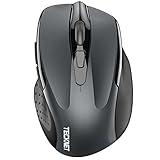
- Dual Device Connection: Enjoy the ease of our wireless mouse, capable of Bluetooth (5.0/3.0) and USB A connections. Effortlessly connect to two devices at once and switch between them with just a slide of a button for a seamless experience.This makes it an ideal choice for those seeking both a usb mouse and a bluetooth mouse. (NOTE: The actual connection distance depends on the surrounding environment.)
- 6 Adjustable Levels: Featuring 6 DPI settings (4800/3200/2400/1600/1200/800), this computer mouse lets you tailor the sensitivity to your liking. Whether you need precise control for detailed work or swift movement for browsing, this wireless mouse for laptop has you covered.
- Silent Operation: Experience the tranquility of this silent mouse. The design of this wireless bluetooth mouse ensures whisper-quiet clicks, ideal for settings like libraries and offices where quiet is essential. (PLEASE NOTE: Ideal for small to medium hands, this mouse may also delight users with larger hands who appreciate a compact design.) (Side buttons and scroll wheel are not silent.)
- Wide Compatibility: The wireless silent mouse is compatible with various systems including Windows/macOS/Chrome/Linux. It works seamlessly with laptop, computers and other devices, making it a versatile option for anyone in need of a wireless computer mouse. (Side buttons are not compatible with macOS)
- Long Lifespan & Ergonomic Design: Simply insert 2 AAA batteries (not included) for precise navigation on almost any surface. The automatic sleep technology significantly extends the usage life. This bluetooth mouse for laptop is designed for enhanced comfort during use.
Do not assume that any arbitrary “silent mouse switch” will fit. Even when the switch physically installs, it may alter button force, travel, rebound, debounce settings, firmware behavior, or reliability. Check model-level compatibility and community repair documentation before ordering, and avoid treating a generic bundle as universally compatible.
If you want a low-risk purchase, choose a complete mouse with documented quiet operation. If you enjoy maintenance and already own a compatible hot-swap model, replacement switches can offer a more precise and potentially longer-lasting solution.
How to choose the right quiet gaming mouse
1. Decide whether silence or gaming performance comes first
For the clearest combination of both, start with the Edifier HECATE G3M Pro. For the lowest documented click noise with casual gaming, consider the Razer Pro Click Mini. For premium competitive controls where quiet operation is desirable but not formally rated, consider the Logitech G PRO X2 SUPERSTRIKE.
Do not let the word “gaming” hide a poor noise match. The Razer Viper V4 Pro may outperform quieter alternatives in a performance-first setup while being an obviously worse choice for a shared bedroom or microphone-sensitive desk.
2. Match the shape to your grip and hand
- Palm grip: usually benefits from a fuller shell and enough length to support the hand.
- Claw grip: often works with a raised rear and moderate length.
- Fingertip grip: can favor a shorter, lighter body such as a compact model.
- Large hands: should be cautious with the Razer Pro Click Mini and other compact mice.
- Small hands: may find compact designs easier to control, but button reach still matters.
Shape, width, hump position, and button height affect aim consistency more than a high maximum DPI number.
3. Treat DPI as a ceiling, not a quality score
A 26,000 DPI sensor is not automatically more accurate in real play than a 12,000 or 16,000 DPI sensor. Most players use a small portion of those ranges. Tracking consistency, latency, lift-off behavior, surface compatibility, weight, and shape are more meaningful than the maximum number printed on the box.
4. Check what is actually quiet
Look for evidence about the main left and right clicks, then separately consider the wheel and side buttons. A mouse can have silent primary switches while producing a conventional ratchet sound from the scroll wheel. If you stream, record voice, or work in a library, wheel noise may matter almost as much as button noise.
5. Compare power options honestly
Rechargeable wireless mice avoid the recurring task of replacing batteries, while AA-powered designs can be convenient for travel because a fresh battery restores operation immediately. The Pro Click Mini’s AA design is part of its productivity trade-off. The Edifier is listed at approximately 70 hours of battery life, and Lenovo lists up to 200 hours with lighting off; actual runtime depends on lighting, connection mode, polling, battery condition, and usage.
Quick wins for a faster PC:
Scan for outdated or missing drivers - takes under a minuteDriver Scan →Repair Windows errors before they cause bigger problemsFix Now →6. Do not confuse optical switches with silent switches
Optical actuation describes how the button signal is detected. It does not guarantee a quiet physical click. The Corsair Nightsword V2 Wireless and Razer Viper family illustrate this distinction: optical or high-performance switches can still be tactile or loud.
7. Check regional availability before choosing an older specialist
The MOJO Pro Performance Silent Gaming Mouse has older supporting evidence, and the original Razer Viper is a historical model. Product listings, software support, warranty terms, and included accessories can differ by country and revision. The research for this guide does not verify live prices, stock status, or variant-level marketplace identifiers, so confirm those details at the time of purchase.
Which one should you buy?
- Best overall: Edifier HECATE G3M Pro, because it has the strongest documented combination of silent and gaming modes.
- Best for competitive gaming: Logitech G PRO X2 SUPERSTRIKE if quiet operation is valuable but not an absolute requirement.
- Best for shared spaces: Razer Pro Click Mini, provided its compact productivity shape suits your hand.
- Best for switch enthusiasts: ASUS ROG Gladius III Wireless or ASUS ROG Pugio, with compatible replacement switches verified in advance.
- Best work-and-casual-gaming crossover: ASUS SmartO Mouse MD200 Silent Plus.
- Best performance-first counterexample: Razer Viper V4 Pro, only if loud clicks are acceptable.
If you only want a complete mouse rather than a repair project, focus on entries 1 through 13. The last two entries are upgrade strategies for compatible hardware, not additional silent mice.
Frequently Asked Questions
Is any gaming mouse completely silent?
No. “Silent” usually refers to the primary left and right switches, not every sound made by the mouse. The scroll wheel, side buttons, shell vibration, and desk contact can remain audible. The most defensible terms are silent-click, near-silent, low-noise, or quieter than conventional gaming mice.
Is the Edifier HECATE G3M Pro quieter than the Razer Pro Click Mini?
The Edifier HECATE G3M Pro is the better all-round gaming choice because it documents separate gaming and silent modes and includes a PAW3395 sensor, low-latency 2.4 GHz wireless, tri-mode connectivity, and an approximately 63 g weight. The Razer Pro Click Mini has clearer silent-switch documentation and very little click noise in testing, but it is compact, AA-powered, and designed primarily for productivity and casual gaming.
Can a silent mouse still be good for FPS gaming?
Yes, but quiet clicks are only one part of gaming suitability. The Edifier is the strongest direct match for serious gaming. The Razer Pro Click Mini can handle casual gaming, but its small productivity-oriented shape may not suit competitive players or larger hands. The Logitech G PRO X2 SUPERSTRIKE is a better premium gaming option when quiet operation is preferred rather than mandatory.
Are optical gaming-mouse switches quieter?
No. Optical switches describe the way the click is detected, not how quiet the physical mechanism sounds. Optical gaming mice can still have loud or tactile clicks, as illustrated by the Razer Viper V4 Pro and the optical-switch comparison provided by the Corsair Nightsword V2 Wireless.
Can I install silent switches in any gaming mouse?
No. Hot-swappable switch sockets are model-specific. A replacement must match the mouse’s socket, pin layout, dimensions, electrical behavior, and firmware expectations. Even a compatible switch can change button force, travel, debounce behavior, and warranty coverage.
The Bottom Line
Bottom line: Buy the Edifier HECATE G3M Pro for the best-supported blend of quiet operation and serious gaming hardware. Choose the Razer Pro Click Mini when shared-space silence matters more than esports ergonomics, or the Logitech G PRO X2 SUPERSTRIKE when premium gaming performance matters more than an official silent-switch specification. No option eliminates every sound, so check the wheel, side buttons, shape, and switch compatibility before ordering.




