Video games can make you feel sick when your eyes see movement but your inner ear and body sense that you are sitting still. This sensory mismatch—often called cybersickness or visually induced motion sickness—can cause nausea, dizziness, sweating, headache, eyestrain, fatigue, blurred vision, and disorientation.
The safest first response is simple: stop playing as soon as symptoms begin. Look away from the moving image, rest, and return only after you feel normal again. Do not try to force your way through severe symptoms.
What “video-game sickness” feels like
Nausea and vomiting are the most familiar symptoms, but nausea is not required. Gaming-related motion sickness may also cause:
- Dizziness, spinning, swaying, or unsteadiness
- Eyestrain, blurred vision, or difficulty focusing
- Headache and fatigue
- Sweating, warmth, pallor, yawning, or excess salivation
- Difficulty concentrating or an unusual sleepy, apathetic feeling
Flat-screen gaming and virtual reality are related but not identical. A monitor can trigger visually induced motion sickness, especially during first-person movement and rapid camera rotation. VR adds head tracking, stereoscopic depth, headset optics, and a more immersive visual field, making fit, tracking, and latency especially important. See the CDC’s motion-sickness overview, MedlinePlus, and the Bárány Society’s diagnostic terminology.
Recommended Free Tools
#1 Best Overall

- BLUE LIGHT BLOCKING GLASSES: Our blue light glasses for women boast UV400 protection, blocking harmful blue rays from computer screens. With these bluelight glasses women, you can enjoy gaming, reading, or watching TV with no worries of eye strain.
- EYE RELIEF: Our blue light glasses are engineered to reduce blurry vision or strain caused by prolonged screen time. These womens blue light glasses aid in better sleep by preventing blue light from disrupting your natural sleep cycle, helping you fall asleep faster and enjoy a more restful night's sleep, making them the perfect christmas present.
- COMFORTABLE: Crafted from durable material, our trendy blue light glasses for woman or blue light glasses men ensure long-lasting comfort. The high-transmittance lenses accessories, gamer gifts for men, help keep your eyes relaxed. Perfect stocking stuffers, gifts for gamers men, christmas gifts for men, halloween costumes.
- LIGHTWEIGHT: These clear blue light glasses feature a lightweight frame, meaning they’ll stay comfy for long-term wear. Perfect as blue blockers glasses for women or mens blue light glasses, these non-prescription fake glasses for men can be worn throughout the day. The blue light blocking glasses women feature polycarbonate HD lenses, which are anti-reflective and restore true color.
- WORRY-FREE PURCHASE: If you experience any issues, our support team is ready to assist you quickly. These are the perfect costume glasses for cosplay dressing up.
Why games cause it
The usual explanation is a conflict between sensory systems: the game shows your viewpoint accelerating, turning, rising, or bouncing, while your vestibular system detects no corresponding physical movement. The brain may interpret that mismatch as a threat, producing motion-sickness symptoms.
Games can also create vection—the convincing impression that your body is moving when it is stationary. Oscillating camera motion, simulated walking, vehicle bouncing, screen roll, and multidirectional movement are common triggers. A 2025 meta-analysis of 97 studies found that visual oscillation and multidimensional motion generally increased cybersickness, while peripheral-field restriction and stable visual backgrounds often reduced it; these findings are useful guidance, not a universal rule for every player or game. Read the study summary.
Stutter, inconsistent frame delivery, input delay, and tracking problems can make the visual response feel less stable. The problem is not simply “low FPS”: consistency, latency, display behavior, and the particular game all matter. No single theory explains every case of cybersickness, either.
Common game triggers
- First-person perspective and smooth artificial locomotion
- Rapid acceleration, deceleration, or camera rotation
- Camera shake, camera kick, head bob, sprint sway, or weapon sway
- Motion blur, depth-of-field blur, and chromatic aberration
- Camera roll, forced camera movement, or moving HUD text
- Rapidly changing or poorly calibrated field of view
- Vehicle cockpit movement, bouncing, or flying
- Long sessions without breaks
- Unstable frame pacing, input lag, or display latency
- In VR, incorrect lens spacing, poor headset fit, or tracking loss
Microsoft’s Xbox accessibility guidance identifies many of these camera, field-of-view, motion-blur, sway, and moving-text factors as settings developers should make accessible.
Rank #2

- Elevate your screen time comfort with these stylish women's/men's eyewear frame blue light blocking glasses, designed to reduce eye strain and protect against harmful UV rays. Stay focused and comfortable with these anti-glare computer glasses featuring a women's eyewear frame, perfect for long hours in front of digital screens .
- Enhance your visual clarity and reduce eye fatigue with these transparent blue-light glasses, featuring a chic women's eyewear frame for added style and functionality .
- Protect your eyes from blue light and glare with these women's eyewear frame bluelight blocking glasses, designed for screen protection during work or leisure activities .
- Upgrade your digital experience with these non-prescription anti-blue light glasses, featuring a sleek women's eyewear frame for a fashionable and protective solution against digital eye .
- Excellent Material - Ultra-lightweight and flexible nylon frame material for durability and comfortable long-term wearing. Casual frame design keeps you looking professional and stylish while working or playing video games .
What to do when symptoms start
- Stop the game immediately. Do not wait until nausea becomes severe.
- Remove the VR headset or look away from the moving screen.
- Sit or stand still in a comfortable position.
- Look at a stable distant object if that feels comfortable.
- Get fresh air, cool the room, and breathe normally.
- Drink some water and avoid switching straight to another moving screen.
- Do not drive or operate machinery while dizzy, drowsy, or impaired.
- Resume only after symptoms have completely cleared.
These steps reduce the conflicting visual stimulus and follow general motion-sickness advice from the NHS, MedlinePlus, and the CDC.
Change settings in this order
1. Remove artificial camera movement
Turn off or reduce camera shake, head bob, weapon sway, sprint sway, camera roll, automatic camera movement, motion blur, depth-of-field blur, and other “immersive” camera effects. Change one setting at a time so you can identify the trigger.
2. Change movement and turning
In VR, try teleport movement instead of smooth locomotion and snap turning instead of smooth rotation. Reduce acceleration, avoid sprinting initially, and test a comfort vignette that narrows the peripheral view during movement.
On a flat screen, try third-person or a less aggressive camera mode. A fixed reticle, cockpit, nose, or other stable visual reference may help some players.
Do these 3 things before closing this tab:
1Repair Windows errors before they cause bigger problems2Scan for outdated or missing drivers - takes under a minute3Clear out junk files and repair common Windows errorsRank #3
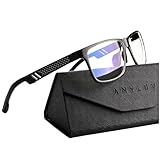
- Overal Blue Block Rate: 45% - ANYLUV blue light glasses protects your eyes by filtering out most of harmful high energy blue light rays while letting through the less harmful portion of the blue light spectrum
- Low Color Distortion Lens- Unlike other bluelight glasses mens on the market with heavily tinted lens. ANYLUV's low color distortion lens is optimised to provides the perfect balance between eye protection and viewing quality
- Improved Performance and Productivity- Extended exposure to blue light rays may cause fatigue and stress. Filtering out the high energy blue light allows you to focus on your game or task at hand
- Protect Your Eyes- High energy blue Light emitted by electronic devices (such as computers, TV, smartphones) have shown to increase the risk of sight conditions from sore dry eyes to macular degeneration. This computer glasses maintain healthy eyes by reducing exposure to high energy blue light
- Brand Customer Service & Gift Package - This type of blue ray glasses come with an exquisite triangular folding box, which will be a great gift for your family and friends! ANYLUV attaches great importance to product quality and customer satisfaction.Each ANYLUV customer can enjoy after-sale brand service for our blue screen glasses.
3. Test field of view gradually
There is no universally correct FOV setting. A narrow monitor FOV can feel tunnel-like, while a very wide FOV can put more moving imagery in your peripheral vision. Try small increases or decreases for short sessions. In VR, do not confuse a game’s FOV slider with the headset’s optical adjustment; follow the headset’s fitting instructions.
4. Improve visual stability
Use a performance mode if it provides steadier frame delivery. Lower graphics settings if necessary to prevent stutter, and use a frame-rate cap only when it improves consistency. Check for input lag, tracking interruptions, clean lenses, and correct headset positioning. Faster hardware may help if it solves a specific performance or tracking problem, but it will not automatically remove camera motion or individual susceptibility.
5. Shorten sessions
Take breaks before symptoms become intense. Sleep deprivation, overheating, dehydration, strong odors, alcohol, and heavy meals can make motion sickness harder to tolerate. Ventilation and hydration are supportive measures, not cures.
Flat-screen gaming: a practical troubleshooting path
If you become sick in only one game, start with that game’s camera and locomotion: disable shake and bob, reduce sway and blur, test another FOV, and try a different movement mode.
Rank #4

- Elevate your screen time comfort with these stylish women's/men's eyewear frame blue light blocking glasses, designed to reduce eye strain and protect against harmful UV rays. Stay focused and comfortable with these anti-glare computer glasses featuring a women's eyewear frame, perfect for long hours in front of digital screens .
- Enhance your visual clarity and reduce eye fatigue with these transparent blue-light glasses, featuring a chic women's eyewear frame for added style and functionality .
- Protect your eyes from blue light and glare with these women's eyewear frame bluelight blocking glasses, designed for screen protection during work or leisure activities .
- Upgrade your digital experience with these non-prescription anti-blue light glasses, featuring a sleek women's eyewear frame for a fashionable and protective solution against digital eye .
- Excellent Material - Ultra-lightweight and flexible nylon frame material for durability and comfortable long-term wearing. Casual frame design keeps you looking professional and stylish while working or playing video games .
If many first-person games cause symptoms, also test viewing distance, screen brightness and glare, a steadier performance mode, and a different display. Consider third-person, fixed-camera, turn-based, or slower games. Do not assume every headache is cybersickness; eye strain, an uncorrected vision problem, migraine, poor ergonomics, and dehydration can feel similar.
VR: what to change first
- Begin with stationary or room-scale experiences.
- Use teleport locomotion and snap turning.
- Enable a comfort vignette during movement.
- Adjust headset fit and lens spacing according to its instructions.
- Confirm that tracking is stable and rendering is not intermittently struggling.
- Start with short sessions and stop at the first warning signs.
- Keep the play area clear, and remove the headset before walking.
Do not assume that tolerating one headset, game, or locomotion system means you will tolerate another. Research has found sickness in both seated and standing head-mounted-display use, with more frequent sickness while standing in one console-game study. See the study.
Independent reader supportYour contribution helps us test, update, and keep practical guides available for everyone.Can you build tolerance?
Gradual habituation helps some people and is considered an effective long-term motion-sickness countermeasure, but it is not the same as forcing yourself through severe nausea. Start with stationary or low-motion experiences, use short sessions, stop early, and increase exposure only when the previous level causes no symptoms. If symptoms return, go back to a shorter session or a gentler experience.
Tolerance can be stimulus-specific and temporary. Being comfortable in one game does not guarantee comfort in another.
Best Value

- ENHANCED SCREEN COMFORT: Enjoy long gaming sessions with blue light blocking gamer glasses designed for comfortable screen viewing. These gaming glasses for men help soften harsh screen light while keeping your setup stylish and practical.
- MADE FOR DIGITAL DEVICES: Whether you are gaming, working, streaming, or scrolling, these computer glasses are made for everyday screen use. The blue light filtering lenses help create a more comfortable viewing experience during extended device time.
- FL-41 STYLE LENSES: Designed with FL-41 inspired lenses that target blue-violet light in the 480–520 nm range, these blue light glasses offer a practical option for gamers, office workers, and anyone who spends hours in front of screens.
- LIGHTWEIGHT & COMFORTABLE FIT: Built with flexible hinges and a comfortable frame, these men’s blue light blocking glasses are designed to suit a variety of face shapes. A sleek choice for work, gaming, or casual daily wear.
- CUSTOMER PROMISE: Our team is committed to providing high-quality glasses and excellent service to our customers. If you have any questions about your blue light blocking glasses, contact us for swift assistance! And if you aren't satisfied with your anti blue light glasses men, reach out to us for a refund.
Do medicine, ginger, or wristbands help?
Motion-sickness medication is designed for motion sickness generally, not specifically for video games. A pharmacist or clinician can help determine whether it is appropriate.
- Meclizine: Often marketed as less drowsy, but it can still cause drowsiness. One product label gives age-specific directions and says the first dose is taken 30–60 minutes before activity; follow the label rather than treating that as universal advice. Product information.
- Dimenhydrinate: Can help motion sickness but is commonly sedating.
- Scopolamine: A prescription option in some countries and situations.
- Ginger: Evidence is mixed, and ginger candy or ginger ale does not necessarily contain a studied dose. Some commercial products list 500 mg of ginger but state that their claims have not been evaluated by the FDA. Example label.
- Acupressure bands: Drug-free and reusable, but controlled evidence has not shown reliable effects beyond placebo. They are an optional experiment, not a proven gaming treatment. CDC evidence summary.
Read age restrictions and warnings. Do not combine these medicines with alcohol, sedatives, or tranquilizers, and do not drive if drowsy or impaired. Ask a clinician or pharmacist about pregnancy, breastfeeding, glaucoma, urinary problems, breathing conditions, children, and other medicines. Do not use medication as a reason to continue a game that repeatedly causes severe symptoms.
Quick reference
| Problem | First change to try |
|---|---|
| Camera feels like it is bouncing | Turn off head bob and camera shake. |
| Nausea during smooth VR walking | Use teleport movement. |
| Sickness during smooth rotation | Use snap turning. |
| Symptoms during driving or flying | Reduce acceleration, camera sway, and FOV effects. |
| Headache and blurry vision | Stop, rest, check display clarity and headset fit, and consider vision or migraine causes. |
| Sickness after minutes in every VR app | Stop using VR and consider professional medical advice. |
When to seek medical advice
Talk to a healthcare professional if symptoms are severe, last well after stopping, recur frequently, happen with ordinary movement or outside gaming, or continue despite reasonable changes. Seek prompt medical attention for unusual neurological or visual symptoms, fainting, severe headache, weakness, confusion, trouble speaking, chest pain, or persistent vomiting.
Gaming may be the trigger, but it may not be the whole explanation. Migraine, vestibular disorders, vision problems, medication effects, and other conditions can overlap with cybersickness. Do not diagnose yourself from gaming symptoms alone.
Crashes, No Sound, or Screen Glitches?
Random freezes, missing sound and display glitches usually trace back to one bad driver. Find and replace yours safely.Free scan · under a minuteWindows Errors? Fix Them Before They Spread
Repair common Windows errors and clear accumulated junk for a smoother, more stable PC - no reinstall needed.Free scan · no reinstallQuick Recap
Product prices and availability are accurate as of the date/time indicated and are subject to change. Any price and availability information displayed on Amazon at the time of purchase will apply.




