sfxpfx3.dll is a legacy Sony ExpressFX 3 audio plug-in, not a Windows system file. If Windows reports that sfxpfx3.dll is missing, was not found or could not be loaded, repair the Sony application that installed it instead of downloading a loose DLL.
Diagnostic checklist
Before changing anything, note:
- Which program displays the error: Sony Vegas, Movie Studio, Sound Forge, Audio Studio or another Sony Creative Software application
- Whether the error appears when Windows starts, when the program opens or when a particular audio effect is selected
- Whether you recently uninstalled software, updated the host application, moved its installation folder, ran disk cleanup or restored from backup
- Whether Microsoft Defender recently quarantined a file
- Whether the host application is 32-bit or 64-bit
- Whether
sfxpfx3.dllexists in the application folder or Sony shared plug-in folder
Common reported messages include:
- “This application failed to start because sfxpfx3.dll was not found.”
- “The file sfxpfx3.dll is missing or corrupted.”
- “Error loading sfxpfx3.dll. The specified module could not be found.”
- “The program can’t start because sfxpfx3.dll is missing from your computer.”
The exact wording varies by program and Windows version. “The specified module could not be found” can also mean that sfxpfx3.dll exists but one of its dependent files does not.
What sfxpfx3.dll belongs to
sfxpfx3.dll is associated with Sony ExpressFX 3, historically published under Sony Pictures Digital branding. It was bundled with older Sony audio and video products, including versions of:
- Sony Vegas and Movie Studio
- Sony Sound Forge
- Sony Audio Studio
- Other Sony Creative Software products that included ExpressFX effects
The commonly indexed file is a 32-bit Win32 plug-in. It normally belongs inside the program installation or a Sony shared plug-in directory, commonly resembling:
#1 Best Overall

- 80 preset patches and 80 user patches, enough for creating your sound library. You can save any preferred tones by simply pressing down the SAVE button.
- 8 effect modules, including 66 effect types, providing you with the most unique Mooer sound library. Simply rotate the knob above the screen and everyth
- 6 assignable expression pedal parameters which greatly improve the convenience and diversity of controlling the tone. Unique adjustable output mode setting allows you to use line out mode to still get a good tone when playing without an amp.
- By using 180 seconds looper and a drum machine which contains a variety of rhythm patterns, you can create your own music without using a computer.
- GE100 has scale and chord learning function. Just click the LESSION button to enter the scale and chord knowledge reserve interface.
C:Program FilesSonyShared Plug-InsAudio
The exact path depends on the product and installation. It is not normally a file for:
C:WindowsSystem32
C:WindowsSysWOW64
Do not copy it into either Windows directory. A 64-bit version of Windows can run a 32-bit host application through WOW64, but the plug-in must still match the host process. An indexed file named sfxpfx3_x64.dll is not established as an official replacement for the standard 32-bit sfxpfx3.dll.
Fix 1: Repair or reinstall the Sony application
This is the most likely solution because the DLL was supplied as part of the Sony application or its ExpressFX plug-in bundle.
Check whether the file is still present
- Press
Win+Eto open File Explorer. - Browse to the installation folder for the program named in the error.
- Search that folder for
sfxpfx3.dll. - Also check the Sony shared plug-in folders under
C:Program FilesSonyor the program’s own plug-in directory. - Right-click the file if found and select Properties.
- Check the General and Details tabs. Confirm that it is located within the expected Sony application directory and is identified as Sony ExpressFX 3.
If the file is present, do not immediately replace it. Continue with the plug-in scanning and dependency checks below.
The Tool Desk
Outbyte PC Repair FREERepair Windows errors before they cause bigger problemsFix Now →Outbyte Driver Updater FREEScan for outdated or missing drivers - takes under a minuteDriver Scan →Use Windows repair
Some installers expose a repair option through Windows:
- Press
Win+I. - Select Apps.
- Select Installed apps on Windows 11, or Apps & features on Windows 10.
- Find the Sony program.
- Select the three-dot menu on Windows 11, or select the program entry on Windows 10.
- Choose Advanced options if available.
- Select Repair.
- Restart Windows and open the Sony application.
Not every older desktop program provides this option. If Repair is unavailable, use the original installer or installation media.
Reinstall from legitimate installation media
- Close the Sony application.
- Back up any project files and custom presets.
- Uninstall the affected Sony program from Settings > Apps > Installed apps.
- Restart Windows.
- Run the original installer from your licensed installation media, a known-good backup or an installer supplied through the product’s legitimate support channel.
- Choose the full installation or ensure that ExpressFX and audio plug-ins are selected.
- Complete setup and restart the computer.
- Open the application and test the effect that previously failed.
Reinstall the exact host program whenever possible. Installing a different Sony product may not provide the matching plug-in registration, dependencies or licensing components.
A successful repair normally means that the application starts without the error and the ExpressFX effects appear in its audio-effects list. If the program starts but only one effect is absent, continue to the plug-in scan section rather than reinstalling Windows.
Quick wins for a faster PC:
Repair Windows errors before they cause bigger problemsFix Now →Scan for outdated or missing drivers - takes under a minuteDriver Scan →Fix 2: Check Microsoft Defender quarantine
Antivirus software can remove or quarantine an old plug-in even when the file was originally installed with legitimate software. Do not disable protection or create an exclusion simply to make the error disappear.
- Open Windows Security from the Start menu.
- Select Virus & threat protection.
- Select Protection history.
- Review recent actions for a Sony application file or
sfxpfx3.dll. - Open the alert and review its location, detection name and action.
- Restore the file only if you can confirm that it came from the original installer or a known-good backup.
- Run a fresh scan after restoring it.
- Start the Sony application again.
If the file came from an unknown DLL website, do not restore it. Remove it and reinstall the Sony application from legitimate media instead. A detection should be investigated, not automatically excluded.
Rank #2

- GE150 Pro Series, is designed based on MOOER’s updated GE series design language and MNRS modelling technology. Two editions: the standard mains-powered option and the GE150 Pro Li, which features a staggering 9 hours of battery life through an integrated Lithium battery. The standard GE150 Pro comes with a neutral white finish.
- More Flexibility: Four multi-purpose footswitches for browsing presets and triggering a wide range of functions. paired with an upgraded effect chain control logic, allowing guitarists to utilize all four footswitches for enhanced flexibility when switching between different patches during performance. Expression pedal that supports both parameter control and output volume control.
- Massive Tone: 200 factory preset tones, 55 classic amp preamps based on MOOER’s in-house MNRS modelling technology, 26 high-quality cabinet simulations, AMP and CAB modules now support MNRS sample files (GNR and GIR). The AMP module has 20 slots for loading samples, and the CAB module's slots have been increased to 20.
- Multi-function purposes have also been built into the pedal’s UI, once again meeting the growing control system demands of guitarists creating on the cutting-edge of music technology. The GE150 Pro pedal can be mapped to effect parameters for dynamic live control and also features a "toe tap" feature to switch the mapping "Expression" to "Volume" control mode.
- Ready to Jam: tune with precise instrument tuner, play with built-in 80-second stereo LOOPER function, built-in drum machine module with 40 drum rhythms and 10 metronome modes. Best of all, all of these rhythmic and looping features can be controlled through the four multi-purpose foot switches, ensuring that loop improvisations and backing tracks can be seamlessly integrated into both live performances and practice sessions.
Fix 3: Install the required 32-bit runtime
Some historical file inventories associate sfxpfx3.dll with an older Microsoft Visual C++ runtime, including MSVCR70.dll. That dependency information comes from third-party metadata rather than a current Sony manifest, so treat it as a troubleshooting lead, not proof that every copy needs the same runtime.
If the Sony installer or error specifically identifies a missing Microsoft runtime:
- Use the original installer’s requested package when available.
- Prefer Microsoft’s official Visual C++ download pages.
- For a 32-bit Sony plug-in, use the x86 package unless the host software specifically says otherwise.
- Install the package.
- Restart Windows.
- Test the Sony application again.
The Microsoft Visual C++ 2005 SP1 package includes separate x86 and x64 installers. Installing x64 alone does not satisfy every 32-bit dependency. Multiple Visual C++ generations can coexist, and a newer runtime does not necessarily replace an older one required by a legacy binary.
Do not download MSVCR70.dll or any other dependency as a loose file from a DLL mirror. Install the complete Microsoft redistributable package from Microsoft.
Fix 4: Confirm 32-bit and 64-bit compatibility
The usual sfxpfx3.dll is a 32-bit plug-in. It must load inside a compatible 32-bit host process.
To check the application architecture:
- Open the Sony program’s installation folder.
- Right-click its main executable.
- Select Properties.
- Open the Details tab and note the product information.
- If the product documentation or installer identifies it as 32-bit, use the 32-bit ExpressFX plug-in.
- Do not replace the file with an unrelated x64 DLL.
- Do not rename an x64 file to
sfxpfx3.dll.
On 64-bit Windows, 32-bit applications normally run through WOW64. That does not make 32-bit and 64-bit plug-ins interchangeable. The host process architecture controls which DLL architecture can load.
Do these 3 things before closing this tab:
1Repair Windows errors before they cause bigger problems2Fix the driver behind crashes, sound loss and screen glitches3Clear out junk files and repair common Windows errorsIf the error began after installing a newer 64-bit edition of a Sony application, the old ExpressFX component may not be compatible with that host. In that case, use the plug-in package intended for that product or continue using the compatible legacy host in a supported, isolated setup.
Fix 5: Rescan the host’s audio plug-ins
If sfxpfx3.dll exists in the expected Sony plug-in directory but an effect is missing, the host may not be discovering it.
The exact menu varies by product version, but look for commands such as:
- Options > Preferences > VST Effects
- Preferences > Plug-in Manager
- Rescan Plug-ins
- Reset Plug-in Cache
- Clear Cache and Rescan
Before rescanning:
- Close the Sony application.
- Confirm the DLL is inside the original application or shared Sony plug-in directory.
- Reopen the program as administrator once by right-clicking its shortcut and selecting Run as administrator.
- Open the plug-in settings.
- Add the existing Sony plug-in directory only if the program allows custom search paths.
- Clear the plug-in cache or rebuild the list.
- Rescan.
- Check whether ExpressFX Dynamics, Graphic EQ, Noise Gate or Time Stretch appears.
Running as administrator can help with access or cache-writing problems, but it cannot repair a missing DLL or a missing dependency. Do not permanently run an old program with elevated privileges unless necessary.
What’s actually slowing this PC down?
Pick the symptom - the matching free tool is one click away.
Rank #3

- 71 EFFECTS AND 13 AMP MODELS TO EXPLORE – Explore 71 built-in effects and 13 amp models to craft everything from clean tones to high-gain distortion, perfect for practice, recording, and live play.
- LAY DOWN LOOPS IN REAL TIME – Create layered riffs with the 30-second looper, ideal for songwriting, solo practice, and live experimentation.
- A FULL BACKING BAND IN YOUR PEDAL – 68 built-in rhythm patterns give you a full backing band, helping you stay in time and make practice sessions more engaging.
- PLUG IN, PLAY, AND PRACTICE ANYWHERE – Plug in with standard guitar input, connect external audio via aux, and monitor through amp or headphones for silent practice anywhere.
- GUITAR LAB KEEPS YOUR SOUND GROWING – Download Zoom Guitar Lab (Mac/Windows) to edit patches, build your own tones, and unlock even more creative control.
Fix 6: Register the plug-in only when the host requires it
Some older Sony software used registration for DirectX audio plug-ins. Historical Sony forum discussions describe registering audio DLLs with regsvr32 to make effects appear. This is not a general missing-DLL solution.
Use this step only when:
- The file is present in the correct Sony plug-in folder
- The host specifically expects a registered DirectX plug-in
- The original installation documentation or product support directs you to register it
First open an elevated Command Prompt:
- Open Start.
- Type
cmd. - Right-click Command Prompt.
- Select Run as administrator.
- Change to the folder containing the file, for example:
cd /d "C:Program FilesSonyShared Plug-InsAudio"
- Register the file with the Windows registration utility:
regsvr32 sfxpfx3.dll
On 64-bit Windows, a 32-bit plug-in may require the 32-bit registration utility:
%SystemRoot%SysWOW64regsvr32.exe sfxpfx3.dll
If the file is elsewhere, provide its full path:
%SystemRoot%SysWOW64regsvr32.exe "C:Program FilesSonyShared Plug-InsAudiosfxpfx3.dll"
Restart the Sony application and rescan its effects.
A message saying that the entry point was not found, the module could not be loaded or registration failed usually indicates that the file is not a self-registering DLL, a dependency is missing or the wrong registration utility was used. Do not repeatedly register it or copy it into Windows folders. Reinstall the original plug-in package if registration does not work.
Fix 7: Repair Windows components only for wider system corruption
Because sfxpfx3.dll is a third-party Sony plug-in, Windows System File Checker will not normally recreate it. Use DISM and SFC when Windows itself is behaving incorrectly, installers fail broadly or other system files are also damaged.
- Open Start.
- Type
cmd. - Right-click Command Prompt.
- Select Run as administrator.
- Run:
DISM.exe /Online /Cleanup-Image /RestoreHealth
- Wait for it to finish.
- Then run:
sfc /scannow
- Restart Windows.
- Test the Sony application.
Microsoft recommends running DISM before SFC. If both commands complete successfully but sfxpfx3.dll is still missing, that is expected. Return to repairing or reinstalling the Sony application.
If manually hunting runtime versions and repeatedly running SFC or DISM is becoming guesswork, Outbyte PC Repair can scan for system problems and show what it identifies; repairs are performed by the full version, and reinstalling Sony ExpressFX remains the definitive fix for this application-specific DLL.
Fix 8: Check for a recent update or installation change
If the error began immediately after an update, driver installation or other system change, System Restore may return Windows to an earlier state without downloading a loose DLL.
- Press
Win+R. - Type:
rstrui.exe
- Press Enter.
- Select Choose a different restore point if offered.
- Select a restore point created before the problem began.
- Review the affected programs.
- Start the restore and allow Windows to restart.
- Test the Sony application.
System Restore does not replace personal documents, but applications and drivers installed after the selected restore point may be affected. Use it only when the timing clearly matches a recent system change.
Independent reader supportYour contribution helps us test, update, and keep practical guides available for everyone.Fix 9: Update or reinstall related drivers only when evidence points there
A graphics or audio driver normally does not supply sfxpfx3.dll, so driver replacement is not a primary fix. Consider it when the Sony application also crashes with audio-device errors, cannot open the selected playback device or began failing after a driver change.
Check the audio device
- Right-click Start.
- Select Device Manager.
- Expand Sound, video and game controllers.
- Right-click the affected audio device.
- Select Properties.
- Check the General tab for a device error.
- Open the Driver tab and note the provider and date.
- If the issue began after an update, select Roll Back Driver when available.
- Otherwise select Update Driver, then Search automatically for drivers.
- Restart Windows and test the Sony program.
To reinstall a device driver:
- In Device Manager, right-click the audio device.
- Select Uninstall device.
- Confirm only if you have a compatible replacement driver available.
- Restart Windows.
- Install the driver supplied by the computer or audio-device manufacturer.
- Test the Sony application.
Manually comparing versions and guessing which of several audio drivers is stale can take longer than the actual repair. Outbyte Driver Updater can scan and identify driver issues, with installation handled by the full version; it is optional, and it does not replace reinstalling the Sony application when that is the source of the missing DLL.
What not to do
Avoid these common repairs:
- Downloading
sfxpfx3.dllfrom a random DLL website - Copying the file into
System32orSysWOW64 - Replacing a 32-bit plug-in with an unverified x64 file
- Renaming another DLL to
sfxpfx3.dll - Disabling Defender permanently
- Adding an unknown DLL folder to the system
PATH - Running
regsvr32repeatedly against files that are not self-registering - Assuming SFC or Windows Update will reinstall Sony ExpressFX
- Installing a newer Visual C++ package without checking what the original program requests
A loose DLL can contain malware, have the wrong architecture or build, lack required dependencies and still leave the host application without its plug-in registration or licensing files. No current official standalone Sony download for sfxpfx3.dll has been verified. Use the original application installer, legitimate installation media or a known-good backup instead.
Free tools Windows power users keep installed
One-click scans. No signup required.
Rank #4
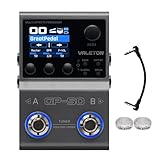
- All-in-One Professional Effects Solution: Combines a multi-effects processor, NAM (Neural Amp Modeler) loader, and IR cabinet loader in one compact unit. Features over 100 high-quality HD digital modeling effects, covering distortion, delay, reverb, modulation, and more to meet all your tone needs.
- Flexible Module & Storage Capacity: Supports up to 9 effect modules working simultaneously with customizable order for personalized tone chains. Stores 20 third-party cabinet IR files and up to 80 NAM files (including 50 curated factory presets) for endless tonal possibilities.
- Intuitive Operation & Clear Visualization: Equipped with dual footswitches, multiple control knobs/buttons, and a 1.77-inch high-definition color LCD screen for real-time parameter monitoring. Compatible with expression pedals, external footswitches, and MIDI controllers to expand creative control.
- Comprehensive Connectivity Options: Built-in BT 5.0 for wireless editing via iOS/Android app (with 100 drum patterns). Features 2-in/2-out USB Audio (supports re-amp, Win/Mac/iOS/Android compatible), USB MIDI, dual 1/4" TS stereo outputs, and 1/8" TRS headphone jack for versatile setup.
- Portable & Powerful: The robust, compact metal casing fits on any pedalboard. Power it via DC 9V or USB 5V, and take your tone anywhere with the built-in rechargeable battery, offering ultimate freedom for practice, gigs, and recording sessions.
FAQ
Is sfxpfx3.dll a Windows file?
No. It is a legacy third-party Sony ExpressFX 3 audio plug-in.
Which programs may need it?
Older Sony Vegas, Movie Studio, Sound Forge, Audio Studio and related Sony Creative Software products that included ExpressFX may use it.
Should I put it in System32?
No. Keep it in the Sony application or shared plug-in directory that installed it.
Can 64-bit Windows run this file?
Yes, when the compatible 32-bit host application runs through WOW64. A 64-bit Windows installation does not require every application DLL to be 64-bit.
Recommended Free Tools
Why does Windows say the module could not be found when the file is present?
A dependent runtime may be missing, the plug-in may be incompatible with the host, or the host may not be scanning or registering the correct directory.
Will regsvr32 fix the error?
Only if the old host expects this plug-in to be registered and the DLL supports registration. It cannot restore a deleted file or repair a missing dependency.
Will Windows Update or DirectX reinstall it?
Normally no. The file belongs to Sony ExpressFX, so repair the parent application instead.
What if the original installer is unavailable?
Restore the application from a known-good backup or use System Restore if the problem followed a recent change. Avoid a standalone DLL download.
PC Slower Than It Used to Be?
A free scan shows the junk files, broken settings and background clutter dragging Windows down - then fixes them in one click.Free scan · Windows 10 & 11Outdated Drivers Are Slowing You Down
One free scan finds every outdated or missing driver and matches the right update for your exact hardware.Free scan · exact hardware matchWhat information should I collect before asking for further help?
Record the host application and version, Windows architecture, complete error text, full DLL path, file properties, Defender Protection History results, whether the DLL exists, and any dependency named by the installer. This distinguishes a missing file from a missing runtime, registration failure or incompatible host.
Quick Recap
Product prices and availability are accurate as of the date/time indicated and are subject to change. Any price and availability information displayed on Amazon at the time of purchase will apply.




