The Tool Desk
Outbyte PC Repair FREERepair Windows errors before they cause bigger problemsFix Now →Outbyte Driver Updater FREEFix the driver behind crashes, sound loss and screen glitchesFind Drivers →asuswsshellext.dll is an older ASUS WebStorage desktop-client component, not a Windows system file. The safest fix is to repair or reinstall the ASUS WebStorage program that installed it, or uninstall that obsolete program if you no longer use it.
What this file actually does
asuswsshellext.dll is an Explorer shell extension. Shell extensions add features to Windows Explorer, such as context-menu commands, folder integration, or cloud-storage status information.
That makes its failure look different from a missing Windows runtime. You may see an error when Explorer starts, when you open a folder, or when you right-click a file. In some historical cases, the related ASUSWSShellExt64.dll caused Explorer to crash and restart.
The file is not part of Windows, Microsoft Defender, DirectX, a graphics driver, or the Windows component store. Windows itself does not need it to boot or operate. It belongs with the third-party application that installed it, historically ASUS WebStorage.
Free tools Windows power users keep installed
One-click scans. No signup required.
#1 Best Overall

- 13mm for ultra slim and light
- Mac/PC Support
- Includes USB 2. 0 and Type-C cables
- Nero BackItUp function for Android Devices
- DISC Encryption II for password-controls and hidden-file functionality
A copy found inside an ASUS WebStorage directory is more plausible than one found in C:WindowsSystem32. Do not decide that a file is safe from its name alone. Check its location, digital signature, installation source, and Windows Security results.
Causes matched to symptoms
| What you notice | Most likely cause | Best first action |
|---|---|---|
| The error appeared after removing ASUS WebStorage | Stale shell-extension registration | Uninstall the remaining ASUS component and restart |
| ASUS WebStorage still appears in Installed apps | Partial or damaged installation | Repair, uninstall, or reinstall the complete application |
| Explorer crashes or restarts | Broken legacy shell extension | Remove or update ASUS WebStorage |
| Windows Security lists the file | Quarantine or security detection | Inspect Protection history before restoring anything |
| The file exists, but Windows says its module cannot be found | Missing dependency or incompatible installation | Reinstall the complete application |
| The problem began after a cleanup tool or update | Stale registration or incomplete change | Undo the change, uninstall the old client, or use System Restore |
| Several unrelated Windows programs fail | Broader Windows corruption | Run DISM, then SFC |
| Only one user profile is affected | Per-user startup or Explorer registration | Test another account and remove the old application registration |
Fix 1: Repair or reinstall ASUS WebStorage
Use this path if you still need the files or synchronization features provided by ASUS WebStorage.
Before uninstalling, open the WebStorage client and confirm that pending files have finished synchronizing. Removing an old client before synchronization completes can leave local and cloud copies out of step.
Check whether the program is installed
- Press
Win+Ito open Settings. - Select Apps.
- Select Installed apps on Windows 11, or Apps & features on some Windows 10 builds.
- Search for ASUS WebStorage or a similarly named ASUS WebStorage entry.
- Select the three-dot menu, then look for Advanced options, Repair, or Modify.
Not every older installer provides a Repair button. If Repair is available, run it, restart Windows, and test the action that previously produced the error.
If there is no Repair option, use the original ASUS or computer-manufacturer installer. Download the current Windows client only from ASUS WebStorage support or the ASUS Download Center. The current WebStorage Sync documentation targets Windows 10 or later and requires .NET Framework 4.8 or higher.
Do not assume that the current client contains the old asuswsshellext.dll. ASUS’s current installation documentation does not establish that the legacy shell extension is included. If the old program is required by a specific workflow, use the original trusted installer supplied with that system or application.
Reinstall the complete application
- In Installed apps, select ASUS WebStorage.
- Choose Uninstall or Uninstall/Change.
- Follow the wizard.
- Restart Windows.
- Install the complete ASUS WebStorage package from an official ASUS source.
- Restart again.
- Test Explorer and the ASUS application.
If the error returns immediately after installing the current client, the new client may not provide the legacy shell extension. In that situation, do not copy an old DLL into the new program directory. Decide whether the older ASUS software is still necessary and remove it if it is not.
Fix 2: Uninstall ASUS WebStorage if you no longer use it
If you do not use ASUS WebStorage, restoring the DLL is usually the wrong goal. The missing-file message often comes from an old Explorer registration that still points to a component belonging to software you already removed.
Windows Errors? Fix Them Before They Spread
Repair common Windows errors and clear accumulated junk for a smoother, more stable PC - no reinstall needed.Free scan · no reinstallCrashes, No Sound, or Screen Glitches?
Random freezes, missing sound and display glitches usually trace back to one bad driver. Find and replace yours safely.Free scan · under a minuteRank #2

- Feature - BENFEI 2.5 inch Hard Drive Enclosure easily hook up your 2.5 inch SATA I/II/III hard drive to transfer files from one PC to another PC, laptop, PS4 or as a USB external hard drive. USB Type-C/Type-A 10Gbps cable is included in the package.
- Speed - Adopts advanced JMS580 chipset, support up to 6 Gbps data transfer rate with more stable and realiable data speed transmission compared with other solution. Supports UASP SATA III transmission protocol, which is 70% faster than traditional USB3.0, Backward compatible with USB 2.0 or 1.1 ports.
- Design - Tool free installation, Plug & Play, No driver needed for this SATA enclosure. Just push out the cover, plug in the drive, close the cover and go. Hot-Swappable.
- Compatibility - BENFEI Hard Drive Enclosure supports Windows, LINUX, MacOS 8.0, and above. Specifically designed for 7/9.5mm thick, 2.5 inches, 6TB HDD & SSD. Compatible with Western Digital, Seagate, Toshiba, Samsung, Kingston, Crucial, Hitachi, and more.
- 【18 MONTH WARRANTY】 Exclusive BENFEI Unconditional 18-month Warranty ensures long-time satisfaction of your purchase; Friendly and easy-to-reach customer service to solve your problems timely.
Remove it through Settings
- Press
Win+I. - Select Apps.
- Open Installed apps.
- Find ASUS WebStorage.
- Select the three-dot menu.
- Choose Uninstall.
- Complete the wizard.
- Restart Windows.
Remove it through Control Panel
- Press
Win+R. - Type
appwiz.cpl. - Press Enter.
- Select ASUS WebStorage.
- Choose Uninstall or Uninstall/Change.
- Restart Windows.
If the program is not listed, check the original ASUS application folder and any ASUS WebStorage entry in Task Manager > Startup apps. Disable an old startup entry only if you can identify it confidently.
If Explorer remains unstable, boot into Safe Mode or perform a clean boot, then remove the ASUS software. Avoid deleting registry keys by guesswork. If you must remove a confirmed stale shell-extension registration, export the relevant key first so it can be restored.
After restarting, test these actions:
- Open File Explorer.
- Open a folder that previously triggered the warning.
- Right-click a file.
- Log out and back in.
- Launch any remaining ASUS utility.
If the warning disappears, the obsolete registration was the cause. Windows does not need asuswsshellext.dll after ASUS WebStorage has been removed.
Fix 3: Check Windows Security before restoring anything
Use this step if the error began after an antivirus scan, cleanup operation, or security alert.
- Open Start.
- Search for Windows Security.
- Select Virus & threat protection.
- Select Protection history.
- Look for a detection involving
asuswsshellext.dllor its parent ASUS WebStorage directory. - Expand the entry and inspect the original path, detection name, and action taken.
Do not restore the file just because an application says it is missing. Restore it only when all of these are true:
- The original path is inside the expected ASUS WebStorage directory.
- The file came from a trusted ASUS or original OEM installation.
- Its digital signature and provenance are acceptable.
- You have confirmed that the ASUS application is still required.
If Defender or another security product identifies the file as suspicious, leave it quarantined and remove the obsolete ASUS software instead. Microsoft explains the related quarantine behavior in Protection History.
Fix 4: Check for a missing dependency
The message “The specified module could not be found” does not always mean that asuswsshellext.dll itself is absent. Windows may have found the named DLL but failed to load a dependency required by it.
This is common after a partial legacy-client installation. The correct response is to reinstall the complete ASUS WebStorage package, not to download several unrelated DLLs.
Rank #3
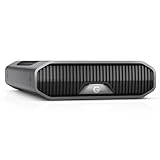
- USB-C (10Gbps) drive for fast backup with up to 280MB/s read and 280MB/s write (1 MB/s = 1 million bytes per second. Based on internal testing; performance may vary depending upon host device, usage conditions, drive capacity, and other factors.).Specific uses: Business, multimedia, and personal
- High-capacity, enterprise-class Ultrastar 7200RPM drive inside
- Mac Ready, Apple Time Machine compatible; easily reformatted for Windows
- Stackable, anodized aluminum enclosure offers premium durability
- Three modes of brightness to adjust the LED lights
Check these details:
- Press
Ctrl+Shift+Escto open Task Manager. - Select Details and confirm whether the failing process is
explorer.exeor an ASUS application. - Open Event Viewer by pressing
Win+R, typingeventvwr.msc, and pressing Enter. - Open Windows Logs > Application.
- Look for an error at the time of the failure.
- Record the application name, faulting module, module path, version information if shown, and exception code.
A file that is present but fails to load can indicate a missing runtime, damaged installation, or wrong architecture. Do not install Visual C++, DirectX, or another runtime solely because a generic DLL page recommends it. Install a runtime only when the ASUS installer or event evidence identifies it as required.
Fix 5: Check 32-bit and 64-bit compatibility
The 32-bit file and the related ASUSWSShellExt64.dll are separate components. They are not interchangeable.
A 64-bit Windows installation can run a 32-bit application, but that application must receive the correct 32-bit files. A 64-bit Explorer shell integration may require the separate 64-bit component. Copying one file over the other can make the installation less consistent and can worsen Explorer crashes.
Use the application installer to select the correct package. Do not rename the file, replace it with the 64-bit version, or place either file in C:WindowsSystem32.
Quick wins for a faster PC:
Repair Windows errors before they cause bigger problemsFix Now →Scan for outdated or missing drivers - takes under a minuteDriver Scan →If the event log names ASUSWSShellExt64.dll while the startup message names asuswsshellext.dll, treat them as related but distinct failures. Reinstall the parent application rather than repairing only the filename shown in the warning.
Fix 6: Repair Windows components only when other programs also fail
DISM and SFC repair protected Windows components. They normally do not restore a third-party ASUS DLL that belongs to an application folder.
Use them when multiple unrelated Windows features are failing, Windows Update is damaged, or system files are also reporting errors.
- Open Start.
- Search for Command Prompt.
- Select Run as administrator.
- Run:
DISM.exe /Online /Cleanup-Image /RestoreHealth
- Wait for it to finish.
- Then run:
sfc /scannow
- Restart Windows.
DISM should run before SFC. If both complete successfully but the ASUS-specific error remains, reinstall or remove ASUS WebStorage instead. Microsoft documents this sequence in its System File Checker guidance.
What’s actually slowing this PC down?
Pick the symptom - the matching free tool is one click away.
Rank #4
- USB-C (10Gbps) drive for fast backup with up to 270MB/s read and 270MB/s write (1 MB/s = 1 million bytes per second. Based on internal testing; performance may vary depending upon host device, usage conditions, drive capacity, and other factors.).Specific uses: Business, multimedia, and personal
- High-capacity, enterprise-class Ultrastar 7200RPM drive inside
- Mac Ready, Apple Time Machine compatible; easily reformatted for Windows
- Stackable, anodized aluminum enclosure offers premium durability
- Three modes of brightness to adjust the LED lights
If repeatedly hunting through Windows components and interpreting SFC output is taking longer than expected, Outbyte PC Repair can scan for system issues and show what it finds; repair actions require the full version, and reinstalling ASUS WebStorage remains the definitive fix for this application-specific DLL.
Fix 7: Update Windows and check drivers only when evidence points there
A graphics-driver reinstall is not a normal fix for an ASUS WebStorage shell-extension error. Consider Windows or driver updates only if Explorer crashes with other shell extensions, games, or hardware-related applications too.
Install Windows updates
- Press
Win+I. - Select Windows Update.
- Select Check for updates.
- Install available updates.
- Restart Windows.
Check a device driver
- Right-click Start.
- Select Device Manager.
- Expand the device category related to the wider failure.
- Right-click the device.
- Select Properties > Driver.
- Note the provider and date.
- Use Update driver only when a suitable driver is available from Windows Update or the hardware manufacturer.
- Restart and retest.
Windows Features are not normally involved in this error. Do not enable random legacy components or install optional frameworks unless the ASUS installer specifically requires them.
If several devices have stale drivers and manually checking each manufacturer page is the problem, Outbyte Driver Updater can scan and identify driver versions; the full version performs driver installation, but it will not replace the need to repair the ASUS parent application.
Recommended Free Tools
Fix 8: Use System Restore after a known change
Use System Restore when the error began immediately after a driver installation, cleanup utility, failed software update, or other identifiable change.
- Press
Win+R. - Type:
rstrui.exe
- Press Enter.
- Select Next.
- Choose a restore point from before the problem began.
- Select Scan for affected programs when available.
- Review the result.
- Select Finish and restart.
System Restore can undo application and registry changes, but it does not replace a trustworthy application reinstall. Microsoft’s procedure is described in System Restore.
Should you run regsvr32?
Usually, no.
regsvr32 is intended for DLLs that provide the COM registration entry point DllRegisterServer. A missing shell-extension file, damaged application installation, or missing dependency is not automatically repaired by registering the DLL.
Do not run this as a generic fix:
regsvr32 asuswsshellext.dll
It may fail with an entry-point error, or it may create registration that does not match the installed application. Use regsvr32 only when the ASUS installer or documented component specifically requires it, with the correct architecture and full path. Microsoft describes its purpose in the regsvr32 command documentation.
Do these 3 things before closing this tab:
1Clear out junk files and repair common Windows errors2Fix the driver behind crashes, sound loss and screen glitches3Repair Windows errors before they cause bigger problemsWhy DLL download sites are a bad fix
Do not download asuswsshellext.dll from a random DLL site or copy it into System32.
That approach can provide the wrong architecture, an incompatible build, a modified file, or a DLL that still lacks its dependencies. It also leaves the old Explorer registration and parent-application problem untouched.
Best Value

- Blazing 20Gbps: Instantly view and edit files with external ssd speed up to 2000MB/s.(This speed runs on CrystalDiskMark 7.0. Actual speeds vary with capacity, file sizes, system conditions and number of files in the folder)
- Universal Compatibility: Utilizing USB 3.2 Gen2x2, this portable ssd Plug-and-play across most USB devices. (External ssd requires USB3.2Gen2x2 compatibility for full-speed; Other ports including thunderbolt capped at 10Gbps)
- USB-C/A Dual-Cable: 4tb external ssd comes with 20Gbps USB-C cable (cutting-edge speed) and 10Gbps USB-A cable (backward compatibility), effortlessly bridging cross-platform file transfers between computers, phones, gaming hosts and tablets
- Data Security: External solid state drive integrates S.M.A.R.T. health diagnostics and adaptive TRIM optimizing data block management—it sustains peak write speeds and extends the SSD's longevity
- Blue Indicator: This external ssd features an LED that displays real-time activity during data transfers, preventint accidental disconnections and data loss. *Always Eject Safely, Never unplug the ssd drive during transfers
The safe sources are:
- The original ASUS or OEM installation media.
- The official ASUS WebStorage support and download channels.
- A verified backup of the exact application file, restored by an administrator after checking its path and signature.
FAQ
Is asuswsshellext.dll part of Windows?
No. It is an optional third-party ASUS WebStorage component. Windows does not require it.
Is the file malware?
The filename alone cannot answer that. Check its path, signature, original installer, and Windows Security results. A copy outside the expected ASUS WebStorage directory deserves extra scrutiny.
Does the current ASUS WebStorage Sync client restore it?
Not necessarily. Current documentation does not establish that the modern client includes this older shell extension. Reinstalling the current client may therefore fail to restore the legacy file.
Why does Explorer crash instead of only the ASUS program?
Shell extensions load inside Explorer. If the extension is incompatible or damaged, Explorer can crash while opening folders or displaying a context menu.
Should I copy ASUSWSShellExt64.dll over the missing file?
No. The 32-bit and 64-bit components are separate files and are not substitutes.
When should I use SFC or DISM?
Use them when multiple unrelated Windows components fail. For one missing ASUS application DLL, reinstalling or removing ASUS WebStorage is more appropriate.
What if the error remains after uninstalling ASUS WebStorage?
Restart again, check startup entries, inspect Event Viewer, and look for another ASUS utility that registered the shell extension. If Explorer still crashes, test in Safe Mode or a clean boot before making registry changes.
Quick Recap
Product prices and availability are accurate as of the date/time indicated and are subject to change. Any price and availability information displayed on Amazon at the time of purchase will apply.



