The Tool Desk
Outbyte Driver Updater FREEFix the driver behind crashes, sound loss and screen glitchesFind Drivers →Outbyte PC Repair FREERepair Windows errors before they cause bigger problemsFix Now →“The program can’t start because datzap32.dll is missing from your computer.”
“datzap32.dll was not found.”
“datzap32.dll could not be loaded.”
datzap32.dll is a legacy 32-bit component associated with Timex Data Link watch software and its Microsoft Outlook or Schedule+ integration. It is not a normal Windows DLL, modern Visual C++ runtime, DirectX file, or driver.
The 60-second answer
Do not download datzap32.dll from a DLL website and copy it into System32 or SysWOW64. The reliable fix is to identify the program showing the error, then reinstall the original Timex Data Link software or the Outlook/Office ValuPack Watch Wizard that installed the file.
The file was historically installed in C:WindowsSystem by the Timex Watch Wizard included with Outlook 97 and Office 97 ValuPack components. If the error appeared while exporting data from Outlook or Schedule+, repair that integration rather than treating the message as a general Windows failure.
#1 Best Overall

- Contrast Case Build: A 38mm gray and black resin case pairs with an adjustable 18mm strap for secure, everyday training wear
- Serious Performance: A 100-hour chronograph with 30-lap memory and a 24-hour countdown timer support training days, while three customizable alarms keep you on schedule
- Stay on Schedule: Two time zones and a full day, date and month calendar keep every plan on track wherever the day takes you
- Night-Ready Visibility: An acrylic lens and INDIGLO backlight keep the digital display easy to read after dark, day or night
- Built to Last: A Timex watch is designed for durability and everyday reliability; every piece reflects our commitment to quality without compromise
What uses datzap32.dll
The file belongs to the old Timex Data Link ecosystem. It was used by:
- Timex Data Link watch software
- The Timex Watch Wizard for Microsoft Outlook
- Microsoft Schedule+ 97 integration
- Outlook 97 and Outlook 98 export components
- Related Office ValuPack installations
Microsoft’s archived documentation describes Datzap32.dll alongside other Timex files, including Datcrt.exe, Protll32.dll, and Tdlir32.dll. Older installations placed these files in Windows system directories.
Archival file records describe datzap32.dll as a “Timex Data Link Packager DLL” and identify it as a Win32 file. Some records list version and size details, but those details are archival metadata, not a guarantee that the same build suits every watch or Office release.
Find the program that is failing
Before repairing anything, note where the message appears:
- Start the old Timex Data Link program and record the exact error.
- If it happens in Outlook, note whether it occurs while exporting calendar or contact data.
- If it happens in Schedule+, record whether the error appears during watch export.
- Open Settings > System > About and note whether Windows is 64-bit.
- Check whether the problem began after reinstalling Office, removing the Timex software, restoring a backup, or antivirus quarantine.
A modern application that mentions this filename may contain an obsolete bundled component or have an incomplete installation. It is not proof that Windows itself is missing a system file.
Fix 1: Reinstall the original Timex or Office component
This is the most likely fix.
Use the original Timex watch media, the original Outlook or Office media, or a legitimate archived vendor package. Timex historically supplied the Data Link software with the watch, while Microsoft’s archived Office instructions refer to the ValuPack folder on the installation CD.
If you have the Timex installer
- Disconnect the watch from the computer.
- Open Settings > Apps > Installed apps.
- Search for Timex, Data Link, or Watch Wizard.
- If an entry exists, select More options > Uninstall.
- Restart Windows.
- Run the original installer from trusted media.
- Right-click the installer and select Run as administrator.
- Complete the installation, then restart again.
- Start the Timex program and test the export.
If the installer has a repair option, choose Repair before uninstalling. A repair can restore the missing component without removing the existing watch configuration.
Rank #2

- Bold Field Design: Green 41mm case with digital dial pairs with an adjustable black strap fitting wrists up to 8 inches for daily wear
- Serious Performance: A 100-hour chronograph tracks lap and split times, plus a 24-hour countdown timer and a month, day and date calendar for everyday training
- Everyday Alarms: Three daily, weekday, or weekend alarms with a 5-minute backup, 24-hour military time mode, and two time zones keep you on schedule
- Night-Ready Visibility: An acrylic lens and INDIGLO light-up dial keep the gray digital display easy to read from dawn to dusk and after dark
- Built to Last: A Timex watch is designed for durability and everyday reliability; every piece reflects our commitment to quality without compromise
If the file came from Office ValuPack
- Insert the original Office or Outlook installation media.
- Open the disc in File Explorer.
- Locate the ValuPack folder.
- Run the Timex Watch Wizard or Data Link setup from that folder.
- If Windows asks for administrative permission, select Yes.
- Restart Windows.
- Test the Outlook or Schedule+ export again.
Do not copy only datzap32.dll from another computer. The Watch Wizard depends on related files and the correct version for the installed Outlook release.
Fix 2: Match the software to the watch and Outlook version
A version mismatch can produce an export failure even when the DLL exists.
Microsoft’s archived documentation records that the original Timex Data Link software did not fully support the Ironman Triathlon watch. Timex supplied an updated Datzap32.dll for that situation. Separate archived guidance indicates that the updated component supported Outlook 97 and Outlook 98 but had not been modified for Outlook 2000.
Use the installation package intended for:
- Your exact Timex watch model
- Your Outlook or Schedule+ release
- The Windows version used by the original software
Do not substitute datzap16.dll, datazap.dll, or another similarly named file. They are separate components.
If you are trying to run the software on Windows 10 or Windows 11, the original package may install only inside a compatible older Windows environment. A 64-bit Windows system can run many 32-bit applications through WOW64, but very old 16-bit installers and drivers may not run. In that case, the missing-DLL message may be secondary to broader incompatibility.
Free tools Windows power users keep installed
One-click scans. No signup required.
Fix 3: Check antivirus quarantine
Antivirus software can remove an old application file, although a missing-file message alone does not prove that happened.
- Open Windows Security from the Start menu.
- Select Virus & threat protection.
- Select Protection history.
- Look for an event involving the Timex installation folder or
datzap32.dll. - If the file came from trusted original media and the detection is clearly a false positive, use the available restore action.
- Reinstall the complete Timex or Office component afterward.
- Run a full Windows Security scan.
Do not restore a file obtained from an unknown download site. If the alert is uncertain, leave the file quarantined and reinstall the parent software from trusted media.
Rank #3
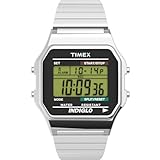
- Sport-Inspired Function: 24-hour chronograph with lap and split times plus month, day, and date calendar for everyday timing and organization
- Everyday Utility: Built-in alarm and 24-hour military time mode keep you on schedule around the clock
- Clear Readability: Green digital display with INDIGLO light-up dial ensures visibility in any light
- Polished Build: Silver-tone 34 mm resin case with acrylic lens offers durability and a sleek finish
- Comfort Fit: Silver-tone 18 mm stainless-steel expansion band fits wrists up to 8 inches for easy, slip-on wear
Fix 4: Resolve a duplicate-file conflict on older Windows installations
An archived Microsoft Schedule+ article documents this specific export error:
There was a problem exporting the data. A problem occurred while accessing the disk.
Do these 3 things before closing this tab:
1Clear out junk files and repair common Windows errors2Fix the driver behind crashes, sound loss and screen glitches3Repair Windows errors before they cause bigger problemsSpecial offer. See more information about Outbyte and uninstall instructions. Please review EULA and Privacy policy.
The historical cause was outdated copies of Datazap.dll, Datzap16.dll, and Datzap32.dll in WINNTSystem32, while the correct files were in WINNTSystem.
This procedure applies to the documented legacy NT-era conflict, not as a general Windows 10 or Windows 11 repair:
- Back up the files before changing anything.
- Open File Explorer.
- Browse to
C:WINNTSystem32. - Search for
Datazap.dll,Datzap16.dll, andDatzap32.dll. - Browse to
C:WINNTSystemand compare the files. - If the Schedule+ export problem matches the archived scenario, rename the conflicting files in
System32, for example by adding.old. - Restart the computer.
- Test the Schedule+ export.
Do not delete files blindly. If you cannot establish that this is the documented duplicate-copy problem, stop and reinstall the complete Data Link component instead.
Fix 5: Check Windows components, but do not expect SFC to restore this file
datzap32.dll is not identified as a protected modern Windows system file. System File Checker and DISM will normally not recreate it. They are useful when other Windows components are also failing.
Open Terminal (Admin) or Command Prompt (Admin):
- Right-click Start.
- Select Terminal (Admin).
- Select Yes at the User Account Control prompt.
- Run:
DISM.exe /Online /Cleanup-Image /RestoreHealth
- Wait for it to finish.
- Run:
sfc /scannow
- Restart Windows.
- Test the Timex or Office program again.
Microsoft recommends running DISM before SFC. If both commands report that Windows is healthy but datzap32.dll is still missing, return to the Timex or Office reinstall. Repeating SFC will not supply a discontinued application file.
Rank #4

- Micro Light, Hourly Time Signal, Auto Calendar
- 12/24 Hour Formats
- Dial Code: Digital
- Water Resistant
- Daily Alarm
The manual process of interpreting DISM and SFC results can involve hunting through component versions and repeating repairs without knowing what changed. Outbyte PC Repair can scan for system issues and shows what its free scan finds; repair is performed by the full version, while reinstalling the Timex program remains the definitive fix for this application DLL.
Fix 6: Check drivers only when the watch hardware is also failing
A driver update is not a normal fix for a missing datzap32.dll. Consider this step only if the watch interface, USB adapter, or another related device also appears in Device Manager with an error.
- Right-click Start.
- Select Device Manager.
- Expand Universal Serial Bus controllers, Ports (COM & LPT), and any category containing the watch or adapter.
- Right-click the affected device.
- Select Properties and check the General tab for an error code.
- Select Driver > Update Driver.
- Choose Search automatically for drivers.
- Restart Windows and test the hardware.
If the device is not detected at all, install only a driver supplied by the hardware vendor or included with the original software. Do not assume a driver can replace the missing DLL.
Quick wins for a faster PC:
Clear out junk files and repair common Windows errorsFree Scan →Scan for outdated or missing drivers - takes under a minuteDriver Scan →Finding the correct legacy driver manually can mean hunting through hardware IDs and testing incompatible packages. Outbyte Driver Updater can scan and show outdated drivers; driver installation is performed by the full version, and it is not a substitute for reinstalling the Timex Data Link software.
Independent reader supportYour contribution helps us test, update, and keep practical guides available for everyone.Why regsvr32 usually does not help
regsvr32 registers DLLs that expose the appropriate registration entry point, commonly for ActiveX or COM components. It is not a general-purpose missing-DLL repair command.
There is no verified evidence that datzap32.dll is an ActiveX or COM server requiring registration. Running:
regsvr32 datzap32.dll
may simply produce an entry-point error, and placing the file in a system directory first can create a version or architecture conflict. Microsoft documents regsvr32 as a registration utility, not as a way to repair arbitrary application DLLs.
Outdated Drivers Are Slowing You Down
One free scan finds every outdated or missing driver and matches the right update for your exact hardware.Free scan · exact hardware matchWindows Errors? Fix Them Before They Spread
Repair common Windows errors and clear accumulated junk for a smoother, more stable PC - no reinstall needed.Free scan · no reinstallSafe sources and unsafe shortcuts
Avoid:
- Random DLL download websites
- Copying the file into
C:WindowsSystem32 - Copying a 32-bit file into
SysWOW64without understanding the application - Replacing
datzap32.dllwithdatzap16.dll - Registering the file just because a website recommends it
- Assuming SFC or DISM will restore Timex software
There is no verified current Microsoft or Timex redistributable specifically named datzap32.dll. Use original Timex or Office media, or a legitimately archived vendor package. Restore the complete parent application so its companion files and matching versions are installed together.
Frequently asked questions
Is datzap32.dll part of Windows?
No evidence supports that. It is associated with legacy Timex Data Link software and Microsoft Outlook or Schedule+ integration.
Best Value

- Chrome-Tone Top-Ring: Adjustable white 12mm resin strap fits up to a 7.5-inch wrist for a sporty, chrome-and-white look built for everyday training
- Serious Performance: A 100-hour chronograph tracks lap and split times with 10-lap memory, plus a built-in 24-hour countdown timer for training days
- Everyday Organization: A customizable alarm, two time zones, and a day, date and month calendar keep you on schedule morning to night
- Night-Ready Visibility: An acrylic lens and INDIGLO light-up dial make the digital display easy to read from full sun to total darkness
- Built to Last: A Timex watch is designed for durability and everyday reliability; every piece reflects our commitment to quality without compromise
Is datzap32.dll 32-bit or 64-bit?
Available archival records identify it as a Win32, 32-bit DLL. A 64-bit edition is not established by the available records.
Where did the file historically go?
Microsoft’s archived Outlook documentation says the Watch Wizard copied it to C:WindowsSystem. Older NT-era Schedule+ problems could involve conflicting copies in WINNTSystem32 and WINNTSystem.
Can Windows 11 or Windows 10 run the Timex software?
Some 32-bit applications can run through WOW64, but old installers, 16-bit components, and hardware interfaces may not. Compatibility depends on the complete Timex and Office setup, not just the DLL.
Will downloading a replacement DLL fix the error?
Usually not safely. The file may be the wrong build, wrong architecture, incomplete, or bundled with malware. Reinstall the program that installed it.
Should I use System Restore?
Only if the Timex program worked previously and a suitable restore point exists. It is not the primary repair for discontinued software.
What should I provide if the error remains?
Record the exact error text, the executable that displays it, your Windows architecture, the Timex watch model, the Outlook or Schedule+ version, and whether the failure occurs during startup or export. Those details distinguish a missing component from an incompatible legacy installation.
What’s actually slowing this PC down?
Pick the symptom - the matching free tool is one click away.
Quick Recap
Product prices and availability are accurate as of the date/time indicated and are subject to change. Any price and availability information displayed on Amazon at the time of purchase will apply.




