What’s actually slowing this PC down?
Pick the symptom - the matching free tool is one click away.
Yes—FIFA 21 can run on a compatible 64-bit Windows PC, but installing it in 2026 depends on two separate things: your hardware and whether FIFA 21 is already attached to a legitimate EA or Steam account. The current PC setup uses the EA app, not Origin. Steam copies may still require the EA app when launched.
This availability and launcher guidance was checked against the cited sources on August 16–18, 2026. Store catalogs, account policies, and online features can change.
![PS4 - FIFA 21 - [PAL EU - NO NTSC] [video game] [video game]](https://m.media-amazon.com/images/I/51RULdZt85L._SL160_.jpg)

FIFA 21 PC system requirements
FIFA 21 launched for PC on October 9, 2020, through Origin and Steam. Its historical PC requirements are still the right compatibility baseline, although meeting the minimum does not guarantee high graphics settings or consistently smooth performance.
| Requirement | Minimum | Recommended |
|---|---|---|
| Operating system | Windows 10 64-bit | Windows 10 64-bit |
| Processor | Intel Core i3-6100 at 3.7 GHz or AMD Athlon X4 880K at 4 GHz | Intel Core i5-3550 at 3.40 GHz or AMD FX 8150 at 3.6 GHz |
| Memory | 8 GB RAM | 8 GB RAM |
| Graphics | NVIDIA GTX 660 2 GB or AMD Radeon HD 7850 2 GB | NVIDIA GeForce GTX 670 or AMD Radeon R9 270X |
| Storage | 50 GB available space | 50 GB available space |
| Architecture | 64-bit processor and operating system | 64-bit processor and operating system |
| Network | Required for online features and launcher/account functions | Broadband connection recommended |
These specifications come from FIFA 21’s historical Steam support requirements.
Outdated Drivers Are Slowing You Down
One free scan finds every outdated or missing driver and matches the right update for your exact hardware.Free scan · exact hardware matchPC Slower Than It Used to Be?
A free scan shows the junk files, broken settings and background clutter dragging Windows down - then fixes them in one click.Free scan · Windows 10 & 11#1 Best Overall
- Minimum specs are a compatibility floor. They indicate what may be needed to launch and play the game, not a guaranteed frame rate or quality setting.
- Graphics hardware matters. A laptop’s integrated graphics may look comparable on paper but perform differently from a dedicated GPU.
- Keep more than 50 GB free. The listed requirement is not a useful target for a nearly full drive; installation files, updates, the launcher, and Windows temporary files need working room.
- Drivers and thermals still matter. An otherwise suitable PC can fail to launch or perform poorly because of outdated GPU drivers, overheating, or background software.
Does FIFA 21 work on Windows 10 and Windows 11?
FIFA 21 was originally specified for 64-bit Windows 10. EA’s current app supports 64-bit Windows 10 and Windows 11, making Windows 11 the sensible modern environment to try. However, that launcher support should not be presented as a formal, current Windows 11 certification for FIFA 21 itself.
In practical terms, a 64-bit Windows 11 PC that meets or exceeds FIFA 21’s requirements may run the game, but EA’s old FIFA 21 listing does not establish a guaranteed Windows 11 performance result.
Can I still install FIFA 21 in 2026?
Installation is straightforward if you already own the game. Obtaining it is less certain. Do not assume that an old FIFA 21 product page, historical EA Play announcement, or third-party activation code represents a current, working purchase option.
Rank #2
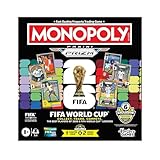
- COLLECT, TRADE, COMPETE: Go for FIFA World Cup 2026 glory in this Monopoly Panini Prizm: FIFA World Cup board game! Includes Monopoly Panini Prizm FIFA World Cup 2026 trading cards
- CURRENT STARS & FIFA WORLD CUP LEGENDS: Select and trade players using the 16 Panini cards (one 8-card Starter Pack, two 4-card Prizm Packs). Look for stars like Lionel Messi, Kylian Mbappé, and Mia Hamm
- EXCLUSIVE & ULTRA-RARE CARDS: Find 6 exclusive Gold Cracked Ice Monopoly Panini Prizm cards in every game box! Look for exclusive Hat Trick cards and ultra-rare White Money Blast inserts
- PROPERTIES ARE LEGENDARY FIFA WORLD CUP MATCHES: Take control of historic matches on the board, then compete with opponents who land on them by rolling special dice to boost players’ attacking or defensive abilities
- COMPETE AT THE FIFA WORLD CUP 2026: Players compete against opponents by revealing and comparing soccer stats on the backs of their Panini cards
If FIFA 21 is already in your EA library
- Download the EA app from EA’s official website.
- Sign in with the EA Account that purchased or redeemed FIFA 21.
- Open Library.
- Select FIFA 21 and choose Download or Install.
- Choose an installation location with substantially more than 50 GB available.
If the game is missing, check the account’s order history and redeemed-product history. The most common explanation is that the wrong EA Account is being used.
If you already own the Steam version
- Install Steam and sign in to the Steam account that owns FIFA 21.
- Install FIFA 21 from the Steam library if it is listed.
- Start the game from Steam.
- Install the EA app if prompted.
- Sign in to the EA Account associated with the Steam purchase.
- Approve the account-linking or activation prompts.
Buying through Steam does not necessarily remove EA from the process. EA says its app is required for EA PC games launched through Steam or Epic. Avoid linking the Steam copy to a different EA Account casually: entitlements can become associated with the original account, and moving them may not be supported.
If you do not own FIFA 21
Check the current regional EA or authorized-store catalog before paying. EA’s general buying guidance identifies channels such as the EA app, Steam, Epic, Humble, Amazon, Best Buy, GameStop, Target, and Walmart, but that does not prove FIFA 21 is currently listed by each retailer.
Do not follow old instructions telling you to buy or install Origin. Origin has been replaced by the EA app. Be especially cautious with “cheap keys”: a code may be invalid, already redeemed, region-restricted, or sold through an unauthorized source. Verify the exact game, platform, region, and account entitlement before purchase.
FIFA 21’s historical inclusion in the EA Play Play List does not prove that it remains included today. Do not purchase a subscription solely on that old announcement.
How to install FIFA 21 through the EA app
- Confirm that the PC uses a 64-bit version of Windows 10 or Windows 11.
- Download the EA app from EA’s official installation page.
- Run the installer and open the app.
- Sign in to the EA Account that owns FIFA 21.
- Open Library and select FIFA 21.
- Choose Download or Install.
- Select the drive and folder for the installation.
- Allow the download and any required updates to complete.
- Launch FIFA 21 from the EA app.
You need an EA Account and internet access for downloading, authentication, launcher functions, and updates. FIFA 21’s original PC disclaimer also required acceptance of EA’s user agreements and privacy policies. Offline single-player behavior should not be promised as completely independent of launcher or account authentication.
Rank #4

- OFFICIAL LICENSED PRODUCT OF THE FIFA WORLD CUP 2026: A soccer twist on a family favorite! Compete to create a FIFA World Cup team in the Monopoly Deal FIFA World Cup 2026 Edition game. Ages 8+
- BUILD A WINNING FIFA WORLD 2026 TEAM: Be the first to collect 3 sets of players to win. Includes all positions, plus star soccer players like Top Scorer, Best Dribbler, and more
- EARN FREE KICKS & SCORE GOALS: Win a medal, counterattack, and steal and swap players with Action cards—and gain an edge over the competition
- COLLECTIBLE FIFA WORLD CUP CASE: Fans can show off their love for the game with the FIFA World Cup 2026 branded plastic case! Great for storage, travel, and display
- EASY TO LEARN & FAST TO PLAY: This exciting FIFA World Cup 2026 card game for ages 8+ is easy to learn and teach, so everyone can jump right into a game. Play in as little as 15 minutes
What if FIFA 21 does not appear in my library?
Work through these checks before assuming the PC is incompatible:
- Sign out and back in to confirm the correct EA Account.
- For a Steam copy, confirm that you are using the purchasing Steam Account.
- Check purchase receipts, order history, and redeemed-code history.
- Confirm that the product is FIFA 21—not FIFA 22, EA SPORTS FC, a trial, or a different platform edition.
- For a code, check whether it has already been redeemed or is restricted to another region.
- Restart the EA app and Windows, then check the library again.
- Contact EA support with the purchase receipt or redemption evidence if the entitlement still cannot be found.
Hardware is not the likely cause when a game is absent from the library. Ownership, account mismatch, platform mismatch, and current availability are more relevant.
Independent reader supportYour contribution helps us test, update, and keep practical guides available for everyone.Troubleshooting FIFA 21 installation and launch errors
If the PC meets the requirements but FIFA 21 will not install or launch, use this order:
Recommended Free Tools
Best Value

- GAMEPLAY - FIFA 22 Legacy Edition includes the same gameplay features as FIFA 21 Legacy Edition with no new achievements and significant improvements
- Presentation: FIFA 22 Legacy Edition features an improved graphic look with newly designed gaming monitors and menu
- FIFA 22 Legacy Edition includes several FUT promotions during the season.
- Restart Windows and the EA app.
- Install available Windows updates and update the graphics driver from the GPU manufacturer.
- Run the EA app as administrator.
- Check that the EA background service is running.
- Temporarily disable overlays such as Steam, Discord, and GPU overlays.
- Repair or verify the game files in the relevant launcher.
- Clear the EA app cache, then sign in again.
- Check antivirus and firewall rules.
- Reboot after installing or updating the launcher.
EA’s troubleshooting guidance specifically identifies EADesktop.exe, EALauncher.exe, and EABackgroundService.exe as EA app components that may need to be allowed through antivirus or firewall controls. Only create exceptions when you understand the security implications, and use EA’s current support instructions rather than downloading unofficial “fix” tools.
Can I install FIFA 21 on Mac, Chromebook, Linux, or Steam Deck?
- Mac: FIFA 21’s listed PC requirements are for Windows, not macOS. The EA app supports macOS 10.15.8 or later, but that does not establish a native Mac version of FIFA 21. A supported Windows installation or compatibility layer would be a separate, unsupported consideration.
- Chromebook: EA says the EA app is not compatible with Chromebooks because they do not use Microsoft Windows.
- Linux and Steam Deck: Do not assume compatibility. The official requirements and launcher guidance here are Windows-focused, and a current Linux or Steam Deck result would require platform-specific evidence or testing.
Is FIFA 21 still worth installing?
For an existing owner with a compatible PC, FIFA 21 can still make sense for Career Mode, local play, or simply using a game already attached to the account. For a new buyer, compare verified current availability and cost with newer EA SPORTS FC releases. Newer games may offer current content and support but are substantially more demanding; for example, EA’s official information for EA SPORTS FC 26 lists a 100 GB minimum storage requirement and a GTX 1050 Ti or RX 570 minimum GPU.
Do not assume FIFA 21 has the same rosters, online modes, servers, or Ultimate Team activity it had during the 2020–21 season. EA may change or retire online features, as stated in the original launch disclaimer.
Final checklist
- 64-bit Windows 10 or Windows 11.
- At least 8 GB RAM.
- A GPU at or above the listed GTX 660/Radeon HD 7850 minimum tier.
- At least 50 GB available, preferably with additional working space.
- An EA Account and internet access.
- A legitimate FIFA 21 entitlement in the correct EA or Steam account.
- The current EA app installed—not Origin.
If all seven conditions are satisfied, install through the EA app for an EA copy or through Steam with the expected EA-app handoff for a Steam copy. If the entitlement is missing, solve ownership and availability first rather than upgrading hardware or buying an unverified key.
Quick wins for a faster PC:
Scan for outdated or missing drivers - takes under a minuteDriver Scan →Repair Windows errors before they cause bigger problemsFix Now →Fix the driver behind crashes, sound loss and screen glitchesFind Drivers →Quick Recap
Product prices and availability are accurate as of the date/time indicated and are subject to change. Any price and availability information displayed on Amazon at the time of purchase will apply.



